


 这段代码展示了如何在avue框架的crud组件中,通过slot-scope获取当前行数据,并使用slot=leakageRate对leakageRate列进行自定义渲染。根据leakageRate的值,用不同样式的el-tag标签展示数据。
效果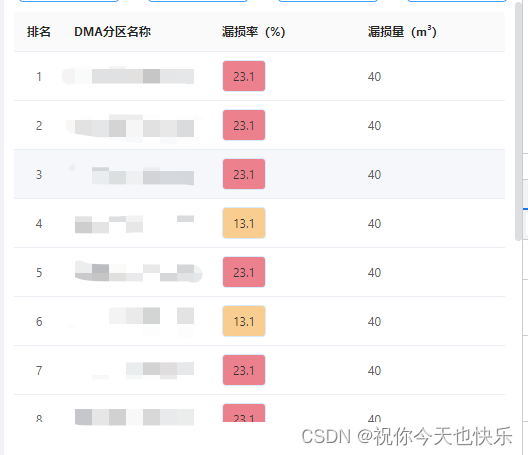
 <avue-crud :option="optiondata"  :data="tabledatalsit">
      <template slot-scope="{row}" slot="leakageRate">
              <el-tag style="background:#ec808d;color:#333" v-if="row.leakageRate>20">{

  { row.leakageRate }}</el-tag>
               <el-tag style="background:#f9cd90;color:#333" v-else>{

  { row.leakageRate }}</el-tag>
     </template>
</avue-crud>
1.slot-scope="{row}" 插槽 为了拿到当前列的数据进行渲染
2.slot="leakageRate" 配置项中字段名称 prop===> leakageRate 保持一致
3.slot: true 配置项中插槽字段 必须设置为true
 optiondata: {
                column: [
                    {
 最低0.47元/天 解锁文章






 扫一扫
扫一扫


 963
963

 被折叠的 条评论
为什么被折叠?
被折叠的 条评论
为什么被折叠?
 到【灌水乐园】发言





