


底部导航栏是一个常见的组件,用于快速切换应用中的不同视图。Flutter 提供了 BottomNavigationBar 组件,它是一个遵循 Material Design 规范的底部导航栏,支持文本、图标或两者结合的导航项。
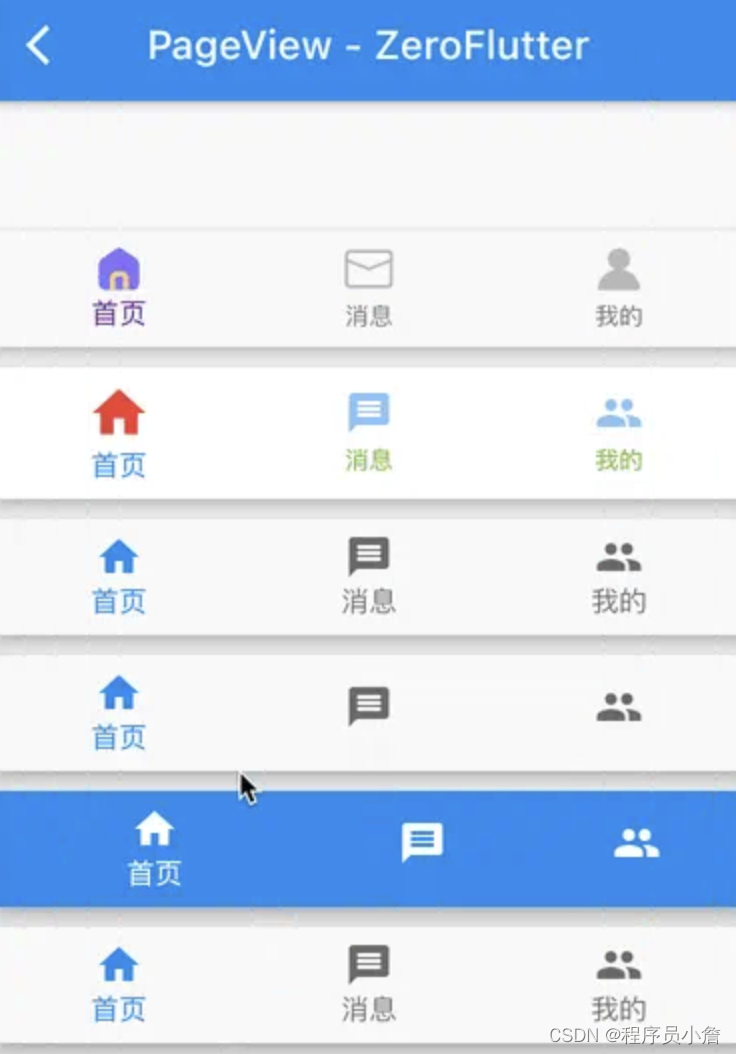
组件特性
BottomNavigationBar 组件具有以下特性:
- 支持三到五个顶级视图的快速切换。
- 可以与
Scaffold组件结合使用。 - 支持自定义导航项的图标、标签和颜色。
组件属性
BottomNavigationBar 组件提供了多种属性来自定义其外观和行为:
BottomNavigationBar({
    super.key,
    required this.items,
    this.onTap,
    this.currentIndex = 0,
    this.elevation,
    this.type,
    Color? fixedColor,
    this.backgroundColor,
    this.iconSize = 24.0,
    Color? selectedItemColor,
    this.unselectedItemColor,
    this.selectedIconTheme,
    this.unselectedIconTheme,
    this.selectedFontSize = 14.0,
    this.unselectedFontSize = 12.0,
    this.selectedLabelStyle,
    this.unselectedLabelStyle,
    this.showSelectedLabels,
    this.showUnselectedLabels,
    this.mouseCursor,
    this.enableFeedback,
    this.landscapeLayout,
    this.useLegacyColorScheme = true,
  })
每个参数的详细解释和使用方式:
- key:用于控制导航栏的
GlobalKey。如果导航栏在整个应用中是唯一的,可以使用UniqueKey。 - items:必须提供的一个
List<BottomNavigationBarItem>,每个BottomNavi
 最低0.47元/天 解锁文章






 扫一扫
扫一扫


 1090
1090


 到【灌水乐园】发言




