


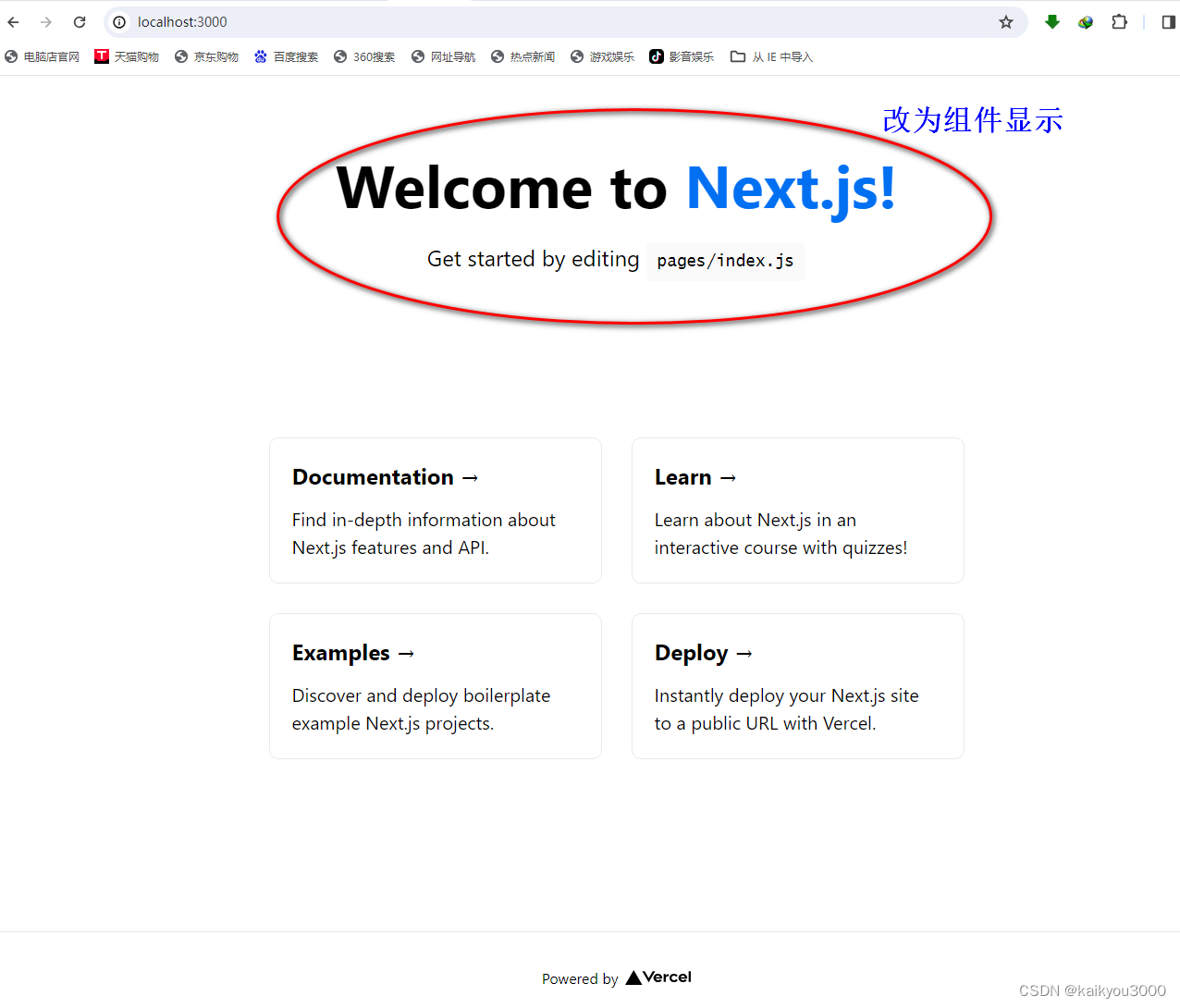
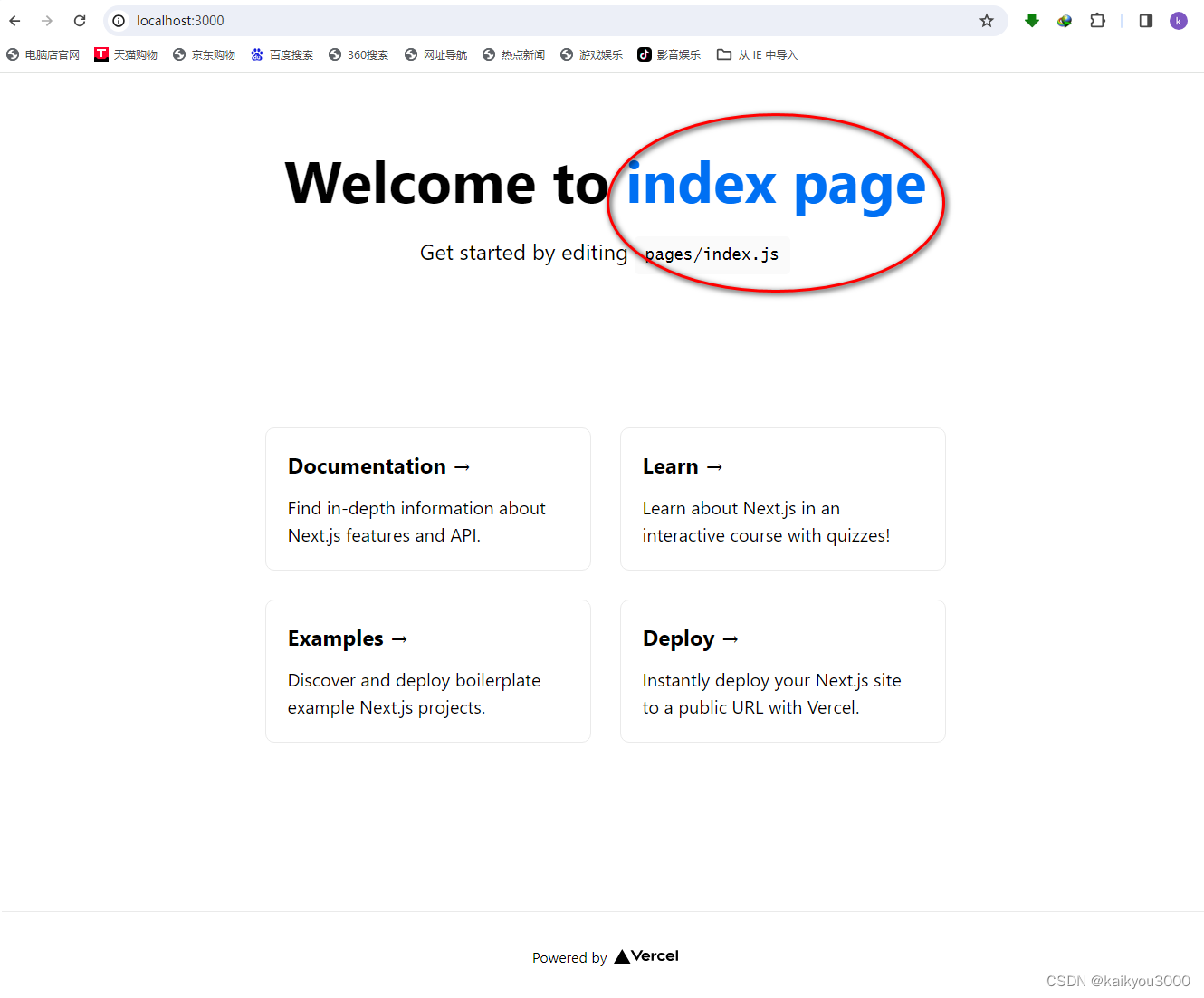
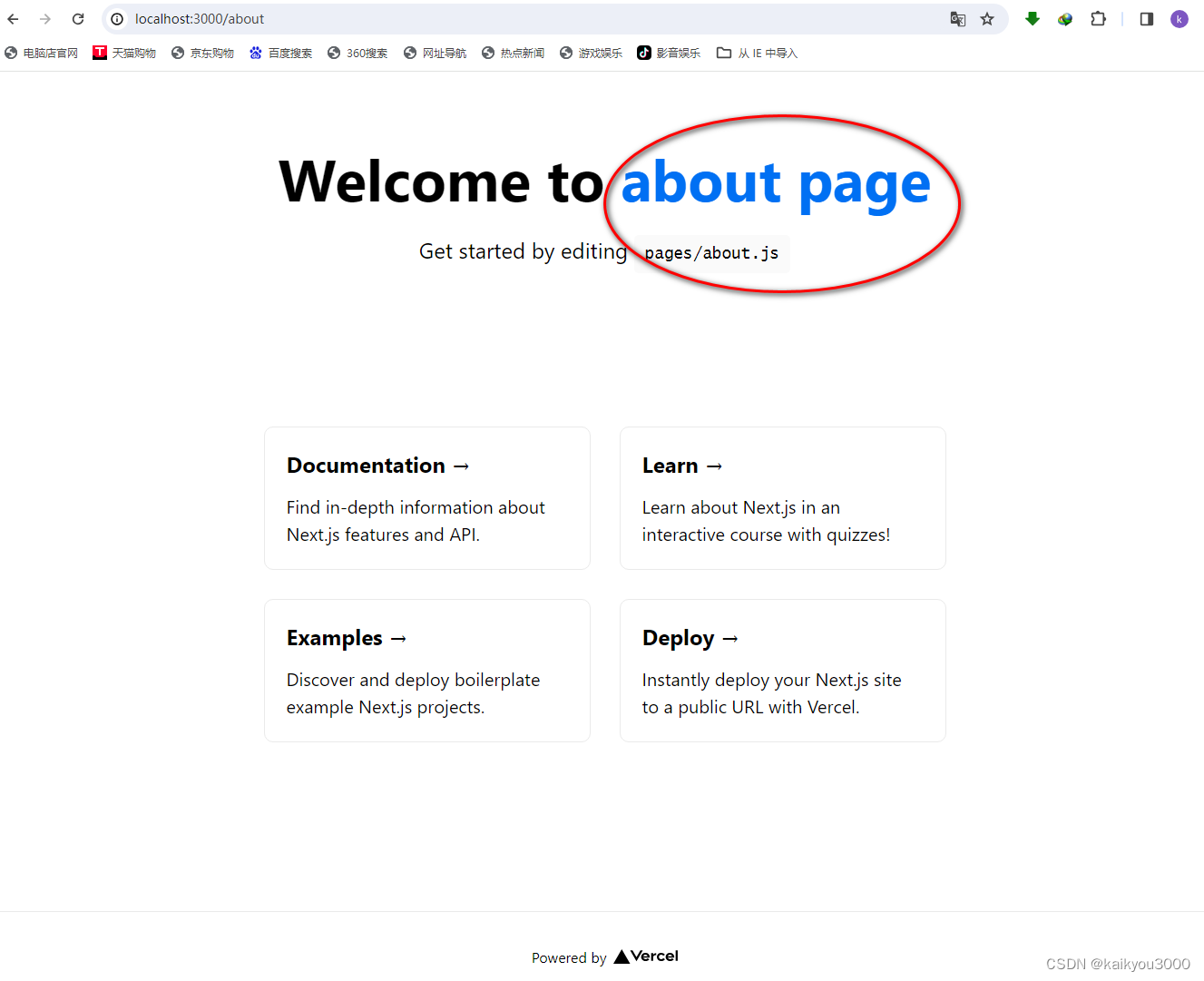
计划:将红圈内容改为组件显示,并在组件函数中传入参数,动态显示各页面内容。
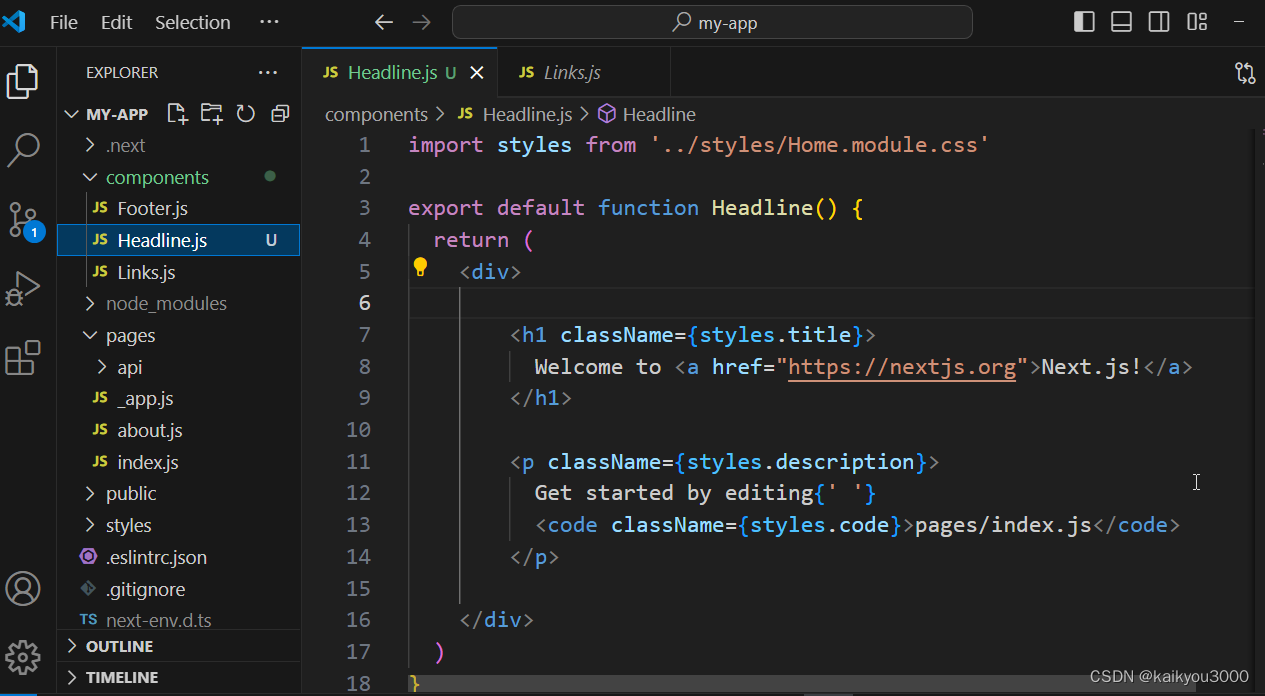
在components文件夹下新建Headline.js组件
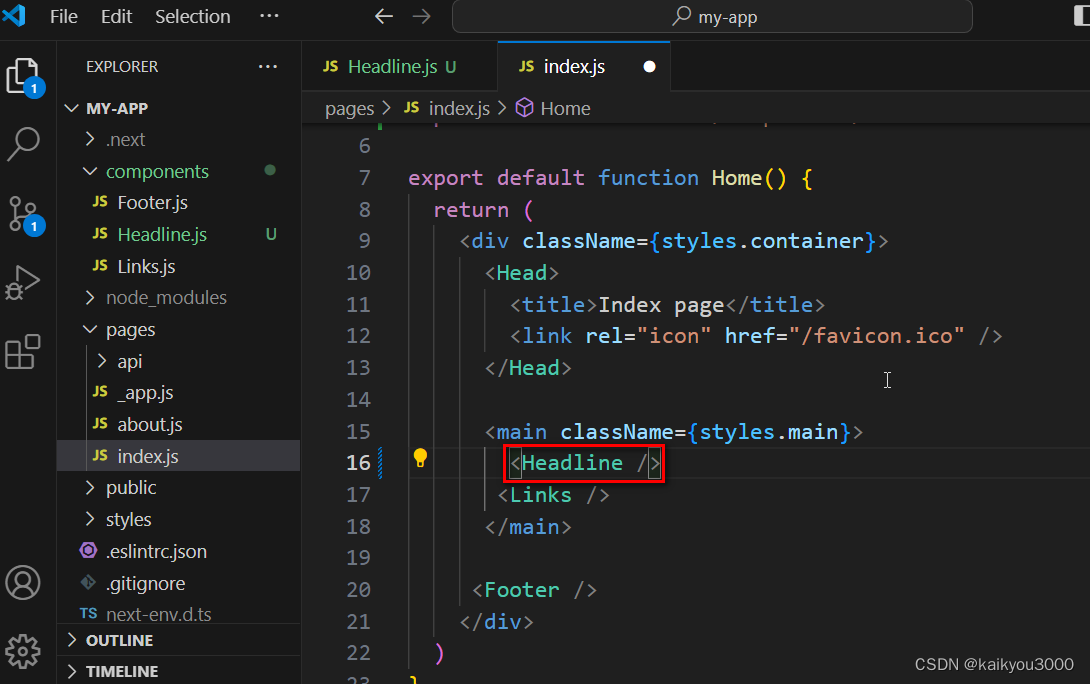
在index.js页面中使用Headline.js组件
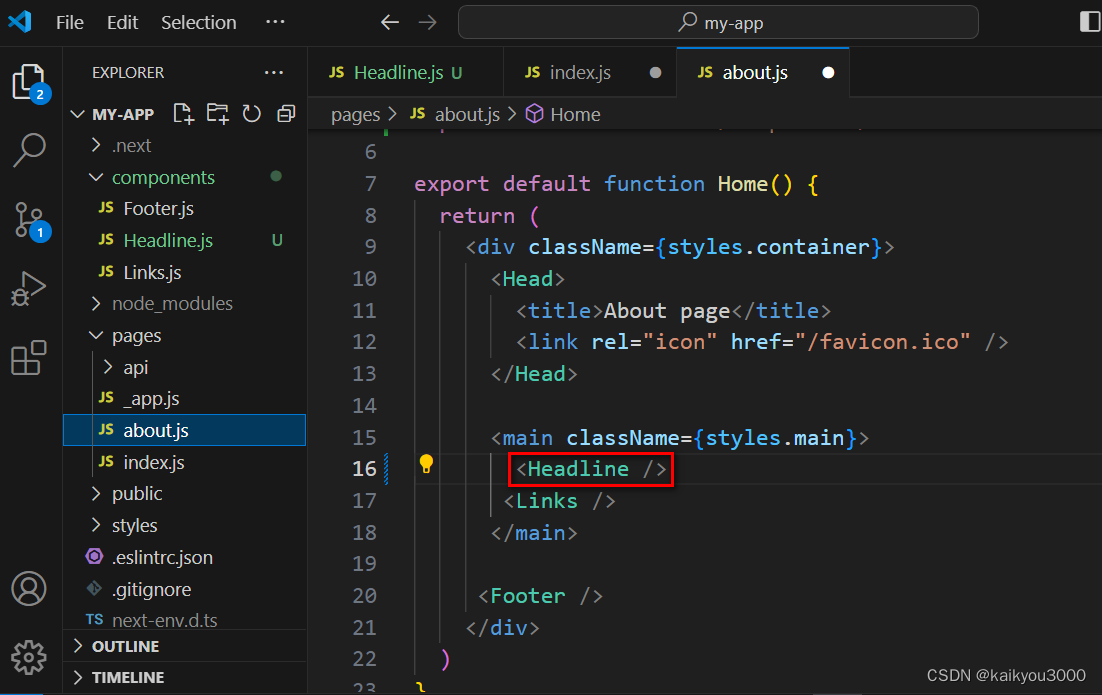
在about.js页面中使用Headline.js组件
组件函数的数据传递测试
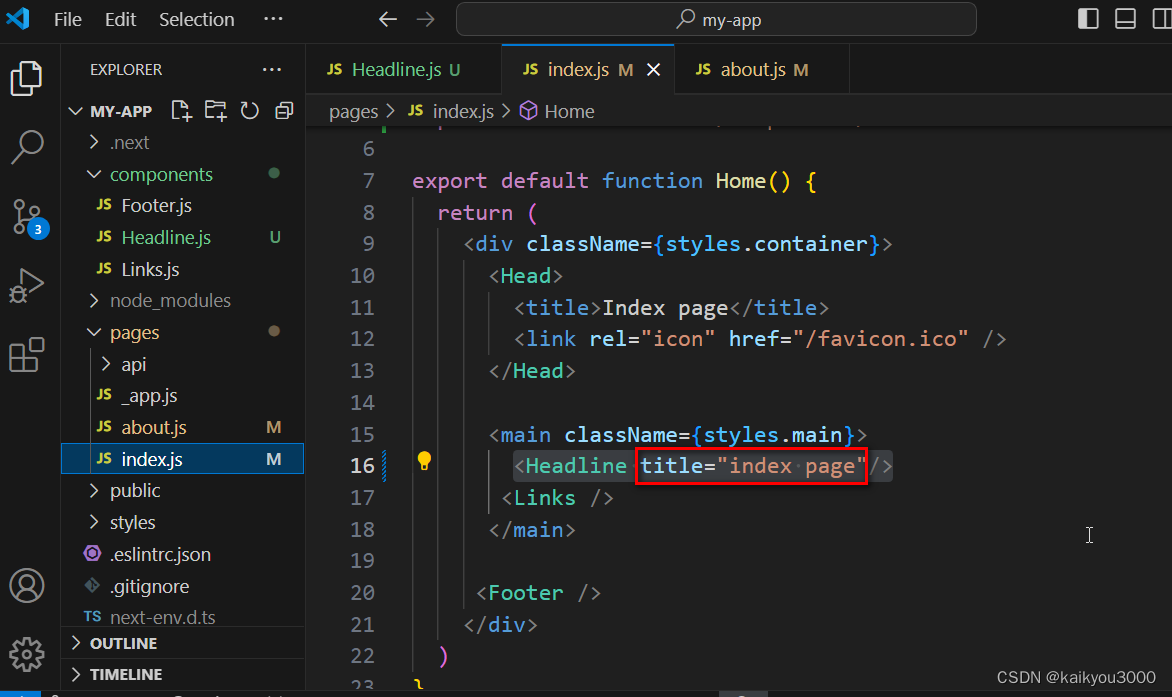
①在index.js页面使用的<Headline />组件中,设置属性title="index page"
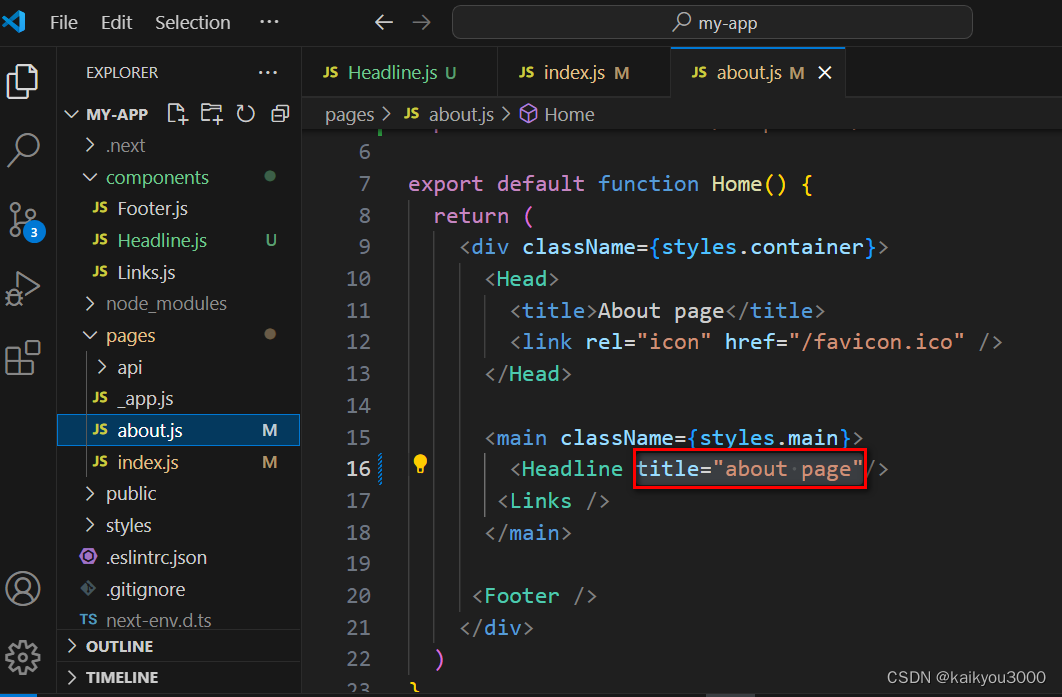
②在about.js页面使用的<Headline />组件中,设置属性title="about page"
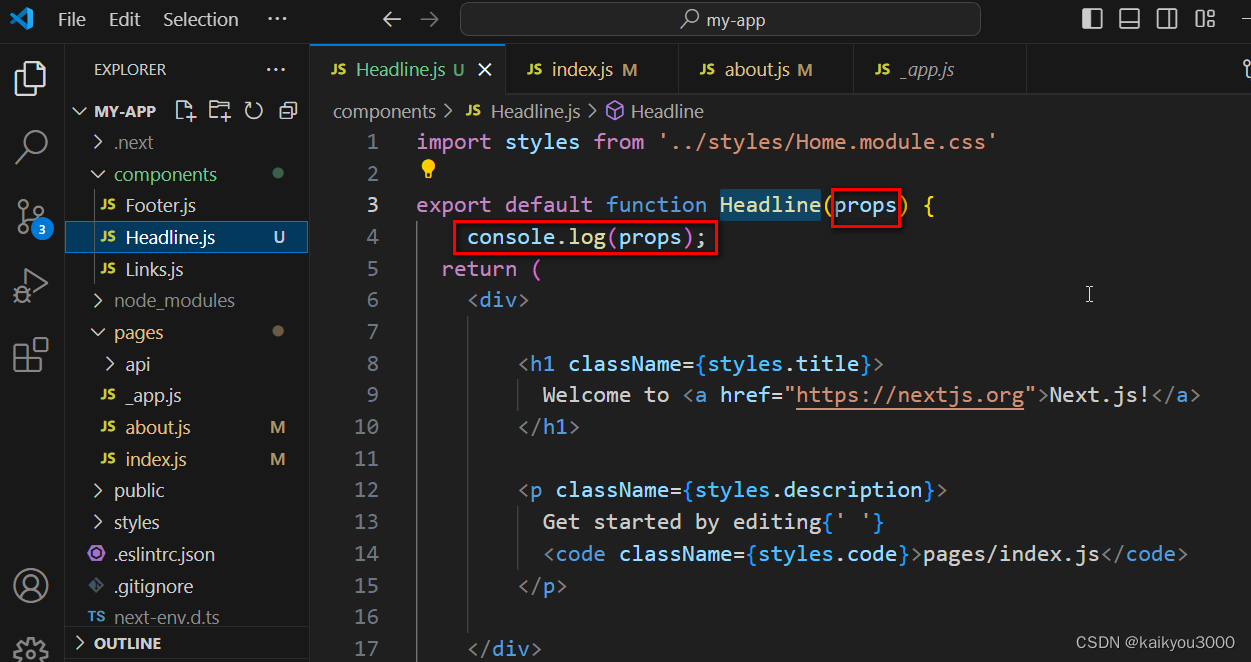
③在Headline.js组件的函数中传入参数,并在浏览器中打印出来
①在index.js页面使用的<Headline />组件中,设置属性title="index page"
②在about.js页面使用的<Headline />组件中,设置属性title="about page"
③在Headline.js组件的函数中传入参数,并在浏览器中打印出来
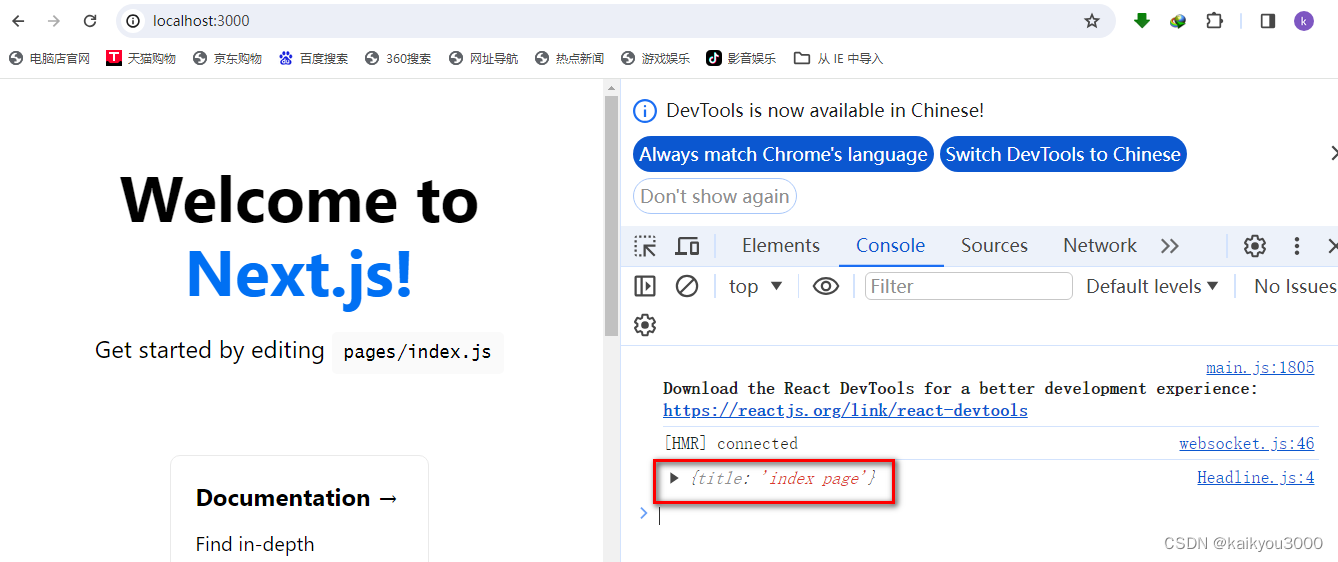
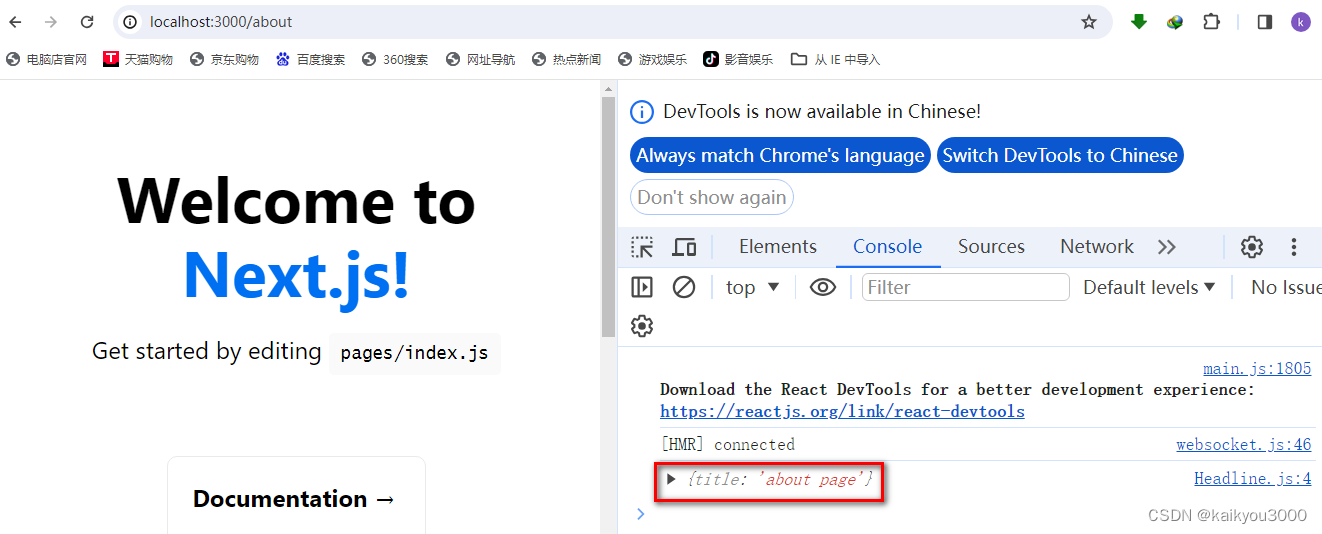
控制台已经显示数据传递成功,接下来分别在index.js页面和about.js页面中添加page属性,并在各自页面动态显示出来。
修改index.js页面
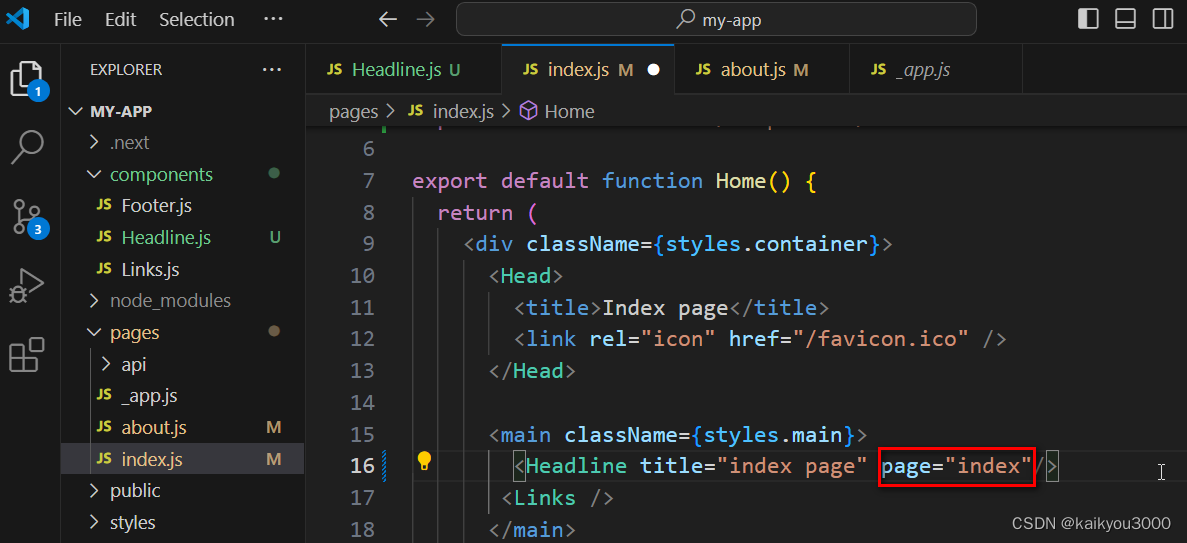
index.js页面代码
import Head from 'next/head'
import styles from '../styles/Home.module.css'
import { Footer } from '../components/Footer'
import Links from '../components/Links'
import Headline from '../components/Headline'

export default function Home() {
  return (
    <div className={styles.container}>
      <Head>
        <title>Index page</title>
        <link rel="icon" href="/favicon.ico" />
      </Head>

      <main className={styles.main}>
        <Headline title="index page" page="index"/>
       <Links />
      </main>

     <Footer />
    </div>
  )
}
修改about.js页面
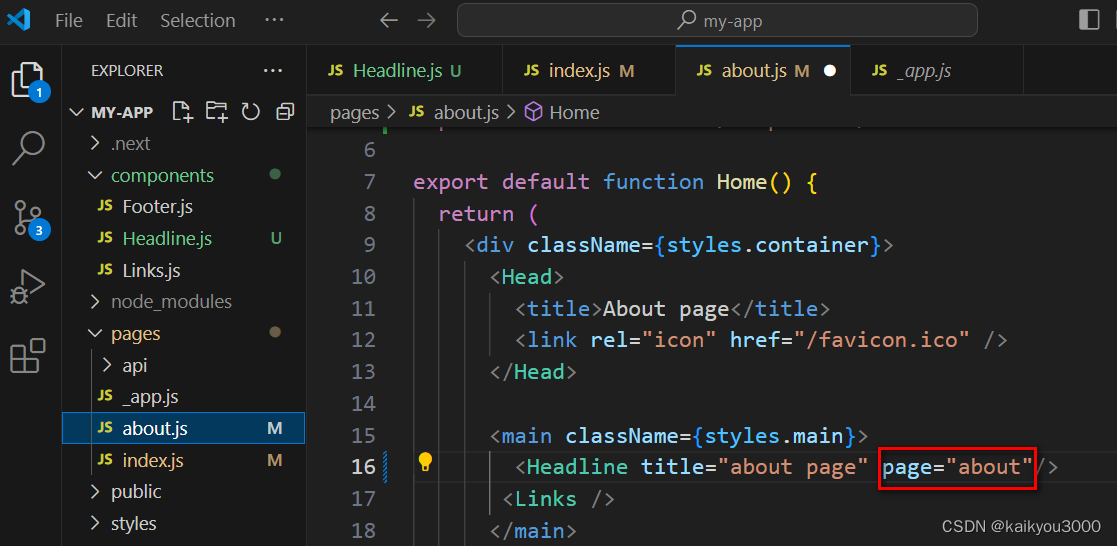
about.js页面代码
import Head from 'next/head'
import styles from '../styles/Home.module.css'
import Links from '../components/Links'
import { Footer } from '../components/Footer'
import Headline from '../components/Headline'

export default function Home() {
  return (
    <div className={styles.container}>
      <Head>
        <title>About page</title>
        <link rel="icon" href="/favicon.ico" />
      </Head>

      <main className={styles.main}>
        <Headline title="about page" page="about"/>
       <Links />
      </main>

     <Footer />
    </div>
  )
}
修改Headline.js组件
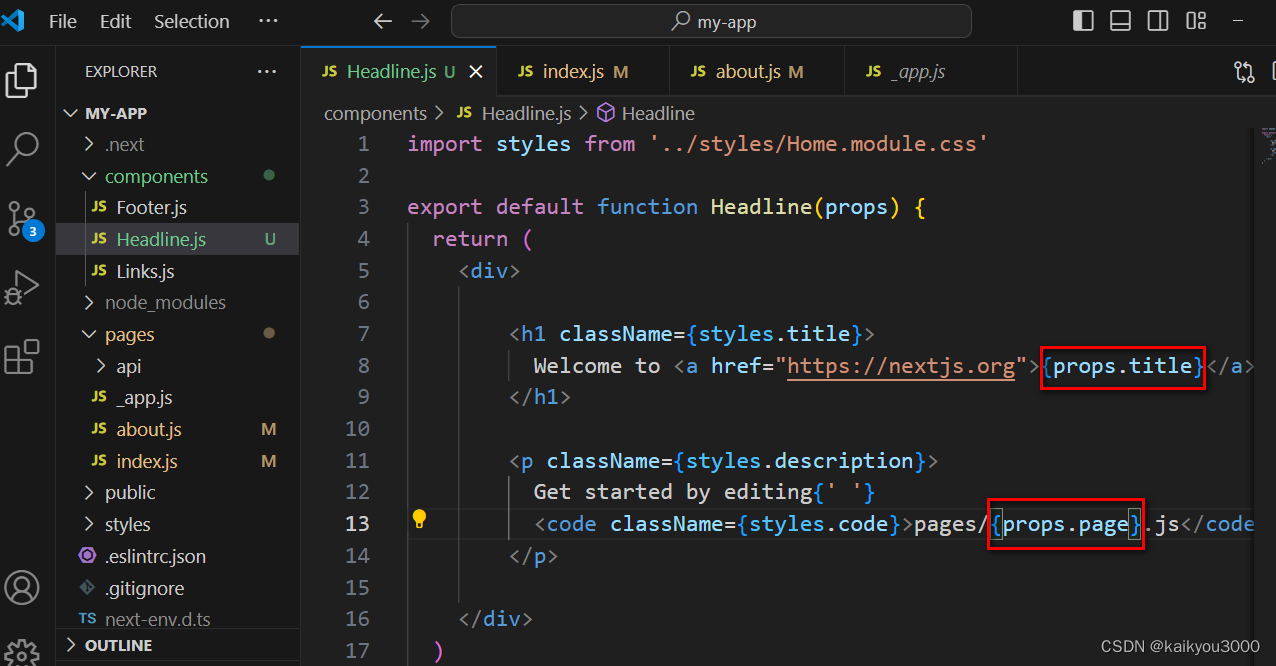
Headline.js组件代码
import styles from '../styles/Home.module.css'

export default function Headline(props) {
  return (
    <div>

        <h1 className={styles.title}>
          Welcome to <a href="https://nextjs.org">{props.title}</a>
        </h1>

        <p className={styles.description}>
          Get started by editing{' '}
          <code className={styles.code}>pages/{props.page}.js</code>
        </p>

    </div>
  )
}
在浏览器中显示正常,至此计划完成。





 扫一扫
扫一扫


 150
150

 被折叠的 条评论
为什么被折叠?
被折叠的 条评论
为什么被折叠?
 到【灌水乐园】发言





