





easyclick 提供的嵌入 HTML 的 Vue 写法体验很不好,不仅缺少组件化思想,还导致大量代码冗余,路由跳转也十分不便。
后来我在 easyclick 文档中偶然发现 xml 可以使用 webview 技术,就想到如果把 url 指向本地地址会不会成功,试了一下居然可行。
这就好办了 —— 只要在 vue 脚手架中配置好 build 路径,再在 uil.js 中配置 webview 的 url,就能实现开发环境和生产环境的一键切换了。项目开源地址:https://github.com/YXKxk/easyclick-vue2,如果对你有帮助请关注我抖音:程序员小风,获取更多的自动化,js逆向,小程序、网页开发新知识
项目目录:
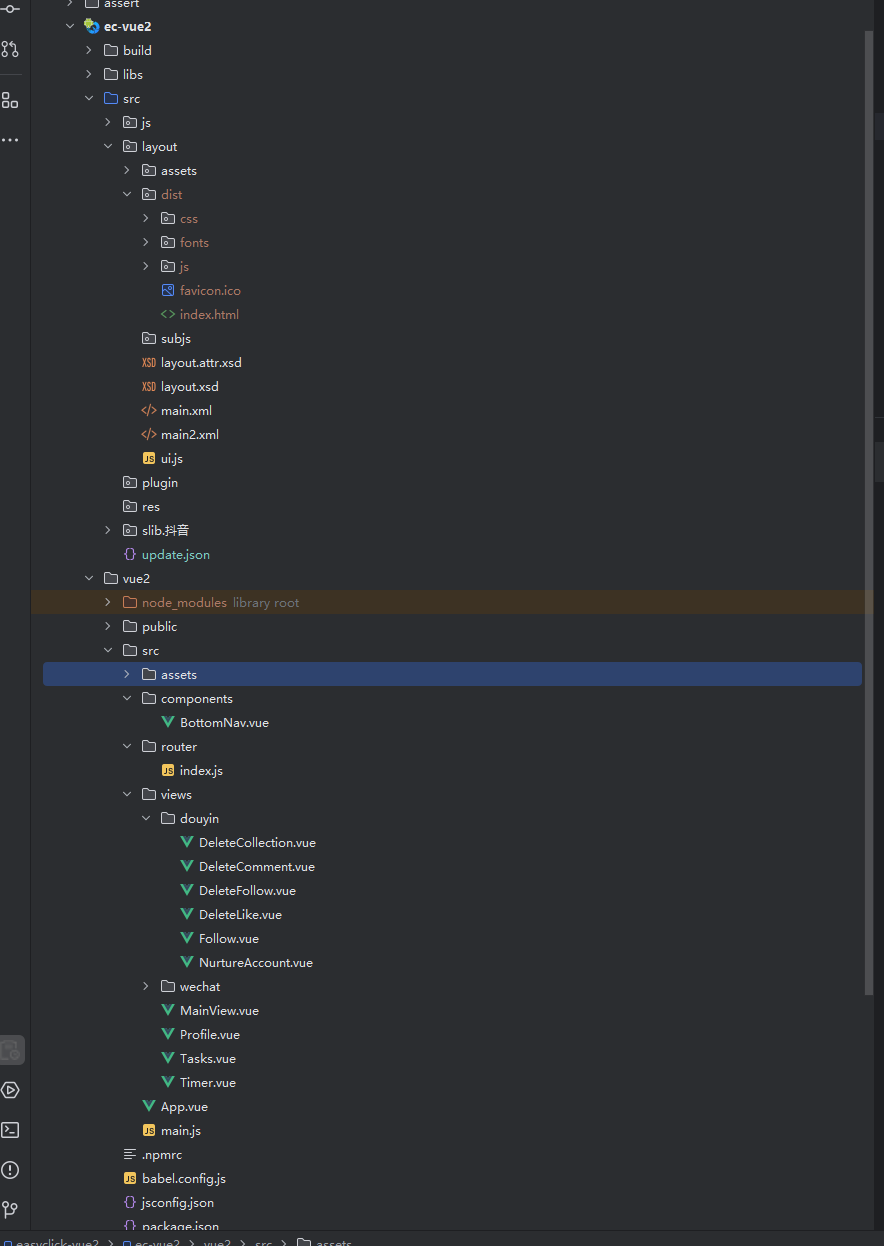
main.xml:
<?xml version="1.0" encoding="UTF-8" ?>
<LinearLayout
        xmlns:xsi="http://www.w3.org/2001/XMLSchema-instance"
        xmlns:android="http://schemas.android.com/apk/res/android"
        xsi:noNamespaceSchemaLocation="layout.xsd"
        android:layout_height="match_parent"
        android:layout_width="match_parent">
    <WebView android:layout_width="match_parent"
             android:tag="web"
             android:layout_height="match_parent"/>
</LinearLayout>
ui.js:
function main() {


    let url = "http://192.168.1.6:8080";
    let url2 = "dist/index.html"

    // 显示布局
    ui.layout("Web视图", "main.xml");

    let isDevelopment = true; // 开发环境为true,生产环境为false

    // 获取WebView组件并加载URL
    let webView = ui.findViewByTag("web");
    if (isDevelopment) {
        webView.loadUrl(url);
        logd("WebView已加载URL: " + url);
    } else {
        webView.loadUrl(url2)
        logd("WebView已加载URL: " + url2);
    }
}


main();
开发环境:
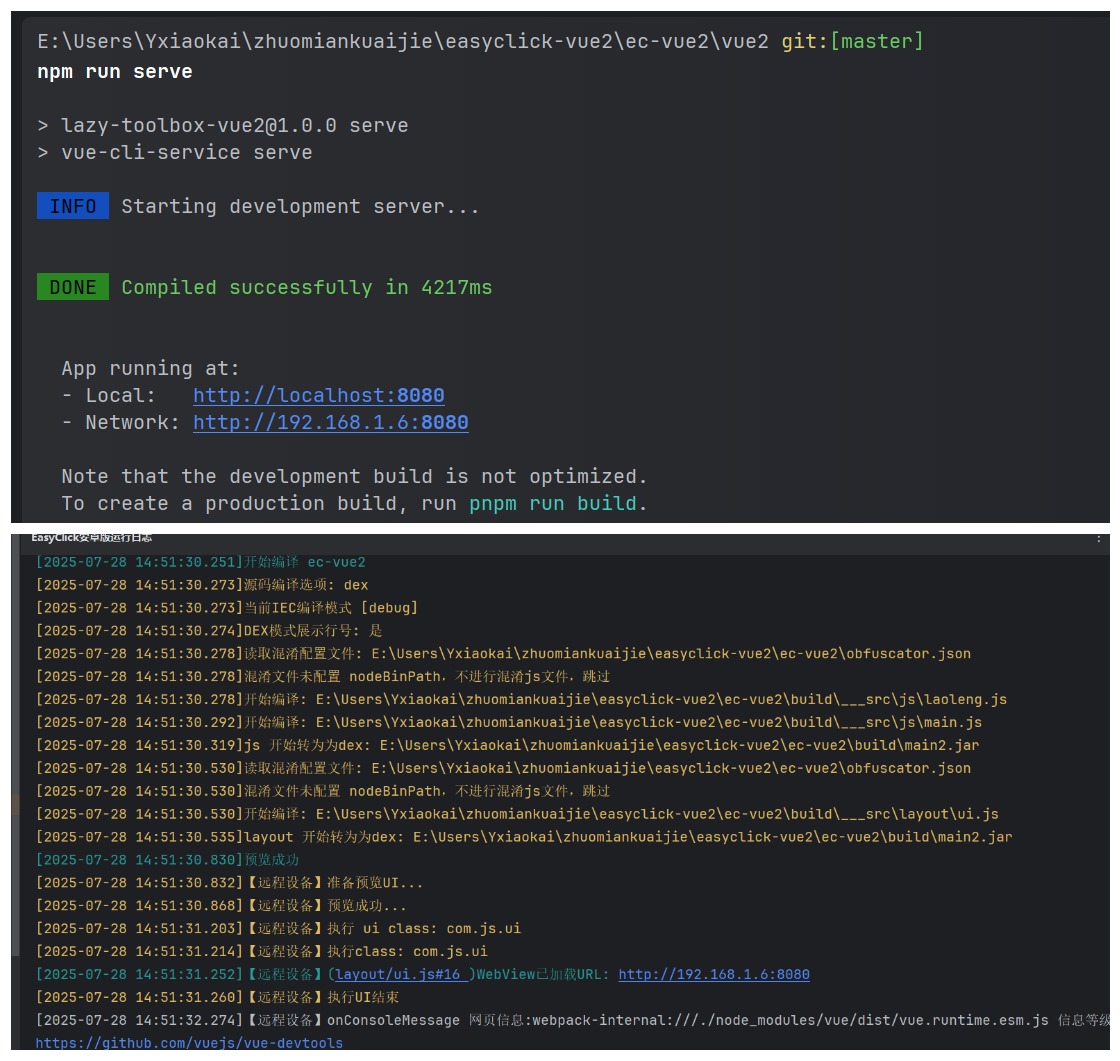
生产环境:
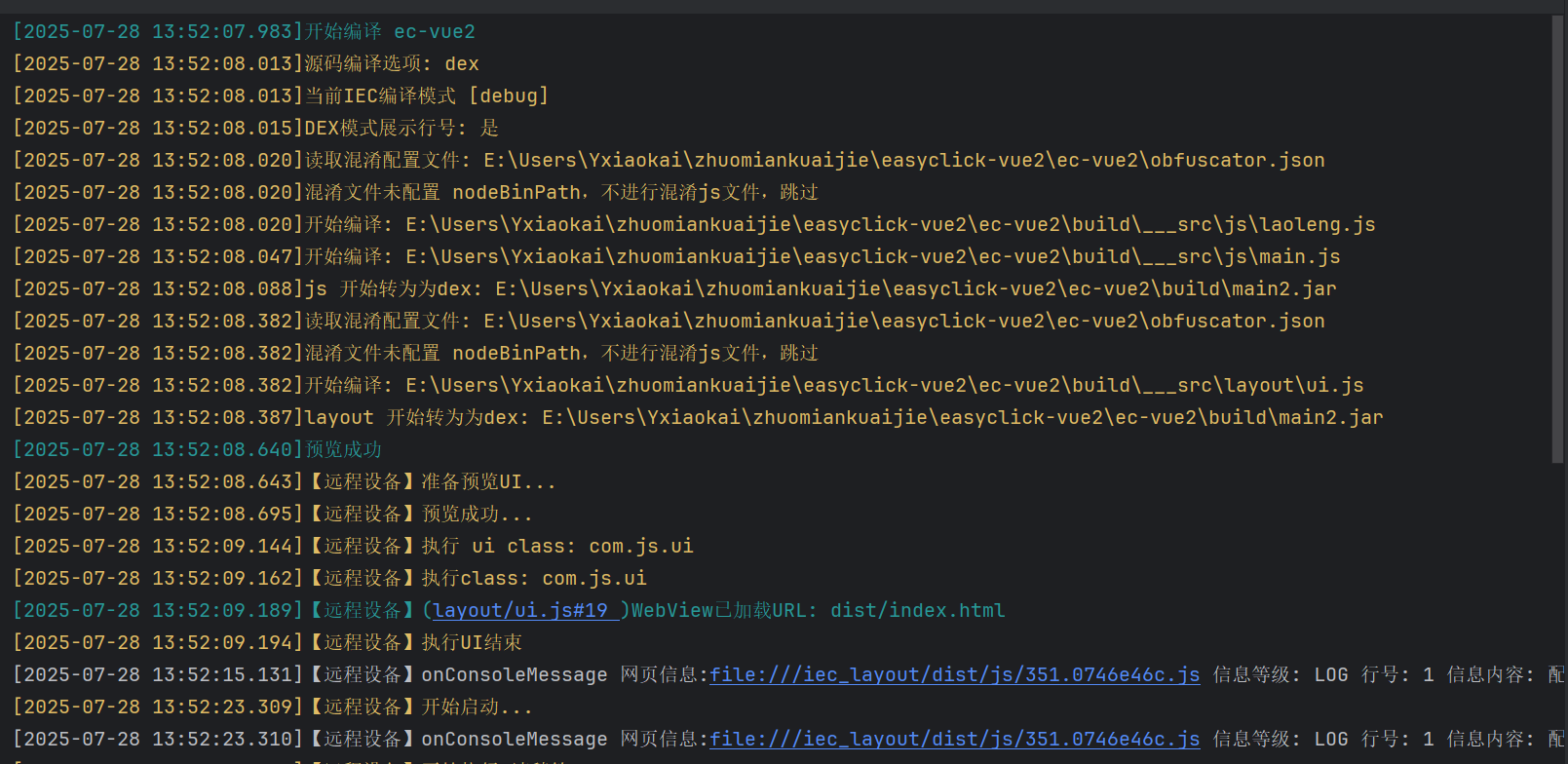
运行界面:
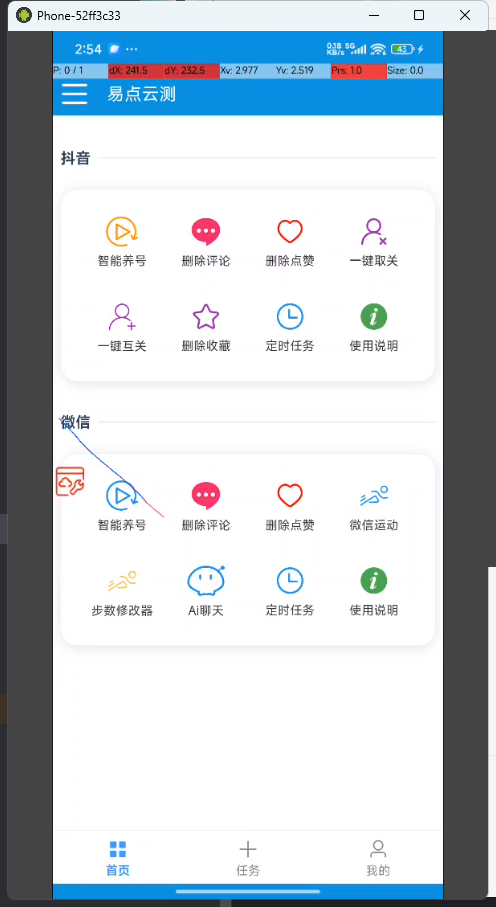





 扫一扫
扫一扫


 3932
3932

 被折叠的 条评论
为什么被折叠?
被折叠的 条评论
为什么被折叠?
 到【灌水乐园】发言





