



一、问题描述

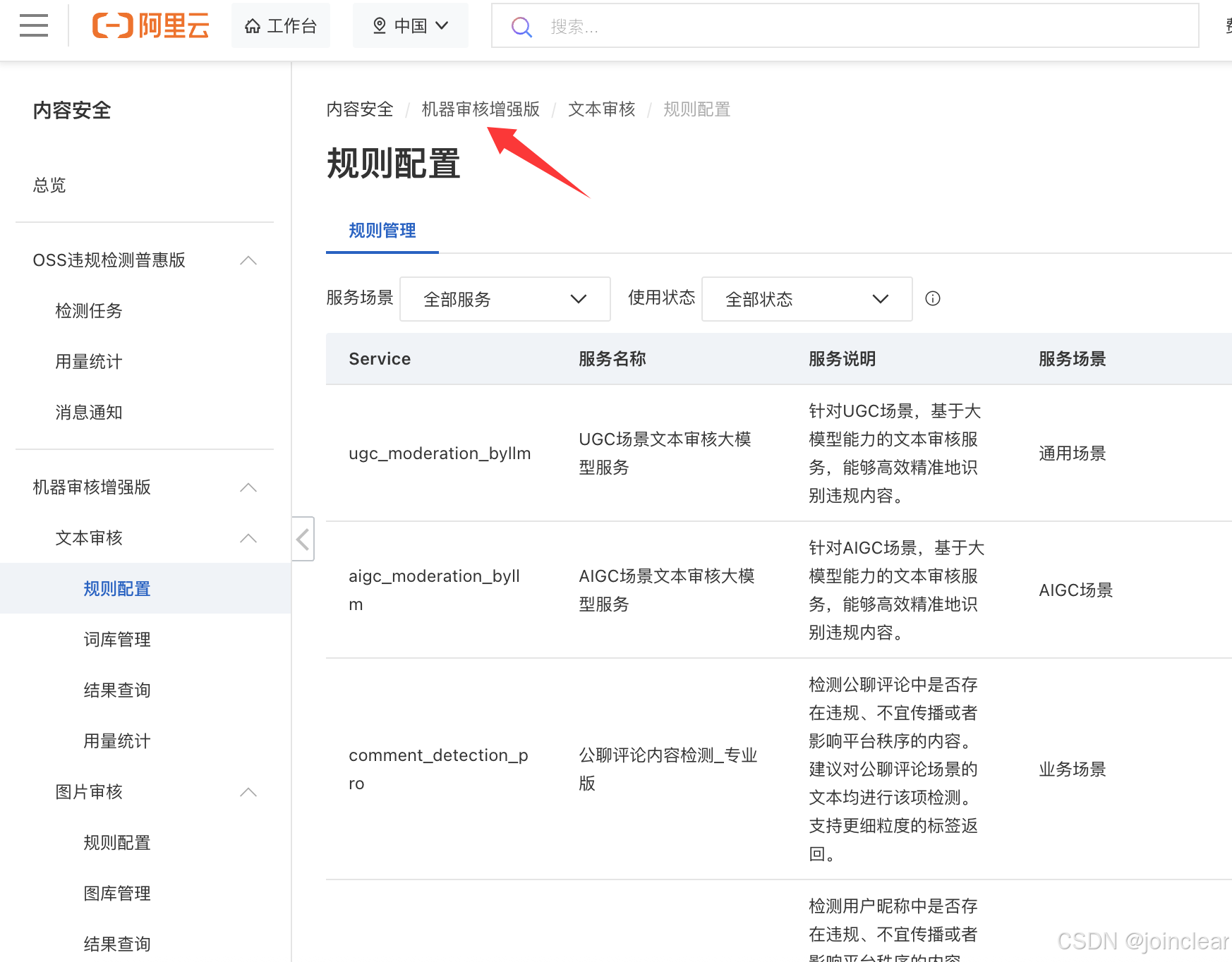
对接阿里云内容安全/机器审核增强版,代码报错408。
二、解决方法
1、查看错误码
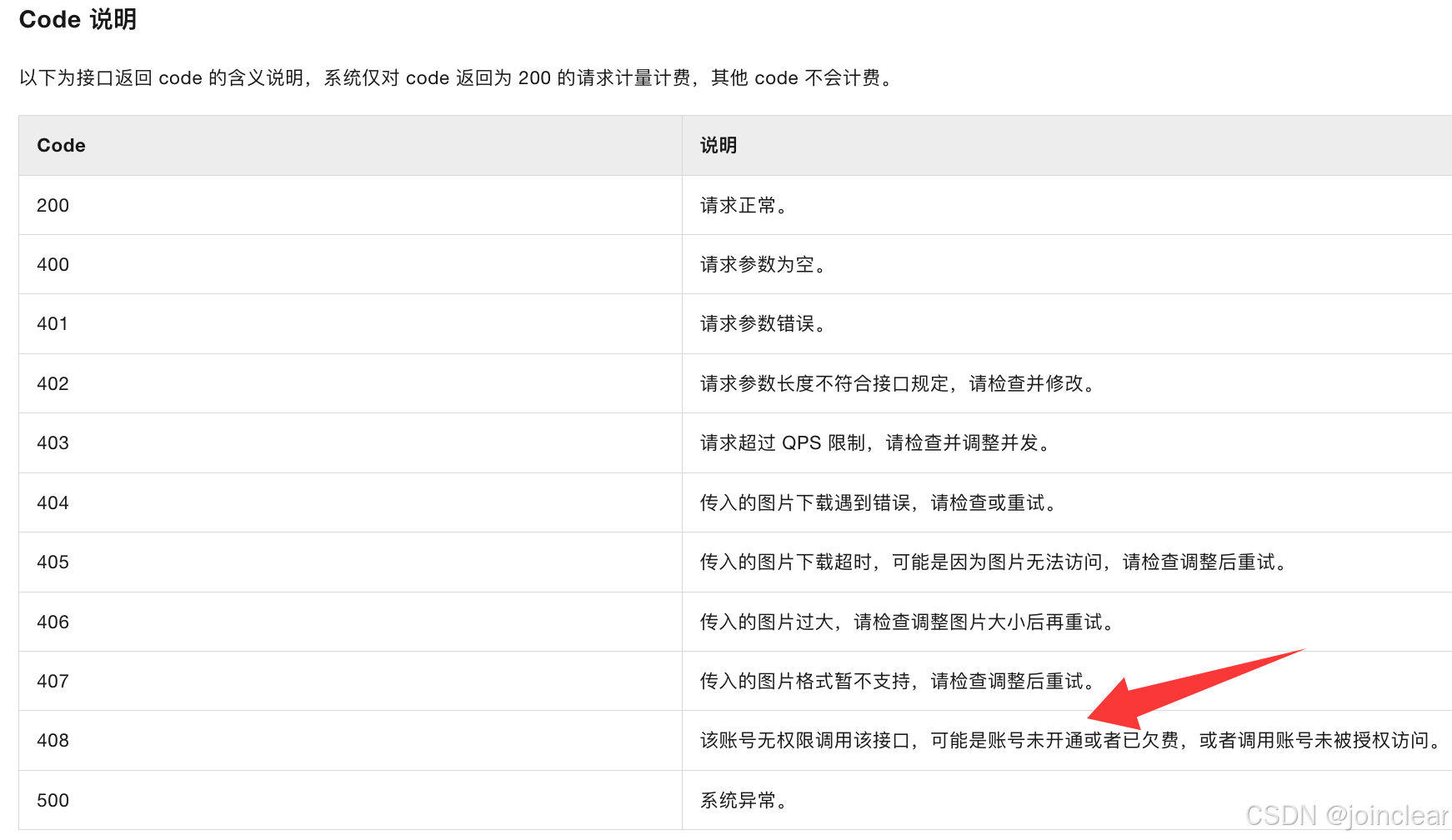
408对应:无权限调用该接口。
检查key和secret之后,发现都正常。
检查之后发现,RAM对应的账号未授权对应权限。
2、解决方法:
进入“RAM 访问控制”控制台:用户/权限管理
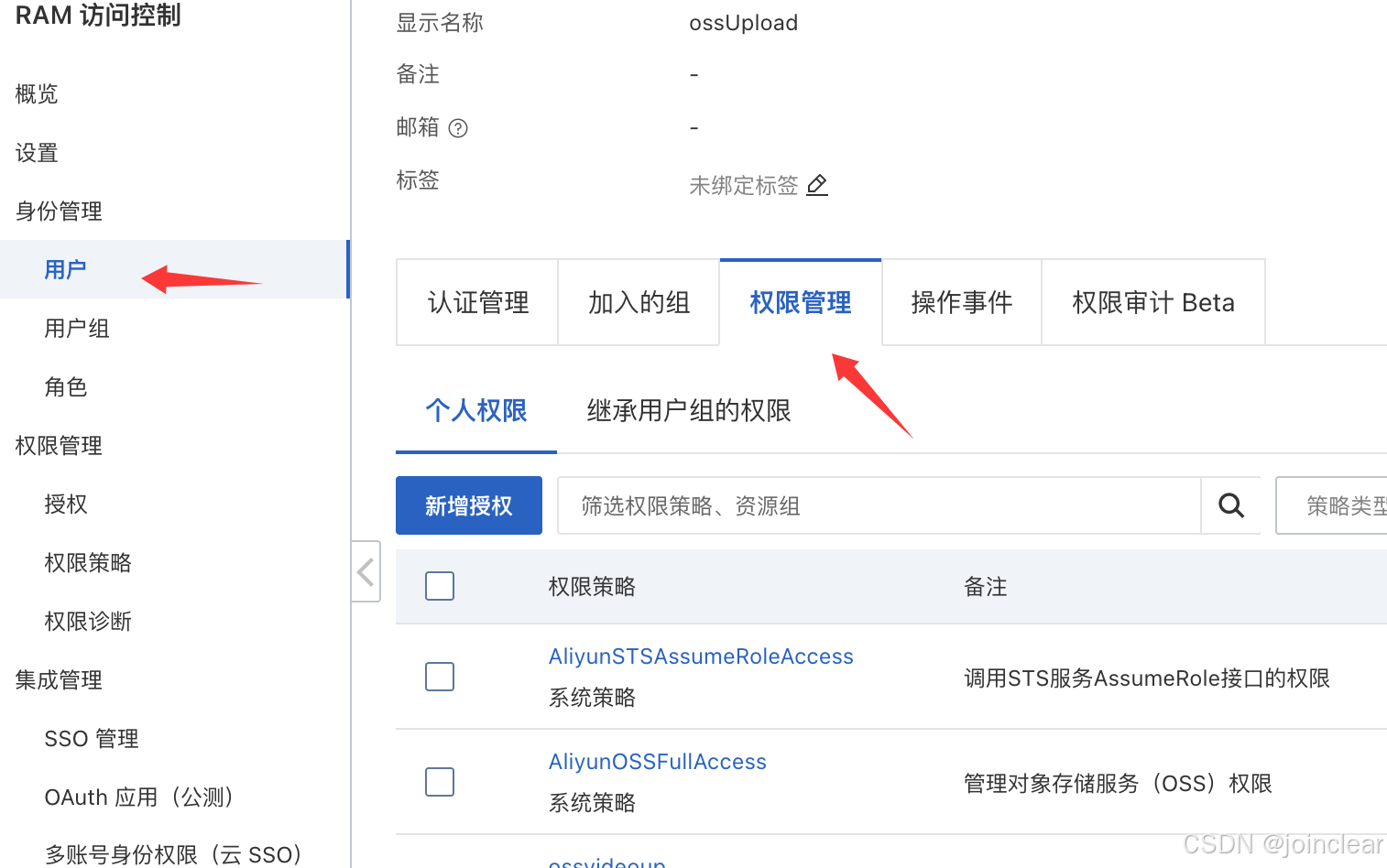
点击“新增授权”,增加权限策略:AliyunYundunGreenWebFullAccess
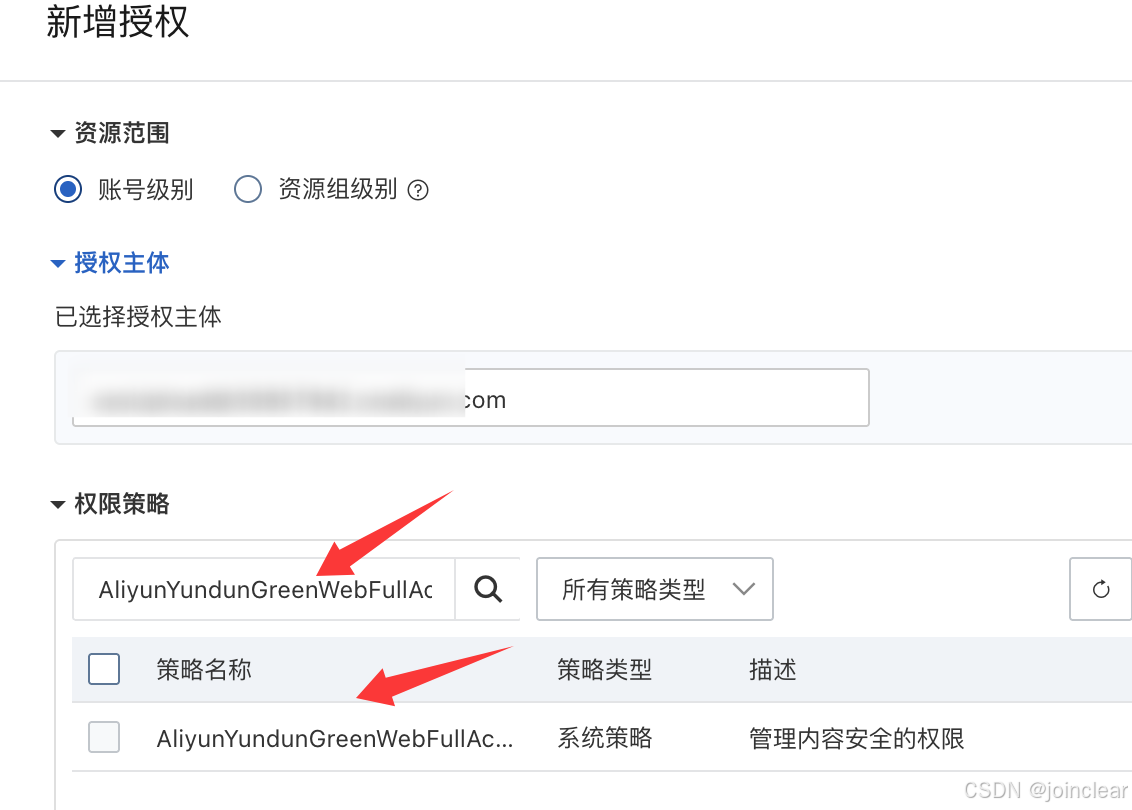
测试之后,OK。
备注:如果检测不太准确或者缺少一些,还可以去“规则配置”管理检测规则,开启自己需要的规则即可。
三、附:实现对接的代码
pom.xml增加:
<dependency>
    <groupId>com.aliyun</groupId>
    <artifactId>green20220302</artifactId>
    <version>3.0.1</version>
</dependency>
实现类AliTmpUtil:
    private String key = "";
    private String secret = "";
    private String regionId = "cn-shanghai";
    private String endpoint = "green-cip.cn-shanghai.aliyuncs.com";

    private Client createClient() {
        Client client = null;
        try {
            Config config = new Config()
                    .setAccessKeyId(key)
                    .setEndpoint(endpoint)
                    .setRegionId(regionId)
                    .setAccessKeySecret(secret);
            config.setReadTimeout(6000);
            config.setConnectTimeout(3000);
            client = new Client(config);
        } catch (Exception e) {
            e.printStackTrace();
        }
        return client;
    }
文本审核:
public boolean textModerationPlus(String content) {
        if (content == null || content.trim().isEmpty()) {
            return false;
        }
        Client client = this.createClient();
        if (client == null) {
            return false;
        }

        JSONObject serviceParameters = new JSONObject();
        serviceParameters.set("content", content);

        TextModerationPlusRequest textModerationPlusRequest = new TextModerationPlusRequest();
        textModerationPlusRequest.setService("chat_detection_pro");
        textModerationPlusRequest.setServiceParameters(serviceParameters.toJSONString(4));

        TextModerationPlusResponse response;
        try {
            response = client.textModerationPlus(textModerationPlusRequest);
        } catch (Exception e) {
            throw new ServiceException("安全审核失败");
        }

        if (response == null || response.getBody() == null) {
            return false;
        }

        TextModerationPlusResponseBody result = response.getBody();
        Integer code = result.getCode();
        if (!Integer.valueOf(200).equals(code)) {
            return false;
        }

        TextModerationPlusResponseBody.TextModerationPlusResponseBodyData data = result.getData();
        if (data == null) {
            return false;
        }

        if ("none".equals(data.getRiskLevel())) {
            return true;
        } else {
            throw new ServiceException("内容包含敏感词");
        }
    }
图片审核:
public boolean imageModerationPlus(String content) {
        if (content == null || content.trim().isEmpty()) {
            return false;
        }

        // 处理多个URL的情况(逗号分隔)
        String[] urls = content.split(",");

        Client client = this.createClient();
        if (client == null) {
            return false;
        }

        RuntimeOptions runtime = new RuntimeOptions();

        // 遍历每个URL进行审核
        for (String url : urls) {
            String imageUrl = url.trim();
            if (imageUrl.isEmpty()) {
                continue;
            }

            JSONObject serviceParameters = new JSONObject();
            serviceParameters.set("imageUrl", imageUrl);
            serviceParameters.set("dataId", UUID.randomUUID().toString());

            ImageModerationRequest request = new ImageModerationRequest();
            request.setService("baselineCheck");
            request.setServiceParameters(serviceParameters.toJSONString(4));

            ImageModerationResponse response;
            try {
                response = client.imageModerationWithOptions(request, runtime);
            } catch (Exception e) {
                throw new ServiceException("图片安全审核失败: " + imageUrl);
            }

            if (response == null || response.getBody() == null) {
                return false;
            }

            ImageModerationResponseBody result = response.getBody();
            Integer code = result.getCode();
            if (!Integer.valueOf(200).equals(code)) {
                return false;
            }

            ImageModerationResponseBody.ImageModerationResponseBodyData data = result.getData();
            if (data == null) {
                return false;
            }

            // 只要有一个图片不通过,就返回失败
            if (!"none".equals(data.getRiskLevel())) {
                throw new ServiceException("图片包含违规信息");
            }
        }
        return true;
    }






 扫一扫
扫一扫


 1万+
1万+

 被折叠的 条评论
为什么被折叠?
被折叠的 条评论
为什么被折叠?
 到【灌水乐园】发言





