



 本文详细介绍了如何在Linux系统中设置SSH,包括切换root用户、设置密码、更新源、安装openssh-server,以及使用FinalShell通过Shell进行安全连接的过程,还涉及了获取和显示本地IP地址的方法。
目录
1、切换 root 用户,如果未设置 root 用户密码,需要先设置root密码
1.finalshell下载 :https://www.hostbuf.com/t/988.html
开启ssh
1、切换 root 用户,如果未设置 root 用户密码,需要先设置root密码
sudo apt-get update01 如果已设置密码
su root02未设置密码
sudo passwd root

[sudo] password for unhan: # 输入当前用户密码
New password: # 输入root新密码
Retype new password: # 再次输入root密码
passwd: password updated successfully # 密码更新成功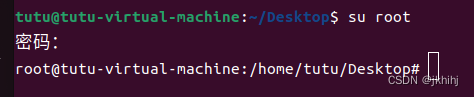
2 更新源列表
sudo apt-get update3.安装 openssh-server,遇到选择选择y就行
sudo apt-get install openssh-server4.检查 ssh 服务是否启动成功
sudo ps -e | grep ssh
如果有 sshd 则说明 ssh 服务已启动,如果没有启动,输入下边命令启动 ssh 服务

sudo service ssh start

再次输入查询服务是否启动命令:sudo ps -e | grep ssh

至此,ssh能正常开启

额外:

禁用 ssh 命令:sudo systemctl disable --now ssh
启用 shh 命令:sudo systemctl enable --now ssh


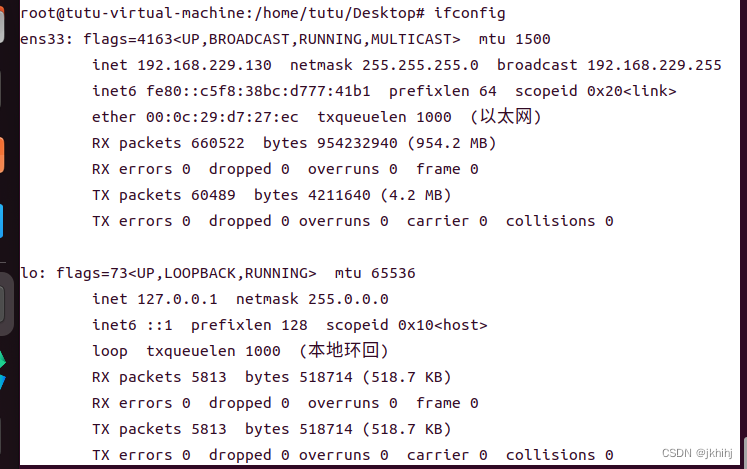
查看本机的 ip 地址 ifconfig :

输入ifconfig后,如果出现以下提示,则说明没有安装net-tools
Command 'ifconfig' not found, but can be installed with:
apt install net-tools

安装 net-tools:sudo apt-get install net-tools

再次输入ifconfig就好,如下图,ens33输出那一组下的inet就是我的IP地址
使用FinalShell通过Shell连接
1.finalshell下载 :https://www.hostbuf.com/t/988.html
2finalshell使用:
 3使用账号密码登录:
1.点击应用 -> 接受并保存(根据自己需求就好)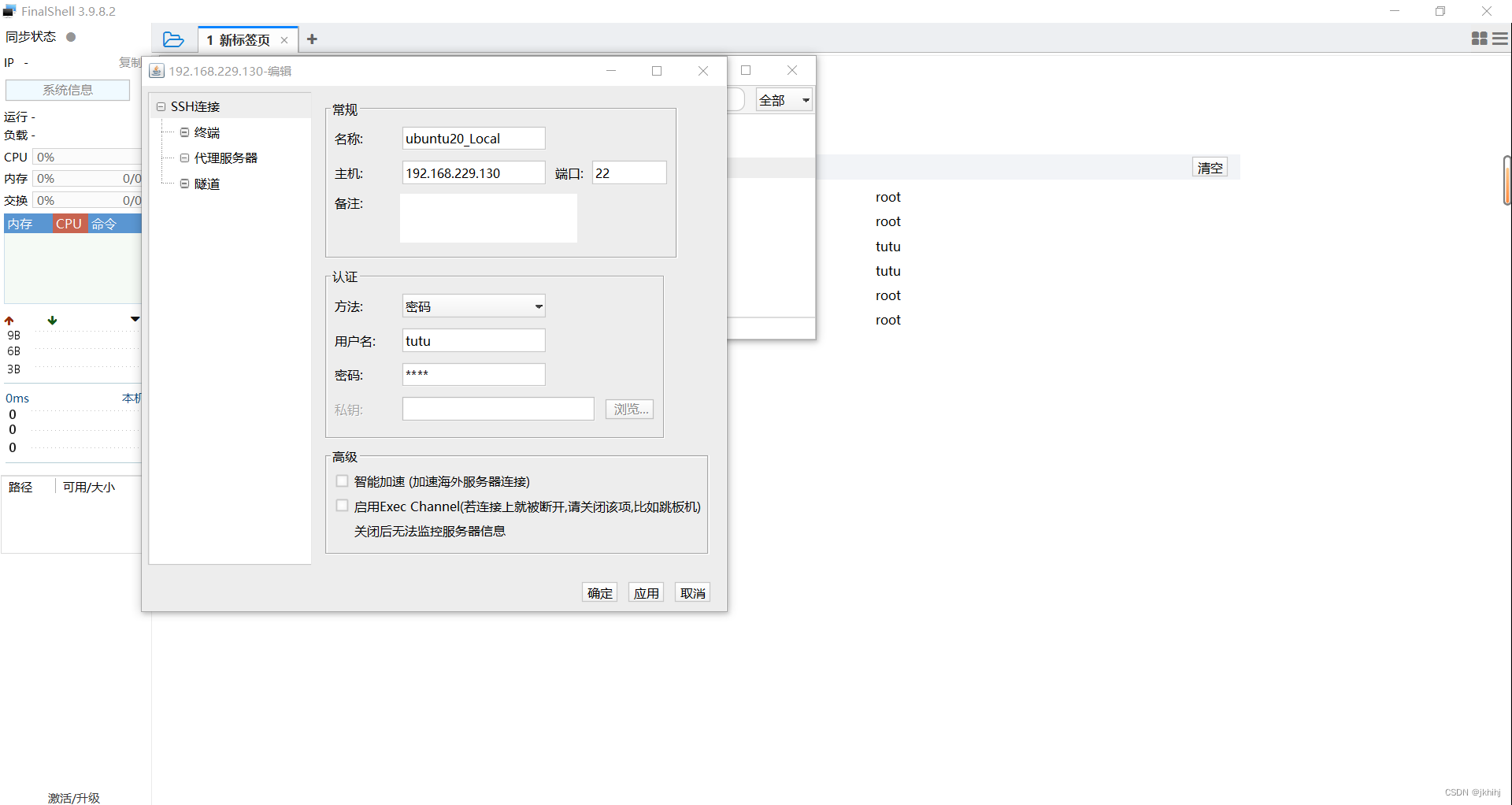





 扫一扫
扫一扫


 1125
1125

 被折叠的 条评论
为什么被折叠?
被折叠的 条评论
为什么被折叠?
 到【灌水乐园】发言





