


一开始,我也没有怀疑这种高 Star 的开源组件,觉得肯定是我写的代码有问题。为了追查到底,我主要用了 ElDialog 组件,封装成了一个命令式的 Dialog组件,避免频繁使用 v-model参数。然后,我就把怀疑的目光投向了 ElDialog。
前端开发者们注意啦,今天给大家带来一个关于Element-plus组件的内存泄漏问题,经过测试,以下组件存在内存泄漏的现象:
以下是我在 Vue 3.5.13 和 Element Plus 2.9.7 版本下的排查环境:
- Vue版本:3.5.13
- Element Plus版本:2.9.7
- 操作系统:Windows 10
- 浏览器:Edge 134.0.3124.85 (正式版)
- 构建工具:Webpack
排查过程
一开始,我也没有怀疑这种高 Star 的开源组件,觉得肯定是我写的代码有问题。为了追查到底,我主要用了 ElDialog 组件,封装成了一个命令式的 Dialog组件,避免频繁使用 v-model参数。然后,我就把怀疑的目光投向了 ElDialog。
结果,经过测试,果然,Dialog组件在关闭和销毁时,会导致内存使用飙升。特别是当 Dialog 中包含各种表单组件时,一旦打开,就会创建大量的 Element 元素,导致内存泄漏。为了解决这个问题,我用了 FinalizationRegistry类追踪 Dialog 组件实例的销毁,代码如下:
const finalizerRegistry = new FinalizationRegistry((heldValue) => {
  console.log('Finalizing instance: ',heldValue);
});


// 在创建处监听
const heldValue = Symbol(`DialogCommandComponent_${Date.now()}`);
finalizerRegistry.register(this, heldValue);
console.log(`Constructed instance:`,heldValue);
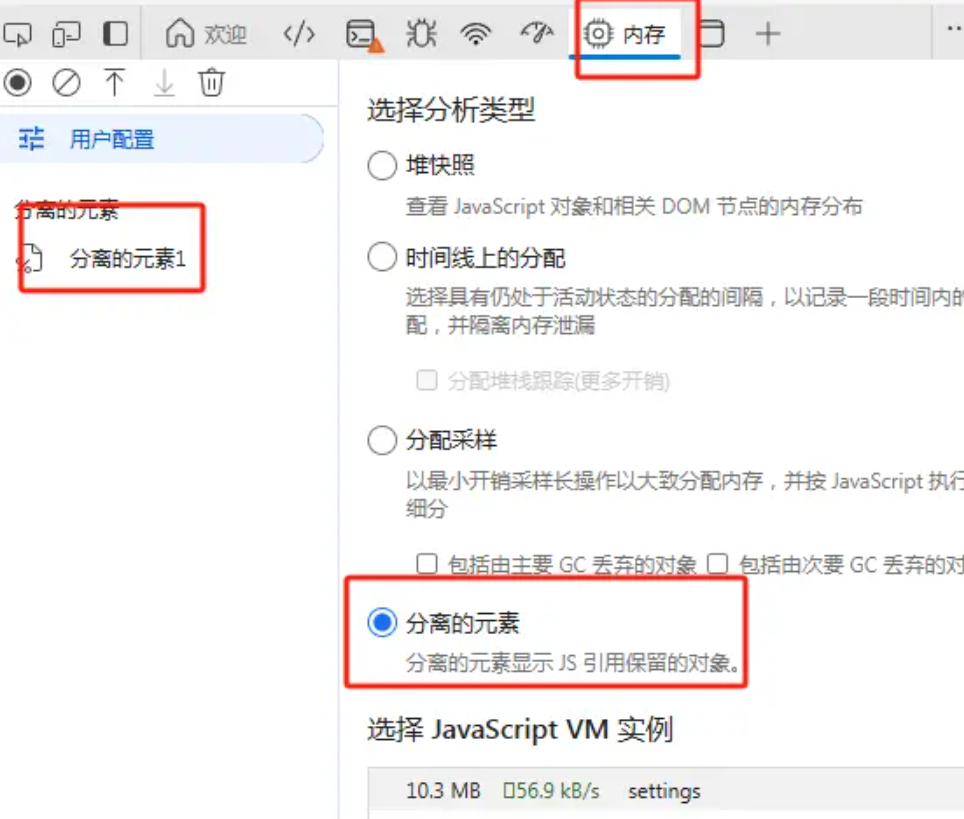
通过测试,发现Dialog组件的销毁过程没有产生销毁信息,这意味着它没有正确地释放资源。于是,我决定进一步分析,是否是Dialog组件内部的引用问题导致元素未能销毁。我尝试用纯el-dialog组件进行测试,结果同样发现内存泄漏。
扩展测试
为了进一步验证其他组件是否也存在类似问题,我编写了一段代码,检查了多个 Element-plus 组件的内存占用情况。以下是相关代码:
<template>
  <div>
    <el-button @click="fn2">Reset</el-button>
</div>
<el-dialog v-model="model" destroy-on-close @closed="fn1" append-to-body v-if="destroyDialogModelValue"></el-dialog>
<el-button @click="fn0" v-if="!button" primse>Click</el-button>
<div class="weak" v-if="!button">xxx</div>
<el-input v-if="!button" />
<el-border v-if="!button" />
<el-select v-if="!button">
    <el-option>1111</el-option>
</el-select>
<el-switch v-if="!button" />
<el-radio v-if="!button" />
<el-rate v-if="!button" />
<el-slider v-if="!button" />
<el-time-picker v-if="!button" />
<el-time-select v-if="!button" />
<el-transfer v-if="!button" />
<el-tree-select v-if="!button" />
<el-calendar v-if="!button" />
<el-card v-if="!button" />
<el-carousel height="150px" v-if="!button">
    <el-carousel-item v-for="item in 4" :key="item">
      <h3 class="small justify-center" text="2xl">{{ item }}</h3>
    </el-carousel-item>
</el-carousel>
<el-descriptions title="User Info" v-if="!button">
    <el-descriptions-item label="Username">kooriookami</el-descriptions-item>
</el-descriptions>
<el-table style="width: 100%" v-if="!button">
    <el-table-column prop="date" label="Date" width="180" />
    <el-table-column prop="name" label="Name" width="180" />
    <el-table-column prop="address" label="Address" />
</el-table>
<el-avatar v-if="!button" />
<el-pagination layout="prev, pager, next" :total="50" v-if="!button" />
<el-progress :percentage="50" v-if="!button" />
<el-result icon="success" title="Success Tip" sub-title="Please follow the instructions" v-if="!button">
    <template #extra>
      <el-button type="primary">Back</el-button>
    </template>
</el-result>
<el-skeleton v-if="!button" />
<el-tag v-if="!button" />
<el-timeline v-if="!button" />
<el-tree v-if="!button" />
<el-avatar v-if="!button" />
<el-segmented size="large" v-if="!button" />
<el-dropdown v-if="!button">
    <span class="el-dropdown-link">
      Dropdown List
      <el-icon class="el-icon--right">
        <arrow-down />
      </el-icon>
    </span>
    <template #dropdown>
      <el-dropdown-menu>
        <el-dropdown-item>Action 1</el-dropdown-item>
        <el-dropdown-item>Action 2</el-dropdown-item>
        <el-dropdown-item>Action 3</el-dropdown-item>
        <el-dropdown-item disabled>Action 4</el-dropdown-item>
        <el-dropdown-item divided>Action 5</el-dropdown-item>
      </el-dropdown-menu>
    </template>
</el-dropdown>
<el-menu class="el-menu-demo" mode="horizontal" v-if="!button">
    <el-menu-item index="1">Processing Center</el-menu-item>
    <el-sub-menu index="2">
      <template #title>Workspace</template>
      <el-menu-item index="2-1">item one</el-menu-item>
      <el-menu-item index="2-2">item two</el-menu-item>
      <el-menu-item index="2-3">item three</el-menu-item>
      <el-sub-menu index="2-4">
        <template #title>item four</template>
        <el-menu-item index="2-4-1">item one</el-menu-item>
        <el-menu-item index="2-4-2">item two</el-menu-item>
        <el-menu-item index="2-4-3">item three</el-menu-item>
      </el-sub-menu>
    </el-sub-menu>
    <el-menu-item index="3" disabled>Info</el-menu-item>
    <el-menu-item index="4">Orders</el-menu-item>
</el-menu>

<el-steps style="max-width: 600px" active="0" finish-status="success" v-if="!button">
    <el-step title="Step 1" />
    <el-step title="Step 2" />
    <el-step title="Step 3" />
</el-steps>

<el-tabs class="demo-tabs" v-if="!button">
    <el-tab-pane label="User" name="first">User</el-tab-pane>
    <el-tab-pane label="Config" name="second">Config</el-tab-pane>
    <el-tab-pane label="Role" name="third">Role</el-tab-pane>
    <el-tab-pane label="Task" name="fourth">Task</el-tab-pane>
</el-tabs>

<el-alert title="Success alert" type="success" v-if="!button" />
<el-drawer title="I am the title" v-if="!button">
    <span>Hi, there!</span>
</el-drawer>

<div v-loading="model" v-if="!button"></div>

<el-popconfirm confirm-button-text="Yes" cancel-button-text="No" icon-color="#626AEF"
    title="Are you sure to delete this?" v-if="!button">
    <template #reference>
      <el-button>Delete</el-button>
    </template>
</el-popconfirm>

<el-popover class="box-item" title="Title" content="Top Center prompts info" placement="top" v-if="!button">
    <template #reference>
      <div>top</div>
    </template>
</el-popover>

<el-tooltip class="box-item" effect="dark" content="Top Left prompts info" placement="top-start" v-if="!button">
    <div>top-start</div>
</el-tooltip>
</template>

<script setup>
import { ref } from"vue";
import { ElMessage, ElMessageBox, ElNotification } from"element-plus";

const model = ref(false);
const destroyDialogModelValue = ref(false);
const button = ref(false);

function fn0() {
  model.value = true;
  destroyDialogModelValue.value = true;
  ElMessage("This is a message.");
  ElMessageBox.alert("This is a message", "Title");
  ElNotification({
    title: "Title",
    message: "This is a reminder",
  });
}
function fn1() {
console.log("closed");
  destroyDialogModelValue.value = false;
  button.value = true;
}
function reset() {
  model.value = false
}
</script>

<style>
#app {
  font-family: Avenir, Helvetica, Arial, sans-serif;
  -webkit-font-smoothing: antialiased;
  -moz-osx-font-smoothing: grayscale;
  text-align: center;
  color: #2c3e50;
  margin-top: 60px;
}
</style>
每次点击“Click”按钮后,我关闭所有弹窗,再点击“Reset”按钮,然后重复上述操作,发现内存占用一直在上涨。经过反复操作,最终确定了Element-plus的多个组件存在内存泄漏问题。
未能解决
面对这个问题,我也查找了大量的资源,包括 Element-plus的GitHub issues和相关论坛,但现有的解决方法基本无效。经过思考,以下是我想到的几种可能的解决方案:
- 是否可以为有泄漏的组件手动实现销毁机制?
- ElDialog是否只在全局使用一两个实例?
- 是否能将所有路由都打成单页面应用(SPA)?
- 是否需要修改源码?
目前,这些方案都没有给我带来太大突破,但仍在继续研究中。如果大家有类似的经验或解决方法,欢迎在评论区讨论。
AI大模型学习福利
作为一名热心肠的互联网老兵,我决定把宝贵的AI知识分享给大家。 至于能学习到多少就看你的学习毅力和能力了 。我已将重要的AI大模型资料包括AI大模型入门学习思维导图、精品AI大模型学习书籍手册、视频教程、实战学习等录播视频免费分享出来。
一、全套AGI大模型学习路线
AI大模型时代的学习之旅:从基础到前沿,掌握人工智能的核心技能!
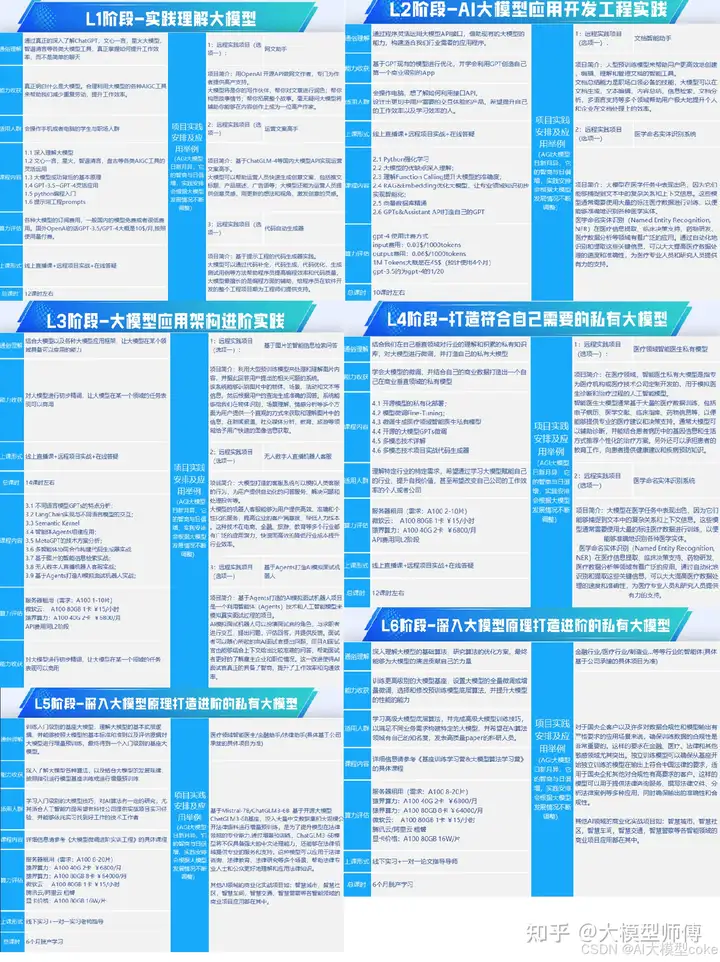
因篇幅有限,仅展示部分资料,需要点击文章最下方名片即可前往获取
二、640套AI大模型报告合集
这套包含640份报告的合集,涵盖了AI大模型的理论研究、技术实现、行业应用等多个方面。无论您是科研人员、工程师,还是对AI大模型感兴趣的爱好者,这套报告合集都将为您提供宝贵的信息和启示。
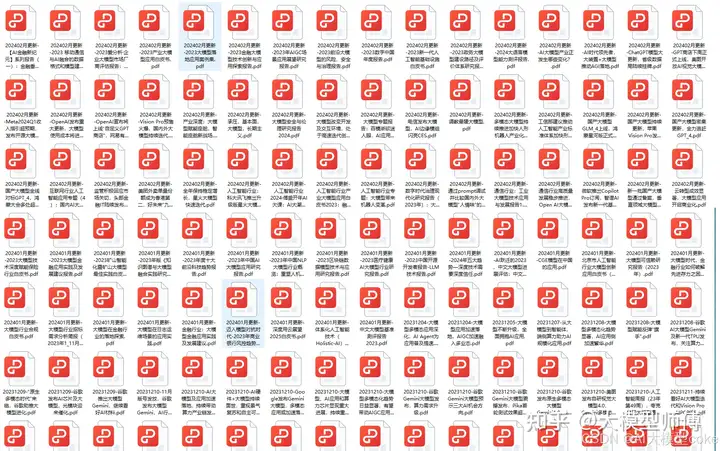
因篇幅有限,仅展示部分资料,需要点击文章最下方名片即可前往获
三、AI大模型经典PDF籍
随着人工智能技术的飞速发展,AI大模型已经成为了当今科技领域的一大热点。这些大型预训练模型,如GPT-3、BERT、XLNet等,以其强大的语言理解和生成能力,正在改变我们对人工智能的认识。 那以下这些PDF籍就是非常不错的学习资源。

因篇幅有限,仅展示部分资料,需要点击文章最下方名片即可前往获
四、AI大模型商业化落地方案

因篇幅有限,仅展示部分资料,需要点击文章最下方名片即可前往获
作为普通人,入局大模型时代需要持续学习和实践,不断提高自己的技能和认知水平,同时也需要有责任感和伦理意识,为人工智能的健康发展贡献力量





 扫一扫
扫一扫


 3万+
3万+

 被折叠的 条评论
为什么被折叠?
被折叠的 条评论
为什么被折叠?
 到【灌水乐园】发言





