



 本文介绍了如何在Vue项目中安装和使用Vuex进行状态管理,包括创建store、配置state、getters、mutations和actions,以及如何通过组件中的计算属性和方法调用这些功能,以及使用axios进行网络请求配合Vuex.
去官网学习→安装 | Vuex
cd 项目 安装 Vuex: npm install --save vuex
或着 创建项目时勾选Vuex vue create vue-demo
? Please pick a preset: Manually select features
? Check the features needed for your project: (Press <space> to select, <a> to toggle all, <i> to invert
selection, and <enter> to proceed)
(*) Babel
( ) TypeScript
(*) Progressive Web App (PWA) Support
(*) Router
>(*) Vuex
( ) CSS Pre-processors
( ) Linter / Formatter
( ) Unit Testing
( ) E2E Testing
运行示例:
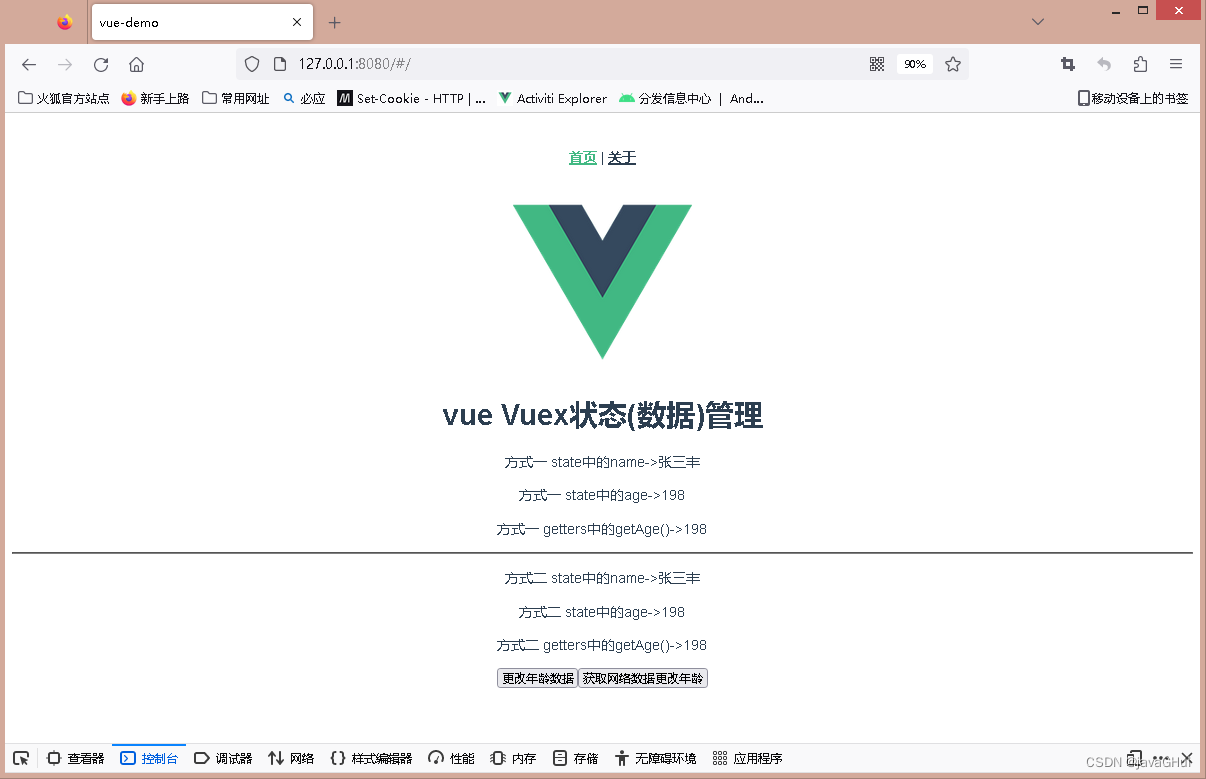
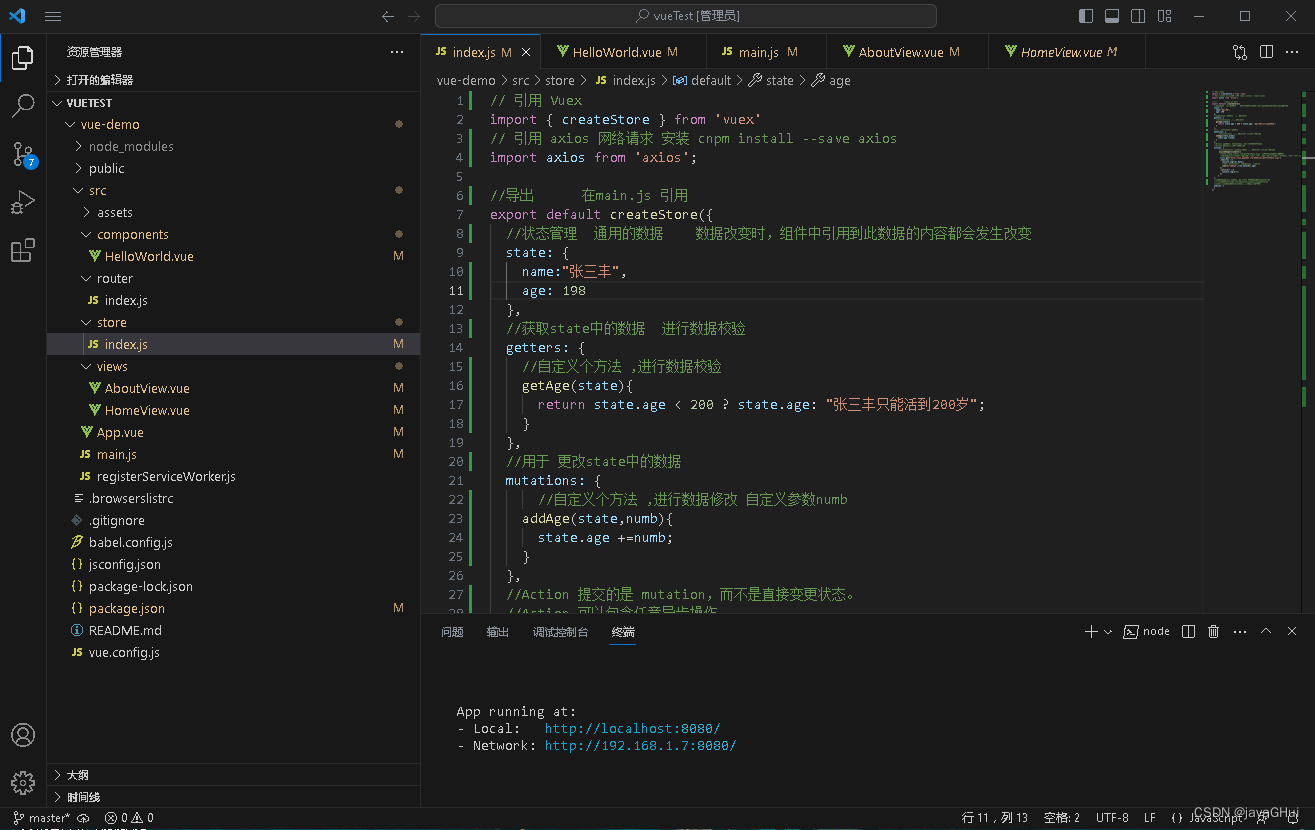
Vuex代码:store/index.js
// 引用 Vuex
import { createStore } from 'vuex'
// 引用 axios 网络请求 安装 cnpm install --save axios
import axios from 'axios';

//导出      在main.js 引用
export default createStore({
  //状态管理  通用的数据    数据改变时,组件中引用到此数据的内容都会发生改变
  state: {
    name:"张三丰",
    age: 198
  },
  //获取state中的数据  进行数据校验
  getters: {
    //自定义个方法 ,进行数据校验
    getAge(state){
      return state.age < 200 ? state.age: "张三丰只能活到200岁";
    }
  },
  //用于 更改state中的数据
  mutations: {
      //自定义个方法 ,进行数据修改 自定义参数numb
    addAge(state,numb){
      state.age +=numb;
    }
  },
  //Action 提交的是 mutation,而不是直接变更状态。
  //Action 可以包含任意异步操作。
  actions: {
       //自定义个方法 ,获取网络数据 进行数据修改 自定义参数numb
       asyncAddage({commit}){
        //http://www.csdnts.com/getTestData.jspx  域名是假的,后台接口已经处理了跨域问题
        //接口数据:[{"name":"张三丰","sex":"男","age":25},{"name":"周芷若","sex":"女","age":22}]
        axios.get("http://www.csdnts.com/getTestData.jspx")
        .then(res =>{
          console.log(res.data);
          //调用 mutations中 addAge方法  每次+25
          commit("addAge",(res.data[0]).age)
        })
        .catch(err =>{
          console.log(err);
        })
      }
  },
  //模块化管理vuex 允许我们将 store 分割成模块(module)。
  //每个模块拥有自己的 state、mutation、action、getter、
  //甚至是嵌套子模块——从上至下进行同样方式的分割
  modules: {
  }
})
代码:HelloWorld.vue
<template>
  <div class="hello">
    <h1>{{ msg }}</h1>
    <!-- $store.state -->
    <p>方式一 state中的name->{{$store.state.name}}</p>
    <p>方式一 state中的age->{{$store.state.age}}</p>

    <!-- $store.getters -->
    <p>方式一 getters中的getAge()->{{$store.getters.getAge}}</p>

    <hr>
    <p>方式二 state中的name->{{name}}</p>
    <p>方式二 state中的age->{{age}}</p>

    <p>方式二 getters中的getAge()->{{getAge}}</p>

    <button @click="onClickaddAge">更改年龄数据</button>
    <button @click="asynconClickaddAge">获取网络数据更改年龄</button>
  </div>
</template>

<script>
//方式二 import  mapState
import { mapState } from 'vuex';
//方式二 import  mapGetters
import { mapGetters } from 'vuex';

// import  mapMutations
import { mapMutations } from 'vuex';
//  import  mapActions
import { mapActions } from 'vuex';

export default {
  name: 'HelloWorld',
  props: {
    msg: String
  },
  //computed
  computed:{
    //State 简化写法
    ...mapState(["name","age"]),
    //getters
    ...mapGetters(["getAge"]),

  },
  methods:{
    //mutations 简化写法
    ...mapMutations(["addAge"]),
    onClickaddAge(){
      //this.$store.commit 调用getAge 参数 20
     // this.$store.commit("addAge",20)

     this.addAge(1);
    },
    //actions
    ...mapActions(["asyncAddage"]),
    asynconClickaddAge(){
      // this.$store.dispatch()  调用 asyncAddage()
      //this.$store.dispatch("asyncAddage")

      this.asyncAddage();
    }


  }

}
</script>

<!-- Add "scoped" attribute to limit CSS to this component only -->
<style scoped>
h3 {
  margin: 40px 0 0;
}
ul {
  list-style-type: none;
  padding: 0;
}
li {
  display: inline-block;
  margin: 0 10px;
}
a {
  color: #42b983;
}
</style>
代码:main.js
import { createApp } from 'vue'
import App from './App.vue'
import './registerServiceWorker'
//router
import router from './router'
//vuex
import store from './store'

//.use(store)
createApp(App).use(store).use(router).mount('#app')
代码:AboutView.vue
<template>
  <div class="about">
    <h1>关于-页面</h1>
    <!-- $store.state    直接引用  -->
    <p>方式一 state中的name->{{ $store.state.name }}</p>
    <p>方式一 state中的age->{{ $store.state.age }}</p>

    <!-- $store.getters -->
    <p>方式一 getters中的getAge()->{{$store.getters.getAge}}</p>

    <hr>
    <p>方式二 state中的name->{{name}}</p>
    <p>方式二 state中的age->{{age}}</p>
  </div>
</template>

<script>
//方式二 imper  mapState
import { mapState } from 'vuex';

export default {
  name: 'AboutView',
  //computed   获取State 中数据
  computed:{
    ...mapState(["name","age"])
  }
}
</script>





 扫一扫
扫一扫


 被折叠的 条评论
为什么被折叠?
被折叠的 条评论
为什么被折叠?
 到【灌水乐园】发言





