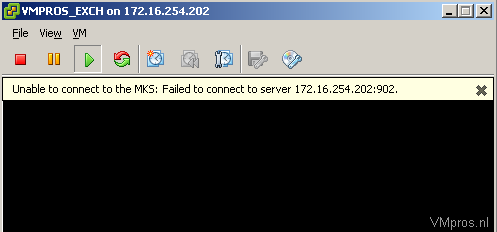
本文介绍了当遇到VIClient无法连接到ESX主机的问题时的解决方案。主要步骤包括:通过DNS添加ESX服务器以及编辑工作站的hosts文件来添加ESX服务器。完成这些步骤并重启VIClient后,通常可以成功打开控制台屏幕。
“Unable to connect to the MKS: Failed to connect to the server 172.16.254.202:902” or “Unable to connect to the MKS: Failed to connect to the server no such host is known”

Solution:
To avoid losing access to the ESX host, perform the following steps:
1. Add the ESX server in your DNS
2. Edit your hostfile on the workstation (C:\Windows\System32\Drivers\etc\hosts\) and add your ESX server
After adding the ESX by DNS in my hostfile and restarted the VI Client I was able to open Console screen.





 扫一扫
扫一扫


 3625
3625

 被折叠的 条评论
为什么被折叠?
被折叠的 条评论
为什么被折叠?
 到【灌水乐园】发言