


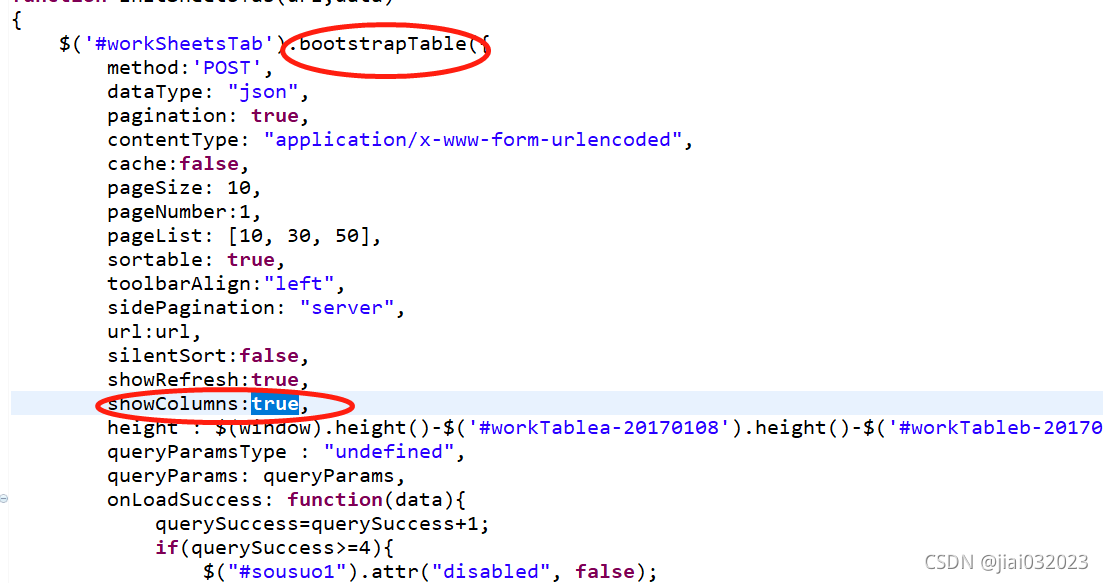
 本文介绍如何在Bootstrap表格中实现只显示选定的特定列,并将这些设置保存,以便用户下次查看时保持一致。示例代码中展示了使用`showColumns`属性以及如何在`div`元素中嵌套`table`来呈现表格。
选定指定列:
showColumns:true,
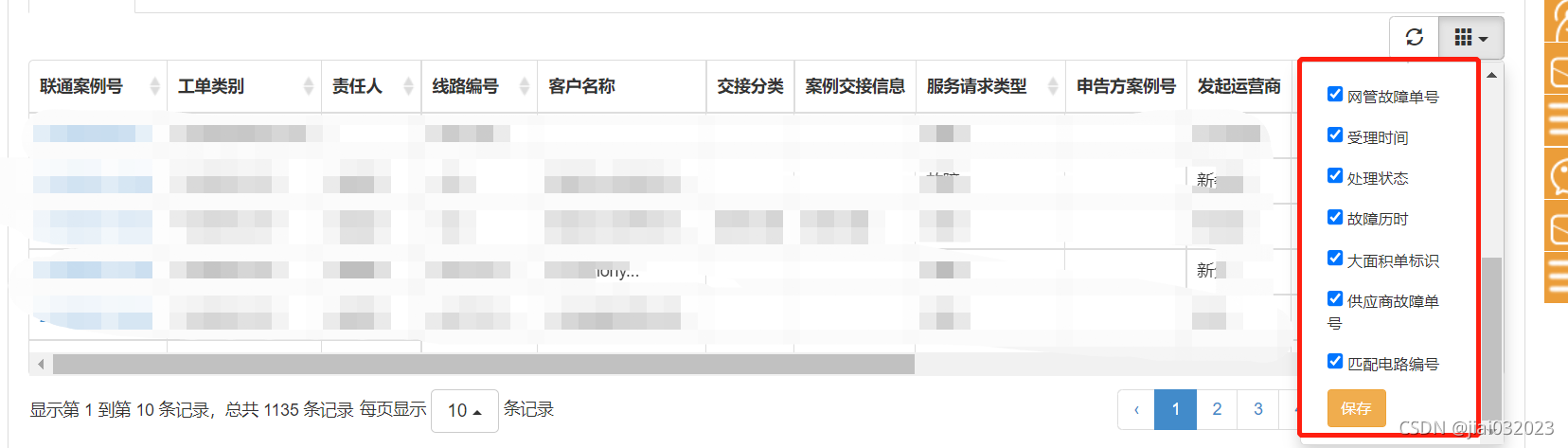
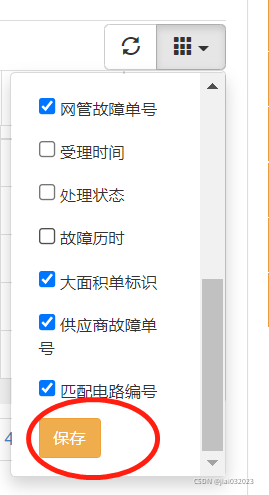
选定指定列后 ,保存到指定人
/**
 * tableDivId : table外层的 div 的 id
 * tableId : tableId的id
 * functionType:  区别菜单,只要不重即可
 * @param tableDivId
 * @param tableId
 * @param functionType
 */
function tableInitColumnShow(tableDivId,tableId,functionType){
	$("#"+tableDivId).find(".dropdown-menu").children(":first").remove(); // 移除列
	$("#"+tableDivId).find(".dropdown-menu").append('<li><label><button type="button" class="btn btn-warning btn-sm" onclick="saveColumns(\''+tableId+'\',\''+functionType+'\'  )">保存</button></label></li>');

	$.ajax({
		url: contextPath + "/xxxxAction/getTableColsConfByUser.action?functionType="+functionType,
		data:{},
		type: "POST",
		dataType :"text" ,
		success: function (data){
			if(data){
				var cols = data.split(",");
				for(var i=0;i<cols.length;i++){
					$('#'+tableId).bootstrapTable('hideColumn', cols[i]);
				}
			}
		},
		error:function (XMLHttpRequest, textStatus, errorThrown){
		}
	});

}
function saveColumns(tableId , functionType){
	var n=0;
	var cols = "";
	var  hiddenColumns= $('#'+tableId).bootstrapTable('getHiddenColumns');
	$(hiddenColumns).each(function(index, elem){
		    cols = cols+elem.field+",";
			n++;
	});
	if(cols.length>1){
		cols = cols.substring(0,cols.length-1);
	}
	var param = {
		cols: cols,
		functionType: functionType
	};
	$.ajax({
		url: contextPath + "/xxxxAction/saveTableColsConf.action",
		data:param,
		type: "POST",
		dataType :"text" ,
		success: function (data){
			Ewin.alert("操作成功");
		},
		error:function (XMLHttpRequest, textStatus, errorThrown){
			Ewin.alert("请求时间过长!");
		}
	});
}
<div class="tab-content">
<div class="tab-pane active" id="workTable-1">
<table id="workSheetsTab"></table>
</div>
</div>
//java 代码:
@RequestMapping(value = "/getTableColsConfByUser", method = RequestMethod.POST)
	public @ResponseBody Object getTableColsConfByUser(String functionType) throws Exception
	{
		try {
			String userCode = LoginUtils.getAuthenticatedUserCode();
			return faultSheetsService.getTableColsConf(userCode, functionType);
		} catch (Exception e) {
			logger.error(e);
			return "FAIL";
		}
	}

	@RequestMapping(value = "/saveTableColsConf", method = RequestMethod.POST)
	public @ResponseBody Object saveTableColsConf(TblBJTableColsConf conf) throws Exception
	{
		try {
			faultSheetsService.saveTableColsConf(conf);
		} catch (Exception e) {
			e.printStackTrace();
			logger.error(e);
			return "FAIL";
		}
		return "SUCCESS";
	}


// 上述的 :faultSheetsService.saveTableColsConf 、
// faultSheetsService.getTableColsConf 方法如下

public String getTableColsConf(String userCode,String functionType) throws Exception{
		String sql = "SELECT COLS FROM TBL_BJ_TABLE_COLS_CONF T WHERE T.USER_CODE=:USERCODE AND T.FUNCTION_TYPE=:FUNCTIONTYPE";
		Map<String, Object> paramMap=new HashMap<String, Object>();
		paramMap.put("USERCODE", userCode);
		paramMap.put("FUNCTIONTYPE",functionType);
		List<TblBJTableColsConf> list = this.baseDao.queryBySql(sql, paramMap, TblBJTableColsConf.class);
		if(list != null && list.size()>0){
			return list.get(0).getCols();
		}

		return null;
	}

	public void saveTableColsConf(TblBJTableColsConf conf) throws Exception{
		String userCode = LoginUtils.getAuthenticatedUserCode();
		Map<String, Object> paramMap=new HashMap<String, Object>();
		paramMap.put("USER_CODE", userCode);
		paramMap.put("COLS", conf.getCols());
		paramMap.put("FUNCTION_TYPE", conf.getFunctionType());
		String delSql = "delete from TBL_BJ_TABLE_COLS_CONF T WHERE T.USER_CODE=:USER_CODE AND T.FUNCTION_TYPE=:FUNCTION_TYPE";
		String insertSql = "insert into TBL_BJ_TABLE_COLS_CONF (ID, USER_CODE, COLS, FUNCTION_TYPE, CREATE_USERCODE, CREATE_TIME, MODIFIER_USERCODE, MODIFY_TIME, DOMAIN_ID)"
					+ "values (SEQ_PUBLIC_ID.NEXTVAL, :USER_CODE, :COLS, :FUNCTION_TYPE, :USER_CODE, to_char(sysdate,'yyyy-MM-dd HH24:mi:ss'), :USER_CODE, to_char(sysdate,'yyyy-MM-dd HH24:mi:ss'), '2')";
		this.baseDao.getNameJdbc().update(delSql, paramMap);
		this.baseDao.getNameJdbc().update(insertSql, paramMap);

	}





 扫一扫
扫一扫


 1809
1809


 到【灌水乐园】发言



