


 本文介绍了Thymeleaf作为服务器端Java模板引擎的用途,如何在IDEA中配置以优化开发体验,以及如何通过Maven集成到SpringBoot项目中。展示了如何处理模板和集合遍历的基本示例,最后提到了访问测试以验证配置和功能。
一、Thymeleaf简介
Thymeleaf 是一个服务器端 Java 模板引擎,能够处理 HTML、XML、CSS、JAVASCRIPT 等模板文件。Thymeleaf 模板可以直接当作静态原型来使用,它主要目标是为开发者的开发工作流程带来优雅的自然模板,也是 Java 服务器端 HTML5 开发的理想选择。
二、准备工作-IDEA设置
在开始使用ThymeLeaf作为模板引擎进行页面开发之前,我们有必要对IDEA进行一些设置。这些设置帮助IDEA更好的识别ThymeLeaf语法,增强我们的开发体验。
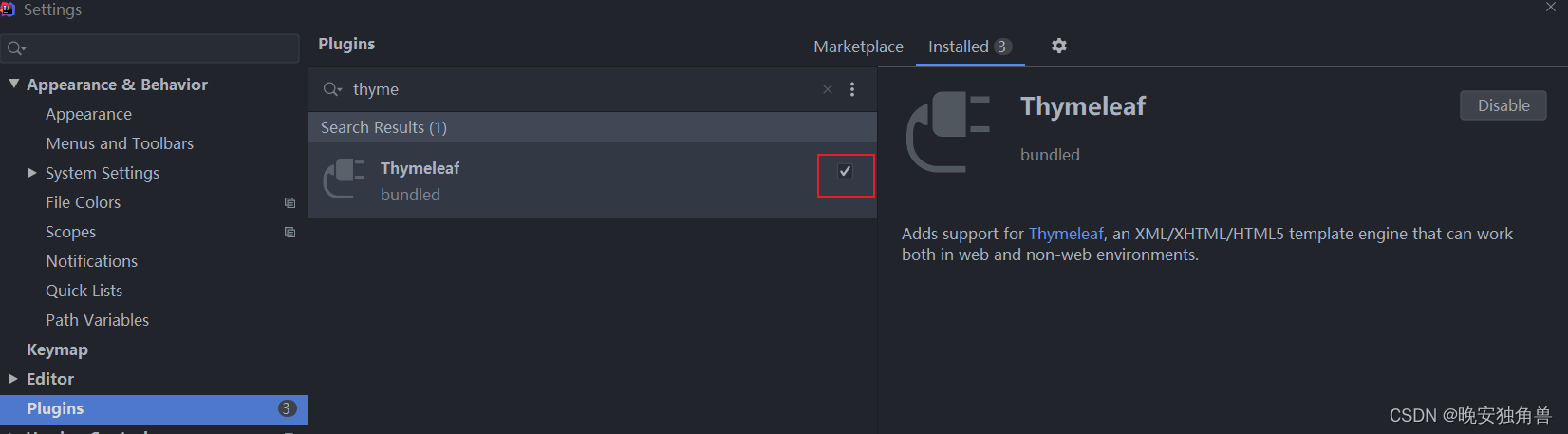
安装ThymeLeaf插件,并使其生效(在绝大多数的IDEA版本该插件都是默认安装并生效的)
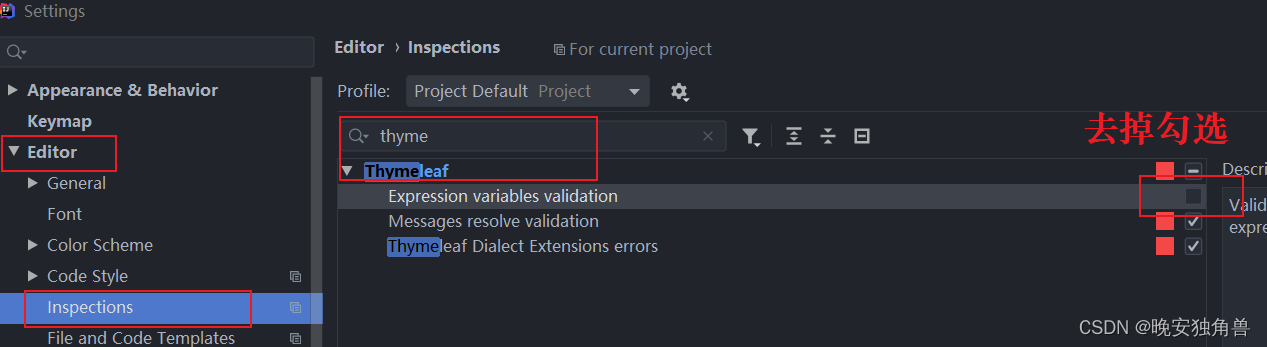
去掉变量表达式识别检查,会造成变量红色下划线,影响开发体验
三、集成
使用Maven坐标将thymeleaf引入到项目中
<dependency><groupId>org.springframework.boot</groupId><artifactId>spring-boot-starter-thymeleaf</artifactId></dependency>对thymeleaf模板进行配置
spring:
  thymeleaf:
    cache:false # 启用缓存:建议生产开启
    check-template-location:true # 检查模版是否存在
    enabled:true # 是否启用
    encoding: UTF-8 # 模版编码
    excluded-view-names: # 应该从解析中排除的视图名称列表(用逗号分隔)
    mode: HTML5 # 模版模式
    prefix: classpath:/templates/ # 模版存放路径
    suffix:.html # 模版后缀
四、Hello ThymeLeaf
例子完成之后,项目代码结构如下:
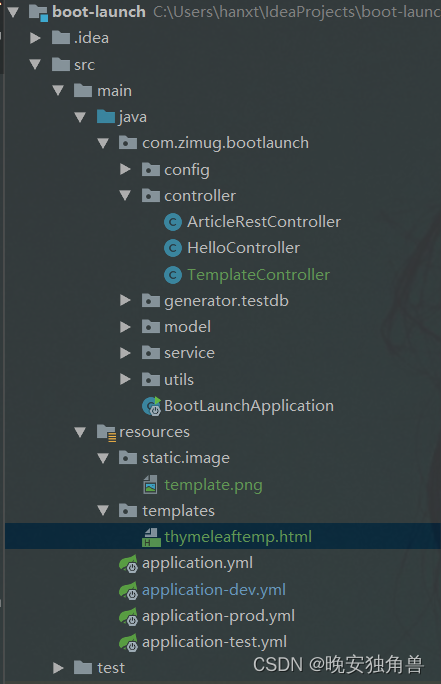
查询一个articles文章列表,并返回模板名称,由Spring根据名称找到模板进行页面渲染
import com.zimug.boot.launch.model.ArticleVO;
import com.zimug.boot.launch.service.ArticleService;
import org.springframework.stereotype.Controller;
import org.springframework.ui.Model;
import org.springframework.web.bind.annotation.GetMapping;
import org.springframework.web.bind.annotation.RequestMapping;

import javax.annotation.Resource;
import java.util.List;

@Controller
@RequestMapping("/template")
public class TemplateController{

    @Resource
    ArticleService articleService;

    @GetMapping("/thymeleaf")
    public String index(Model model){

        List<ArticleVO> articles = articleService.getAll();

        model.addAttribute("articles", articles);//模版名称,实际的目录为:resources/templates/thymeleaftemp.htmlreturn"thymeleaftemp";}}
新建thymeleaf模板页面:thymeleaftemp.html。
注意<html lang="en" xmlns:th="http://www.thymeleaf.org"> 这个xmlns:th属性是一定要添加的。
注意:th:each是thymelaef,其核心功能是集合遍历
<!DOCTYPE html><html lang="en" xmlns:th="http://www.thymeleaf.org"><head><meta charset="UTF-8"><title>Title</title><link rel="stylesheet" href="/webjars/bootstrap/css/bootstrap.min.css"></head><body><div class="container"><table class="table"><tr><td>作者</td><td>教程名称</td><td>内容</td></tr><tr th:each="item : ${articles}"><td th:text="${item.author}"></td><td th:text="${item.title}"></td><td th:text="${item.content}"></td></tr></table></div><script src="/webjars/jquery/jquery.min.js "></script><script src="/webjars/bootstrap/js/bootstrap.min.js"></script></body></html>五、访问测试
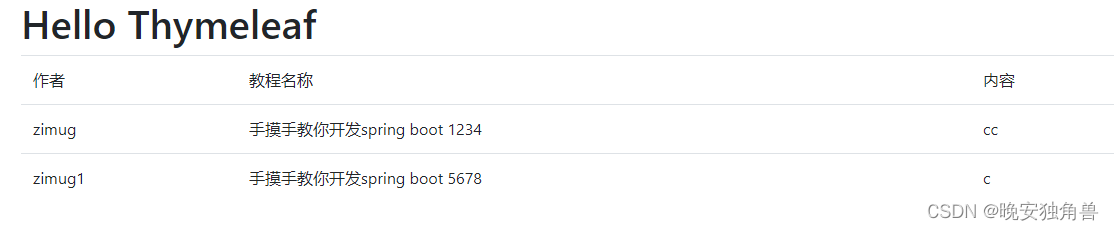
访问测试地址: http://localhost:8888/template/thymeleaf






 扫一扫
扫一扫


 882
882

 被折叠的 条评论
为什么被折叠?
被折叠的 条评论
为什么被折叠?
 到【灌水乐园】发言





