


 本文介绍了如何使用Python的time模块实现暂停一秒输出,并展示了如何在暂停前后显示当前时间。通过time.sleep()函数实现了秒级暂停,同时利用time.strftime()格式化输出日期和时间。
**题9:**暂停一秒输出。
分析:使用 time 模块的 sleep() 函数。
程序实现
import time

My_D = {1: 'a', 2: 'b'}
for key, value in dict.items(My_D):
    print(key, value)
    time.sleep(1)  # Stop 1 seconds
运行结果:
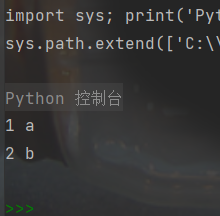
第1秒打印了字符a
第2秒打印字符b
**题10:**暂停一秒输出,并格式化当前时间。
程序实现:
import time

print(time.strftime('%Y-%m-%d %H:%M:%S', time.localtime(time.time())))

# Stopping for two second
time.sleep(2)

print(time.strftime('%Y-%m-%d %H:%M:%S', time.localtime(time.time())))
运行结果:
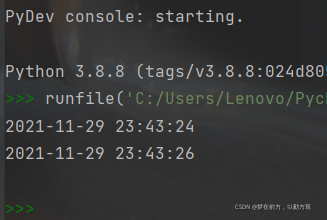
第一次打印的时间是当天的23:43:24,第二次打印的是23:43:26,显然做到了暂停2秒。





 扫一扫
扫一扫


 被折叠的 条评论
为什么被折叠?
被折叠的 条评论
为什么被折叠?
 到【灌水乐园】发言





