 GlossyBlue主题安装指南



 本文介绍了一款名为GlossyBlue的Wordpress主题,包括Basic和Advanced两个版本,并提供了详细的安装步骤。Basic版安装简便,只需下载并激活主题;而Advanced版则需额外编辑footer.php文件及安装定制帖子列表插件。
不得不佩服n.desgin studio,这二个样式的配色非常漂亮, 同时也是n.desgin studio第一个Wordpress Theme。没话说,推荐…….
包含两者样式:
GlossyBlue - Basic
Download Basic Theme
Installation
1. Download glossyblue-basic.zip
2. Upload theme folder.
3. Go to WP Admin > Presentation and activate theme.
4. That’s it!
GlossyBlue - Advanced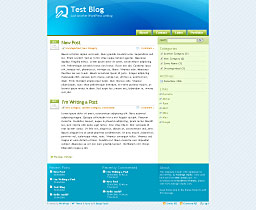
Download Advanced Theme
Installation
1. Download glossyblue-advanced.zip
2. Edit About text in footer.php
3. Intall “customizable-post-listings.php” plugin.
4. Upload theme folder.
5. Go to WP Admin > Presentation and activate theme.





 扫一扫
扫一扫


 844
844

 被折叠的 条评论
为什么被折叠?
被折叠的 条评论
为什么被折叠?
 到【灌水乐园】发言





