



 本文介绍如何通过EditPlus编辑器将文件上传到FTP服务器的方法。包括设置FTP账户信息及上传文件的具体步骤。
- Open the file you want to upload in Editpluslick "File"
- Move the mouse over "FTP" and a small list will appear.
- Click "FTP Upload"
- Select the account you want to which you want to upload (See below if no account appears)
- Click "Upload" and it will automatically be transfered.
To add an ftp account to Edit Plus
- Follow steps 1 to 4 above
- Click "Settings"
- Click "ADD"
- Under "Description", type in a name for the account
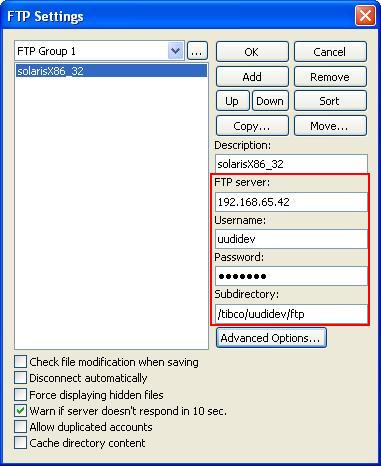
- Under "FTP Server", type in your servr name;
- Under "Username", type in your username.
- Type in your password in the Password field.
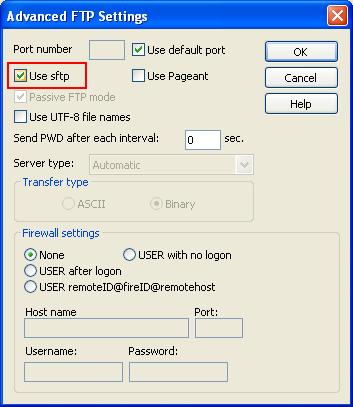
- You'd better check 'Use sftp', click "OK" to save the settings.





 扫一扫
扫一扫


 748
748

 被折叠的 条评论
为什么被折叠?
被折叠的 条评论
为什么被折叠?
 到【灌水乐园】发言





