



 本文介绍如何将您的Mac变成一个无线热点。通过简单的六个步骤,您可以轻松地与其他设备分享Mac的互联网连接。首先打开系统偏好设置,然后选择互联网共享选项,并指定您希望分享的网络连接类型。接下来设置Wi-Fi密码并启用互联网共享。
Sharing your internet connection with others through wifi, is easy. follow the steps and your Mac will emit a wifi signal.

Step 1: Open System Preferences.
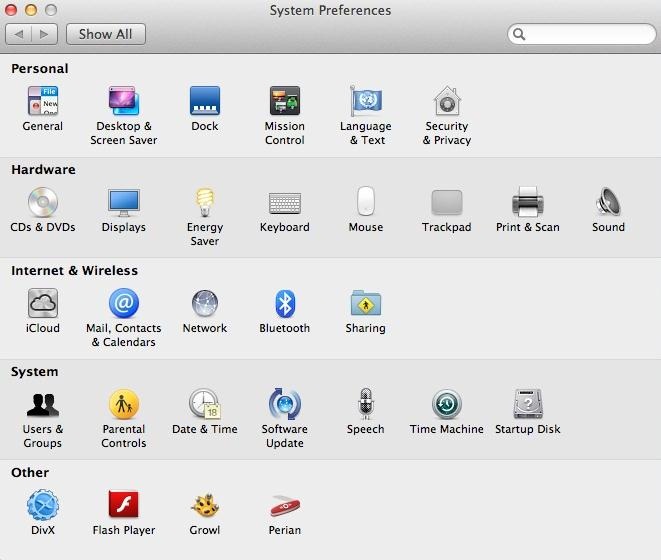
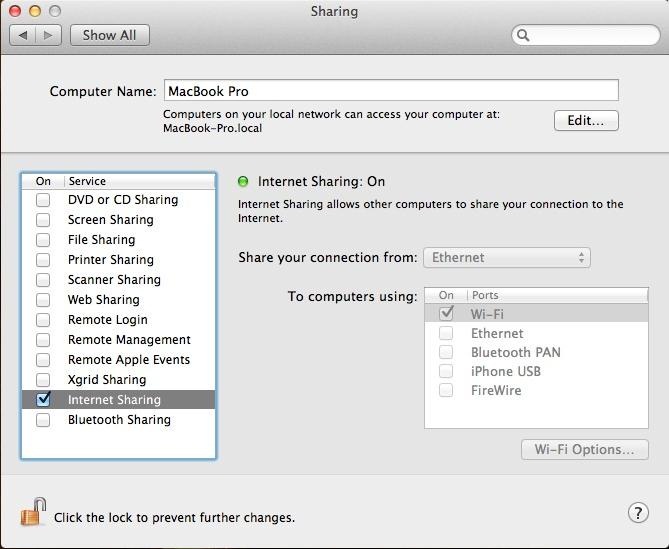
Step 2: Open Sharing, in Internet and Wireless Section.
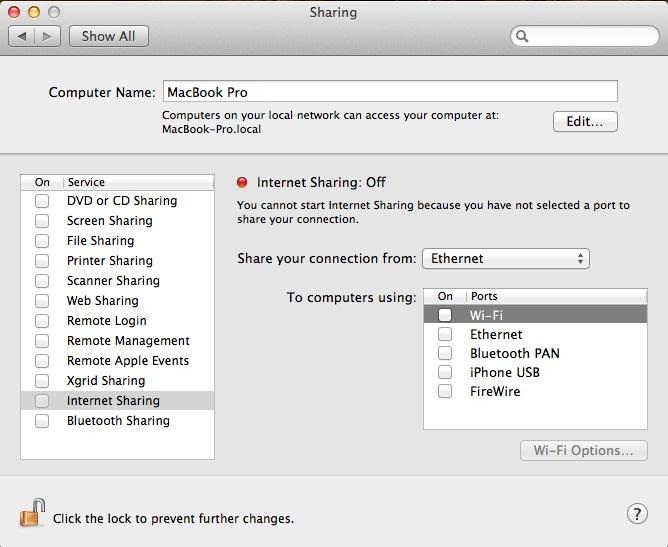
Step 3: Select the Option of Internet Connection You Have on the Computer.
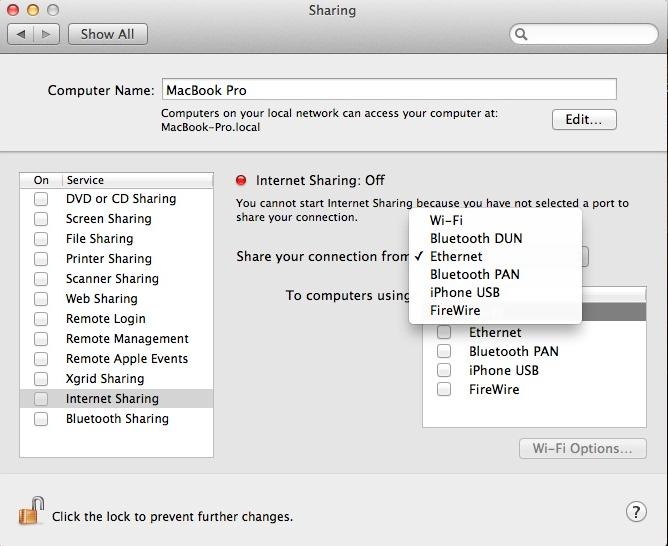
I use ethernet connection. Any of the options on the list still work.
Step 4: Select the Wifi Option Below.
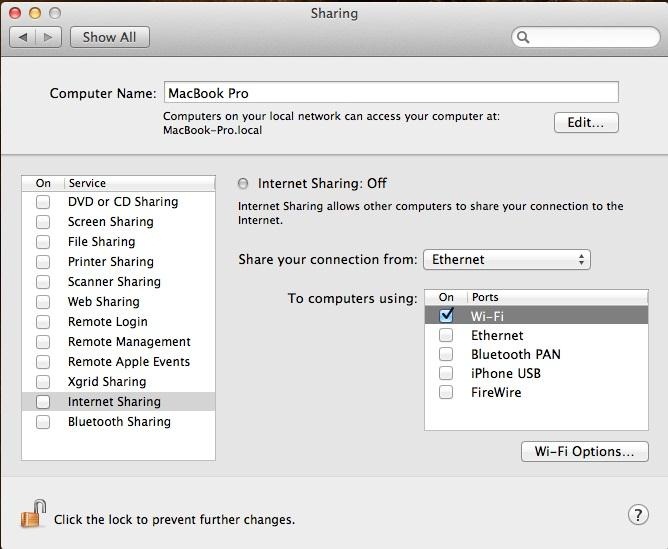
Step 5: Then Go to Wifi Options and Set the Password.
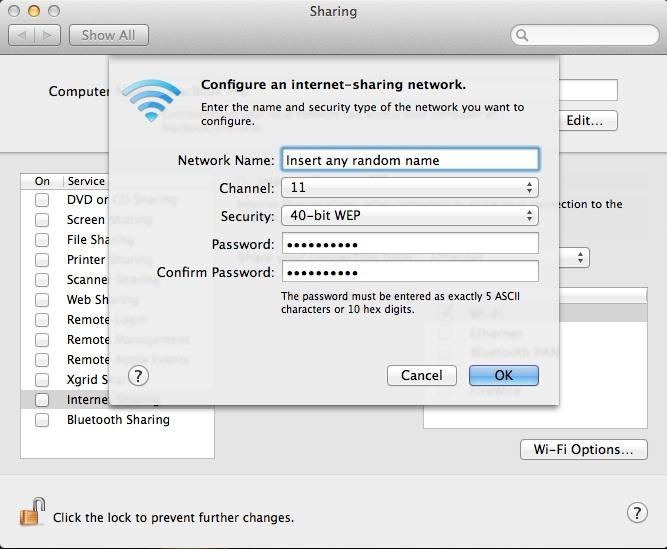
Step 6: Then Tick Internet Sharing Option, on the Left Side.
来源:http://macintosh.wonderhowto.com/how-to/setup-wifi-hotspot-your-mac-0138193/





 扫一扫
扫一扫


 2503
2503

 被折叠的 条评论
为什么被折叠?
被折叠的 条评论
为什么被折叠?
 到【灌水乐园】发言





