



一、配置manifest.json
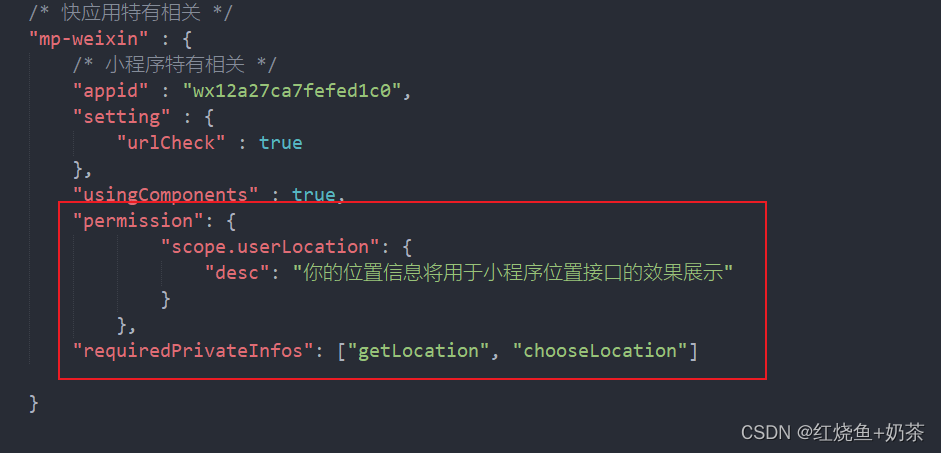
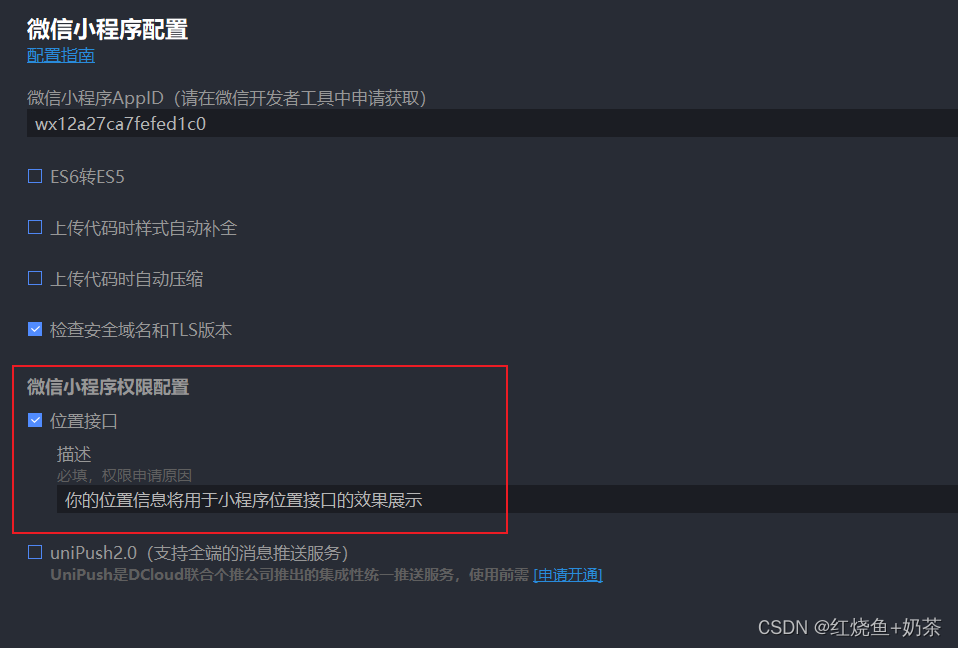
"permission": {
        		"scope.userLocation": {
        			"desc": "你的位置信息将用于小程序位置接口的效果展示"
        		 }
        	  },
"requiredPrivateInfos": ["getLocation", "chooseLocation"]二、腾讯位置服务平台申请密钥和下载SDK(详细文档)

三、代码步骤
1、下载sdk
import QQMapWX from "../services/sdk/qqmap-wx-jssdk.min.js"2、获取位置函数及方法
//获取位置信息
  async getLocationInfo() {
    return new Promise((resolve) => {
      //位置信息默认数据
      let location = {
        longitude: 0,
        latitude: 0,
        province: "",
        city: "",
        area: "",
        street: "",
        address: "",
      };
      uni.getLocation({
        type: "gcj02",
        success(res) {
          location.longitude = res.longitude;
          location.latitude = res.latitude;
          // 腾讯地图Api
          const qqmapsdk = new QQMapWX({
            key: 'xxxxxxxxxx'  //申请的key
          });
          qqmapsdk.reverseGeocoder({
            location,
            success(response) {
              let info = response.result;
              location.province = info.address_component.province;
              location.city = info.address_component.city;
              location.area = info.address_component.district;
              location.street = info.address_component.street;
              location.address = info.address;
              resolve(location);
            },
          });
        },
        fail(err) {
          resolve(location);
        },
      });
    });
  },
3、调用
async onLoad() {
    //获取地理位置
    const location = await this.getLocationInfo();
  },
4、返回位置信息
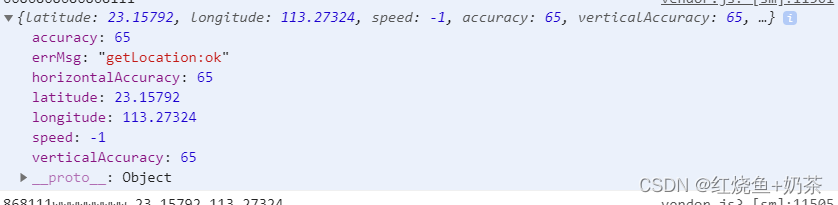
注意:出现报错(getLocation:fail the api need to be declared in the requiredPrivateInfos field in app.json)若配置manifest.json没有问题,可尝试更新微信开发者工具






 扫一扫
扫一扫


 2595
2595

 被折叠的 条评论
为什么被折叠?
被折叠的 条评论
为什么被折叠?
 到【灌水乐园】发言





