点击导出错误信息按钮,提示 noneType object has no attribute keys ,以下为代码import tkinter as tk
from tkinter import filedialog, messagebox, ttk
import pandas as pd
import os
import subprocess
import math
import tkinter as tk
from tkinter import messagebox
import datetime
class ExcelViewerApp:
def init(self, root):
self.root = root
self.root.title(“TPC效率化工具”)
self.root.geometry(“1200x800”)
# 使用网格布局的主容器 self.main_frame = tk.Frame(root, bg='#f0f0f0', padx=15, pady=15) self.main_frame.pack(fill=tk.BOTH, expand=True) # 配置网格 self.main_frame.columnconfigure(0, weight=0) self.main_frame.columnconfigure(1, weight=1) self.main_frame.columnconfigure(2, weight=0) self.main_frame.columnconfigure(3, weight=0) # === 主表控件 === # 文件路径行 tk.Label(self.main_frame, text="主表文件路径:", bg='#f0f0f0').grid(row=0, column=0, sticky='w', padx=(0, 5)) self.path_label = tk.Label( self.main_frame, text="未选择主表文件", anchor='w', relief=tk.SUNKEN, bg="#ffffff", padx=5, pady=5 ) self.path_label.grid(row=0, column=1, sticky='ew', padx=(0, 10)) # 工作表行 tk.Label(self.main_frame, text="主表工作表:", bg='#f0f0f0').grid(row=1, column=0, sticky='w', padx=(0, 5), pady=(10, 0)) self.sheet_label = tk.Label( self.main_frame, text="未选择主表工作表", anchor='w', relief=tk.SUNKEN, bg="#ffffff", padx=5, pady=5 ) self.sheet_label.grid(row=1, column=1, sticky='ew', padx=(0, 10), pady=(10, 0)) # 打开文件按钮 self.open_btn = tk.Button( self.main_frame, text="打开主表文件", command=self.open_excel, bg='#f0f0f0', fg='black', padx=15, pady=8, width=10 ) self.open_btn.grid(row=0, column=2, rowspan=2, sticky='ns', padx=(0, 5)) # 选择主表按钮 self.select_btn = tk.Button( self.main_frame, text="选择主表", command=self.load_excel, bg='#f0f0f0', fg='black', padx=15, pady=8, width=10 ) self.select_btn.grid(row=0, column=3, rowspan=2, sticky='ns', padx=(0, 5)) # === 副表控件 === (添加在下方) tk.Label(self.main_frame, text="副表文件路径:", bg='#f0f0f0').grid(row=2, column=0, sticky='w', padx=(0, 5), pady=(20, 0)) self.aux_path_label = tk.Label( self.main_frame, text="未选择副表文件", anchor='w', relief=tk.SUNKEN, bg="#ffffff", padx=5, pady=5 ) self.aux_path_label.grid(row=2, column=1, sticky='ew', padx=(0, 10), pady=(20, 0)) tk.Label(self.main_frame, text="副表工作表:", bg='#f0f0f0').grid(row=3, column=0, sticky='w', padx=(0, 5), pady=(10, 0)) self.aux_sheet_label = tk.Label( self.main_frame, text="未选择副表工作表", anchor='w', relief=tk.SUNKEN, bg="#ffffff", padx=5, pady=5 ) self.aux_sheet_label.grid(row=3, column=1, sticky='ew', padx=(0, 10), pady=(10, 0)) # 打开副表文件按钮 self.aux_open_btn = tk.Button( self.main_frame, text="打开副表文件", command=self.open_aux_excel, bg='#f0f0f0', fg='black', padx=15, pady=8, width=10 ) self.aux_open_btn.grid(row=2, column=2, rowspan=2, sticky='ns', padx=(0, 5), pady=(20, 0)) # 选择副表按钮 self.aux_select_btn = tk.Button( self.main_frame, text="选择副表", command=self.load_aux_excel, bg='#f0f0f0', fg='black', padx=15, pady=8, width=10 ) self.aux_select_btn.grid(row=2, column=3, rowspan=2, sticky='ns', padx=(0, 5), pady=(20, 0)) # 使用数组存储数据 self.dataset = [] # 主表数据 self.aux_dataset = [] # 副表数据 # 窗口居中 self.center_window(self.root) # 添加对比按钮 self.compare_btn = tk.Button( self.main_frame, text="对比数据", command=self.compare_data, bg='#4CAF50', fg='white', padx=15, pady=8, width=15 ) self.compare_btn.grid(row=4, column=1, columnspan=2, pady=20) # 在对比按钮下方添加导出错误按钮 self.export_btn = tk.Button( self.main_frame, text="导出错误信息", command=self.export_errors, bg='#FF9800', fg='white', padx=15, pady=8, width=15 ) self.export_btn.grid(row=4, column=2, columnspan=2, pady=20) # 添加过滤控制区域(在结果区域上方) self.filter_frame = tk.Frame(root, bg='#f0f0f0') self.filter_frame.pack(fill=tk.X, padx=10, pady=(0,5)) # 添加两个过滤复选框 self.show_correct_var = tk.BooleanVar(value=True) self.show_error_var = tk.BooleanVar(value=True) cb_correct = tk.Checkbutton( self.filter_frame, text="显示正确", variable=self.show_correct_var, command=self.filter_results, bg='#f0f0f0' ) cb_correct.pack(side=tk.LEFT, padx=(10,5)) cb_error = tk.Checkbutton( self.filter_frame, text="显示错误", variable=self.show_error_var, command=self.filter_results, bg='#f0f0f0' ) cb_error.pack(side=tk.LEFT, padx=(5,10)) # 创建结果显示区域 self.result_frame = tk.Frame(root, bg='#f0f0f0') self.result_frame.pack(fill=tk.BOTH, expand=True, padx=10, pady=(0,10)) # 添加Treeview显示结果 self.tree = ttk.Treeview(self.result_frame) self.tree.pack(side=tk.LEFT, fill=tk.BOTH, expand=True) # 添加滚动条 scrollbar = ttk.Scrollbar(self.result_frame, orient="vertical", command=self.tree.yview) scrollbar.pack(side=tk.RIGHT, fill=tk.Y) self.tree.configure(yscrollcommand=scrollbar.set) # 状态标签 self.status_label = tk.Label(root, text="就绪", bg='#f0f0f0', anchor='w') self.status_label.pack(fill=tk.X, padx=10, pady=5) def center_window(self, window): window.update_idletasks() width = window.winfo_width() height = window.winfo_height() x = (window.winfo_screenwidth() // 2) - (width // 2) y = (window.winfo_screenheight() // 2) - (height // 2) window.geometry(f"+{x}+{y}") # ===== 主表功能 ===== def open_excel(self): """打开主表文件""" file_path = self.path_label.cget("text") if not file_path or file_path == "未选择主表文件": messagebox.showwarning("警告", "请先选择主表Excel文件") return try: if os.name == 'nt': os.startfile(file_path) elif os.name == 'posix': subprocess.call(('open', file_path)) else: subprocess.call(('xdg-open', file_path)) except Exception as e: messagebox.showerror("错误", f"打开主表文件失败: {str(e)}") def load_excel(self): """加载主表Excel""" file_path = filedialog.askopenfilename( title="选择主表Excel文件", filetypes=[("Excel文件", "*.xlsx *.xls")] ) if not file_path: return try: self.path_label.config(text=file_path) self.select_main_sheet(file_path) except Exception as e: messagebox.showerror("错误", f"读取主表文件失败: {str(e)}") def select_main_sheet(self, file_path): """选择主表工作表""" try: xl = pd.ExcelFile(file_path) sheet_names = xl.sheet_names selector = tk.Toplevel(self.root) selector.title("选择主表工作表") selector.geometry("300x150") tk.Label(selector, text="请选择主表工作表:").pack(pady=10) sheet_var = tk.StringVar(selector) combobox = ttk.Combobox( selector, textvariable=sheet_var, values=sheet_names, state="readonly", width=40 ) combobox.pack(pady=10, padx=20, fill=tk.X) combobox.current(0) tk.Button( selector, text="确认选择", command=lambda: self.process_main_sheet_selection( file_path, sheet_var.get(), selector ), bg='#f0f0f0', fg='black', padx=10, pady=5 ).pack(pady=15) self.center_window(selector) except Exception as e: messagebox.showerror("错误", f"读取主表文件失败: {str(e)}") def process_main_sheet_selection(self, file_path, sheet_name, selector): """处理主表工作表选择结果""" try: df = pd.read_excel(file_path, sheet_name=sheet_name, header=0, skiprows=list(range(0,9))) self.dataset = df.to_dict(orient='records') row_count = len(self.dataset) col_count = len(df.columns) if row_count > 0 else 0 self.sheet_label.config(text=f"{sheet_name} ({row_count}行×{col_count}列)") selector.destroy() messagebox.showinfo("加载成功", f"主表工作表 [{sheet_name}] 已载入\n" f"数据维度: {row_count}行 × {col_count}列" ) print(f"主表数据示例: {self.dataset[0] if self.dataset else '空'}") except Exception as e: messagebox.showerror("错误", f"加载主表数据失败: {str(e)}") # ===== 副表功能 ===== def open_aux_excel(self): """打开副表文件""" file_path = self.aux_path_label.cget("text") if not file_path or file_path == "未选择副表文件": messagebox.showwarning("警告", "请先选择副表Excel文件") return try: if os.name == 'nt': os.startfile(file_path) elif os.name == 'posix': subprocess.call(('open', file_path)) else: subprocess.call(('xdg-open', file_path)) except Exception as e: messagebox.showerror("错误", f"打开副表文件失败: {str(e)}") def load_aux_excel(self): """加载副表Excel""" file_path = filedialog.askopenfilename( title="选择副表Excel文件", filetypes=[("Excel文件", "*.xlsx *.xls")] ) if not file_path: return try: self.aux_path_label.config(text=file_path) self.select_aux_sheet(file_path) except Exception as e: messagebox.showerror("错误", f"读取副表文件失败: {str(e)}") def select_aux_sheet(self, file_path): """选择副表工作表""" try: xl = pd.ExcelFile(file_path) sheet_names = xl.sheet_names selector = tk.Toplevel(self.root) selector.title("选择副表工作表") selector.geometry("300x150") tk.Label(selector, text="请选择副表工作表:").pack(pady=10) sheet_var = tk.StringVar(selector) combobox = ttk.Combobox( selector, textvariable=sheet_var, values=sheet_names, state="readonly", width=40 ) combobox.pack(pady=10, padx=20, fill=tk.X) combobox.current(0) tk.Button( selector, text="确认选择", command=lambda: self.process_aux_sheet_selection( file_path, sheet_var.get(), selector ), bg='#f0f0f0', fg='black', padx=10, pady=5 ).pack(pady=15) self.center_window(selector) except Exception as e: messagebox.showerror("错误", f"读取副表文件失败: {str(e)}") def process_aux_sheet_selection(self, file_path, sheet_name, selector): """处理副表工作表选择结果""" try: #df = pd.read_excel(file_path, sheet_name=sheet_name, header=0, skiprows=list(range(0,9))) df = pd.read_excel(file_path, sheet_name=sheet_name, header=0) self.aux_dataset = df.to_dict(orient='records') row_count = len(self.aux_dataset) col_count = len(df.columns) if row_count > 0 else 0 self.aux_sheet_label.config(text=f"{sheet_name} ({row_count}行×{col_count}列)") selector.destroy() messagebox.showinfo("加载成功", f"副表工作表 [{sheet_name}] 已载入\n" f"数据维度: {row_count}行 × {col_count}列" ) print(f"副表数据示例: {self.aux_dataset[0] if self.aux_dataset else '空'}") except Exception as e: messagebox.showerror("错误", f"加载副表数据失败: {str(e)}") def compare_data(self): """对比主表和副表数据并设置背景色,将空字符串和NaN视为相同""" if not self.dataset or not self.aux_dataset: messagebox.showwarning("警告", "请先加载主表和副表数据") return # 初始化错误行收集列表 self.error_rows = [] self.all_items = [] self.row_status = {} # 辅助函数:判断两个值是否相等 def values_equal(a, b): if (a == "" or a is None or (isinstance(a, float) and math.isnan(a))): return (b == "" or b is None or (isinstance(b, float) and math.isnan(b))) return a == b # 获取列名 main_columns = set(self.dataset[0].keys()) if self.dataset else set() aux_columns = set(self.aux_dataset[0].keys()) if self.aux_dataset else set() # 获取共有列(排除Z2)- 修复:确保列名一致性 common_columns = sorted([col for col in (main_columns & aux_columns) if col != 'Z2']) # 验证Z2列存在 if 'Z2' not in main_columns or 'Z2' not in aux_columns: messagebox.showerror("错误", "主表或副表缺少Z2列") return # 配置Treeview - 修复:确保列配置正确 self.tree["columns"] = ["Z2"] + common_columns self.tree["show"] = "headings" self.tree.heading("Z2", text="Z2(匹配状态)") for col in common_columns: self.tree.heading(col, text=col) # 设置列宽 self.tree.column("Z2", width=200, anchor=tk.CENTER) for col in common_columns: self.tree.column(col, width=100, anchor=tk.CENTER) # 清空现有数据 for item in self.tree.get_children(): self.tree.delete(item) # 创建颜色标记 self.tree.tag_configure('match', background='#DFF0D8') # 绿色匹配 self.tree.tag_configure('mismatch', background='#F8D7DA') # 红色不匹配 self.tree.tag_configure('not_found', background='#F8D7DA') # 红色未找到 self.tree.tag_configure('extra', background='#FFE69C') # 黄色副表多余 # 统计变量 match_count = mismatch_count = not_found_count = extra_count = 0 error_samples = [] # 收集所有错误示例 # 创建映射表 # 收集主表所有Z2值 - 修复:处理None值 main_z2_values = set() for row in self.dataset: z2_value = row.get('Z2') if z2_value is not None: main_z2_values.add(z2_value) # 记录所有副表Z2值和行 aux_map = {} for aux_row in self.aux_dataset: z2_value = aux_row.get('Z2') if z2_value is not None: aux_map.setdefault(z2_value, []).append(aux_row) # 找出副表多余的Z2值 - 修复:确保正确识别多余行 extra_z2_values = [z2 for z2 in aux_map.keys() if z2 not in main_z2_values] # 第一步:处理主表数据 for main_row in self.dataset: main_z2 = main_row.get('Z2') found_in_aux = False all_matched = True mismatched_columns = [] matching_aux_rows = aux_map.get(main_z2, []) if main_z2 is not None else [] if matching_aux_rows: found_in_aux = True row_match = False for aux_row in matching_aux_rows: current_match = True for col in common_columns: main_val = main_row.get(col, '') aux_val = aux_row.get(col, '') if not values_equal(main_val, aux_val): current_match = False if col not in mismatched_columns: mismatched_columns.append(col) if current_match: row_match = True mismatched_columns = [] break all_matched = row_match # 准备显示内容 if not found_in_aux: z2_display = f"{main_z2} ✗ (未找到)" if main_z2 is not None else "✗ (未找到-Z2为空)" not_found_count += 1 status = 'not_found' error_samples.append(f"[主表] Z2={main_z2}: 未找到") elif all_matched: z2_display = f"{main_z2} ✓" match_count += 1 status = 'match' else: error_cols = ", ".join(mismatched_columns[:3]) if len(mismatched_columns) > 3: error_cols += f" 等{len(mismatched_columns)}处" z2_display = f"{main_z2} ✗ ({error_cols})" if main_z2 is not None else f"✗ ({error_cols})" mismatch_count += 1 error_samples.append(f"[主表] Z2={main_z2}: 列不匹配({error_cols})") status = 'mismatch' values = [z2_display] + [main_row.get(col, '') for col in common_columns] item_id = self.tree.insert("", "end", values=values) self.tree.item(item_id, tags=(status,)) self.all_items.append(item_id) self.row_status[item_id] = status if not found_in_aux or not all_matched: self.error_rows.append({ 'status': '未找到' if not found_in_aux else '不匹配', 'main_z2': main_z2, 'main_row': main_row, 'aux_row': matching_aux_rows[0] if matching_aux_rows else None, 'mismatched_columns': mismatched_columns.copy() }) # 第二步:处理副表多余数据 - 修复:确保正确显示副表错误 for z2 in extra_z2_values: for aux_row in aux_map[z2]: extra_count += 1 error_samples.append(f"[副表] Z2={z2}: 多余数据") z2_display = f"{z2} ✗ (副表多余)" values = [z2_display] + [aux_row.get(col, '') for col in common_columns] item_id = self.tree.insert("", "end", values=values) self.tree.item(item_id, tags=('extra',)) self.all_items.append(item_id) self.row_status[item_id] = 'extra' self.error_rows.append({ 'status': '副表多余', 'main_z2': z2, 'main_row': None, 'aux_row': aux_row, 'mismatched_columns': [] }) # 更新状态信息 - 修复:正确处理所有错误类型 detail_text = "" if error_samples: sample_display = "\n".join(error_samples[:3]) # 显示前3个错误示例 if len(error_samples) > 3: sample_display += f"\n...等{len(error_samples)}处错误" detail_text = f"\n错误详情:\n{sample_display}" self.status_label.config( text=(f"对比完成 | 匹配: {match_count}行 | " f"主表错误: {mismatch_count + not_found_count}行 | " f"副表错误: {extra_count}行 | " f"共有列: {', '.join(common_columns)}{detail_text}") ) # 初始显示所有行 self.filter_results() def filter_results(self): """根据复选框状态过滤结果 - 修复:确保副表错误行正确显示""" if not hasattr(self, 'all_items') or not self.all_items: return show_correct = self.show_correct_var.get() show_error = self.show_error_var.get() # 处理所有行的显示/隐藏 for item_id in self.all_items: status = self.row_status[item_id] visible = False if status == 'match' and show_correct: visible = True elif status in ['mismatch', 'not_found', 'extra'] and show_error: visible = True if visible: self.tree.reattach(item_id, '', 'end') else: self.tree.detach(item_id) def export_errors(self): """导出错误信息到Excel文件""" if not hasattr(self, 'error_rows') or not self.error_rows: messagebox.showinfo("提示", "没有需要导出的错误信息") return # 获取副表路径 aux_path = self.aux_path_label.cget("text") if not aux_path or aux_path == "未选择副表文件": messagebox.showwarning("警告", "请先选择副表文件") return # 创建错误文件路径(副表所在目录) aux_dir = os.path.dirname(aux_path) timestamp = datetime.datetime.now().strftime("%Y%m%d_%H%M%S") error_filename = f"错误信息_{timestamp}.xlsx" error_path = os.path.join(aux_dir, error_filename) try: # 准备导出数据 export_data = [] # 获取所有列名(主表和副表的并集) all_columns = set() for row in self.error_rows: all_columns.update(row['main_row'].keys()) if row['aux_row']: all_columns.update(row['aux_row'].keys()) # 创建列名映射(避免重复) columns = ['状态', '主表-Z2', '错误列'] for col in sorted(all_columns): if col != 'Z2': columns.extend([f'主表-{col}', f'副表-{col}']) # 填充数据 for row in self.error_rows: data_row = { '状态': row['status'], '主表-Z2': row['main_z2'], '错误列': ', '.join(row['mismatched_columns']) } for col in sorted(all_columns): if col == 'Z2': continue # 主表数据 main_val = row['main_row'].get(col, '') data_row[f'主表-{col}'] = main_val if pd.notnull(main_val) else '' # 副表数据 aux_val = row['aux_row'].get(col, '') if row['aux_row'] else '' data_row[f'副表-{col}'] = aux_val if pd.notnull(aux_val) else '' export_data.append(data_row) # 创建DataFrame并导出 df = pd.DataFrame(export_data, columns=columns) df.to_excel(error_path, index=False) # 提示用户 messagebox.showinfo("导出成功", f"错误信息已导出到:\n{error_path}") # 询问是否打开文件 if messagebox.askyesno("打开文件", "是否打开导出的错误信息文件?"): if os.name == 'nt': os.startfile(error_path) elif os.name == 'posix': subprocess.call(('open', error_path)) else: subprocess.call(('xdg-open', error_path)) except Exception as e: messagebox.showerror("导出错误", f"导出错误信息时出错:\n{str(e)}")
if name == “main”:
root = tk.Tk()
app = ExcelViewerApp(root)
root.mainloop()


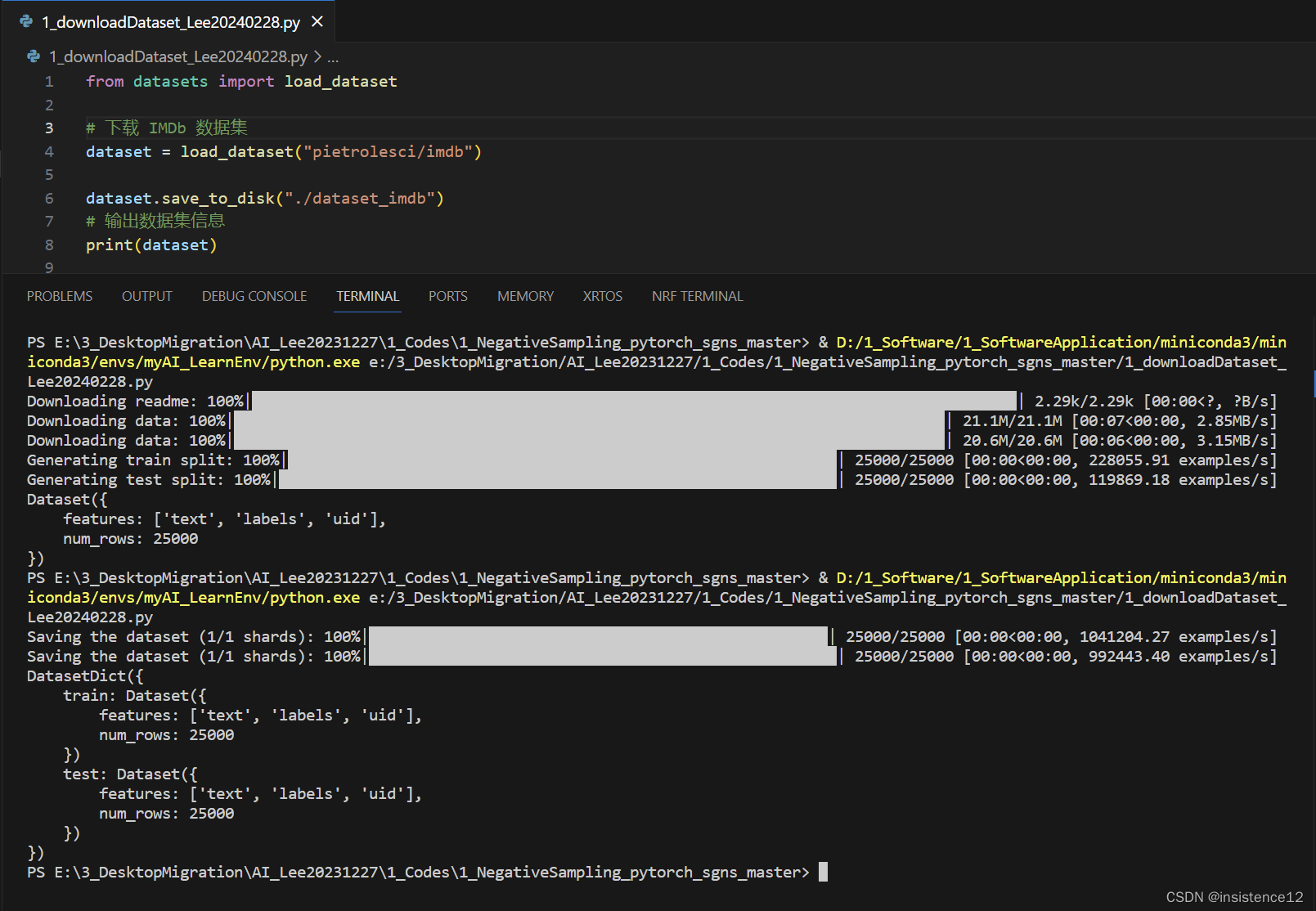
 博客展示了一段Python代码报错信息,报错源于导入datasets库时出现问题。解决方案是更新datasets库版本,更新后问题得到解决。






 扫一扫
扫一扫


 360
360

 被折叠的 条评论
为什么被折叠?
被折叠的 条评论
为什么被折叠?
 到【灌水乐园】发言





