



 本文详细介绍了如何在Linux环境下安装配置Nginx和FastDFS,包括依赖安装、配置文件调整、服务启动及测试过程,确保图片等文件的高效上传与访问。
nginx
下载:wget wget http://nginx.org/download/nginx-1.16.0.tar.gz
tar -zxvf nginx-1.16.0.tar.gz
- 进入解压目录中,在编译安装之前,需要安装两个依赖:
yum -y install pcre-devel
yum -y install openssl openssl-devel
./configure
make && make install
配置环境变量:
/etc/profile PATH=/usr/local/nginx/sbin:$PATH
source /etc/profile
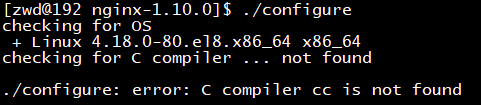
error1:
ans:
yum -y install gcc gcc-c++ kernel-devel
error2:

ans:yum -y install gcc automake autoconf libtool make
error3:没有访问文件权

ans:调整nginx的使用用户为root,因为fdfs安装时用的root
fdfs文件服务器
-
wget https://github.com/happyfish100/libfastcommon/archive/V1.0.39.tar.gz -SO libfastcommon.tar.gz
-
wget https://github.com/happyfish100/fastdfs/archive/V5.11.tar.gz -SO fastdfs.tar.gz
-
wget https://github.com/happyfish100/fastdfs-nginx-module/archive/V1.20.tar.gz -SO fastdfs-nginx-module.tar.gz
解压:
tar -zxvf *.tar.gz
安装libfastcommon:
cd libfastcommon
./make.sh
./make.sh install
安装fastdfs:
cd …/fastdfs
./make.sh && ./make.sh install
程序安装在/usr/bin/下面,配置文件在/etc/fdfs/下面,且为模块,需要从fastdfs包移动到对应的目录下,移动fastdfs到/etc/fdfs/目录下面
cp /home/zwd/sofaware/fastdfs-5.11/conf/* /etc/fdfs
调整配置:
- 调整跟踪服务器配置文件: tracker.conf
#跟踪服务器端口
port=22122
#数据和文件的保存路径
base_path=/home/zwd/fastdfs
#http服务端口
http.server_port=9270
- 调整存储服务器配置文件:storage.conf
#存储服务器端口
port=23000
#存储文件和日志地址
base_path=/home/zwd/fastdfs
# store_path#, based 0, if store_path0 not exists, it's value is base_path
# the paths must be exist
store_path0=/home/zwd/fastdfs
#tracker服务器,虽然是同一台机器上,但是不能写127.0.0.1。这项配置可以出现一次或多次
tracker_server=192.168.1.35:22122
#http服务端口,和nginx的监听端口一致
http.server_port=80
- 编辑客户端配置文件:client.conf
#客户端文件和日志地址
base_path=/home/zwd/fastdfs
#tracker服务器,虽然是同一台机器上,但是不能写127.0.0.1。这项配置可以出现一次或多次
tracker_server=192.168.1.35:22122
#tracker的 http服务端口
http.tracker_server_port=9270
- 调整http.conf
#调整路径正确
http.anti_steal.token_check_fail=/etc/fdfs/anti-steal.jpg
http.mime_types_filename=/etc/fdfs/mime.types
-
新建文件夹 mkdir /home/zwd/fastdfs
启动tracker和storage
service fdfs_trackerd start
service fdfs_storaged start
-
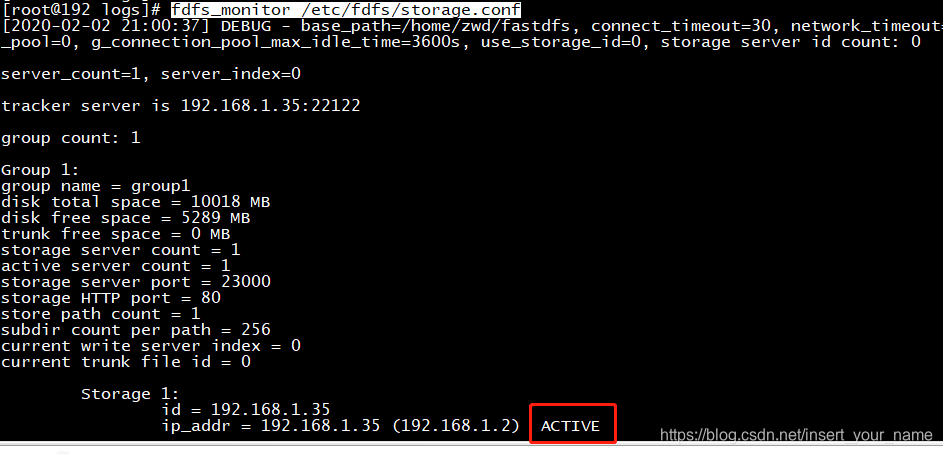
通过monitor来查看storage是否成功绑定:
fdfs_monitor /etc/fdfs/storage.conf
7. 测试:
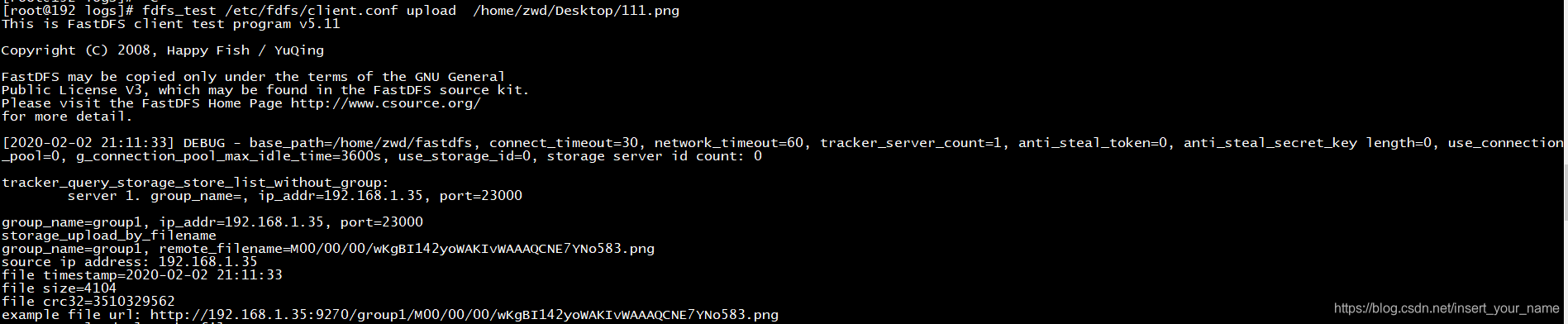
fdfs_test /etc/fdfs/client.conf upload /home/zwd/Desktop/111.png
调整nginx配置:

访问成功:
fdfs整合nginx:
到下载的nginx源代码包中间,将fastdfs-nginx-module 集成到nginx配置中
./configure --add-module=/home/zwd/sofaware/fastdfs-nginx-module-1.20/src
执行 make && make install

移动fastdfs-nginx-module-1.20/src/mod_fastdfs.conf 到/etc/fdfs/下
调整/etc/fdfs/mod_fastdfs.conf
# the base path to store log files
base_path=/home/zwd/fastdfs
# 跟踪服务器
tracker_server=192.168.35.1:22122

store_path0=/home/zwd/fastdfs
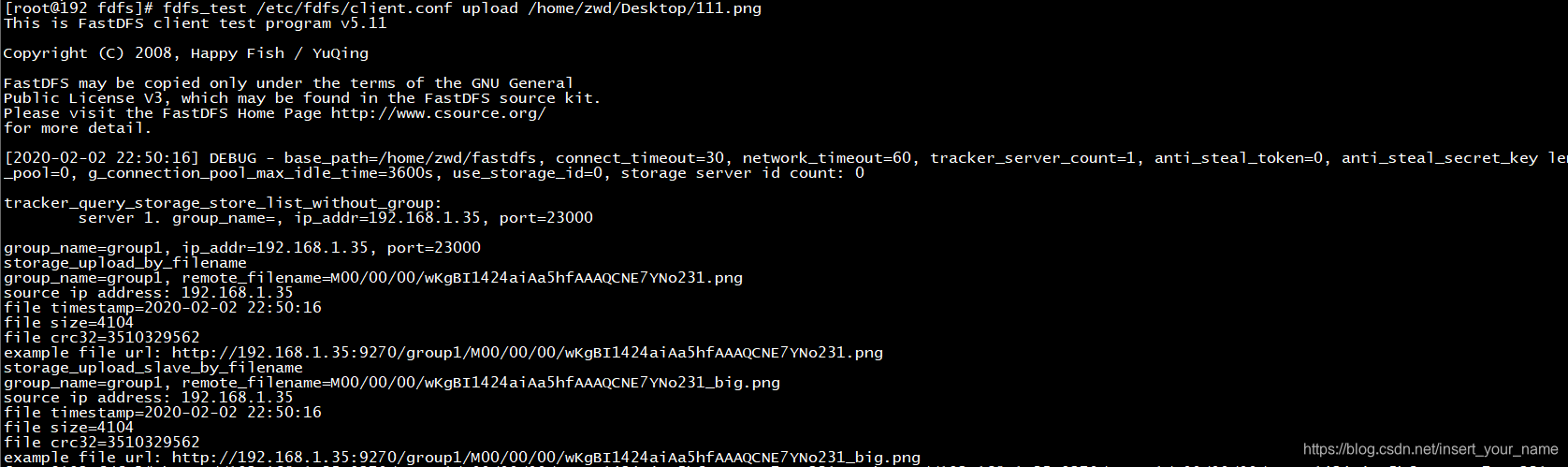
测试:
结合代码测试:
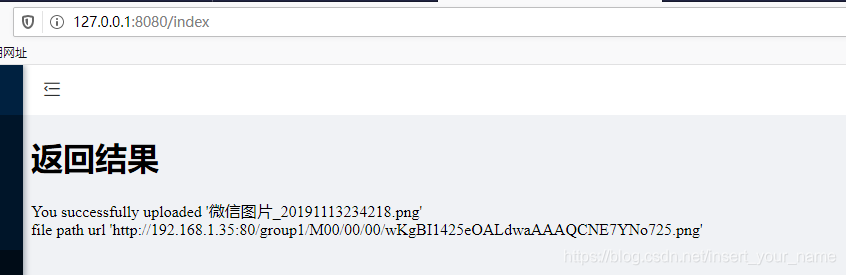
可能存在的问题:
-
fastdfs-nginx-module报错:fdfs_define.h:15:27: 致命错误:~/sofaware/fdfs-package/fastdfs-nginx-module-1.20/src/config:没有那个文件或目录
调整模块:用绝对路径,不要用相对路径 -
./configure: error: the HTTP rewrite module requires the PCRE library.
安装pcre-devel解决问题 yum -y install pcre-devel -
错误提示:
/configure: error: the HTTP cache module requires md5 functions

from OpenSSL library.  You can either disable the module by using

--without-http-cache option, or install the OpenSSL library into the system,

or build the OpenSSL library statically from the source with nginx by using

--with-http_ssl_module --with-openssl=<path> options.
解决办法:

yum -y install openssl openssl-devel
-
error: the HTTP XSLT module requires the libxml2/libxslt
解决方案:yum -y install libxml2 libxml2-dev yum -y install libxslt-d -
error: the HTTP image filter module requires the GD library
解决方案:yum -y install gd-devel -
error: perl module ExtUtils::Embed is required
解决方案:yum -y install perl-devel perl-ExtUtils-Embed -
error: the Google perftools module requires the Google perftools
解决方案:yum install gperftools -
warning: the “–with-ipv6” option is deprecated
解决方案:删除./configure 中的 --with-ipv6 -
error:/usr/include/fastdfs/fdfs_define.h:15:27: fatal error: common_define.h: No such file or directory #include “common_define.h”
解决方案: 调整fastdfs-nginx-module-1.20/src/config - ngx_module_incs="/usr/include/fastdfs /usr/include/fastcommon/" - CORE_INCS="$CORE_INCS /usr/include/fastdfs /usr/include/fastcommon/" -
error:"/etc/nginx/modules/ngx_http_image_filter_module.so" failed (/etc/nginx/modules/ngx_http_image_filter_module.so: cannot open shared object file: No such file or dire
解决方案:nginx -V 检查moudles是否加入到nginx参数中 -
error:ERROR - file: …/common/fdfs_http_shared.c, line: 148, param “http.mime_types_filename” not exist or is empty
解决方案:复制 fastdfs-nginx-module 源码中的配置文件到/etc/fdfs 目录, 并修改





 扫一扫
扫一扫


 775
775

 被折叠的 条评论
为什么被折叠?
被折叠的 条评论
为什么被折叠?
 到【灌水乐园】发言





