



 本文介绍了如何在Android应用中封装HTTP请求,创建一个公共的HttpUtil类,并实现异步处理以避免主线程阻塞。通过定义HttpCallbackListener接口处理请求成功和失败的情况,确保了网络操作的健壮性。
如果在一个应用程序中需要多次使用网络功能,而发送 HTTP请求的代码基本都是相同的,难道我们每次都要去编 写一遍发送HTTP请求的代码?
封装 将通用的网络操作提取到一个公共的类中,对外提供一个静态方法。
public class HttpUtil{
 //通过sendHttpRequest() 发送HTTP请求
 //返回数据类型为String
 public static String sendHttpRequest(String address){
 …….
 …….
 }
}
调用 调用HttpUtil类的sendHttpRequest()方法
String address = “https://www.baidu.com” //服务器地址
String response = HttpUtil.sendHttpRequest(address);
网络请求通常属于耗时的操作,而sendHttpRequest() 方法的内部并没有开启子线程,可能导致在调用该方法的 时候,主线程被阻塞,从而造成程序崩溃。
解决办法:在sendHttpRequest()方法内部开启一个线程
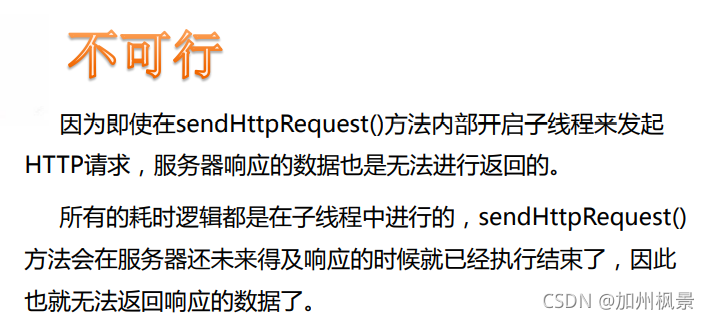
接口回调 定义一个接口,将它命名成HttpCallbackListener:
public interface HttpCallbackListener{
    void onFinish(String response);
    void onError(Exception e);
}
说明
onFinish():当服务器成功响应我们请求的时候调用。
onError():当迚行网络操作出现错误的时候调用
一、修改HttpUtil:
public class HttpUtil{
public static String sendHttpRequest(final String address,final HttpCallbackListener listener)
{
    new Thread(new Runnable(){
        @Override
        public void run(){
            …….
         }
    }).start();
 }
}
二、修改调用语句:
HttpUtil.sendHttpRequest(address , new HttpCallbackListener() {
    @Override
    public void onFinish(String response){
        //接收并解析从服务器返回的数据
    }
    @Override
    public void onError(Exception e){
        //对异常情况进行处理
    }
});
三、代码部分
1、layout1.xml
<?xml version="1.0" encoding="utf-8"?>
<LinearLayout xmlns:android="http://schemas.android.com/apk/res/android"
    android:orientation="vertical" android:layout_width="match_parent"
    android:layout_height="match_parent">

    <TextView
        android:id="@+id/tv"
        android:layout_width="match_parent"
        android:layout_height="match_parent" />


</LinearLayout>
2、Activity_main.xml
<?xml version="1.0" encoding="utf-8"?>
<android.support.constraint.ConstraintLayout xmlns:android="http://schemas.android.com/apk/res/android"
    xmlns:app="http://schemas.android.com/apk/res-auto"
    xmlns:tools="http://schemas.android.com/tools"
    android:layout_width="match_parent"
    android:layout_height="match_parent"
    tools:context=".MainActivity">

    <TextView
        android:layout_width="wrap_content"
        android:layout_height="wrap_content"
        android:text="Hello World!"
        app:layout_constraintBottom_toBottomOf="parent"
        app:layout_constraintLeft_toLeftOf="parent"
        app:layout_constraintRight_toRightOf="parent"
        app:layout_constraintTop_toTopOf="parent" />

</android.support.constraint.ConstraintLayout>
3、HttpCallbackListener.java
package com.example.httpurlconnectionencapsulation;

public interface HttpCallbackListener {

    void onFinish(String response);     //成功响应
    void onError(Exception e);      //失败响应
}
4、HttpUtil.java
package com.example.httpurlconnectionencapsulation;

import java.io.BufferedReader;
import java.io.InputStream;
import java.io.InputStreamReader;
import java.net.HttpURLConnection;
import java.net.URL;

public class HttpUtil {
    public static void sendHttpRequest(final String address,final HttpCallbackListener listener){
        new Thread(new Runnable() {
            @Override
            public void run() {
                HttpURLConnection connection = null;
                try{
                    //1.获得HttpURLConnection类的实例
                    URL url = new URL(address);
                    connection = (HttpURLConnection)url.openConnection();

                    //2.设置HTTP请求的参数
                    connection.setRequestMethod("GET");
                    connection.setConnectTimeout(8000);
                    connection.setReadTimeout(8000);

                    //3.调用connect()方法连接远程资源,并对服务器响应进行判断
                    connection.connect();
                    int responseCode = connection.getResponseCode();
                    if(responseCode == HttpURLConnection.HTTP_OK){
                        //进行数据读取操作
                        InputStream in = connection.getInputStream();
                        BufferedReader reader = new BufferedReader(new InputStreamReader(in));
                        StringBuilder sb = new StringBuilder();
                        String line = null;
                        while ((line = reader.readLine())!=null){
                            sb.append(line);
                        }
                        //将返回的数据抛给回调接口
                        if(listener!=null){
                            //回调onFinish()方法
                            listener.onFinish(sb.toString());
                        }
                    }

                }catch (Exception e){
                    e.printStackTrace();
                }finally {
                    if(connection!=null)
                    {
                        connection.disconnect();
                    }
                }
            }
        }).start();
    }
}
5、MainActivity.java
package com.example.httpurlconnectionencapsulation;

import android.support.v7.app.AppCompatActivity;
import android.os.Bundle;
import android.widget.TextView;

public class MainActivity extends AppCompatActivity {

    //1.定义一个字符串变量,用来给定目标网络地址
    private  final  String address = "https://www.baidu.com";
    //2.定义TextView 对象
    private TextView textView;

    @Override
    protected void onCreate(Bundle savedInstanceState) {
        super.onCreate(savedInstanceState);
        setContentView(R.layout.layout1);

        //3.将对象和布局文件上的控件进行关联
        textView = findViewById(R.id.tv);

        //调用工具类的sendHttpRequest()方法,抓取网络数据并进行处理
        HttpUtil.sendHttpRequest(address, new HttpCallbackListener() {
            @Override
            public void onFinish(final String response) {
                runOnUiThread(new Runnable() {
                    @Override
                    public void run() {
                        //将返回的数据在TextView控件上进行显示
                        textView.setText(response);
                    }
                });
            }

            @Override
            public void onError(Exception e) {

            }
        });
    }
}





 扫一扫
扫一扫


 975
975

 被折叠的 条评论
为什么被折叠?
被折叠的 条评论
为什么被折叠?
 到【灌水乐园】发言





