


Springboot和SpringCloud的版本如下
<dependencyManagement>
    <dependencies>
        <!--springboot 3.2.0-->
        <dependency>
            <groupId>org.springframework.boot</groupId>
            <artifactId>spring-boot-starter-parent</artifactId>
            <version>3.2.0</version>
            <type>pom</type>
            <scope>import</scope>
        </dependency>
        <!--springcloud 2023.0.0-->
        <dependency>
            <groupId>org.springframework.cloud</groupId>
            <artifactId>spring-cloud-dependencies</artifactId>
            <version>2023.0.0</version>
            <type>pom</type>
            <scope>import</scope>
        </dependency>
    </dependencies>
</dependencyManagement>
引入OpenFeign相关依赖
<dependency>
    <groupId>org.springframework.cloud</groupId>
     <artifactId>spring-cloud-starter-openfeign</artifactId>
 </dependency>
 <!--负载均衡的依赖-->
 <dependency>
     <groupId>org.springframework.cloud</groupId>
     <artifactId>spring-cloud-starter-loadbalancer</artifactId>
 </dependency>
将服务注册到Nacos或Consul这些过程省略,下面介绍一下OpenFeign的高级用法
1. 日志打印
Feign 提供了日志打印功能,我们可以通过配置来调整日志级别,从而了解 Feign 中 Http 请求的细节,对Feign接口的调用情况进行监控和输出。
Feign的日志级别如下:
- NONE:默认的,不显示任何日志;
- BASIC:仅记录请求方法、URL、响应状态码及执行时间;
- HEADERS:除了 BASIC 中定义的信息之外,还有请求和响应的头信息;
- FULL:除了 HEADERS 中定义的信息之外,还有请求和响应的正文及元数据。
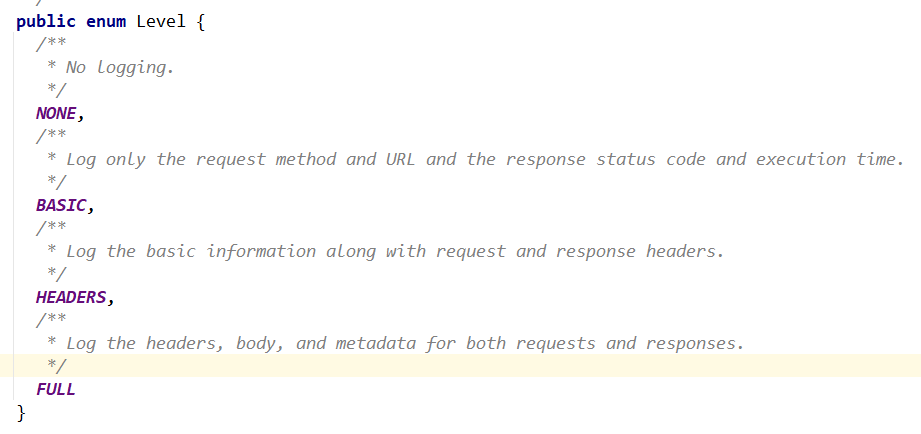
使用配置类设置日志级别
@Configuration
public class FeignConfig
{
    @Bean
    Logger.Level feignLoggerLevel() {
        return Logger.Level.FULL;
    }
}
并且在配置文件中设置日志打印级别
# feign日志以什么级别监控哪个接口
logging:
  level:
    com:
      test:
        cloud:
          apis:
            PayFeignApi: debug  # com.test.cloud.apis是Feign接口的包路径
2. 超时控制
在配置文件中配置Feign的连接超时时间和读取超时时间
连接超时时间是指,进行远程调用时和第三方接口建立连接的最长时间;
读取超时时间是指,请求到第三方接口后,等待获取响应结果的时间;
spring:
  cloud:
    openfeign:
      client:
        config:
          default: # 全局默认配置
            connect-timeout: 1000 # 连接超时时间
            read-timeout: 1000 # 读取超时时间
          cloud-payment-service: # 支付微服务的Feign配置
            connect-timeout: 10
            read-timeout: 10
spring.cloud.openfeign.client.config.default是默认的配置,spring.cloud.openfeign.client.config.{微服务注册名称}是针对单个微服务的配置,如果没有针对单个微服务的配置,那使用的就是默认的配置
3. 重试机制
重试是指,在远程调用失败之后,再次进行调用,默认不进行重试
在配置类中进行配置
@Configuration
public class FeignConfig
{
    @Bean
    public Retryer myRetryer()
    {
        //return Retryer.NEVER_RETRY; //Feign默认配置是不走重试策略的

        //最大请求次数为3(1+2),初始间隔时间为100ms,重试间最大间隔时间为1s
        return new Retryer.Default(100,1,3);
    }
}
4. 修改默认使用的HttpClient
强烈建议修改OpenFieng默认的HttpClient!!!
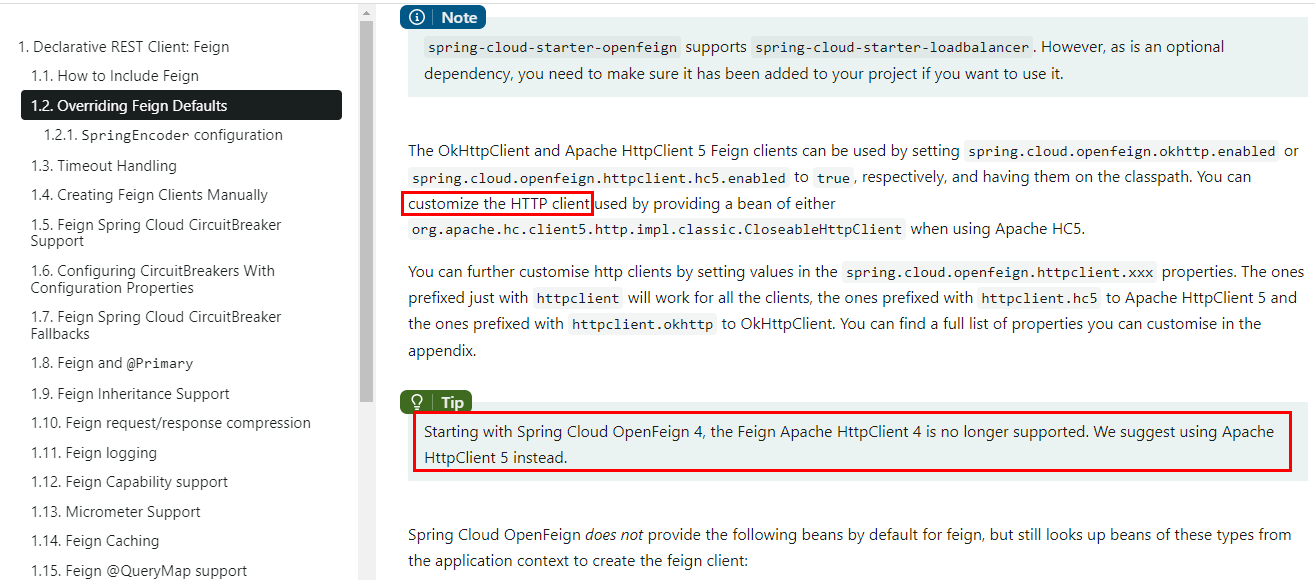
OpenFeign中HttpClient如果不做特殊配置,OpenFeign默认使用JDK自带的HttpURLConnection发送HTTP请求,由于默认HttpURLConnection没有连接池、性能和效率比较低,如果采用默认,性能会比较低,可以使用Apache HttpClient5提高性能,并且官方也建议使用Apache HttpClient5。
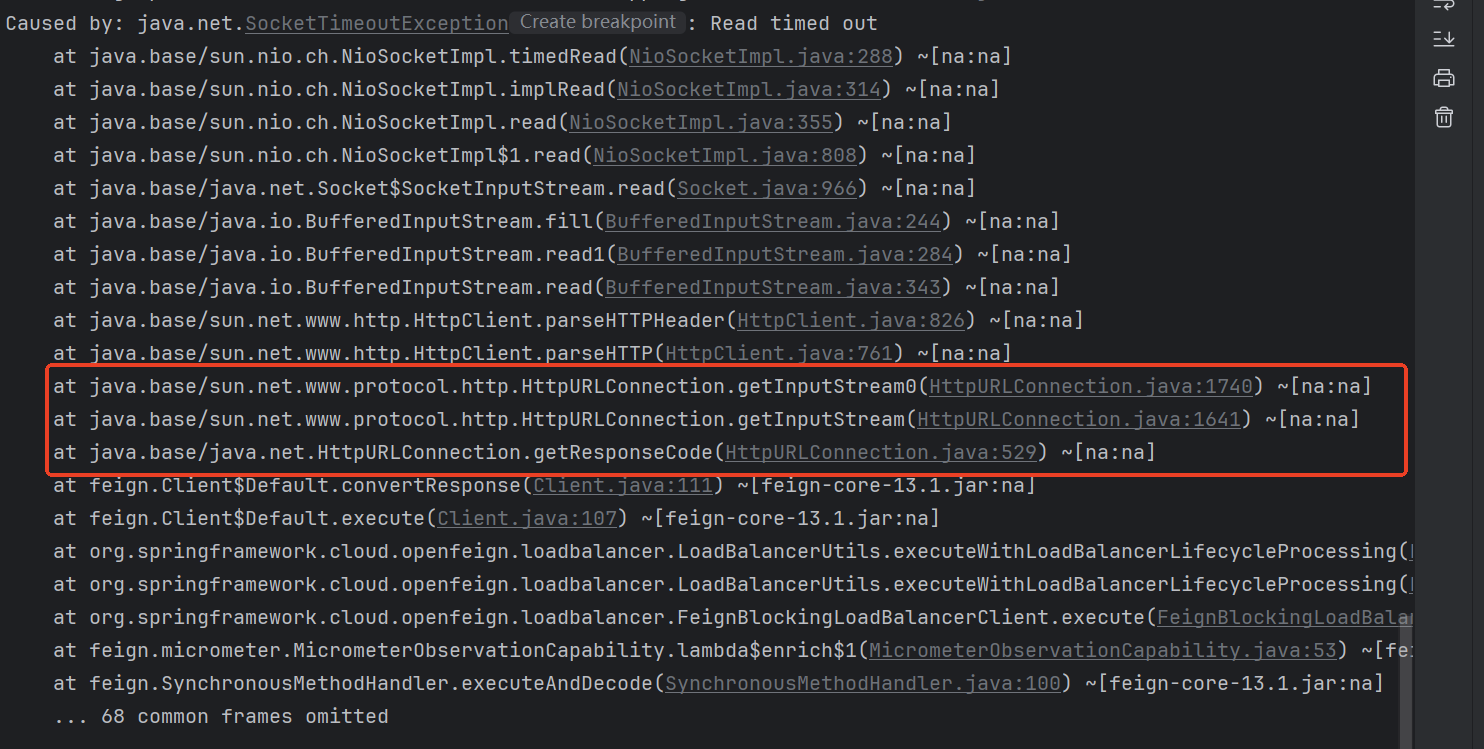
在使用OpenFeign进行远程调用时,可以在控制台看到使用的是那种HttpClient,注意要报错才能看到,可以将超时时间设置短一点
下面配置使用Apache HttpClient
导入依赖
<!-- httpclient5-->
<dependency>
    <groupId>org.apache.httpcomponents.client5</groupId>
    <artifactId>httpclient5</artifactId>
    <version>5.3</version>
</dependency>
<!-- feign-hc5-->
<dependency>
    <groupId>io.github.openfeign</groupId>
    <artifactId>feign-hc5</artifactId>
    <version>13.1</version>
</dependency>
修改application.yml中的OpenFeign配置
#  Apache HttpClient5 配置开启
spring:
  cloud:
    openfeign:
      httpclient:
        hc5:
          enabled: true
再次用OpenFeign进行远程调用,当出现请求超时,可以在控制台中看到此时使用的是Apache HttpClient5进行远程调用
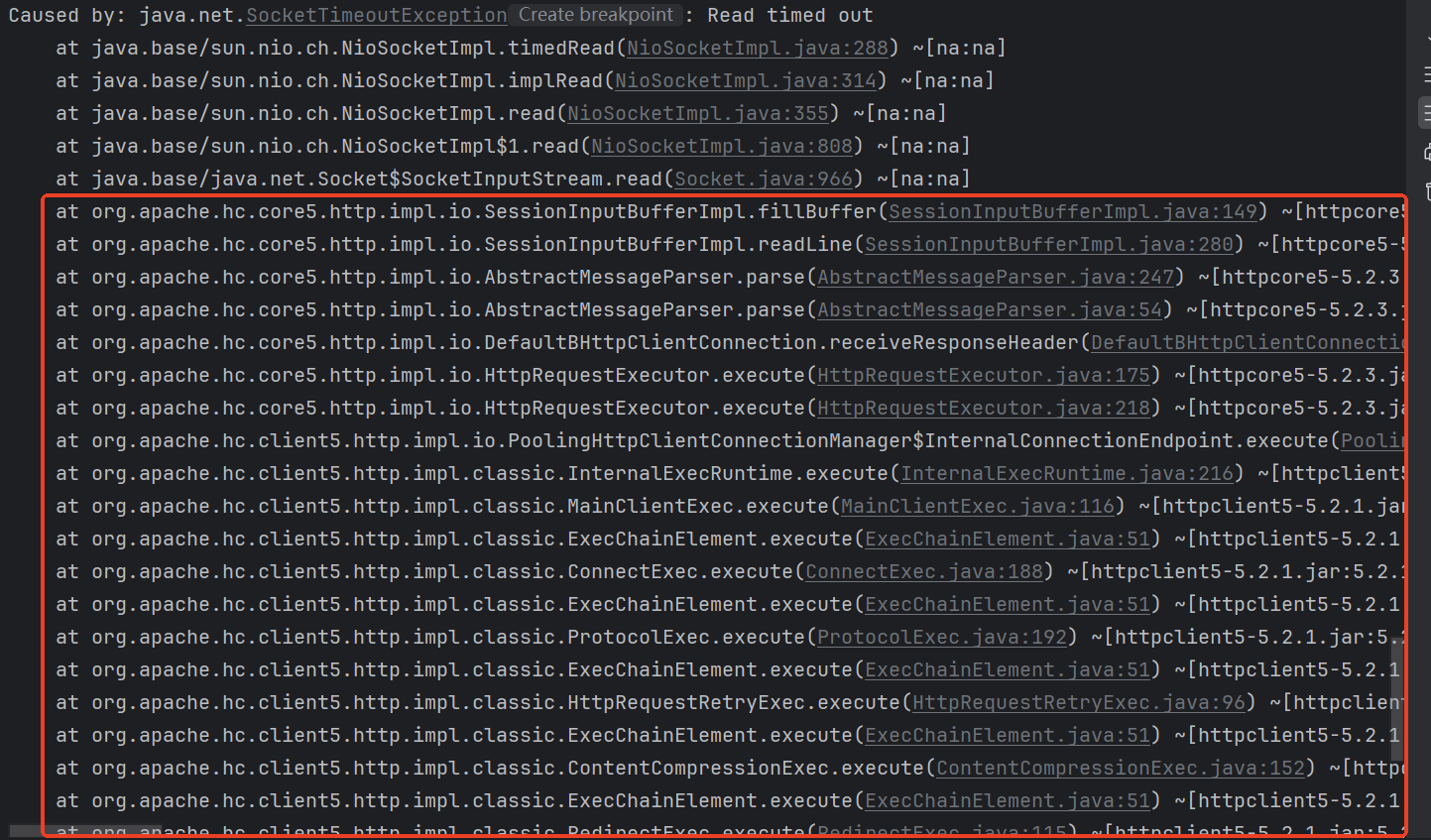
5. 配置请求拦截器
如果我们想在OpenFeign进行远程调用之前或之后进行一些处理,比如调第三方接口时需要在请求头中加入认证信息,那么可以使用OpenFeign请求拦截器。
编写OpenFeign请求拦截器
/**
 * feign 请求拦截器,需要实现RequestInterceptor接口
 */
@Slf4j
public class MyRequestInterceptor implements RequestInterceptor {
    @Override
    public void apply(RequestTemplate requestTemplate) {
        log.info("执行了ZoneMessageRequestInterceptor...");
        requestTemplate.header("Content-Type", "application/json");
        requestTemplate.header("userId", "111");
        requestTemplate.header("username", "zhangsan");
    }
}
在application.yml的OpenFeign配置中配置拦截器
feign:
  client:
    config:
      cloud-payment-service:
        requestInterceptors:
          - com.test.cloud.interceptor.feign.MyRequestInterceptor
OpenFeign还有响应拦截器,可以对返回的数据进行统一处理,但是用的比较少,这里就不做演示了
6. 请求/响应压缩
Spring Cloud OpenFeign支持对请求和响应进行GZIP压缩,以减少通信过程中的性能损耗。
在application.yml中加入一下配置
spring:
  cloud:
    openfeign:
      compression: # 请求和响应压缩配置,开启请求和响应压缩可以提高带宽
        request:
          enabled: true # 开启请求压缩
          mime-types: text/xml,application/xml,application/json #触发压缩数据类型
          min-request-size: 2048 #最小触发压缩的大小
        response:
          enabled: true # 开启响应压缩
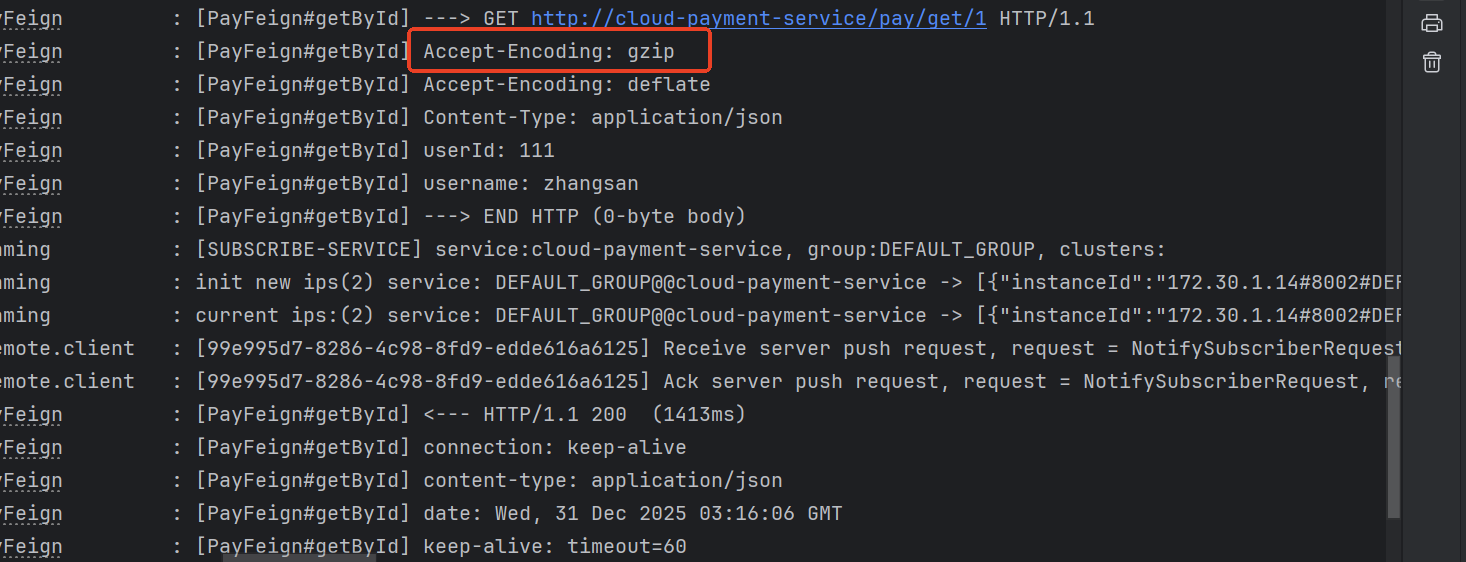
进行远程调用时可以在控制台看到使用了gzip压缩,需要将OpenFeign的日志级别设置为Full才能看到





 扫一扫
扫一扫


 1924
1924

 被折叠的 条评论
为什么被折叠?
被折叠的 条评论
为什么被折叠?
 到【灌水乐园】发言





