



 本文介绍了几种用于Eclipse的插件,包括easyexplore1.0.4、OpenExplorer1.5.0、EclipseExplorer4.0.0,以及Eclipse插件的卸载方法。重点对比了这些插件在打开文件夹速度上的表现,并推荐了个人偏好使用的原因。同时提供了Eclipse插件下载地址与安装指导。
一.easyexplore 1.0.4
eclipse easyexplore 插件下载地址
http://happyqing.iteye.com/blog/1808242
在eclipse4.4及以后都不能用了,
二、OpenExplorer 1.5.0
下载地址https://github.com/samsonw/OpenExplorer/downloads
有插件包,直接包jar包放在dropins下即可
右键菜单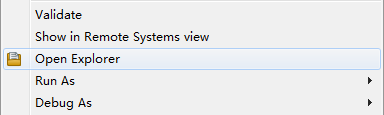
在工具栏也有个图标
打开所在文件夹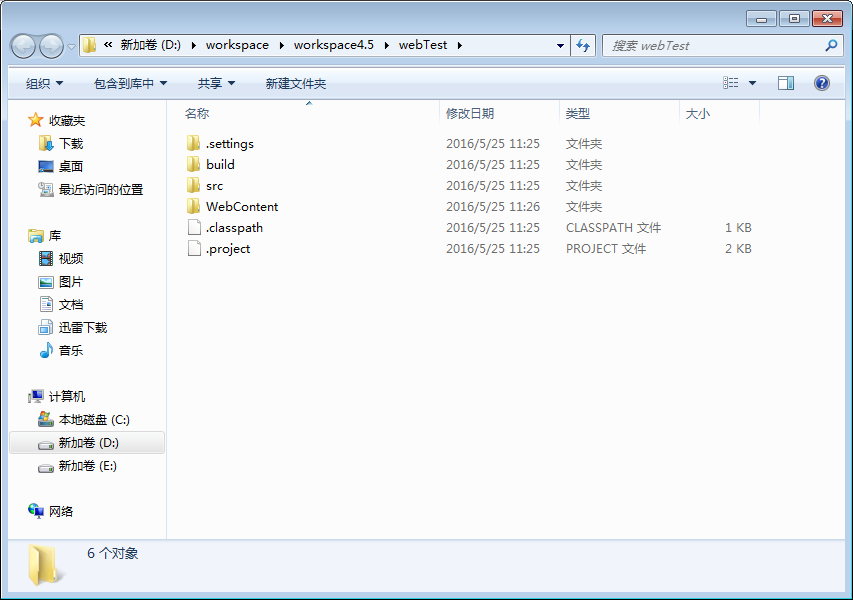
三、Eclipse Explorer 4.0.0
在Eclipse Marketplace下载
菜单--help-Eclipse Marketplace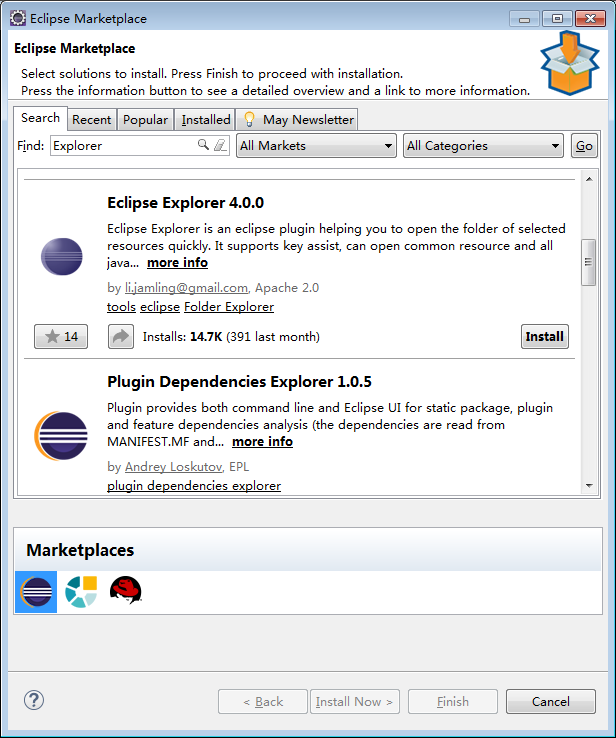
右键菜单,Open in Explorer是Eclipse Explorer 4.0.0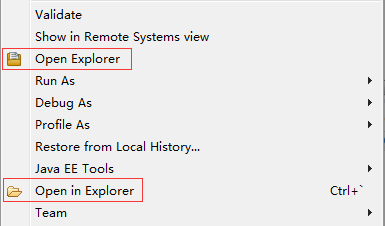
感觉Eclipse Explorer 4.0.0比OpenExplorer打开文件夹快0.1秒,
但我是选择了OpenExplorer,感觉单独的插件安装,拷贝方便。
四、Eclipse插件卸载
菜单--help--Installation Details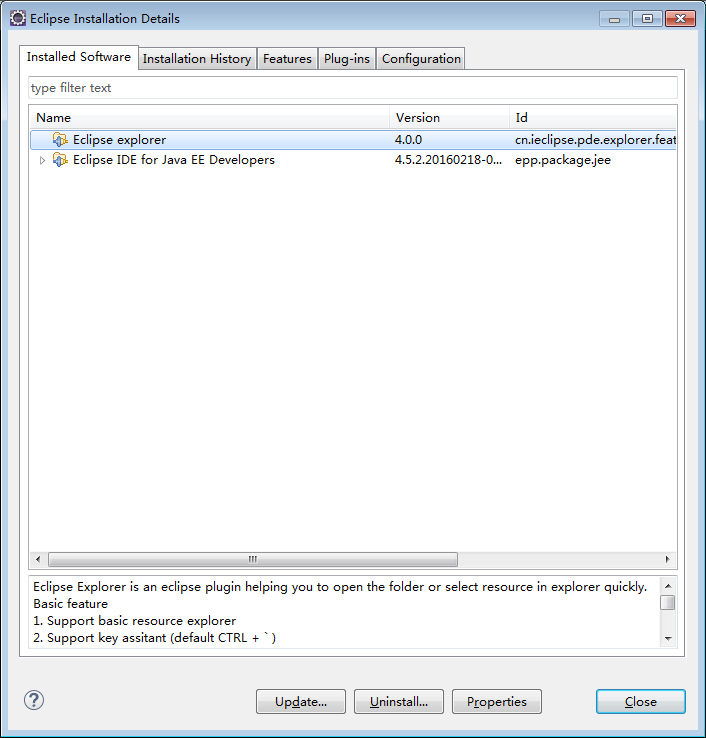





 扫一扫
扫一扫


 2618
2618

 被折叠的 条评论
为什么被折叠?
被折叠的 条评论
为什么被折叠?
 到【灌水乐园】发言





