


之前为大家介绍了多种图像反推工具:
- • # 最强图像反推Joy_Caption结合ComfyUI Flux GGUF的使用
- • # Flux超强图像提示词伴侣MiniCPM-V 2.6(超强)| ComfyUI中Flux实现无IPA三图创意融合
- • # [ComfyUI]超越JoyCaptain速度更快更准确显存更低的图像反推Florence2PromptGen,适配Flux打标
近期,Joy Caption已经更新到:joy-caption-alpha-two(JoyCaption2)版本,图像反推更加细致,同时增添了许多多样化的输入Prompt支持。
如果想使用云端JoyCaption2 的,参考:
也可以用网页版的Demo: https://huggingface.co/spaces/fancyfeast/joy-caption-alpha-two
如果使用JoyCaption2 进行批量文件打标的,那就推荐本地安装Joy_Caption2了。
Joy Caption 原始仓库: https://github.com/fpgaminer/joycaption ComfyUI Joy Caption two: https://github.com/EvilBT/ComfyUI_SLK_joy_caption_two
Joy Caption2 在ComfyUI中的安装
安装插件
推荐用插件: https://github.com/EvilBT/ComfyUI_SLK_joy_caption_two.git 对于小显存支持好些。
cd comfyui\custom_nodes
git clone https://github.com/EvilBT/ComfyUI_SLK_joy_caption_two.git

# 安装依赖:
pip install -r ComfyUI_SLK_joy_caption_two\requirements.txt
注意:
transformers 要大于等于 4.44.0 版本
下载模型
1. google/siglip-so400m-patch14-384:
国外:google/siglip-so400m-patch14-384[1]
国内:hf/google/siglip-so400m-patch14-384[2]
会自动下载,也可以手动下载整个仓库,并把siglip-so400m-patch14-384内的文件全部复制到models/clip/siglip-so400m-patch14-384
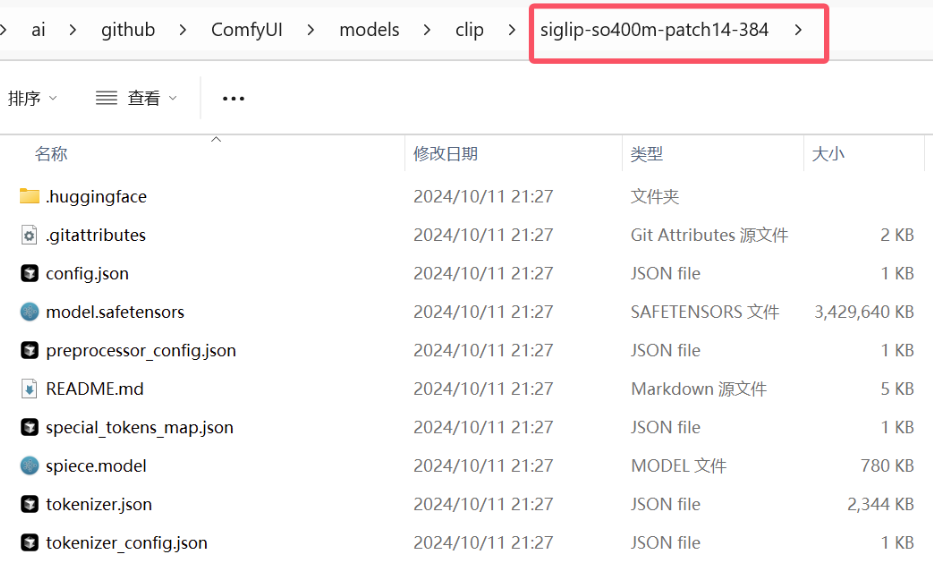
所需的文件较多,建议用Huggingface客户端下载,对于ComfyUI来说,一般都会被安装上huggingface-cli 命令,可以用everything搜索一下:
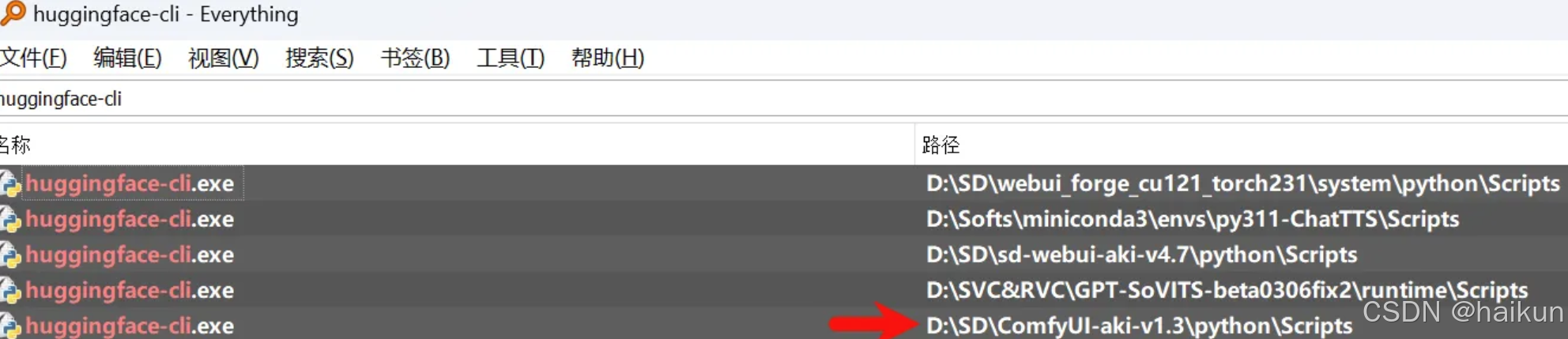
只需要把上图箭头的路径:D:\SD\ComfyUI-aki-v1.3\python\Scripts 加入到系统的Path环境变量下,就可以直接调用了。 命令行参考:
set HF_ENDPOINT=https://hf-mirror.com
cd D:\SD\ComfyUI-aki-v1.3\models\clip
huggingface-cli download google/siglip-so400m-patch14-384 --local-dir ./siglip-so400m-patch14-384
2. Llama3.1-8B-Instruct 模型下载
支持两个版本,根据显存大小自行选择一个下载即可:bnb-4bit是小显存的福音。程序会自动下载,可自行下载。
2.1 unsloth/Meta-Llama-3.1-8B-Instruct-bnb-4bit
国外:unsloth/Meta-Llama-3.1-8B-Instruct-bnb-4bit[3]
国内:hf/unsloth/Meta-Llama-3.1-8B-Instruct-bnb-4bit[4]
把整个文件夹内的内容复制到 models\LLM\Meta-Llama-3.1-8B-Instruct-bnb-4bit 下
命令行下载:
set HF_ENDPOINT=https://hf-mirror.com
cd ComfyUI\models\LLM
huggingface-cli download unsloth/Meta-Llama-3.1-8B-Instruct-bnb-4bit Meta-Llama-3.1-8B-Instruct-bnb-4bit
2.2 unsloth/Meta-Llama-3.1-8B-Instruct
国外:unsloth/Meta-Llama-3.1-8B-Instruct[5]
国内:hf/unsloth/Meta-Llama-3.1-8B-Instruct[6]
把下载后的整个文件夹的内容复制到models\LLM\Meta-Llama-3.1-8B-Instruct下
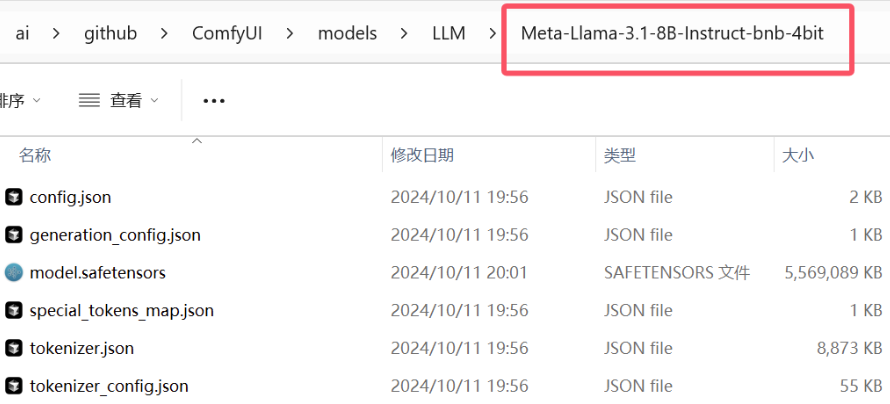
命令行下载:
set HF_ENDPOINT=https://hf-mirror.com
cd ComfyUI\models\LLM
huggingface-cli download unsloth/Meta-Llama-3.1-8B-Instruct Meta-Llama-3.1-8B-Instruct
3. Joy-Caption-alpha-two 模型下载(必须手动下载)
把 Joy-Caption-alpha-two[7] 下的cgrkzexw-599808文件夹的所有内容下载复制到models/Joy_caption_two 下
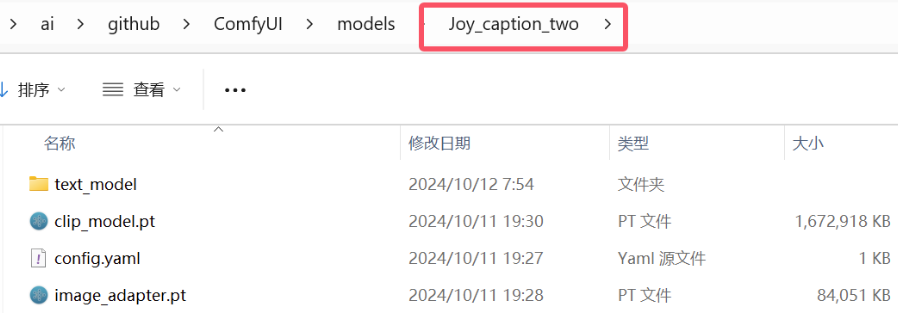
重启ComfyUI之后就可以添加使用了。
Joy Caption2 在ComfyUI中的使用
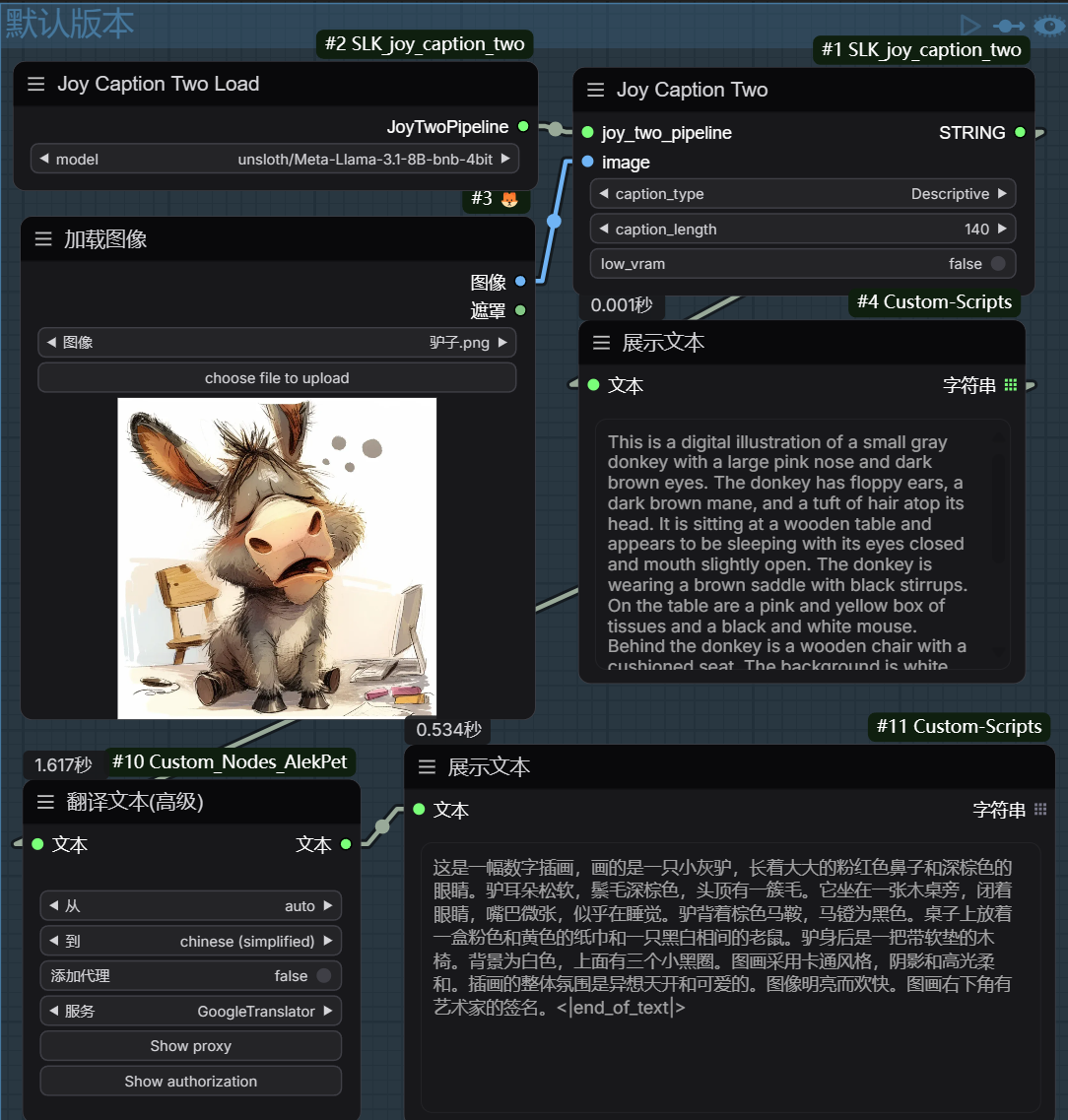
基础版工作流
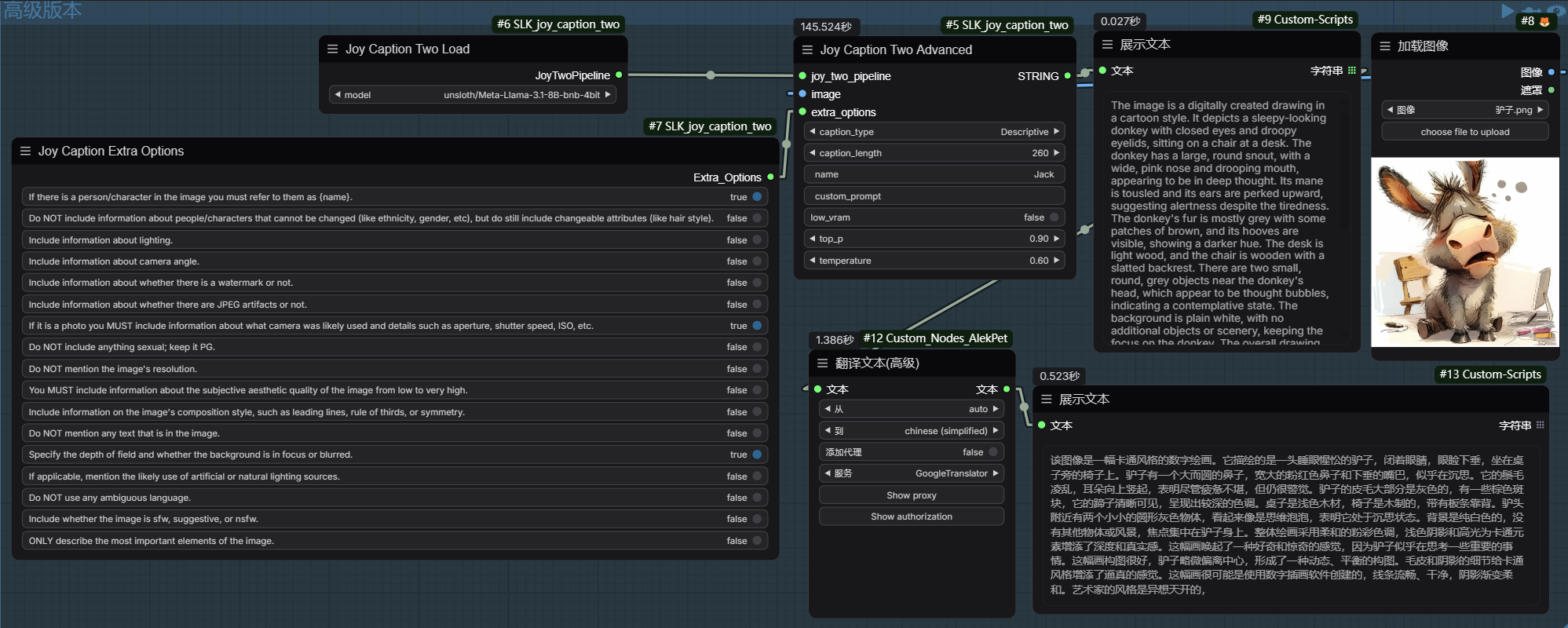
高级版工作流
可以自定义: prompt,只需要勾选即可。
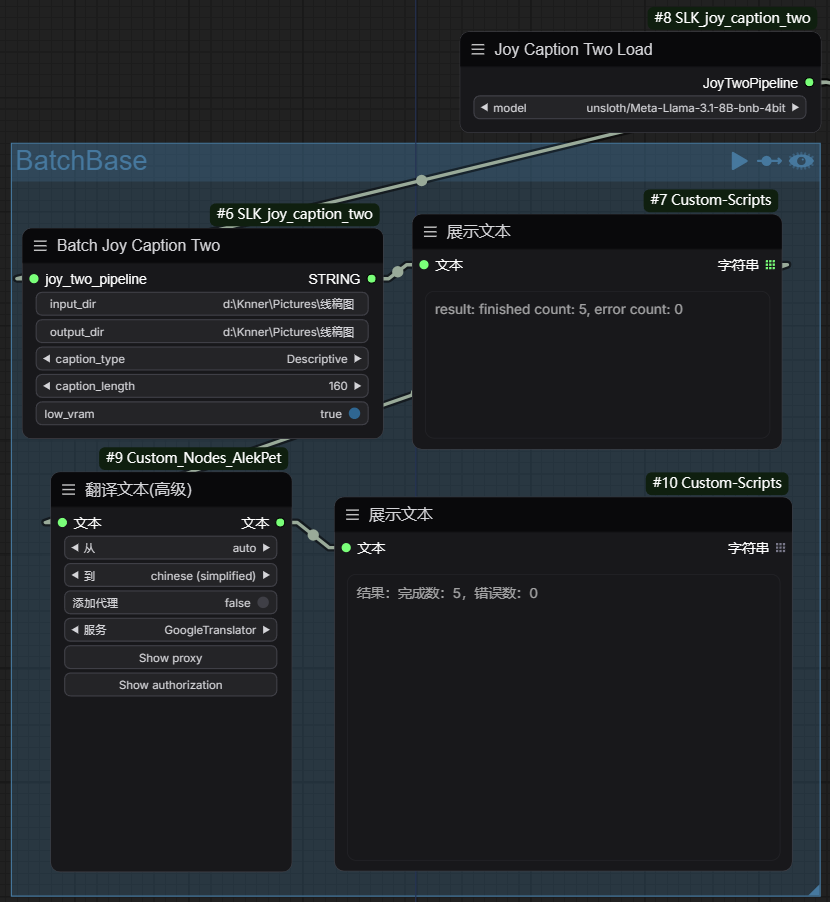
图片批量打标 - 基础版
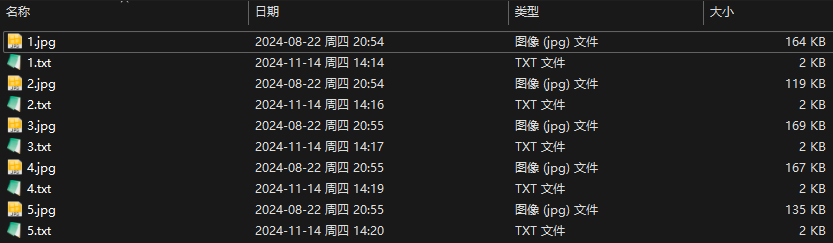
目录查看:
原始名称原始就是1/2/3/4/5.jpg 没有改名字
图片批量打标 - 高级版
也是可以自定义: prompt,只需要勾选即可。
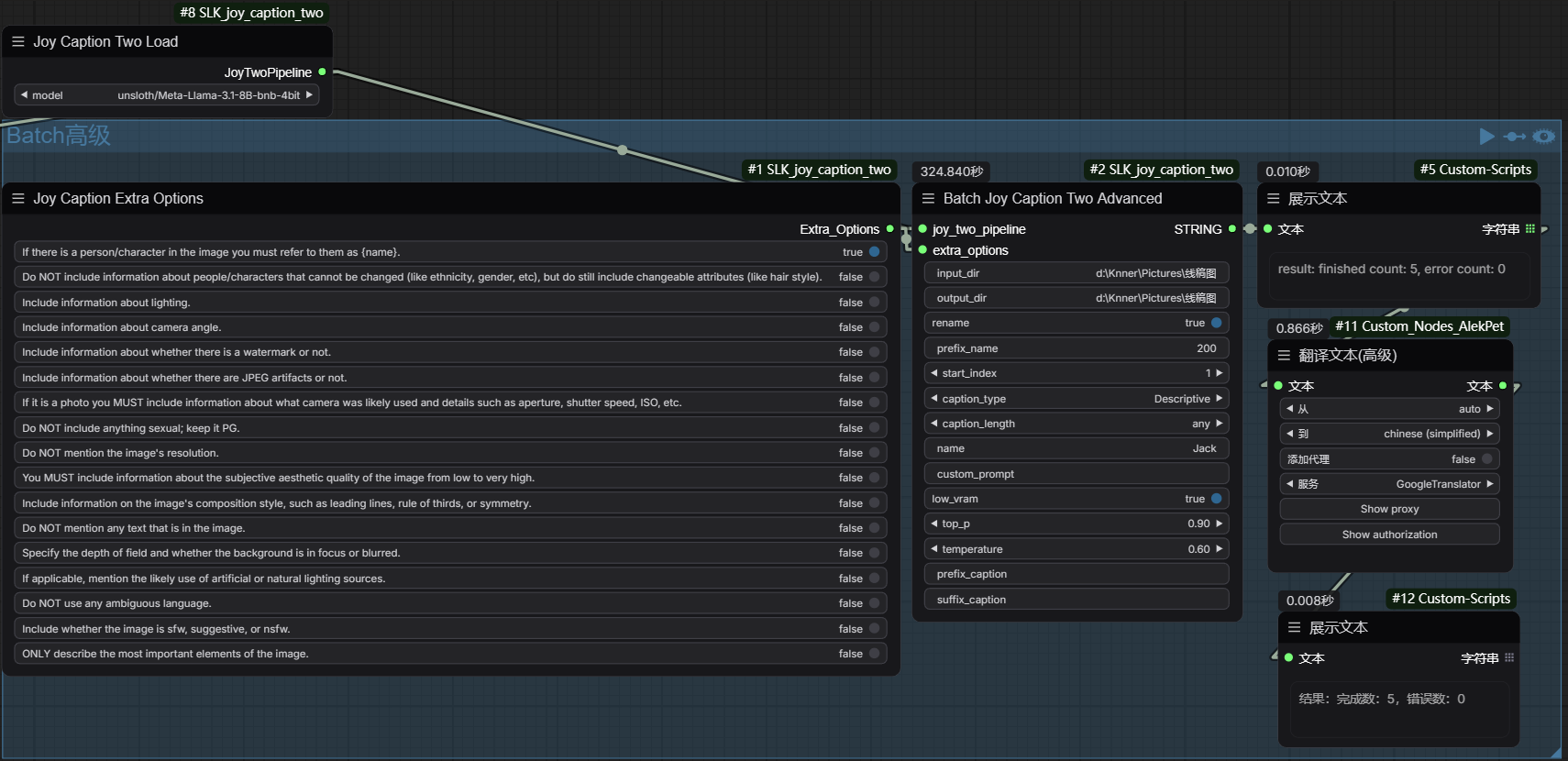
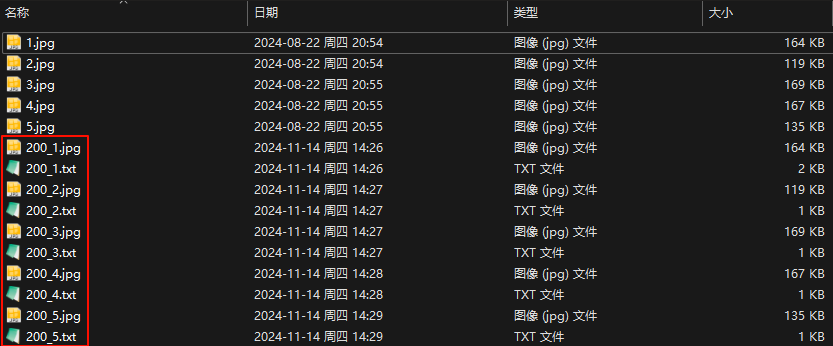
目录查看:
图片复制并重命名了
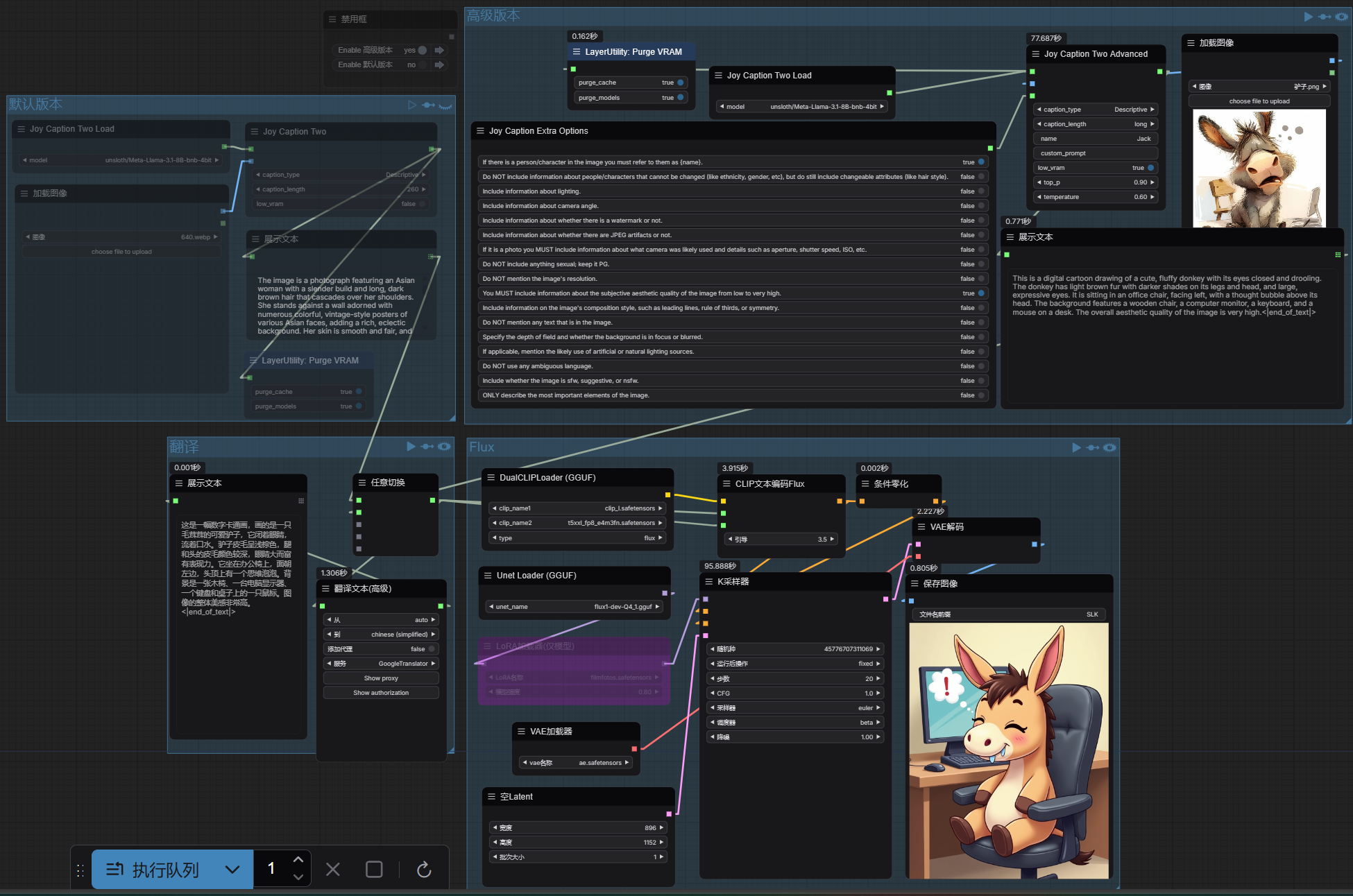
结合Flux使用
完
模型都可以国内下载,所需工作流,请关注公主好:: DevOpsAigc云时代
发送指令: JoyCaption2
自助获取。
有问题可以进群交流
引用链接
[1] google/siglip-so400m-patch14-384: https://huggingface.co/google/siglip-so400m-patch14-384[2] hf/google/siglip-so400m-patch14-384: https://hf-mirror.com/google/siglip-so400m-patch14-384[3] unsloth/Meta-Llama-3.1-8B-Instruct-bnb-4bit: https://huggingface.co/unsloth/Meta-Llama-3.1-8B-Instruct-bnb-4bit[4] hf/unsloth/Meta-Llama-3.1-8B-Instruct-bnb-4bit: https://hf-mirror.com/unsloth/Meta-Llama-3.1-8B-Instruct-bnb-4bit[5] unsloth/Meta-Llama-3.1-8B-Instruct: https://huggingface.co/unsloth/Meta-Llama-3.1-8B-Instruct[6] hf/unsloth/Meta-Llama-3.1-8B-Instruct: https://hf-mirror.com/unsloth/Meta-Llama-3.1-8B-Instruct[7] Joy-Caption-alpha-two: https://huggingface.co/spaces/fancyfeast/joy-caption-alpha-two/tree/main






 扫一扫
扫一扫


 被折叠的 条评论
为什么被折叠?
被折叠的 条评论
为什么被折叠?
 到【灌水乐园】发言





