


目录
本篇文章来分享一下如何制作一个日期时间选择器,主要包括日期选择器和时分秒选择器两大部分。展示效果如下。
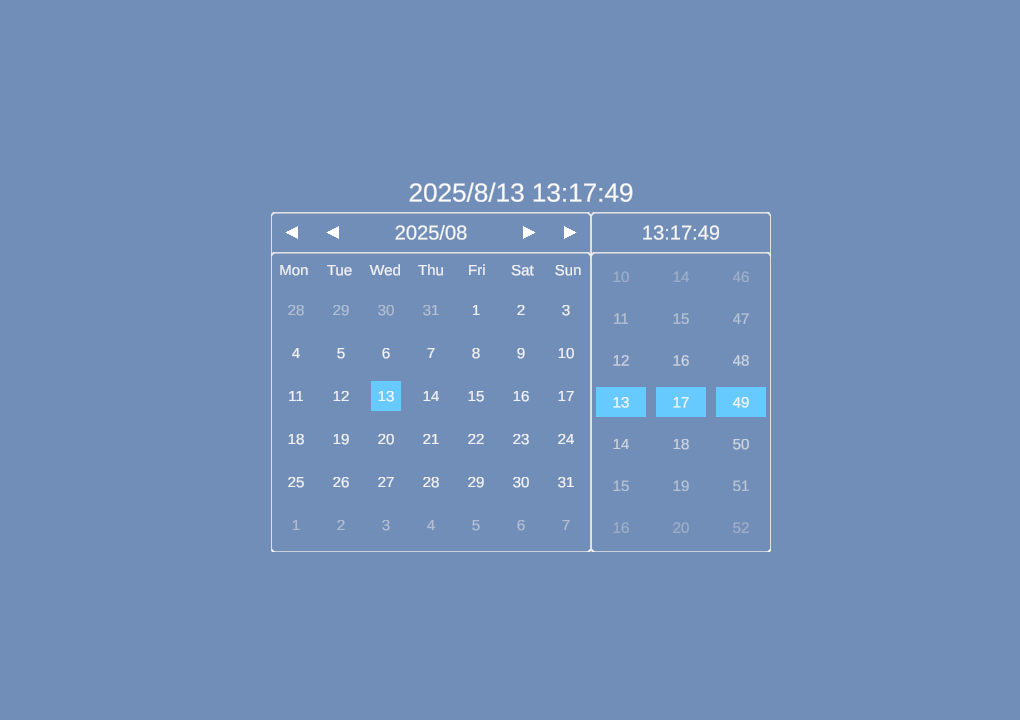
日期时间选择器
1.界面搭建
1.1.日期选择器
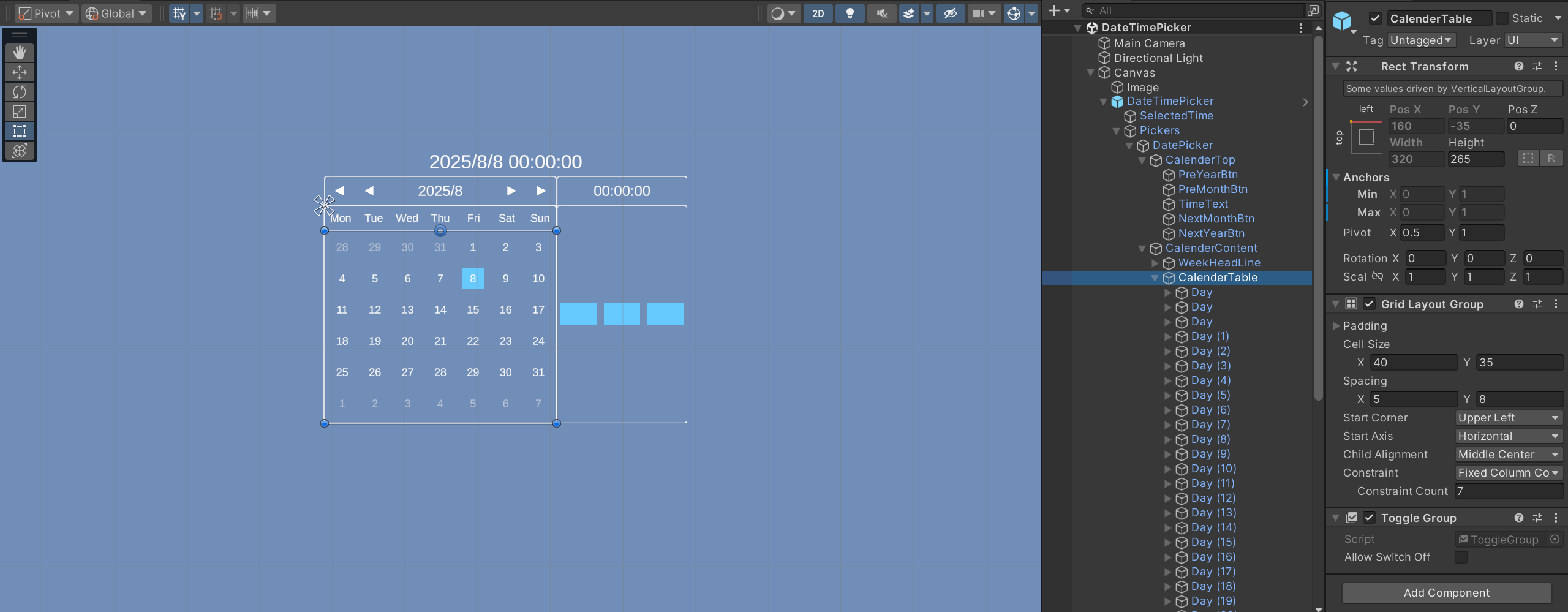
日期选择器主要包括年月选择和日历部分,年月选择部分主要有4个年月切换的按钮,日历部分主要通过Unity布局组件来进行搭建日历表格,使用Grid Layout Group(网格布局组)可以快速实现,如下图。想要了解Unity布局,可查看【一文读懂】Unity布局组件:Horizontal Layout Group(水平布局组),Vertical Layout Group(垂直布局组),Grid Layout Group(网格布局组)
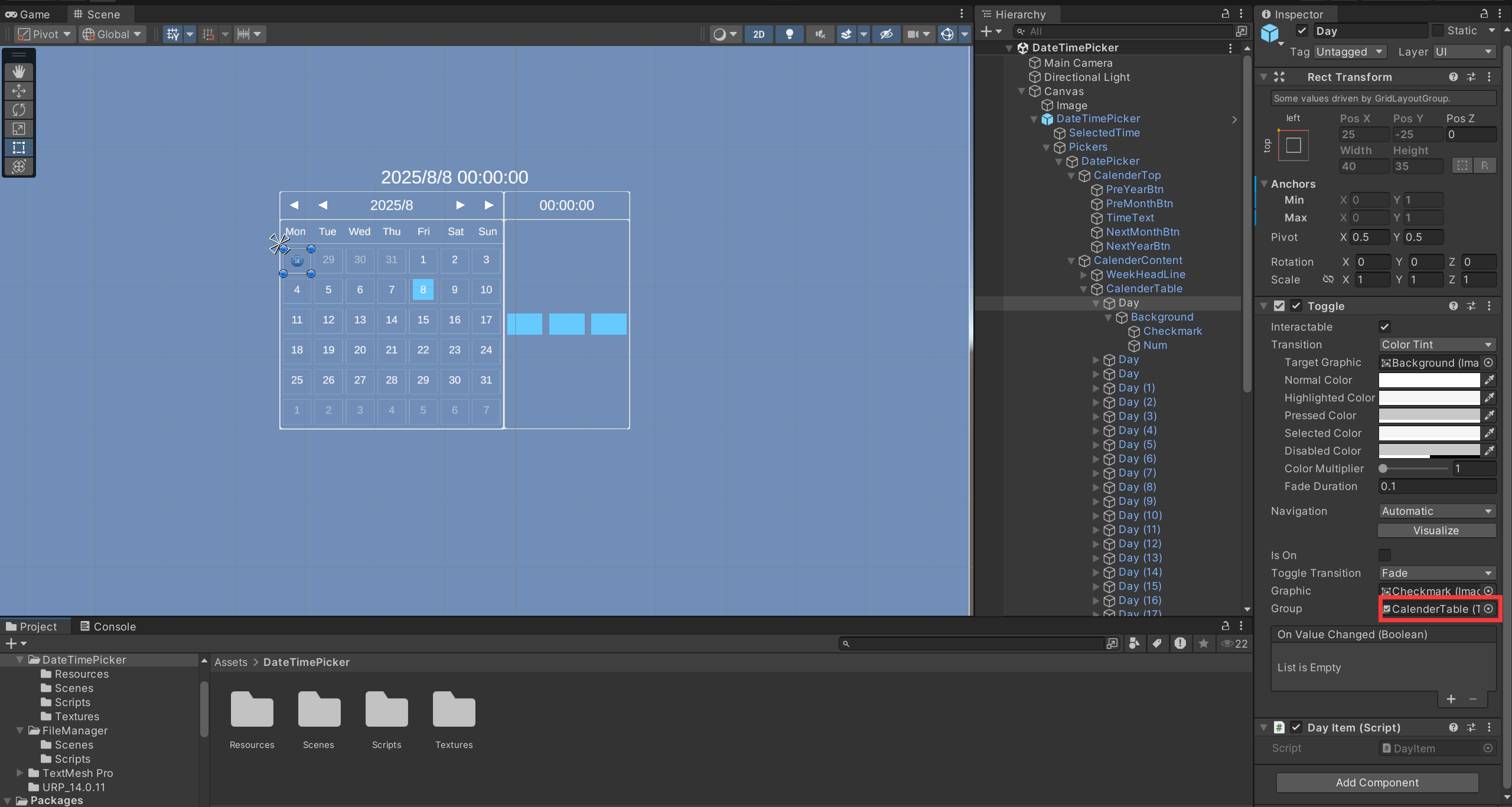
其中Day需添加Toggle组件,所有的Day共用一个Toggle Group,确保只能选中一天。
1.2.时间选择器
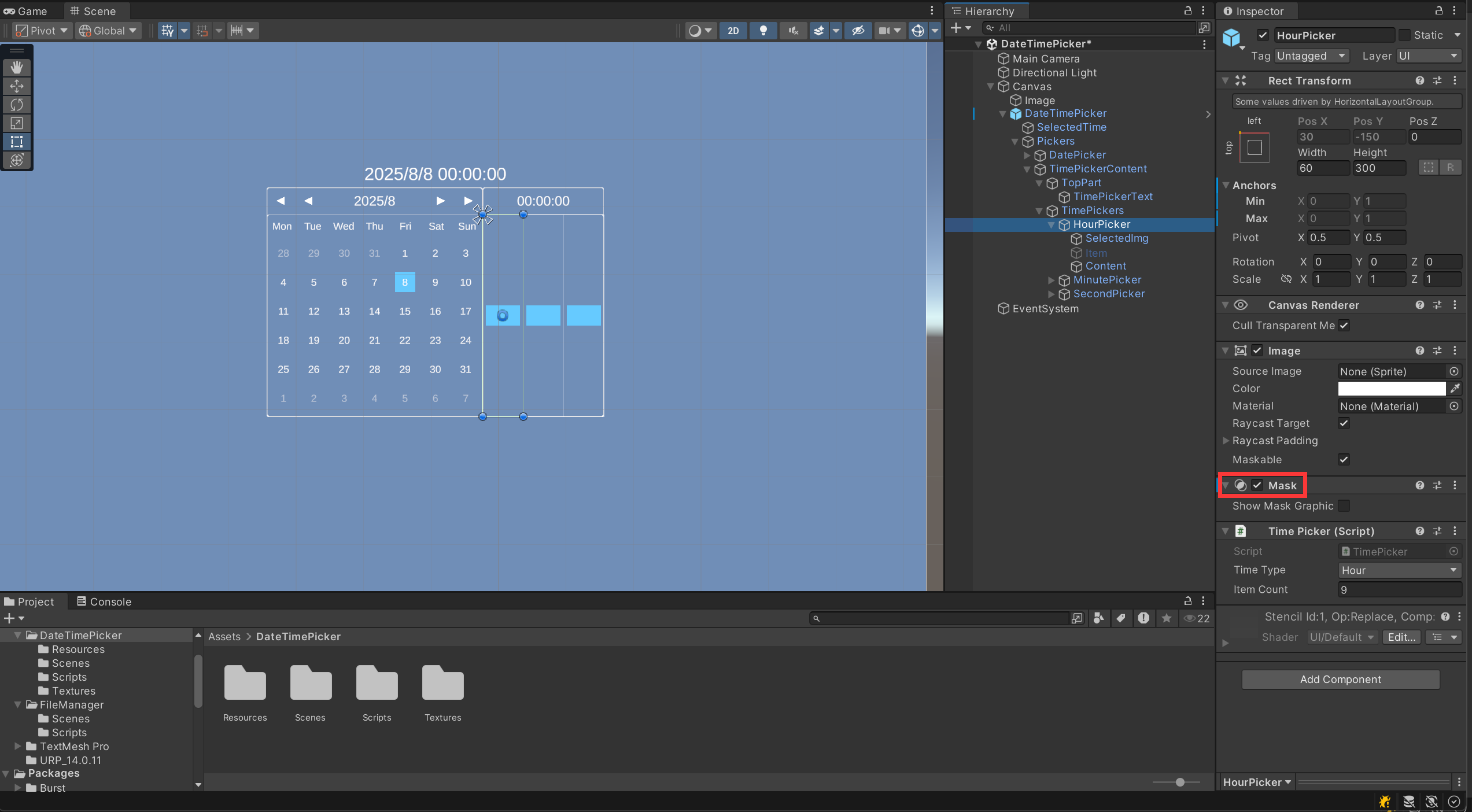
时间选择器包括时分秒的选择, 如下是 时 选择部分的搭建,注意添加Mask组件,限制显示的内容,分、秒 选择部分的搭建同理。
2.分析
2.1.日期选择器
日期选择器核心功能是展示日历,观察日历可以发现,主要有三个部分:当前月的所有日期,上一个月的后几天,下一个月的前几天。
那如何得到具体的日期范围呢?可以通过计算当前月 1 号的星期位置,确定当前月日期在日历表格中的显示范围,然后在范围前后补充上个月末和下月初的日期,最终形成一个完整的日历表格(包含当前月所有日期及前后月的补充日期),为了更好的展示效果,可以通过透明度区分当前月与其他月份的日期。具体逻辑如下
/// <summary> 展示日历 </summary>
public void ShowCalendar()
{
    curWeek = (int)((new DateTime(curSelectedDateTime.Year, curSelectedDateTime.Month, 1))).DayOfWeek;
    curDays = DateTime.DaysInMonth(curSelectedDateTime.Year, curSelectedDateTime.Month);

    timeText.text = curSelectedDateTime.ToString("yyyy/MM");

    //当前月的 日 索引
    int monthDaysIndex = 0;
    //得到上个月的天数
    int lastMonthDays = DateTime.DaysInMonth(curSelectedDateTime.Year, curSelectedDateTime.Month - 1 <= 0 ? 12 : curSelectedDateTime.Month - 1);
    if (curSelectedDateTime.Month - 1 <= 0)
    {
        lastMonthDays = DateTime.DaysInMonth(curSelectedDateTime.Year - 1, 12);
    }
    else
    {
        lastMonthDays = DateTime.DaysInMonth(curSelectedDateTime.Year, curSelectedDateTime.Month - 1);
    }

    for (int i = 0; i < calenderTable.childCount; i++)
    {
        Transform dayTrans = calenderTable.GetChild(i);
        //确定当前月的1号进行设置
        if (i >= curWeek - 1 && i < curDays + curWeek - 1)
        {
            int showCurMonthDay = monthDaysIndex + 1;
            dayTrans.GetComponentInChildren<TMP_Text>().text = showCurMonthDay.ToString();
            Color color = dayTrans.GetComponentInChildren<TMP_Text>().color;
            color.a = 1;
            dayTrans.GetComponentInChildren<TMP_Text>().color = color;
            DateTime dateTime = new DateTime(curSelectedDateTime.Year, curSelectedDateTime.Month, showCurMonthDay);
            dayTrans.GetComponent<DayItem>().SetDataTime(dateTime);
            ++monthDaysIndex;
        }
        else
        {
            if (i < curWeek - 1)//展示上个月的最后几天
            {
                int showLastMonthDay = lastMonthDays - curWeek + i + 2;
                dayTrans.GetComponentInChildren<TMP_Text>().text = showLastMonthDay.ToString();
                Color color = dayTrans.GetComponentInChildren<TMP_Text>().color;
                color.a = 100.0f / 255.0f;
                dayTrans.GetComponentInChildren<TMP_Text>().color = color;
                DateTime dateTime;
                if (curSelectedDateTime.Month - 1 <= 0)
                {
                    dateTime = new DateTime(curSelectedDateTime.Year - 1, 12, showLastMonthDay);
                }
                else
                {
                    dateTime = new DateTime(curSelectedDateTime.Year, curSelectedDateTime.Month - 1, showLastMonthDay);
                }
                dayTrans.GetComponent<DayItem>().SetDataTime(dateTime);
            }
            if (i >= curDays + curWeek - 1)//展示下个月的开始几天
            {
                int showNextMonthDay = i - curDays - curWeek + 2;
                dayTrans.GetComponentInChildren<TMP_Text>().text = showNextMonthDay.ToString();
                Color color = dayTrans.GetComponentInChildren<TMP_Text>().color;
                color.a = 100.0f / 255.0f;
                dayTrans.GetComponentInChildren<TMP_Text>().color = color;
                DateTime dateTime;
                if (curSelectedDateTime.Month + 1 > 12)
                {
                    dateTime = new DateTime(curSelectedDateTime.Year + 1, 1, showNextMonthDay);
                }
                else
                {
                    dateTime = new DateTime(curSelectedDateTime.Year, curSelectedDateTime.Month + 1, showNextMonthDay);
                }
                dayTrans.GetComponent<DayItem>().SetDataTime(dateTime);
            }
        }
    }

    for (int i = 0; i < calenderTable.childCount; i++)
    {
        Transform trans = calenderTable.GetChild(i);
        DateTime time = new DateTime(curSelectedDateTime.Year, curSelectedDateTime.Month, curSelectedDateTime.Day);
        if (DateTime.Equals(trans.GetComponent<DayItem>().dateTime, time))
        {
            trans.GetComponent<Toggle>().isOn = false;
            trans.GetComponent<Toggle>().isOn = true;
        }
    }
}
在改变日期后,要展示当前选中的日期,这样的行为联动,我们可以想到事件的特点,“事件发生后,其他对象做出响应
 最低0.47元/天 解锁文章






 扫一扫
扫一扫


 1856
1856

 被折叠的 条评论
为什么被折叠?
被折叠的 条评论
为什么被折叠?
 到【灌水乐园】发言





