


 本文介绍了一个前后端分离项目中实现点击文字下载图片或文件的方法。通过使用fetch API进行后台图片或文件的下载,并利用HTML5的a标签和Blob对象实现文件的即时下载。同时,详细展示了如何在Java后端处理文件下载请求。
在一个前后端分离的项目上,有一个需求,点击文字,下载相应的图片或是文件。折腾了两天,还是在后台处理好图片或是文件,返回给前台来的实际。
效果图:

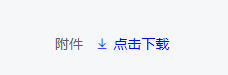
而且鼠标放上去是小手的样式。
html:
<div v-if="item.controlType === 5" style="display:inline-block;width: 300px">
    <i v-if="item.value"
       v-for="file in item.fileList"
       class="el-icon-picture-outline" style="margin-right: 10px;cursor:pointer;color: blue"
       @click="downLoad(file)">
                点击下载
    </i>
</div>
看见了吧,要是<a>标签放上去时候肯定变小手形状,但是<li>标签,那就加个样式
cursor:pointer
就ok了。
回到正题,js:
      //下载图片/文件
      downLoad(id) {
        var loading = appUtils.showLoading()
        //这层是为了查文件名,给download属性赋值
        file.getFiles({'ids': id}, res => {
          if (res.state) {
            this.imageName = res.data[0].name
            //下面才是下载后台的图片或者文件
            var url = config.baseUrl + 'file/downLoad'
            fetch(url, {
              method: 'POST',
              body: JSON.stringify({'id': id}),
              headers: new Headers({
                'Content-Type': 'application/json',
                'token': dataUtils.getData(config.key.tokenKey) // 指定提交方式为表单提交
              }),
            }).then(res => res.blob().then(blob => {
              if (res.status) {
                appUtils.hideLoading(loading)
                var a = document.createElement('a')
                var url = window.URL.createObjectURL(blob)
                var filename = this.imageName
                a.href = url
                a.download = filename
                a.click()
                window.URL.revokeObjectURL(url)
              }
            }))
          } else {
            appUtils.showError(res.msg)
          }
        })
      },
java:
/**
 * 下载文件
 *
 * @param file
 * @param request
 * @param response
*/
@RequestMapping("downLoad")
public void downLoad(@RequestBody FileDO file, HttpServletRequest request, HttpServletResponse response) {
   try {
        file = service.get(file);
        String url = "/target/classes/static/img" + file.getUrl();
        //将虚拟路径转换物理路径
        String baseUrl = DownLoadUtil.getPysicalPath(url, request);
        //下载文件
        DownLoadUtil.downFile(baseUrl, "", request, response);
        } catch (Exception e) {
            logger.error(e.toString());
        }
    }
import lombok.extern.slf4j.Slf4j;
import org.springframework.core.io.DefaultResourceLoader;

import javax.servlet.http.HttpServletRequest;
import javax.servlet.http.HttpServletResponse;
import java.io.*;

/**
 * 下载工具类
 *
 * @author
 */
@Slf4j
public class DownLoadUtil {

    private static final String FIREFOX = "Firefox";
    private static final String CHROME = "Chrome";

    /**
     * @param @param  request
     * @param @param  pFileName
     * @param @return
     * @param @throws UnsupportedEncodingException
     * @return String
     * @throws
     * @Title: encodeChineseDownloadFileName
     */
    public static String encodeChineseDownloadFileName(HttpServletRequest request, String pFileName)
            throws UnsupportedEncodingException {
        String filename = null;
        String agent = request.getHeader("USER-AGENT");
        if (null != agent) {
            if (-1 != agent.indexOf(FIREFOX)) {
                filename = "=?UTF-8?B?" + (new String(org.apache.commons.codec.binary.Base64.encodeBase64(pFileName.getBytes("UTF-8")))) + "?=";
            } else if (-1 != agent.indexOf(CHROME)) {
                filename = new String(pFileName.getBytes(), "ISO8859-1");
            } else {
                filename = java.net.URLEncoder.encode(pFileName, "UTF-8");
                filename = StringUtils.replace(filename, "+", "%20");
            }
        } else {
            filename = pFileName;
        }
        return filename;
    }

    public static String getPysicalPath(String virtualPath, HttpServletRequest request) {
        //获得根绝对路径
        String physicalPath = getProjectPath();
        //获得项目路径
        String basePath = request.getContextPath();
        if (virtualPath.startsWith(basePath)) {
            virtualPath = virtualPath.substring(basePath.length());
        }
        return physicalPath + virtualPath;
    }

    /**
     * @param @param url文件url
     * @param @param fileName  文件名
     * @param @param response
     * @return void
     * @throws
     * @Title: downFile
     * @Description:
     */
    public static void downFile(String url, String fileName, HttpServletRequest request, HttpServletResponse response) {
        FileInputStream in = null;
        OutputStream out = null;
        try {
            //获得文件
            File file = new File(url);
            if (file.exists()) {
                //1.定义ContentType为("multipart/form-data")让浏览器自己解析文件格式
                response.setContentType("multipart/form-data");
                if (StringUtils.isNotBlank(fileName)) {
                    //2.中文名转码
                    response.setHeader("Content-disposition", "attachment; filename=\"" + encodeChineseDownloadFileName(request, fileName + ".xlsx") + "\"");
                } else {
                    response.setHeader("Content-disposition", "attachment; filename=" + file.getName() + "");
                }
                in = new FileInputStream(file);
                //3.将文件写入缓冲区OutputStream(out)
                out = new BufferedOutputStream(response.getOutputStream());
                int b = 0;
                byte[] buffer = new byte[2048];
                while ((b = in.read(buffer)) != -1) {
                    //4.将缓冲区文件输出到客户端(out)
                    out.write(buffer, 0, b);
                }
                in.close();
                out.flush();
                out.close();
            } else {
                log.error("文件不存在");
            }
        } catch (Exception e) {
            log.error("下载文件出错:" + e.getMessage());
            e.printStackTrace();
        } finally {
            if (in != null) {
                in = null;
            }
            if (out != null) {
                out = null;
            }
        }
    }

    /**
     * 获取工程项目根路径
     *
     * @return
     */
    public static String getProjectPath() {
        // 如果配置了工程路径,则直接返回,否则自动获取。
        //BaseConfig.PROJECT_PATH;
        String projectPath = null;
        if (StringUtils.isNotBlank(projectPath)) {
            return projectPath;
        }
        try {
            File file = new DefaultResourceLoader().getResource("").getFile();
            if (file != null) {
                while (true) {
                    File f = new File(file.getPath() + File.separator + "src" + File.separator + "main");
                    if (f == null || f.exists()) {
                        break;
                    }
                    if (file.getParentFile() != null) {
                        file = file.getParentFile();
                    } else {
                        break;
                    }
                }
                projectPath = file.toString();
            }
        } catch (IOException e) {
            log.error("获取项目根目录出错:" + e.getMessage());
            e.printStackTrace();
        }
        return projectPath;
    }

    public static void main(String[] arg) {
        System.out.println(getProjectPath());
    }
}





 扫一扫
扫一扫


 1161
1161

 被折叠的 条评论
为什么被折叠?
被折叠的 条评论
为什么被折叠?
 到【灌水乐园】发言





