


 这篇博客演示了一个JavaScript函数,该函数通过点击按钮将class为'example'的元素背景色更改为蓝色。示例中,当用户点击'点我'按钮,页面上class为'example'的<h2>标签背景色会变为蓝色。这个例子展示了querySelectorAll方法在DOM操作中的应用。
<!DOCTYPE html>
<html>
<head>
<meta charset="utf-8">
<title></title>
</head>
<body>

<h2 class="example">你很懒</h2>
<p>点击按钮为 class="example" (索引为 0) 的第一个元素设置背景颜色。</p>

<button onclick="mFunction()">点我</button>

<script>
function mFunction()
{
    var x = document.querySelectorAll(".example");
    x[0].style.backgroundColor = "blue";
}
</script>

</body>
</html>
querySelectorAll方法
使用function mFunction() {
var x = document.querySelectorAll(".example");
x[0].style.backgroundColor = "blue";
}
声明一个函数来使用它
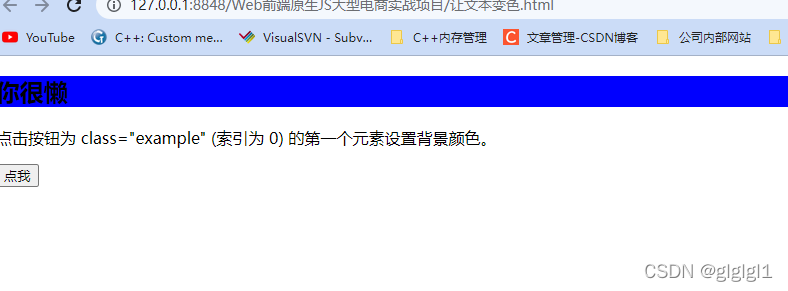
x[0].style.backgroundColor = "blue";颜色为蓝色
把blue改成别的颜色就可以了
下面是输出的页面
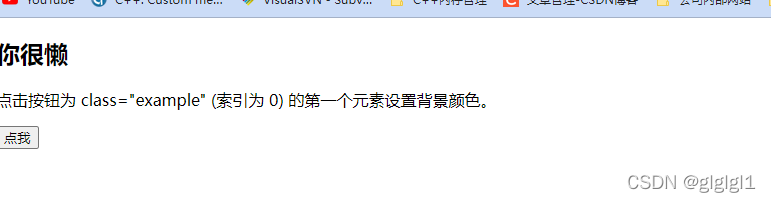
点击,点我后颜色就会变成蓝的了





 扫一扫
扫一扫


 4595
4595

 被折叠的 条评论
为什么被折叠?
被折叠的 条评论
为什么被折叠?
 到【灌水乐园】发言





