



 博客介绍了在Eclipse中连接SAP HANA的操作步骤,包括根据Eclipse版本选择对应HANA链接,点击安装新软件,新增对应地址并按提示操作,最后通过选择特定视图找到SAP HANA的system。
1.根据eclipse版本选择对应的hana链接
# https://tools.eu1.hana.ondemand.com/
# eclipse版本链接
    https://tools.hana.ondemand.com/2019-06

https://tools.hana.ondemand.com/mars
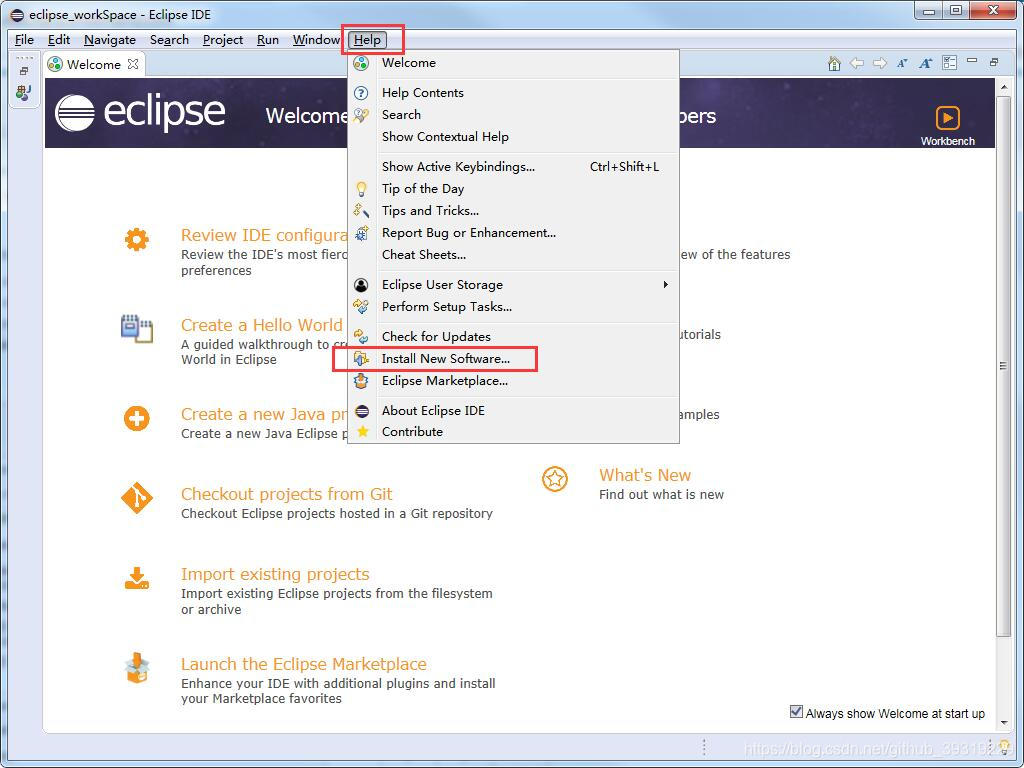
2.点击安装新软件
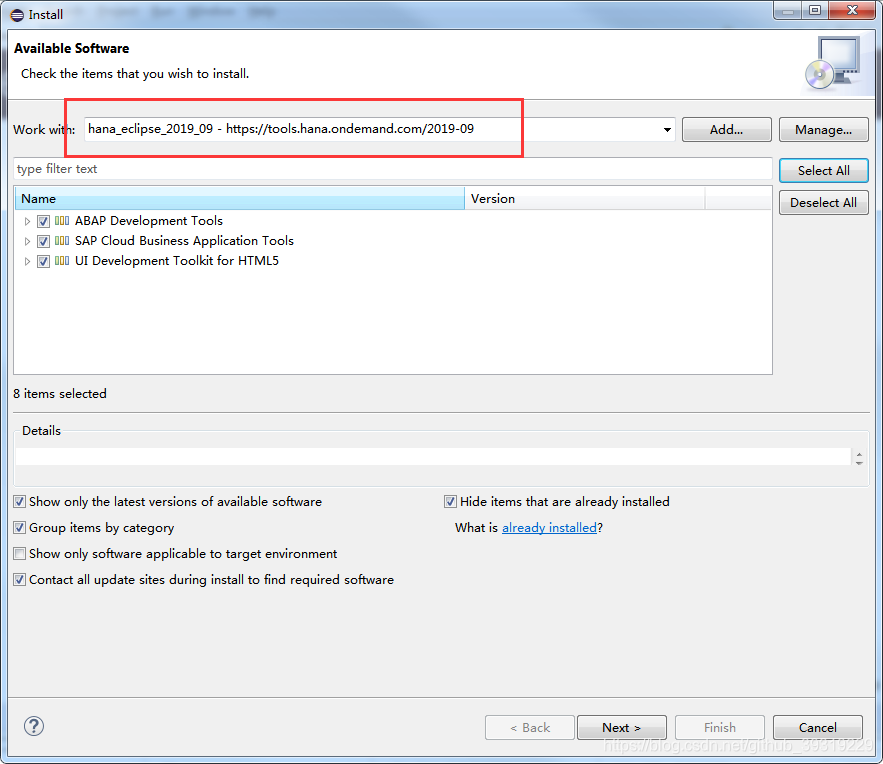
3.新增对应的地址,选择后一路点击next并同意协议
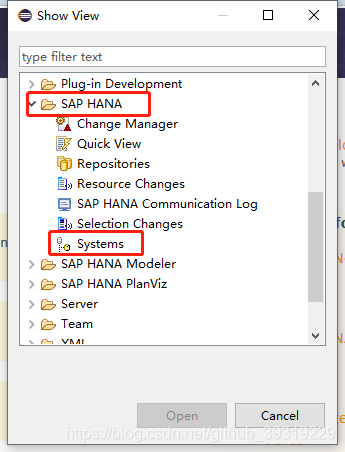
4. 选择 window -> show view -> other
找到sap hana 的system





 扫一扫
扫一扫


 1万+
1万+


 到【灌水乐园】发言



