


准备工作
- 安装 和 配置git,详细请参考:https://blog.youkuaiyun.com/github_38336924/article/details/83377628
配置SSH认证
- 生成密钥命令
ssh-keygen -t rsa -C "个人邮箱"
注意:个人邮箱和配置git时得邮箱统一
1.生成密钥
C:\Users\dadei>ssh-keygen -t rsa -C "个人邮箱"	# 建立密钥对,-t代表类型,有RSA和DSA两种
Generating public/private rsa key pair.
Enter file in which to save the key (C:\Users\dadei/.ssh/id_rsa): # 密钥文件默认存放位置,按Enter即可
Enter passphrase (empty for no passphrase): # 输入密钥锁码,这里直接按 Enter 留空
Enter same passphrase again: # 再输入一遍密钥锁码,这里直接按 Enter 留空
Your identification has been saved in C:\Users\dadei/.ssh/id_rsa.
Your public key has been saved in C:\Users\dadei/.ssh/id_rsa.pub.
The key fingerprint is:
SHA256:7yIF6C+CMHpeOtwfMouCvt1OaD19O5dXYHhIVJ14JK8 dadeity@163.com
The key's randomart image is:
+---[RSA 2048]----+
|          ...o+..|
|           . .o+ |
|     .    . o .. |
|    . .    o +.  |
|   .   .S   oE.  |
|o   + . ..     . |
|++ ++=.o .. . .  |
|= B+=++.oo.o .   |
|.*=+o=.. o+ .    |
+----[SHA256]-----+
2. 拷贝密钥
密钥存放位置:C:\Users\用户\.ssh
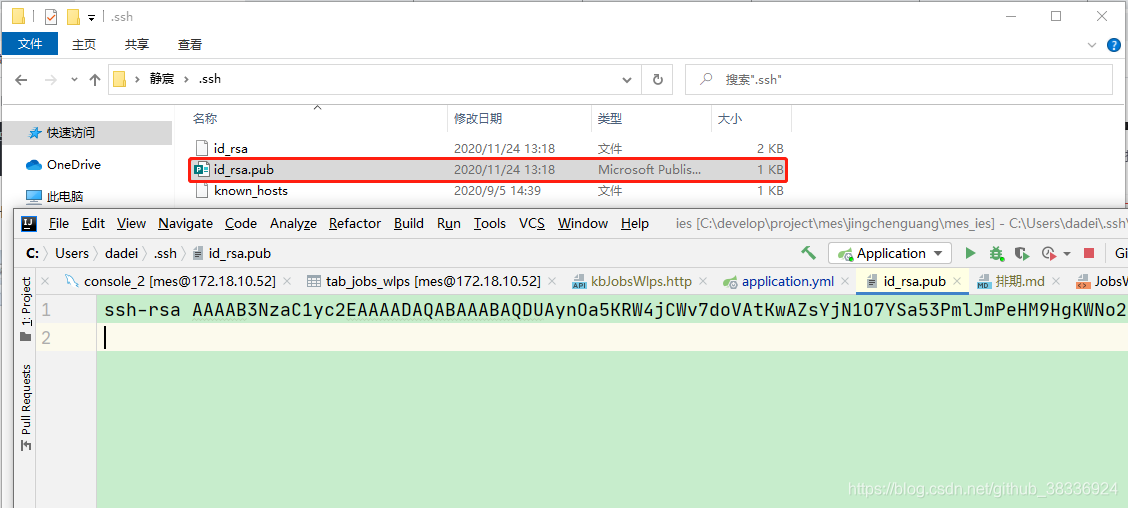
3. 上传密钥到远程仓库
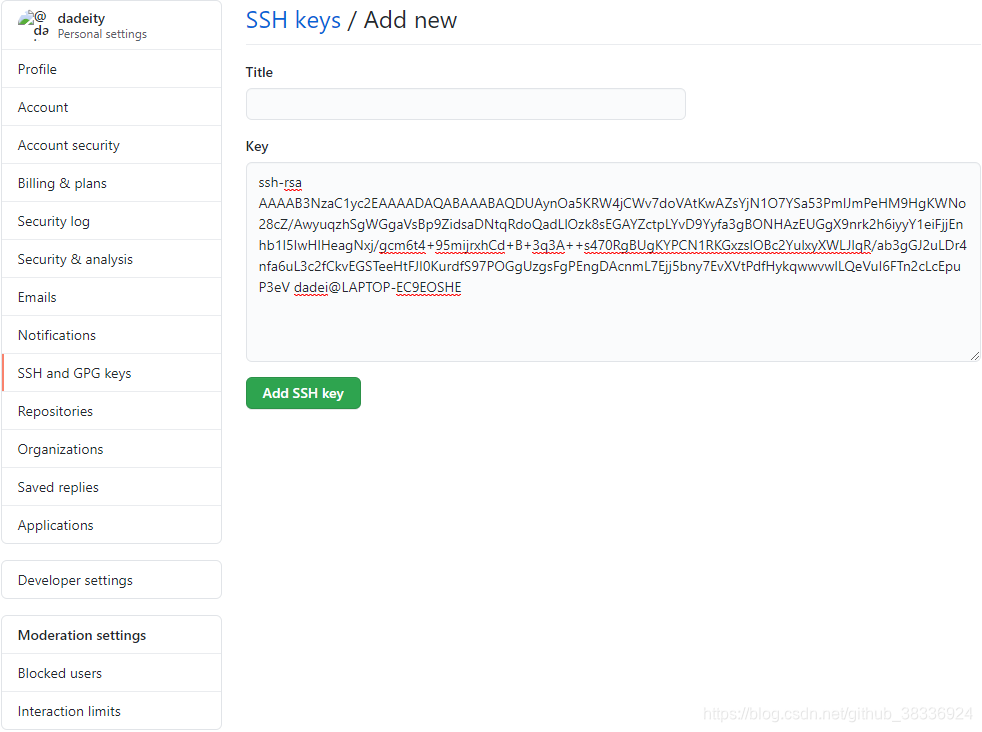
验证是否成功
- 输入
ssh -T git@github.com命令,验证时提示是否continue,输入yes,若成功就会看到:You’ve successfully authenticated, but GitHub does not provide shell access 。
C:\Users\dadei>ssh -T git@github.com
The authenticity of host 'github.com (192.30.255.112)' can't be established.
RSA key fingerprint is SHA256:nThbg6kXUpJWGl7E1IGOCspRomTxdCARLviKw6E5SY8.
Are you sure you want to continue connecting (yes/no)? yes
Warning: Permanently added 'github.com,192.30.255.112' (RSA) to the list of known hosts.
Hi dadeity! You've successfully authenticated, but GitHub does not provide shell access.





 扫一扫
扫一扫


 880
880

 被折叠的 条评论
为什么被折叠?
被折叠的 条评论
为什么被折叠?
 到【灌水乐园】发言





