


 本文档展示了如何在Vue中利用Axios设置自定义请求头来下载文件。首先,介绍了登录功能的实现,然后重点讲解了通过设置响应类型为'blob',创建隐藏的a标签并模拟点击来触发文件下载的方法。注意,下载过程中可能需要添加进度交互以提升用户体验。
问题
因为接口需要使用到自定义头,才能够正常取数据。这里主要介绍Axios自定义头,然后进行文件下载。
思路
axios设置自定义请求头后,然后,读取文件流,然后,创建一个隐藏的a标签,点击下载Blob即可。
Vue
<template>
  <div class="home">
    <div class="display-flex control-container">
      <div>
        <button v-on:click="login">Login</button>
        <button v-on:click="getFile">Get File</button>
      </div>
    </div>
  </div>
</template>

<script>
// @ is an alias to /src
const axios = require('axios').default;

export default {
  name: 'Download',
  data() {
    return {
      name: 'Vue.js',
      url: 'hello'
    }
  },
  methods: {
    login: function () {
      const data = JSON.stringify({
        "account": "xxx",
        "password": "xxxx"
      });

      const config = {
        method: 'post',
        url: '/api/login',
        headers: {
          'Content-Type': 'application/json'
        },
        data: data
      };

      axios(config)
          .then(function (response) {
            console.log(JSON.stringify(response.data));
          })
          .catch(function (error) {
            console.log(error);
          });
    },
    getFile: function () {
      const config = {
        method: 'get',
        url: '/api/common/downloadFile?xxxx.srt',
        headers: {
          'xxxx': 'xxxx'
        },
        responseType: 'blob'
      };
      axios(config).then(response => {
        const url = window.URL.createObjectURL(new Blob([response.data]));
        const link = document.createElement('a');
        link.href = url;
        link.setAttribute('download', 'xxxx.srt');
        document.body.appendChild(link);
        link.click();

      })
    }
  }
}
</script>
<style scoped>
.control-container {
  position: fixed;
  z-index: 999999;
}
.display-flex {
  display: flex;
}
</style>
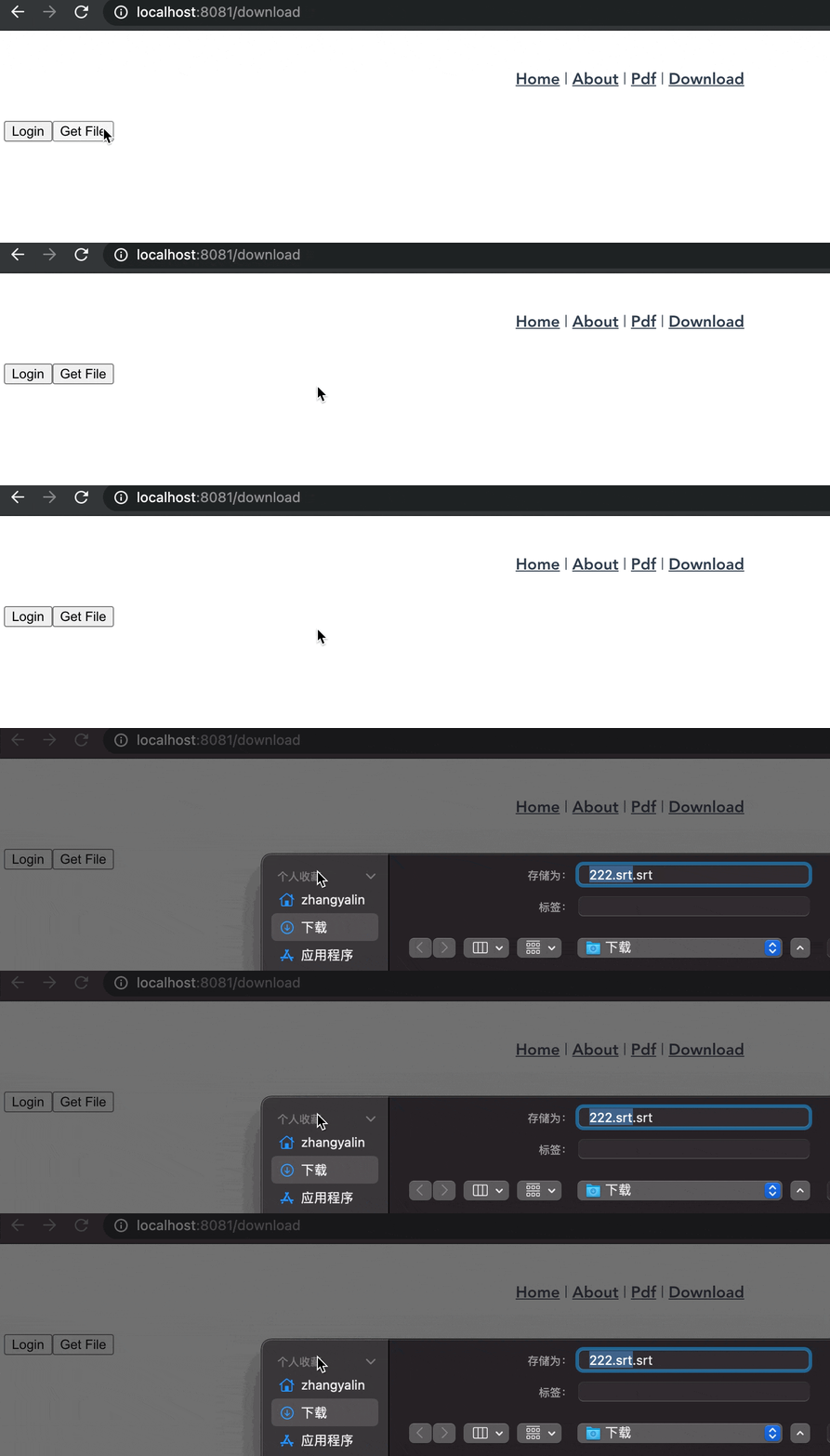
效果
总结
需要注意的时候,这里的axios下载文件的时候,应该需要有个下载进度交互才对。





 扫一扫
扫一扫


 699
699


 到【灌水乐园】发言



