


 本文档详细介绍了如何使用SpringBoot、SpringMVC和MyBatis进行快速开发,包括环境配置、项目搭建、数据库建表、实体类、Mapper接口、Service层的实现,以及前端页面的展示和分页功能。通过示例代码展示了从创建数据库表到编写Controller、Service、Mapper的过程,并提供了单元测试和项目调试技巧。
📖 本文目录
📖 NowCoder.github.io
NowCoder 仿牛客论坛项目
📑 初识 SpringBoot 快速开发社区首页
课程介绍
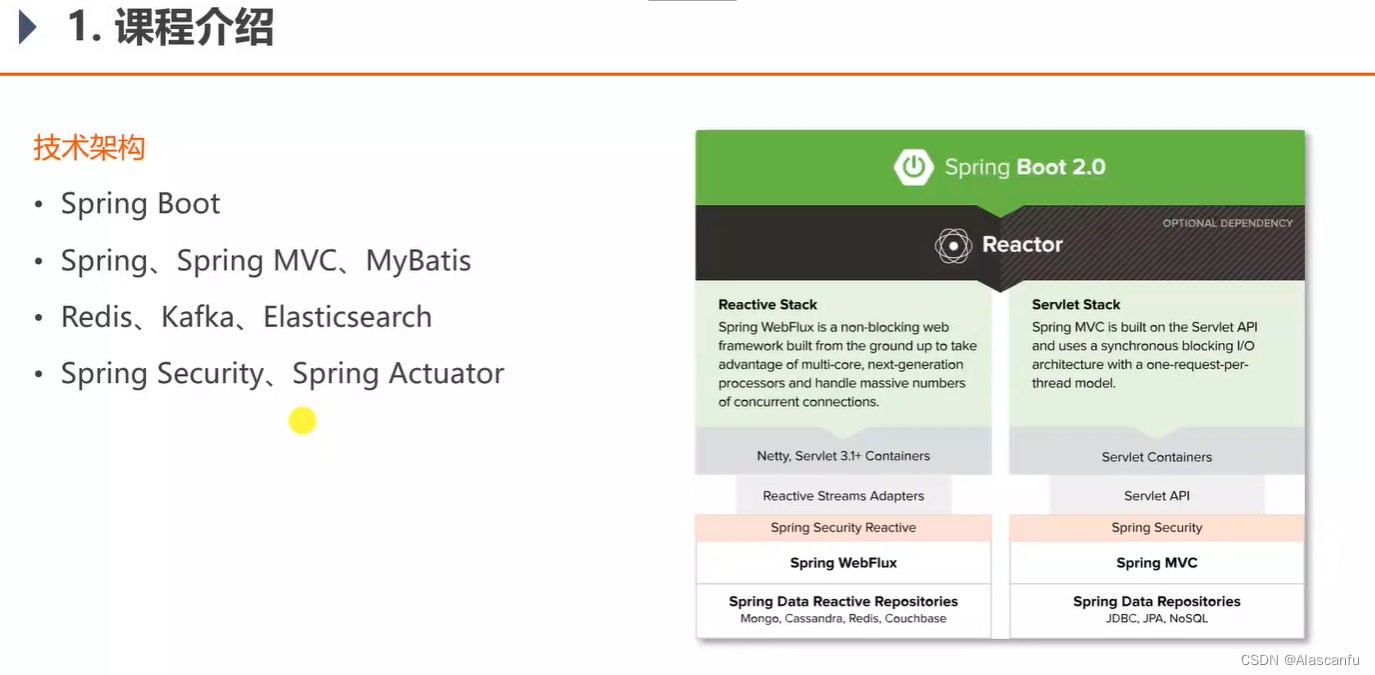
🔖 开发环境
- 构建工具 :Apache Maven
- 集成开发工具: IntelliJ IDEA
- 数据库: MySQL 、Redis
- 应用服务器: Apache Tomcat
- 版本控制工具:Git
🔖 快速搭建开发环境
MAVEN
Maven – Welcome to Apache Maven
MAVEN Repository
Maven Install
Maven – Installing Apache Maven
Quick Start Maven in 5 Minutes
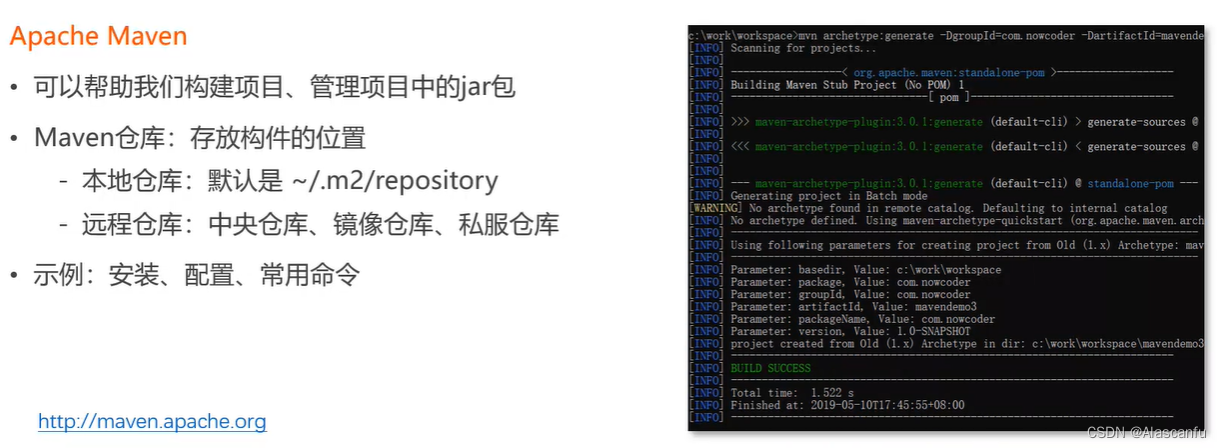
mvn archetype:generate -DgroupId=com.mycompany.app -DartifactId=my-app -DarchetypeArtifactId=maven-archetype-quickstart -DarchetypeVersion=1.4 -DinteractiveMode=false
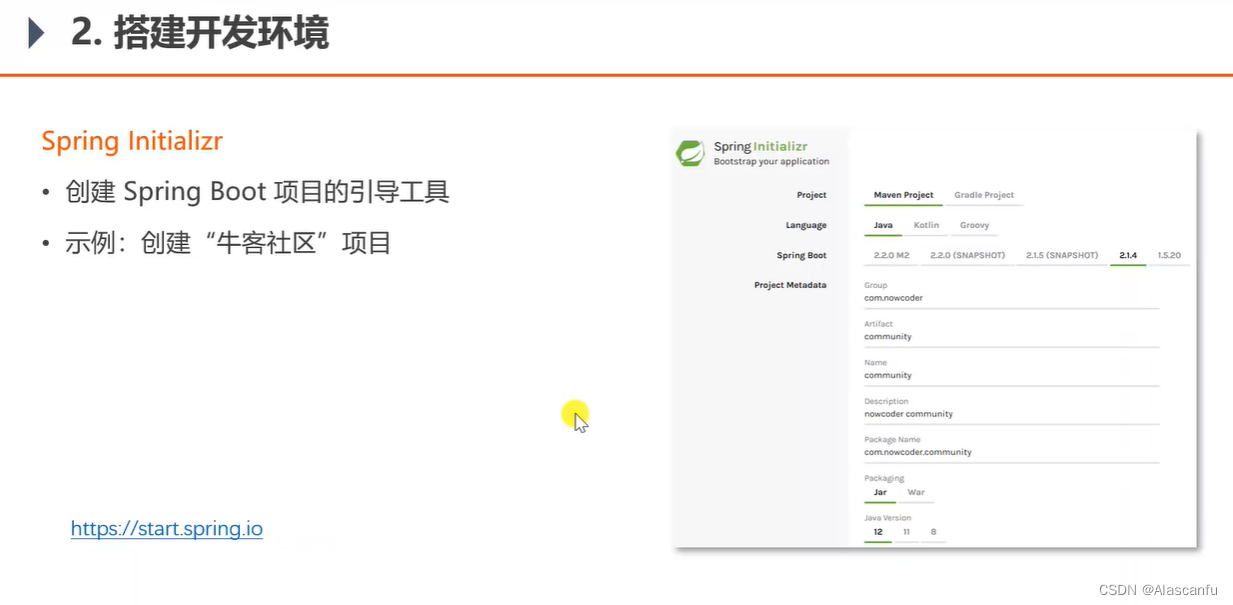
Spring Initializr
创建Spring Boot 项目的引导工具
示例:创建“牛客社区” 项目
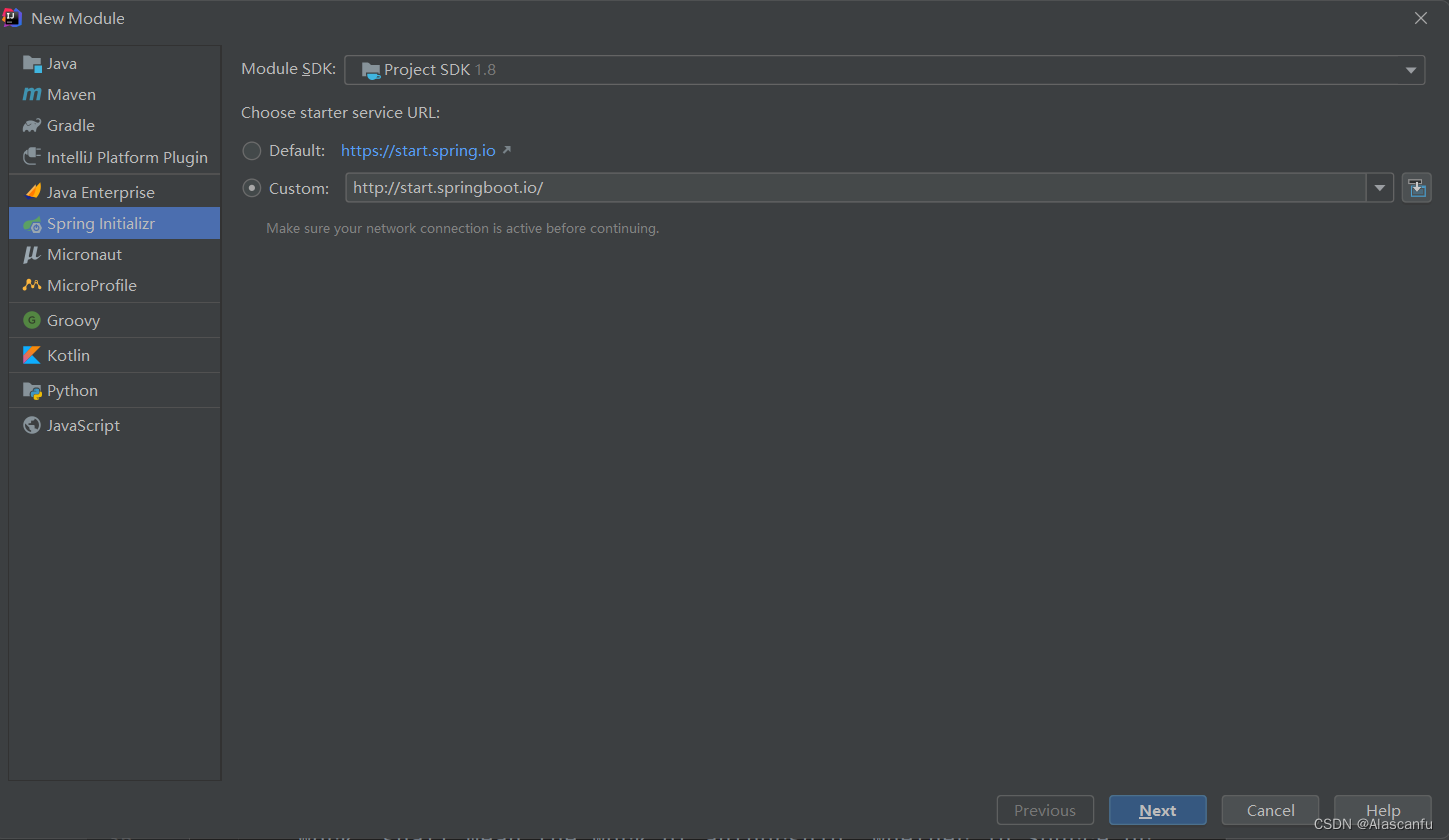
可以直接通过本地进行快速创建一个 SpringBoot 项目
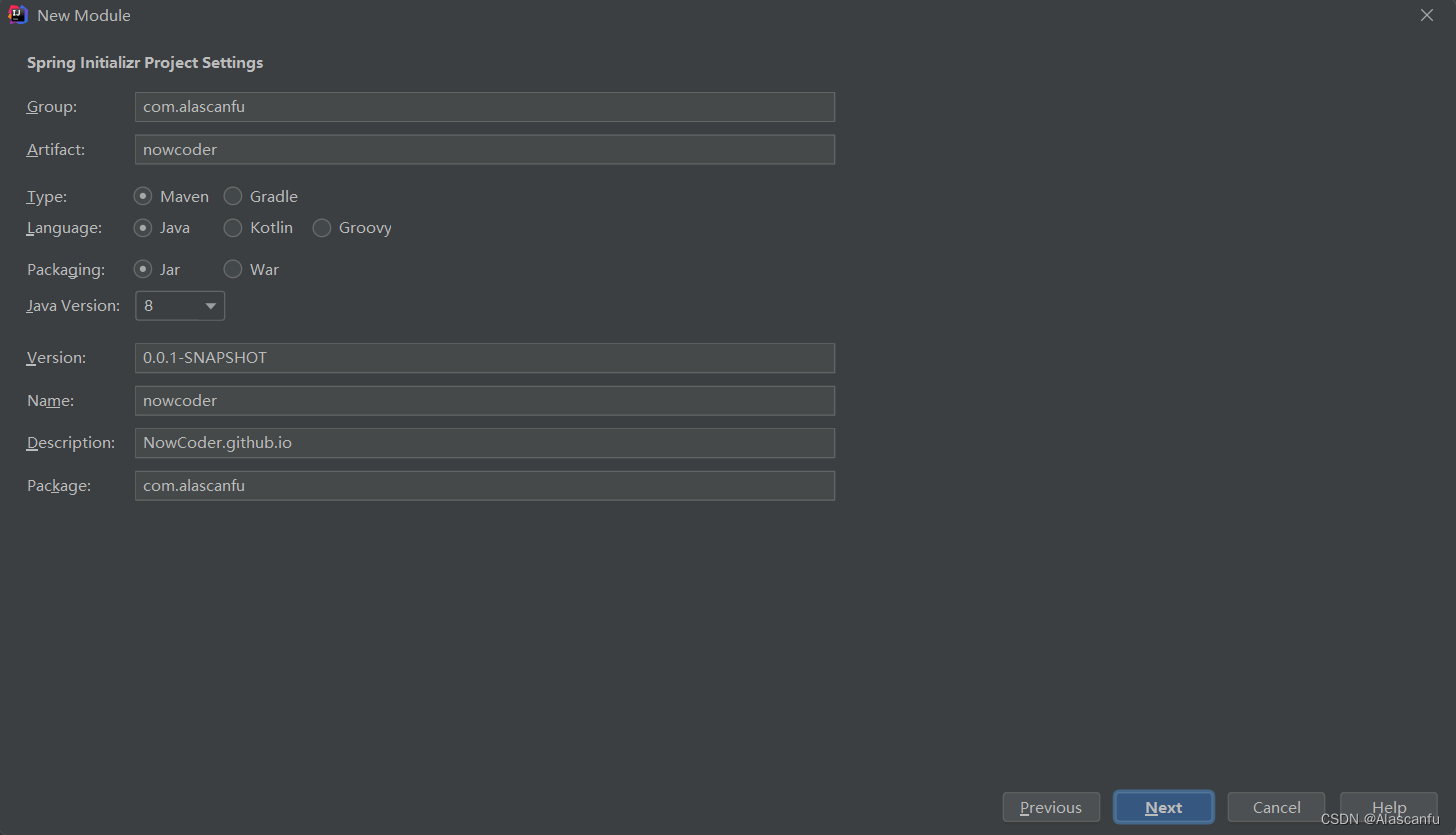
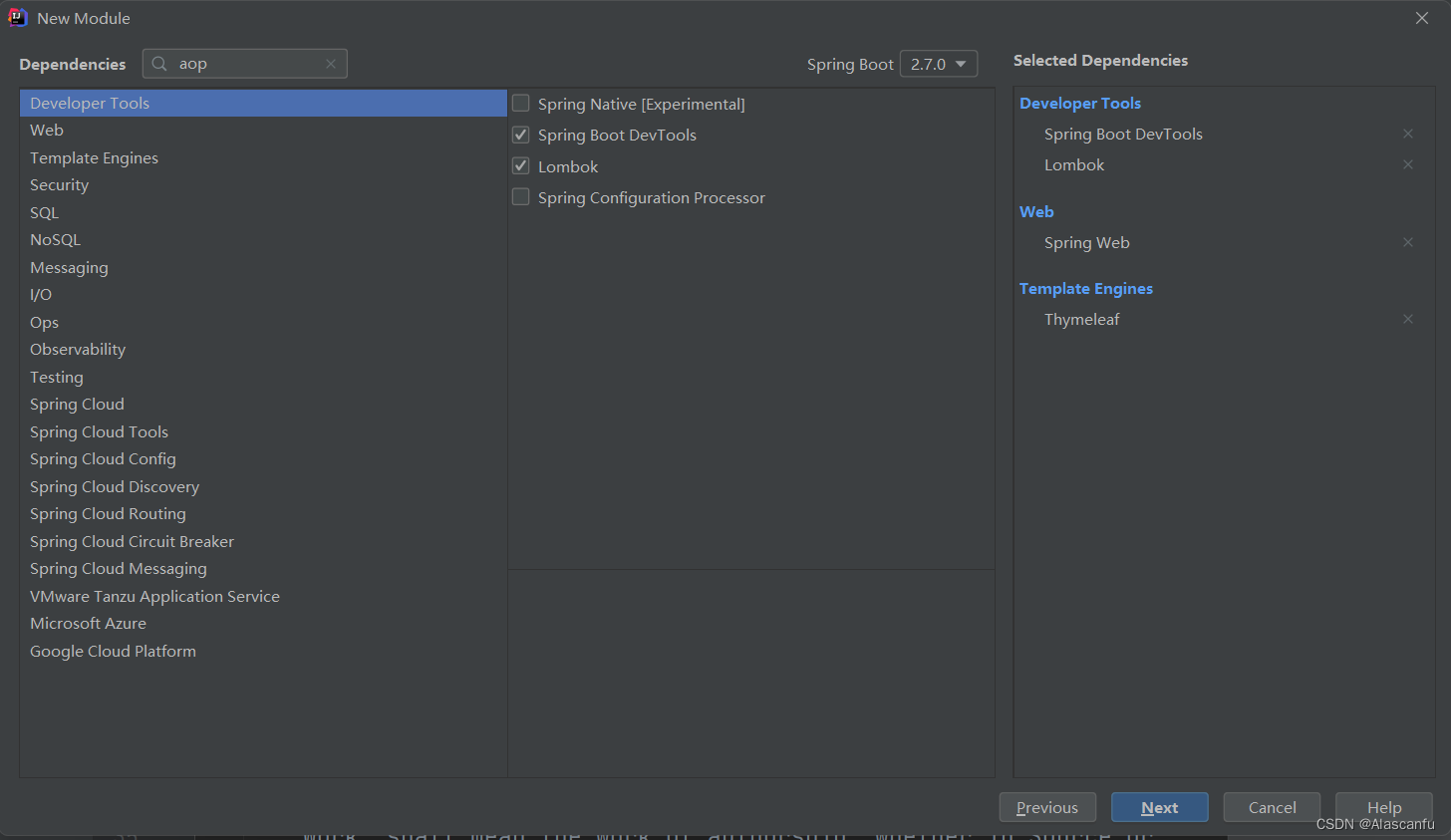
项目结构目录大致如下
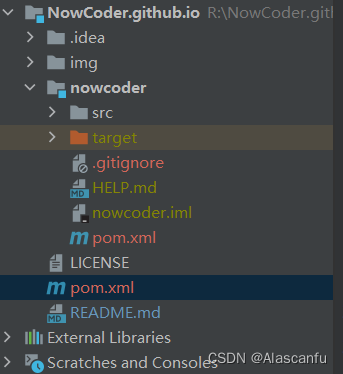
NowCoder.github.io -----> pom.xml
- 将 nowcoder 作为模块导入
<?xml version="1.0" encoding="UTF-8"?>
<project xmlns="http://maven.apache.org/POM/4.0.0" xmlns:xsi="http://www.w3.org/2001/XMLSchema-instance"
	xsi:schemaLocation="http://maven.apache.org/POM/4.0.0 https://maven.apache.org/xsd/maven-4.0.0.xsd">
	<modelVersion>4.0.0</modelVersion>
	<groupId>com.alascanfu</groupId>
	<artifactId>NowCoder.github.io</artifactId>
	<version>0.0.1-SNAPSHOT</version>
	<name>NowCoder.github.io</name>
	<description>NowCoder.github.io </description>
	<packaging>pom</packaging>
	<modules>
		<module>nowcoder</module>
	</modules>
</project>
SpringBoot 入门示例
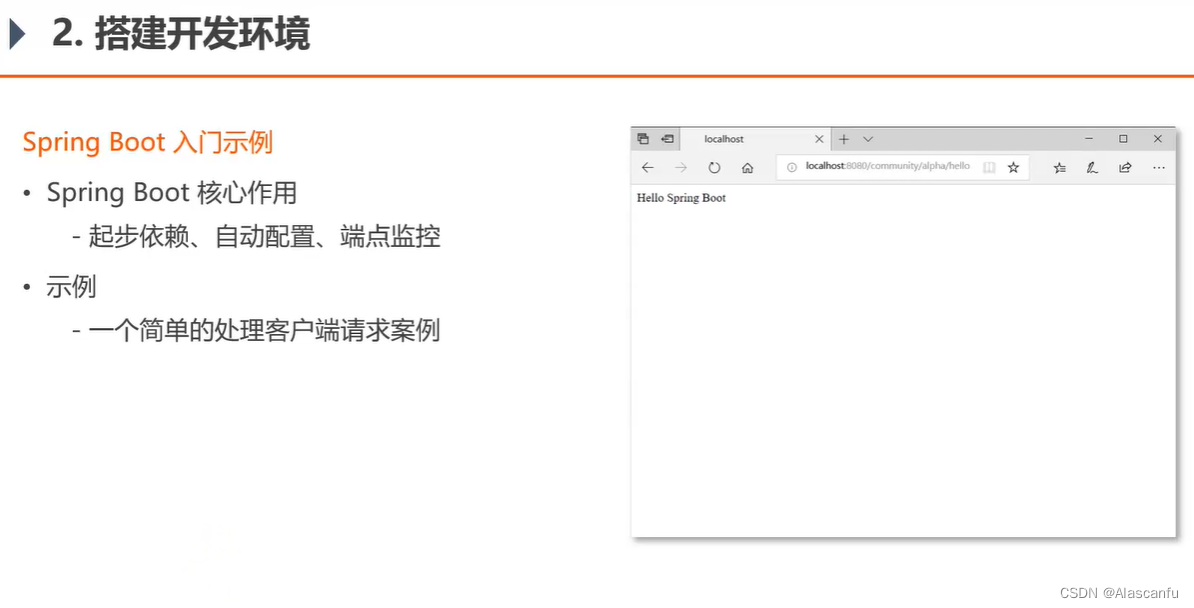
创建一个 TestController 快速处理客户端请求
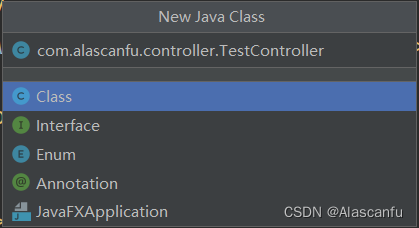
进行测试
com.alascanfu.controller.TestController
/***
 * @author: Alascanfu
 * @date : Created in 2022/6/20 20:20
 * @description: TestController 用于测试的 Controller
 * @modified By: Alascanfu
 **/
@Controller
@RequestMapping("/nowCoder/Test")
public class TestController {


    @RequestMapping("/hello")
    @ResponseBody
    public String hello(){


        return "Hello~ SpringBoot~";
    }
}
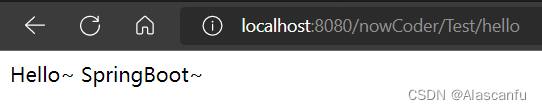
快速测试
http://localhost:8080/nowCoder/Test/hello
📑 Spring 快速入门
Spring IOC 三大概念理解
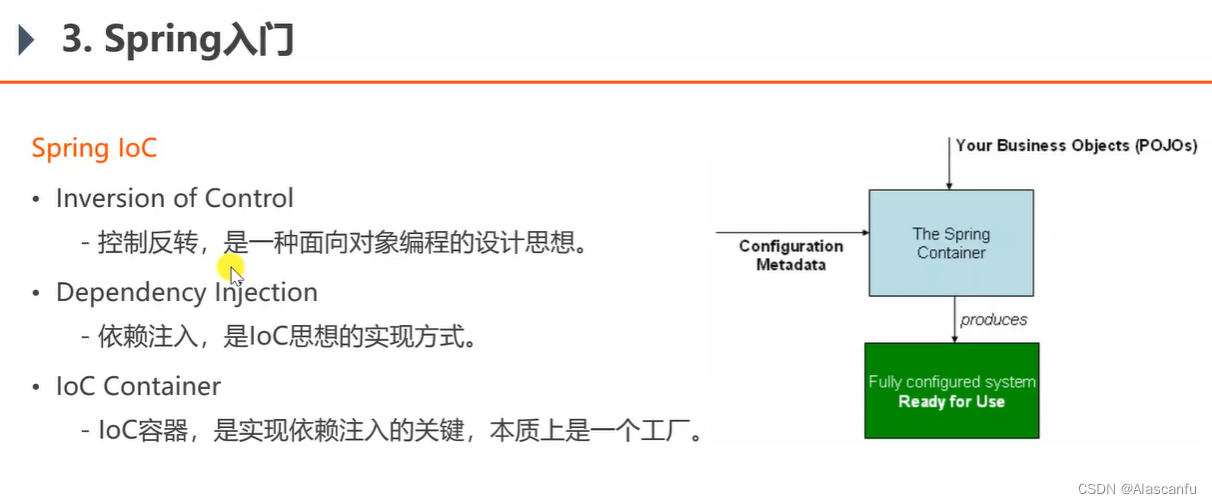
IOC (Inversion of Controller) 控制反转
控制反转,是一种面向对象编程的一种思想, 可以用来降低计算机各个组件之间的耦合度。
DI (Dependency Injection) 依赖注入
依赖注入,是对控制反转IOC思想的具体实现方式。
IOC Container
IOC 容器,是实现依赖注入的关键,本质上是一个工厂。
理解IOC Container 以及 简单使用
-
通过实现 ApplicationContextWare 接口 可以获取得到 ApplicationContext 这个容器对象 底层是BeanFactory。
-
通过 applicationContext 的 getBean() 方法 获取Bean 对象实例。
-
测试
com.alascanfu.dao.Test.dao
/***
 * @author: Alascanfu
 * @date : Created in 2022/6/20 20:42
 * @description: TestDAO 用于测试的 DAO 接口
 * @modified By: Alascanfu
 **/
public interface TestDAO {


    public String selectAll();
}
com.alascanfu.dao.impl.TestImpl
/***
 * @author: Alascanfu
 * @date : Created in 2022/6/20 20:43
 * @description: TestDAO的具体实现类
 * @modified By: Alascanfu
 **/
@Service
public class TestImpl implements TestDAO {


    @Override
    public String selectAll() {


        return "selectAll";
    }
}
NowcoderApplicationTests.java
@SpringBootTest
class NowcoderApplicationTests implements ApplicationContextAware {


	@Test
	void contextLoads() {


		TestDAO testDAO = applicationContext.getBean(TestDAO.class);
		System.out.println(testDAO.selectAll());
	}

	private ApplicationContext applicationContext;

	@Override
	public void setApplicationContext(ApplicationContext applicationContext) throws BeansException {


		this.applicationContext = applicationContext;
	}
}
测试

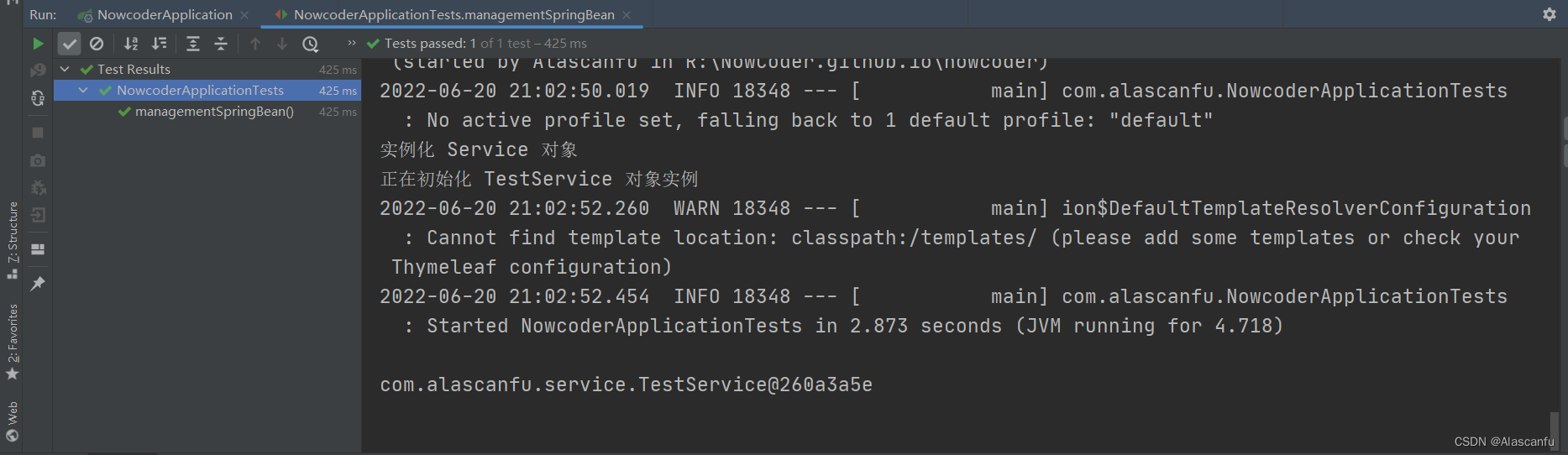
通过Spring getBean()获取TestService实例 查看其不同阶段情况
com.alascanfu.service.TestService
/***
 * @author: Alascanfu
 * @date : Created in 2022/6/20 20:58
 * @description: TestService 用于测试的 TestService
 * @modified By: Alascanfu
 **/
@Service
public class TestService {


    public TestService(){


        System.out.println("实例化 Service 对象");
    }

    @PostConstruct
    public void init(){


        System.out.println("正在初始化 TestService 对象实例");
    }
    @PreDestroy
    public void destroy(){


        System.out.println("正在销毁 TestService 对象实例");
    }
}
进行对应的测试
	@Test
	public void managementSpringBean(){


		TestService testService = applicationContext.getBean(TestService.class);
		System.out.println(testService);
	}
其余的有关于 Spring 的相关知识点建议去查看 官方文档这里只是快速了解一下 Spring ,如果想要快速入门 Spring 可以去查看 小付写好的笔记。
📑 Spring MVC 快速入门
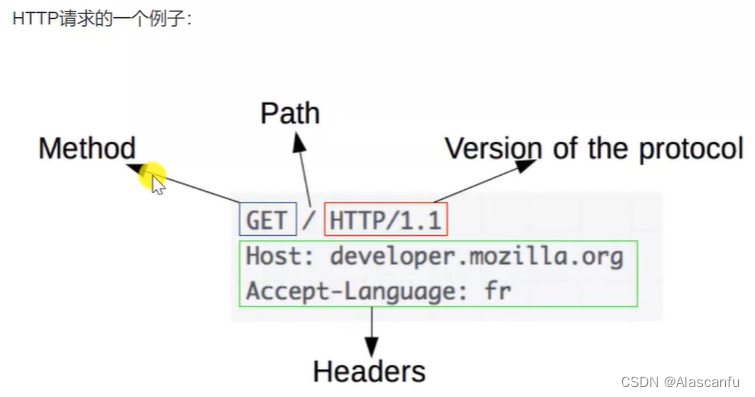
HTTP
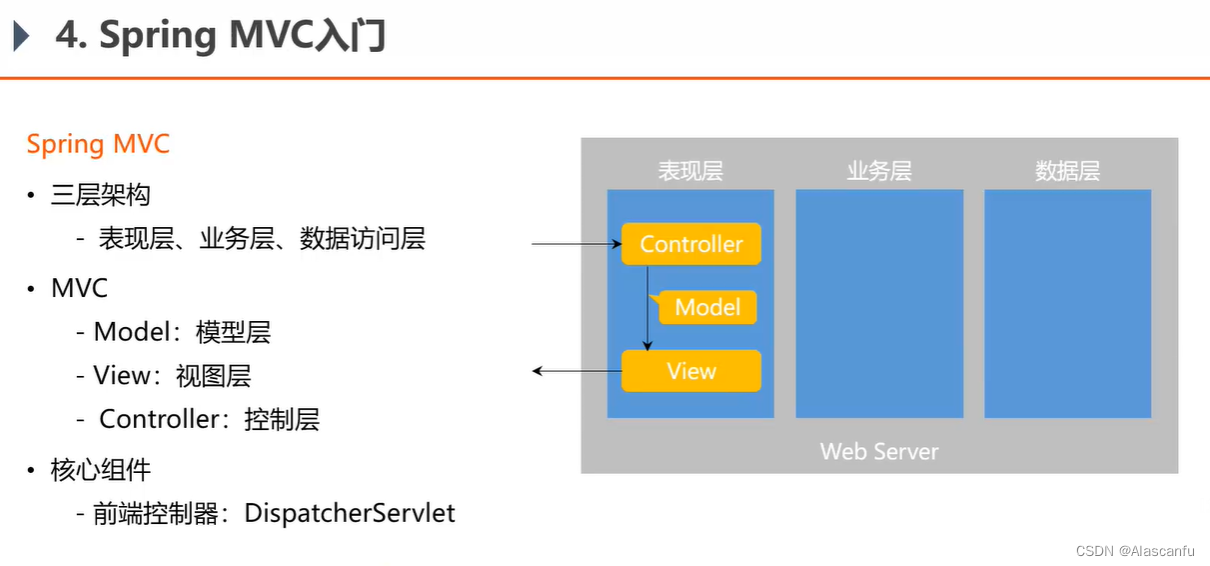
SpringMVC
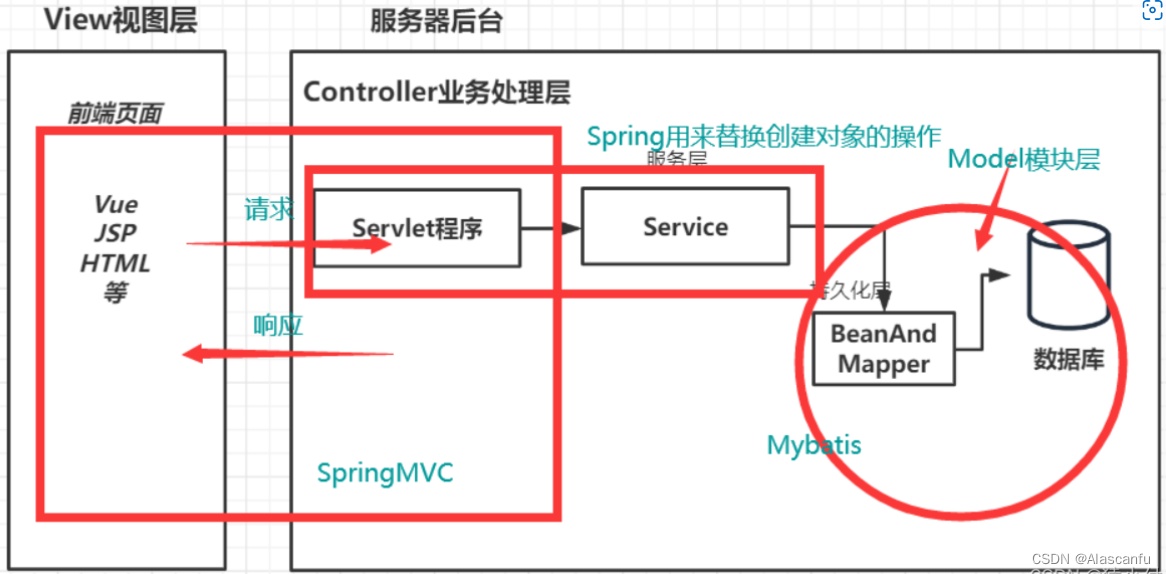
当浏览器发送请求时SpringMVC的执行过程
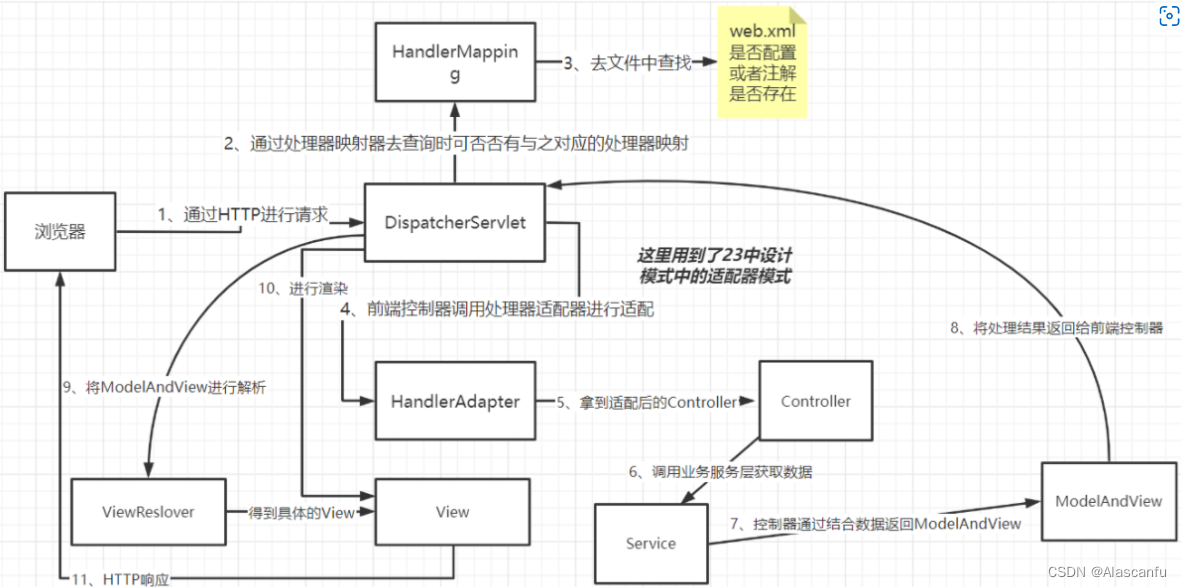
- 用户在浏览器发送请求会先到达DispatcherServlet这个前端控制器。
- DispatcherServlet会通过HandlerMapping去寻找处理器映射器。
- 一般会去web.xml或者通过注解进行查找到具体的处理器、如果生成处理器拦截器一并返回给前端控制器DispacherServlet。
- 当我们前端控制器拿到了这个控制器他会先去通过HandlerAdapter进行适配才能使用得到适配后的Controller。
- 此时的Controller会先去调用Service层的业务服务,拿到所需的数据与Controller结果进行结合返回ModelAndView传给前端控制器。
- 前端控制器获得了ModelAndView这个对象之后还会拿着这个东西去找ViewResolver去解析视图,获得View。
- 最后前端控制器通过拿到的View进行数据显示响应给用户。
📑 MyBatis 快速入门
配置文件配置
application.yaml
spring:
  datasource:
    username: root
    password: fujiawei2013
    url: jdbc:mysql://localhost:3306/community?useUnicode=true&characterEncoding=UTF-8&useSSL=false&severTimeZone=Asia/Shanghai
    driver-class-name: com.mysql.cj.jdbc.Driver
  thymeleaf:
    cache: false
mybatis:
  mapper-locations:  classpath*:mapper/*.xml
  configuration:
    map-underscore-to-camel-case: true
    cache-enabled: true
    use-generated-keys: true
  type-aliases-package: com.alascanfu.entity
📑 开发社区首页
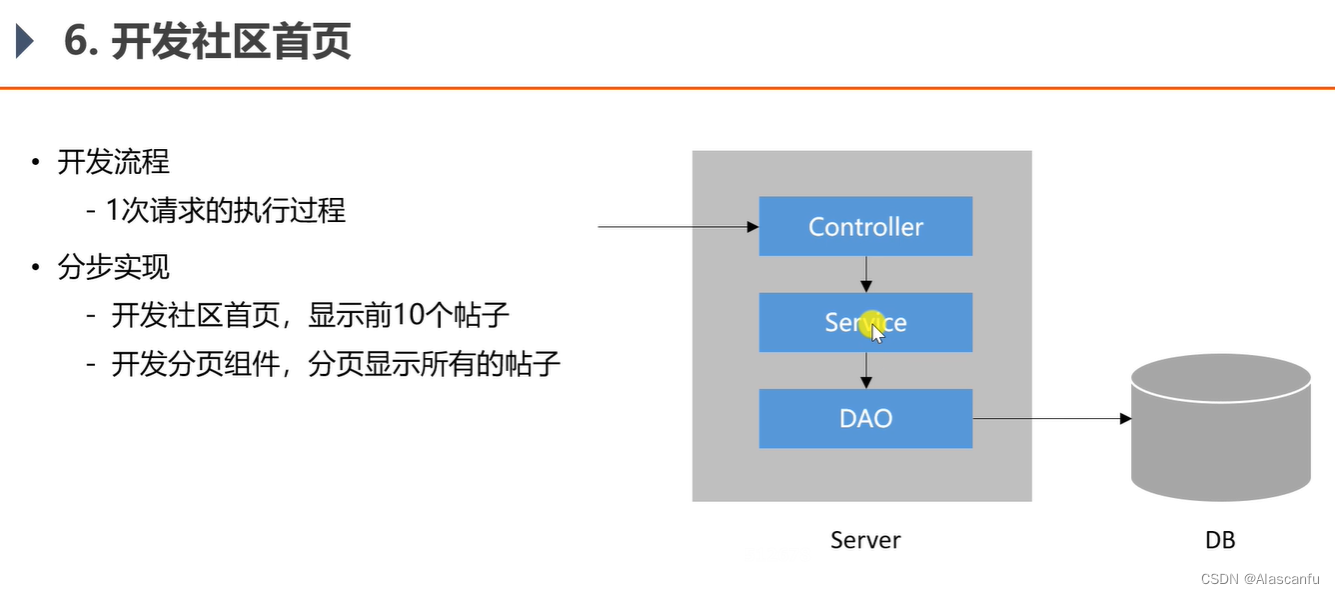
步骤一:创建数据库以及建表
SET NAMES utf8 ;
--
-- Table structure for table `comment`
--
DROP TABLE IF EXISTS `comment`;
 SET character_set_client = utf8mb4 ;
CREATE TABLE `comment` (
  `id` int(11) NOT NULL AUTO_INCREMENT,
  `user_id` int(11) DEFAULT NULL,
  `entity_type` int(11) DEFAULT NULL,
 最低0.47元/天 解锁文章






 扫一扫
扫一扫


 1104
1104

 被折叠的 条评论
为什么被折叠?
被折叠的 条评论
为什么被折叠?
 到【灌水乐园】发言





