


idea识别不了ftl文件
添加*.ftl就可以了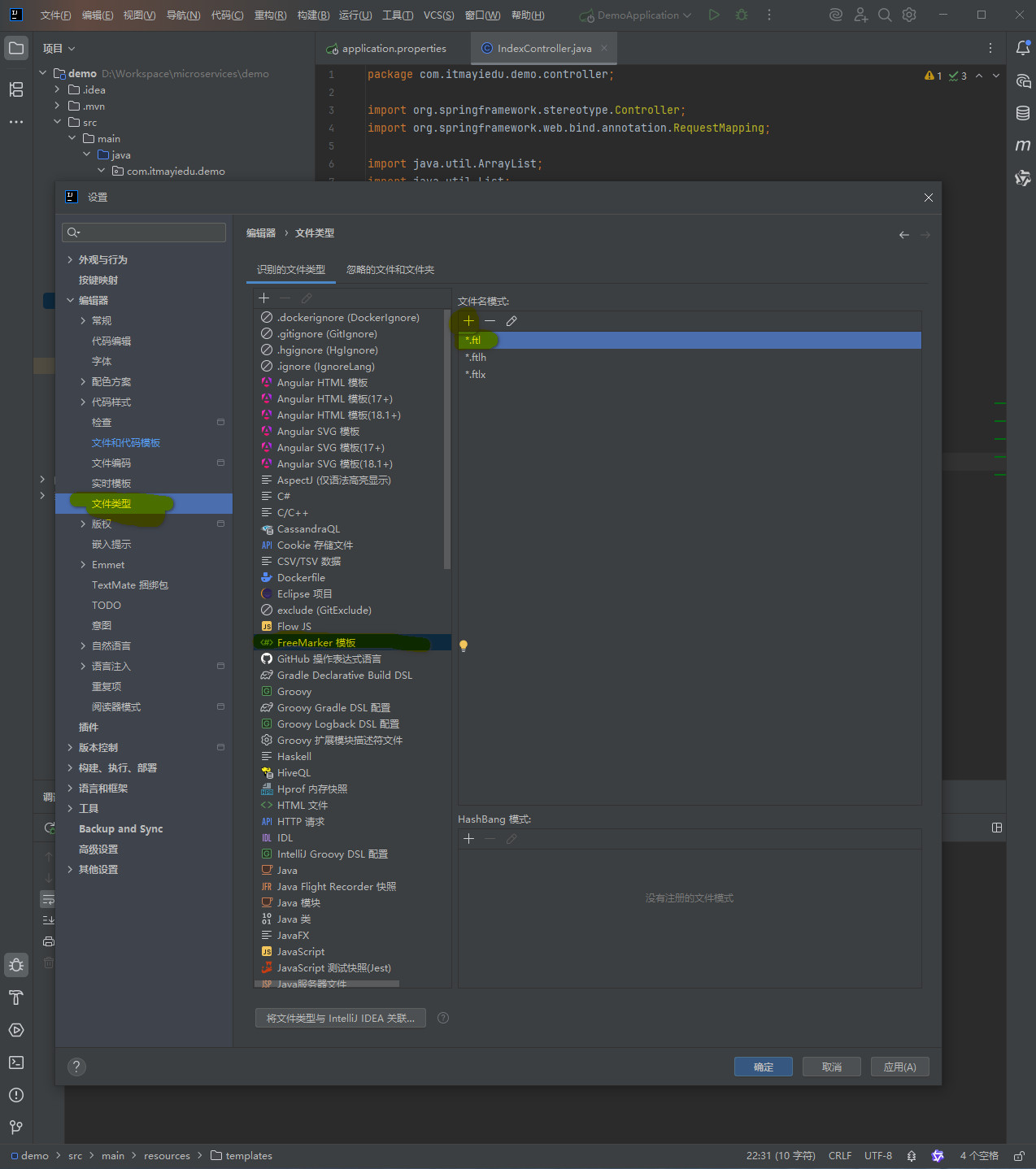
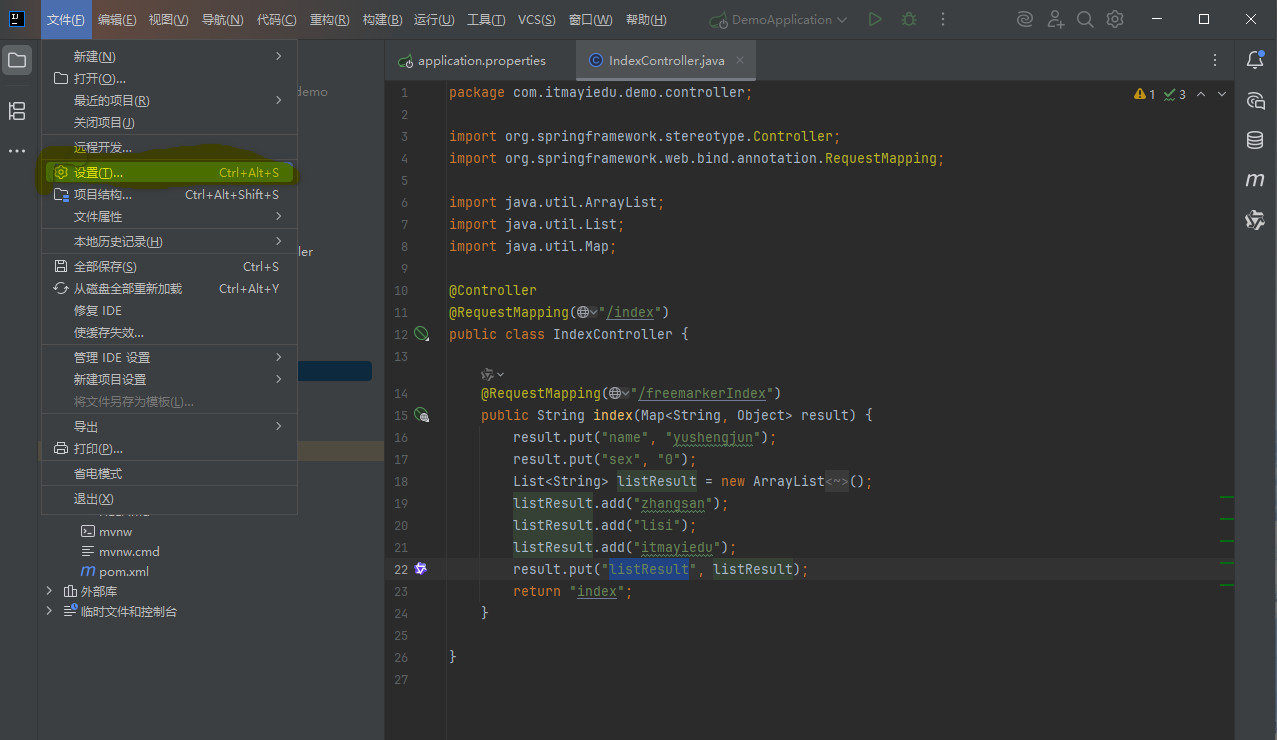
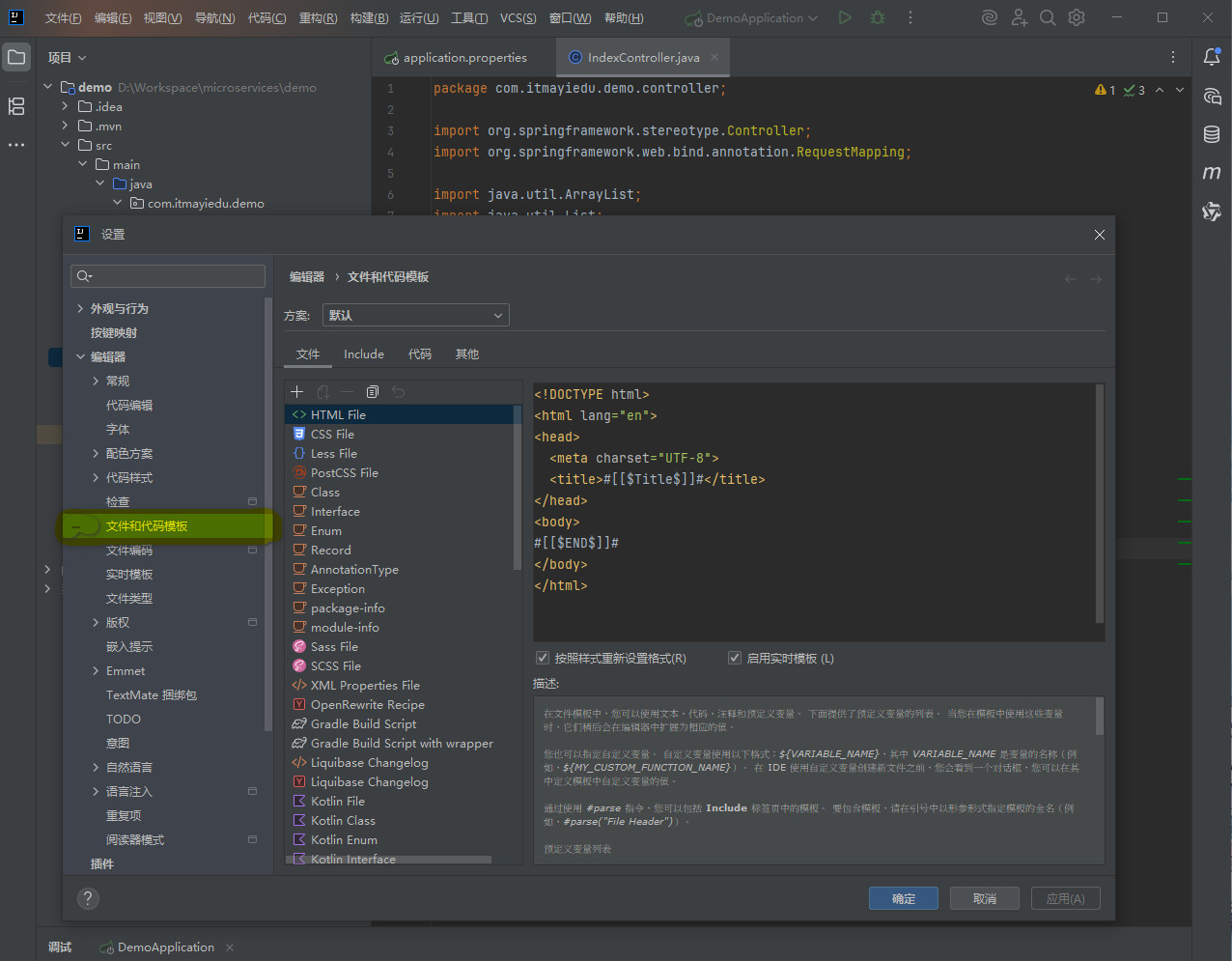
格式化ftl

<#--
  Created by IntelliJ IDEA.
  User: ${USER}
  Date: ${DATE}
  Time: ${TIME}
  To change this template use File | Settings | File Templates.
-->
<!DOCTYPE html>
<html lang="en">
<head>
  <meta charset="UTF-8">
  <title>#[[$Title$]]#</title>
</head>
<body>
#[[$END$]]#
</body>
</html>
格式化jsp
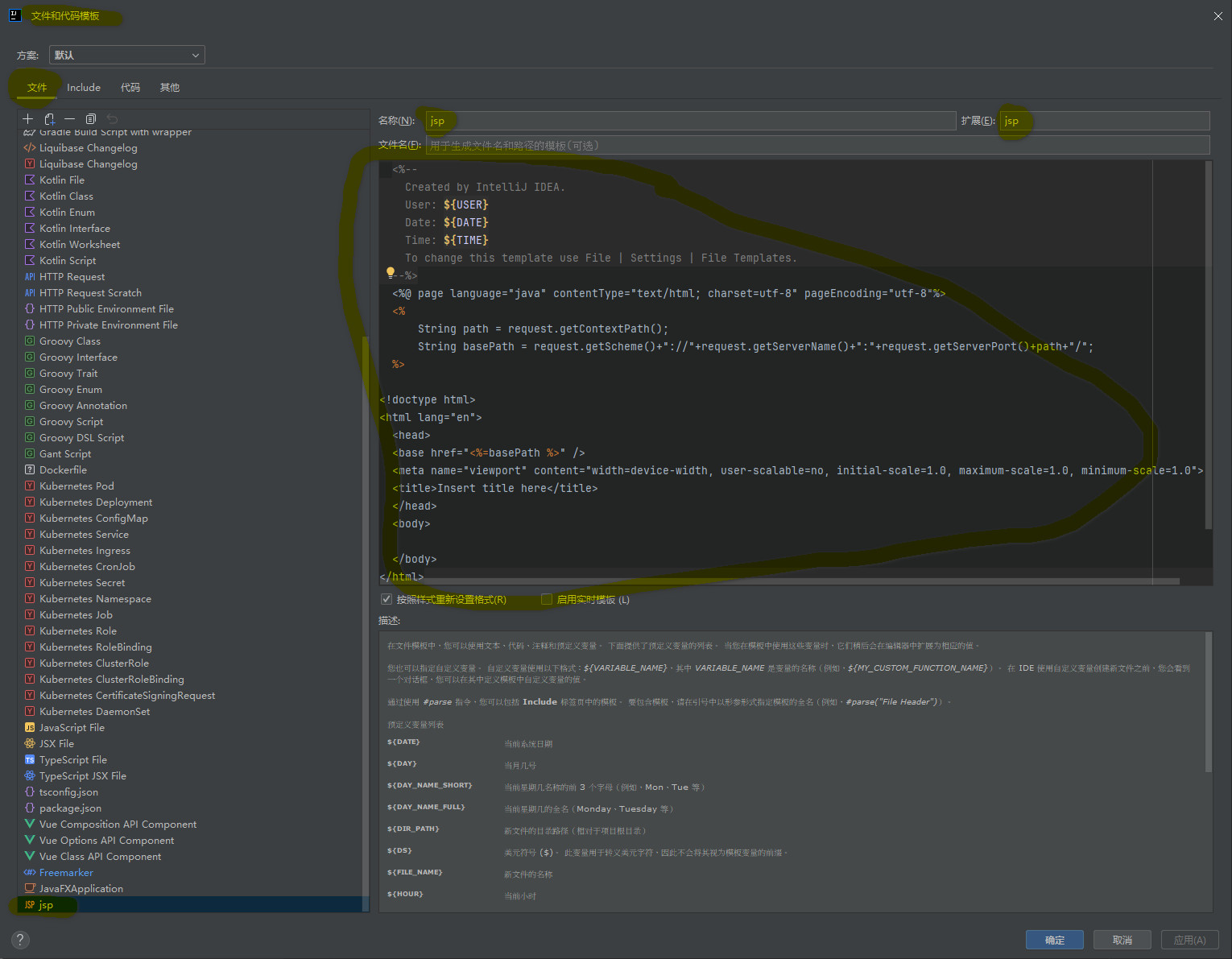
  <%--
    Created by IntelliJ IDEA.
    User: ${USER}
    Date: ${DATE}
    Time: ${TIME}
    To change this template use File | Settings | File Templates.
  --%>
  <%@ page language="java" contentType="text/html; charset=utf-8" pageEncoding="utf-8"%>
  <%
      String path = request.getContextPath();
      String basePath = request.getScheme()+"://"+request.getServerName()+":"+request.getServerPort()+path+"/";
  %>

<!doctype html>
<html lang="en">
  <head>
  <base href="<%=basePath %>" />
  <meta name="viewport" content="width=device-width, user-scalable=no, initial-scale=1.0, maximum-scale=1.0, minimum-scale=1.0">
  <title>Insert title here</title>
  </head>
  <body>

  </body>
</html>





 扫一扫
扫一扫


 756
756

 被折叠的 条评论
为什么被折叠?
被折叠的 条评论
为什么被折叠?
 到【灌水乐园】发言





