








文章目录
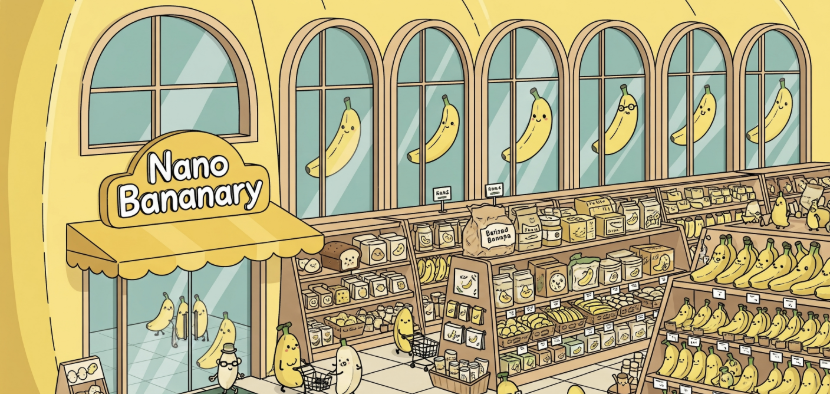
nano-banana是目前最强大的图片生成工具,但需要配合提示词使用,而这个工具内置提示词库,只要点击按钮和预社选项,就能实现多种玩法~
✨ 提示词获取使用 ✨ 已归纳好所有提示词,方便复制直接使用✨✨

谷歌 AI Studio地址: https://ai.studio/apps/drive/1JknFrFFdiOm7FIA8MLOJa_vtJN2g24c1
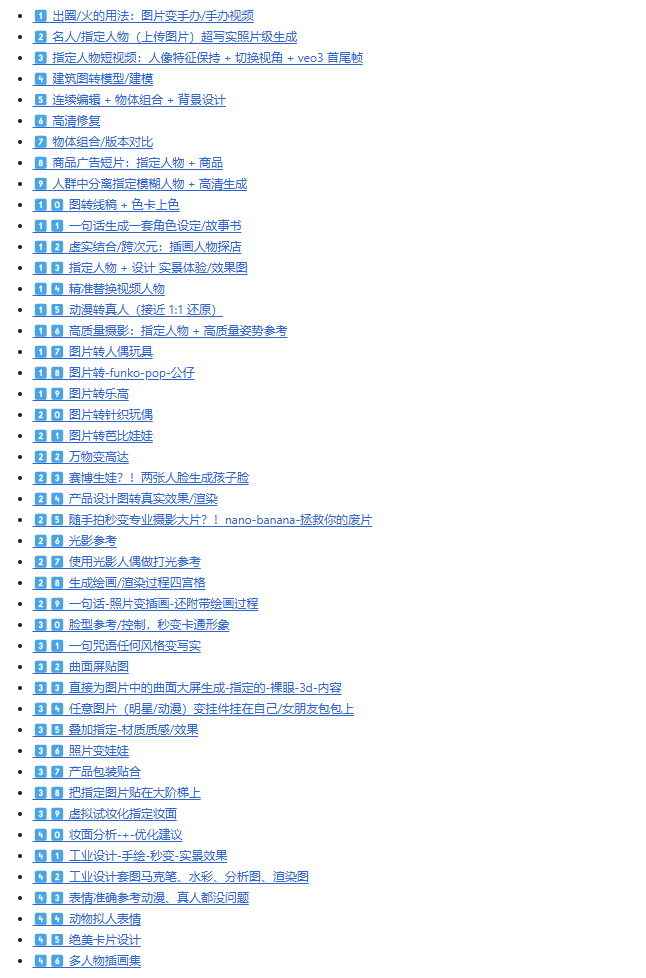
一、提示词目录(46项)
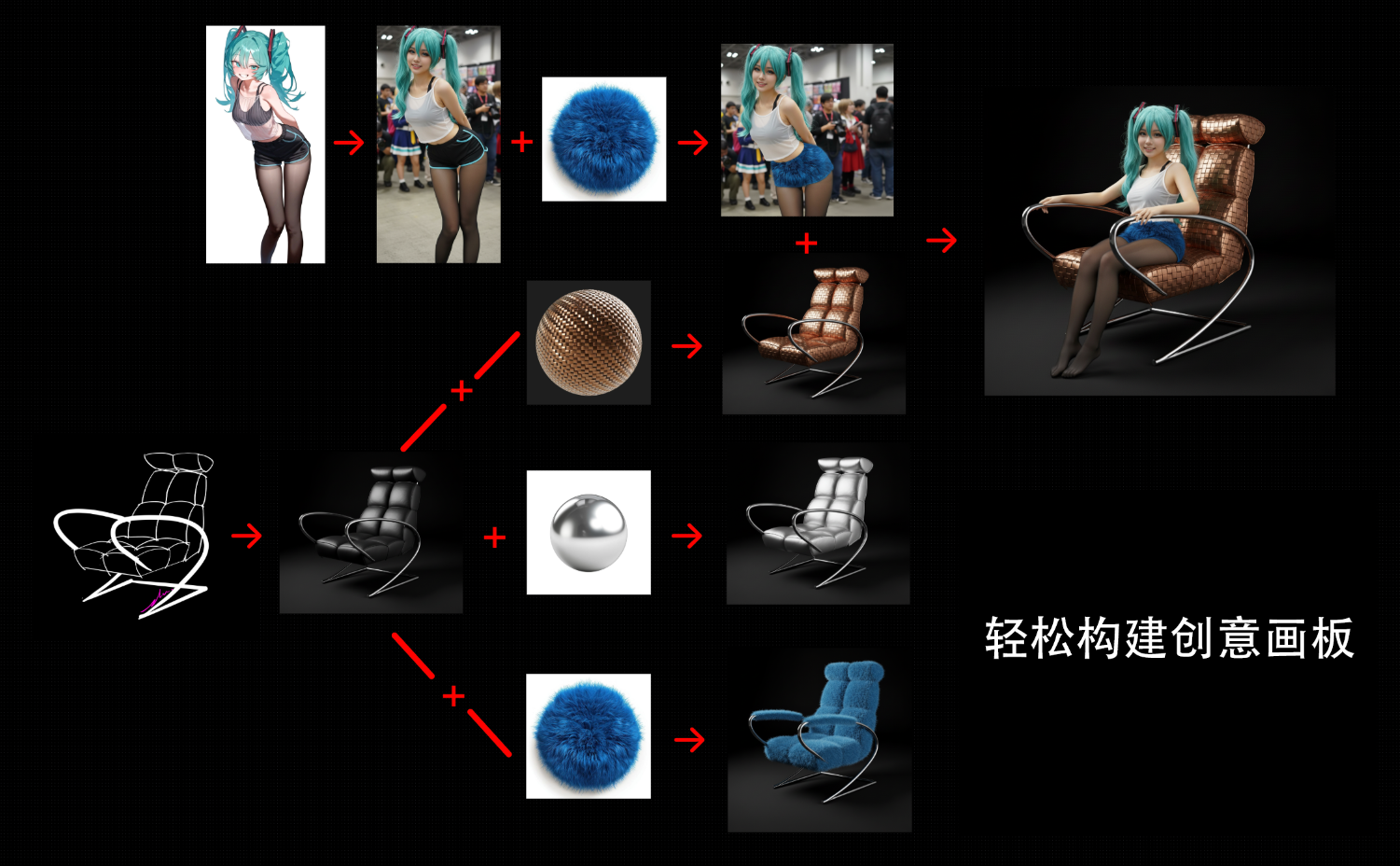
二、各种玩法已内置,支持手绘生图,支持多图框选,轻松构建创意画板
无需提示词,丝滑衔接,已上线 视频生成 功能
三、NanoBanana + Veo 的开源工作流创意平台,工作流 + 窗口 双模式纵享丝滑,各种玩法已内置,轻松构建创意工作流
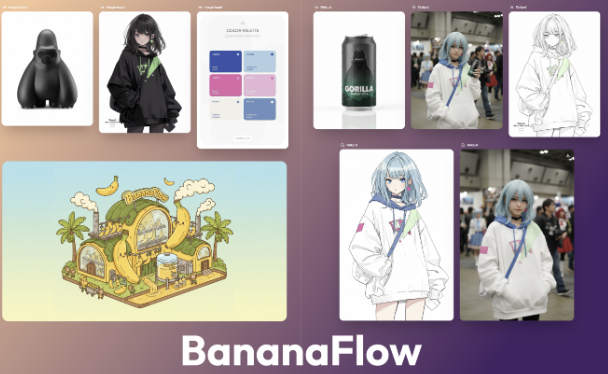
四、原创玩法 + 提示词
1️⃣ 出圈/火的用法:图片变手办/手办视频
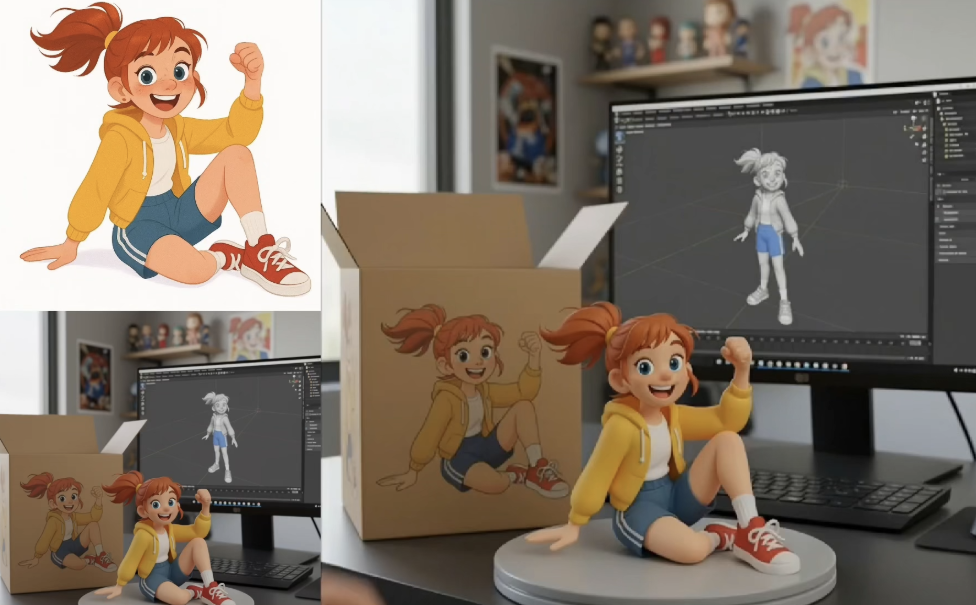
1)变手办 Prompt:
turn this photo into a character figure. Behind it, place a box with the character’s image printed on it, and a computer showing the Blender modeling process on its screen. In front of the box, add a round plastic base with the character figure standing on it. set the scene indoors if possible
2)变视频 Prompt(Veo3):
A pair of hands picks up the figurine and examines it closely
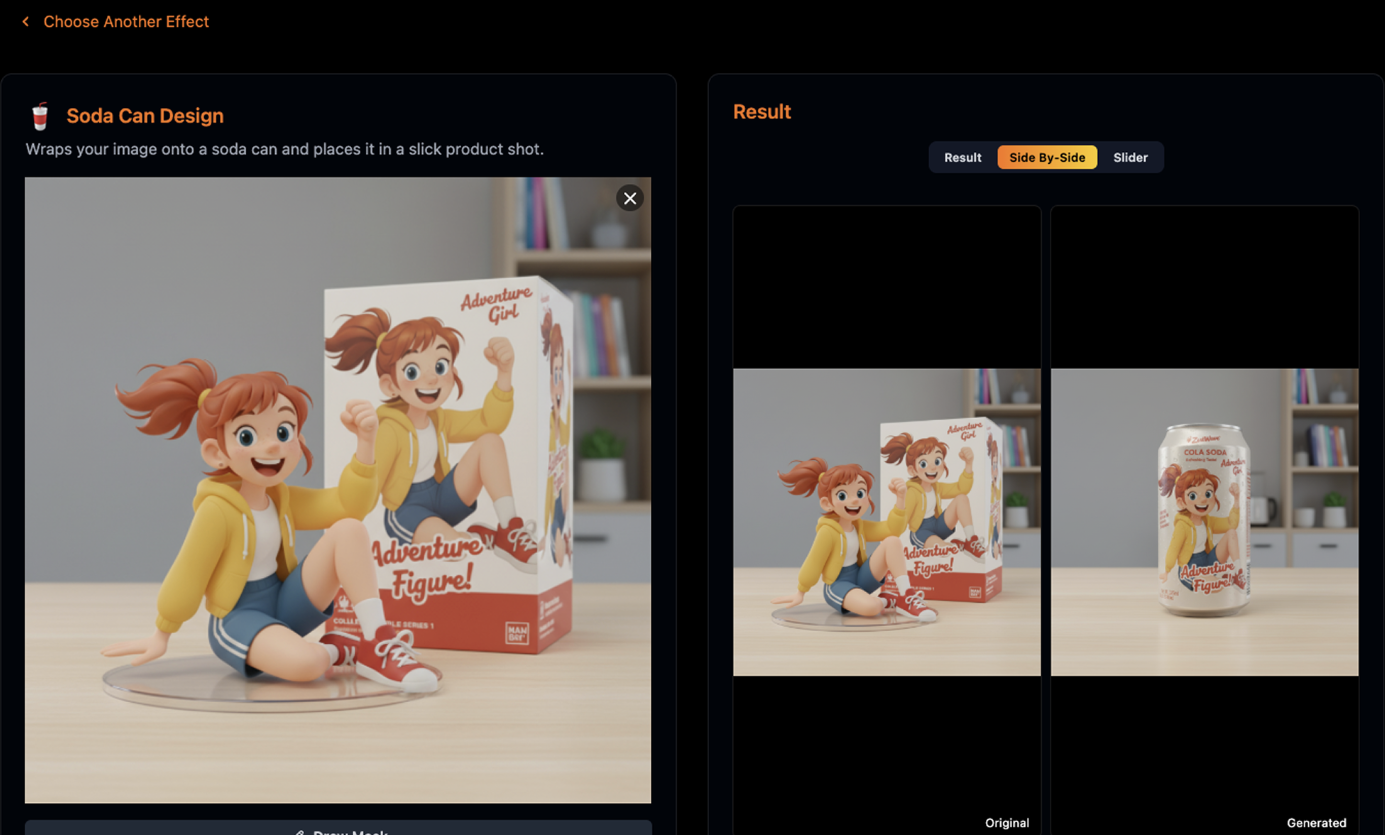
2️⃣ 产品包装贴合
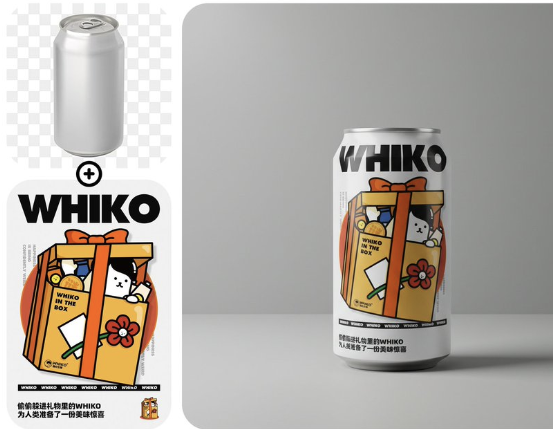
Prompt:
把图一贴在图二易拉罐上,并放在极简设计的布景中,专业摄影
3️⃣ 指定人物短视频:人像特征保持 + 切换视角 + veo3 首尾帧
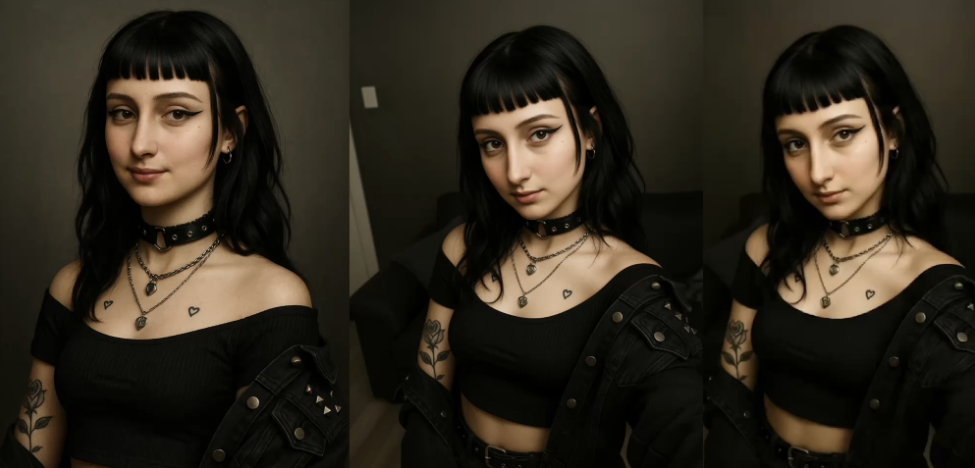
Prompt:
change the Camera anglo a high-angled selfie perspective looking down at the woman, while preserving her exact facial features, expression, and clothing, Maintain the same living room interior background with the sofa, natural lighting, and overall photographic composition and style.
4️⃣ 建筑图转模型/建模
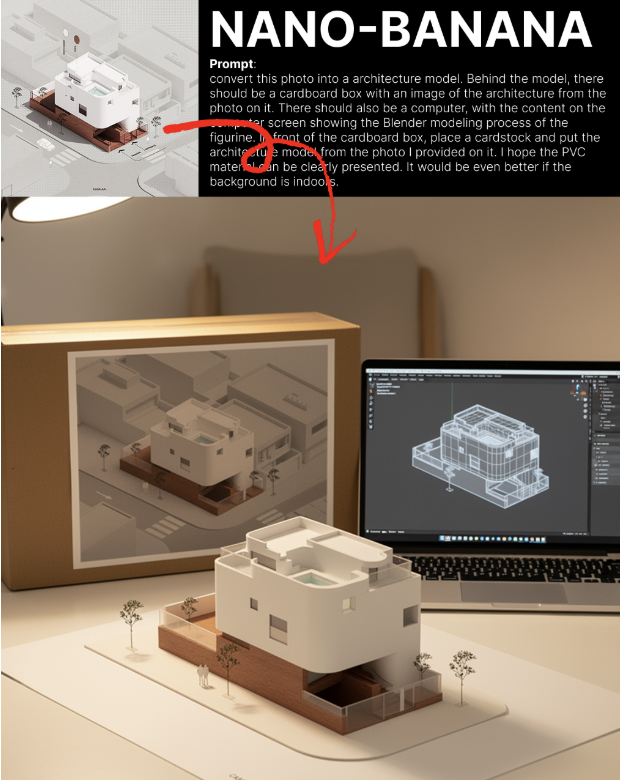
Prompt:
convert this photo into a architecture model. Behind the model, there should be a cardboard box with an image of the architecture from the photo on it. There should also be a computer, with the content on the computer screen showing the Blender modeling process of the figurine. In front of the cardboard box, place a cardstock and put the architecture model from the photo I provided on it. I hope the PVC material can be clearly presented. It would be even better if the background is indoors.
5️⃣ 连续编辑 + 物体组合 + 背景设计
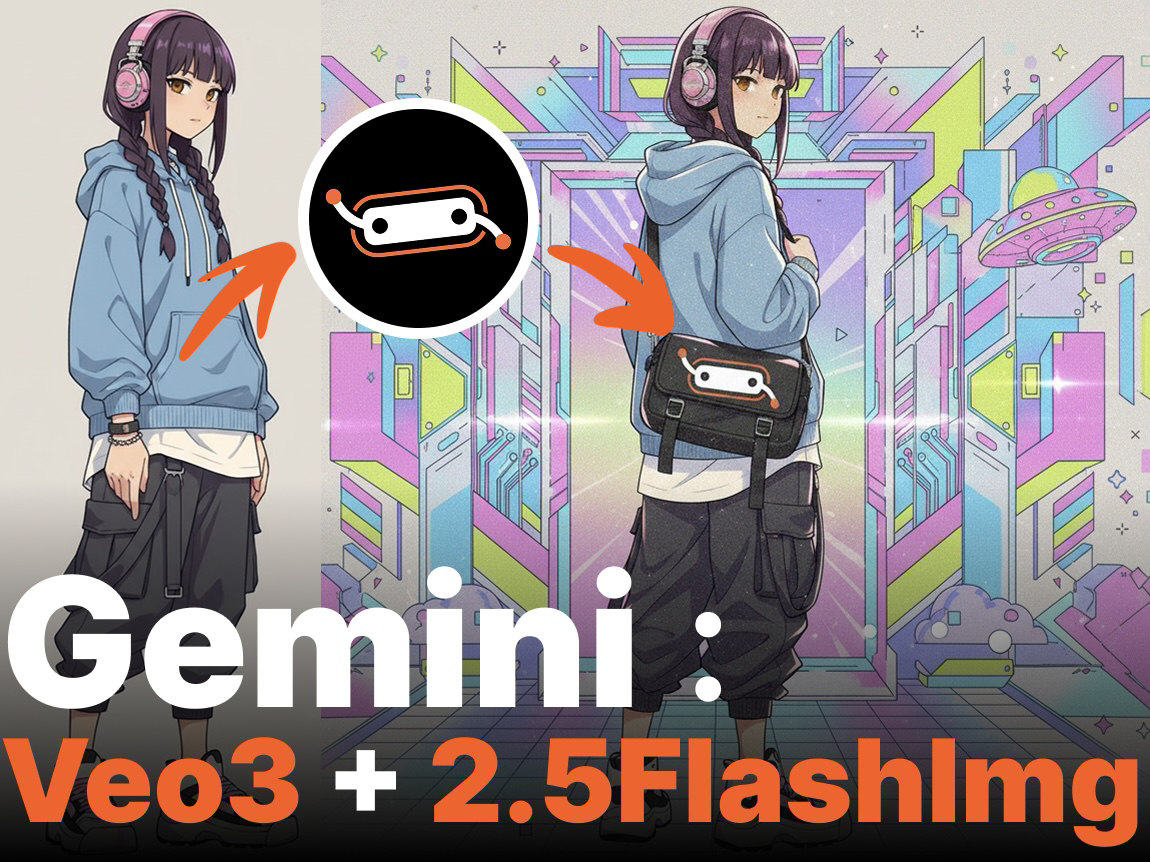
Prompt:
第一步:
图一人物背上图二 logo 的斜挎包
第二步:
换上 Y2K 风格的背景
第三步(Veo3):
女孩转过身来摆出一个可爱帅气的pose,背景音乐也是y2k风格
6️⃣ 高清修复
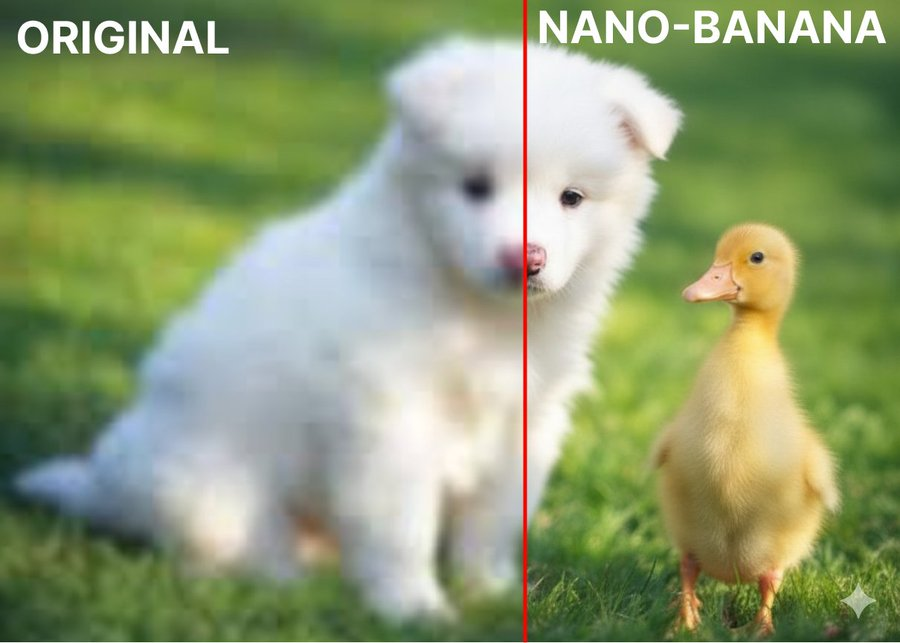
Prompt:
Enhance this image to high resolution
7️⃣任意图片(明星/动漫)变挂件挂在自己/女朋友包包上!
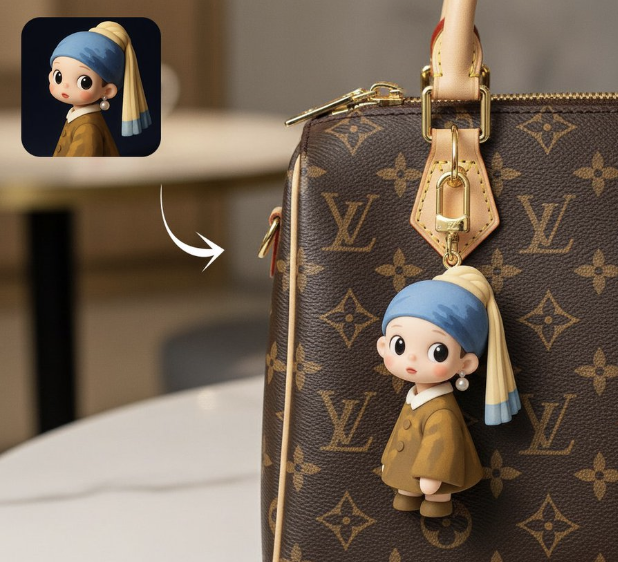
Prompt:
把这张照片变成一个可爱挂件/亚克力材质的扁平钥匙扣/橡胶材质的扁平钥匙扣 挂在 lv 包包/图二照片的包包上
8️⃣ 商品广告短片:指定人物 + 商品
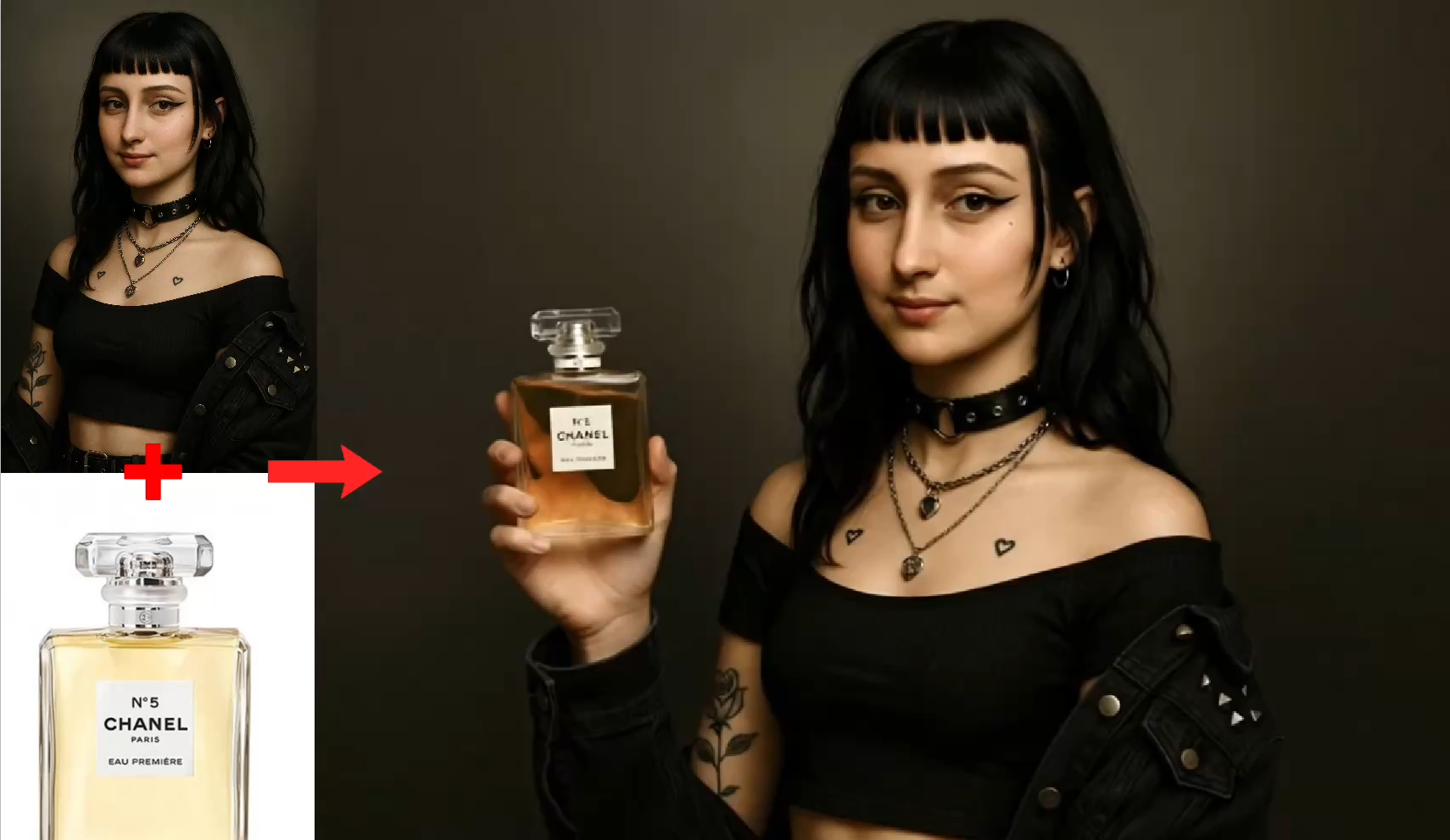
Img Prompt:
模特拿着香水|The model is holding a perfume
Video Prompt:
模特展示香水,配上优美的音乐|The model is showcasing the perfume with beautiful music
9️⃣ 人群中分离指定模糊人物 + 高清生成:
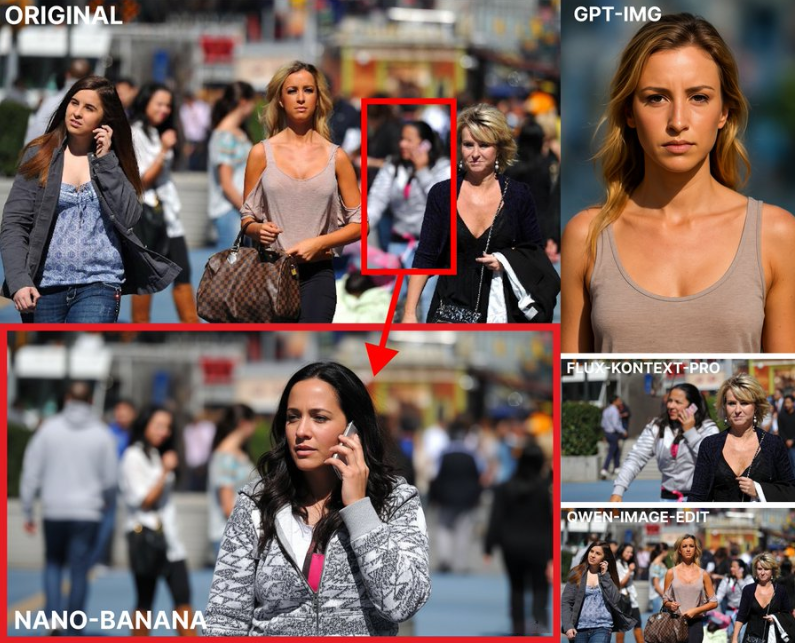
Prompt:
Separate the person inside the green box and turn it into a high-definition single-person photo
1️⃣0️⃣ 图转线稿 + 色卡上色
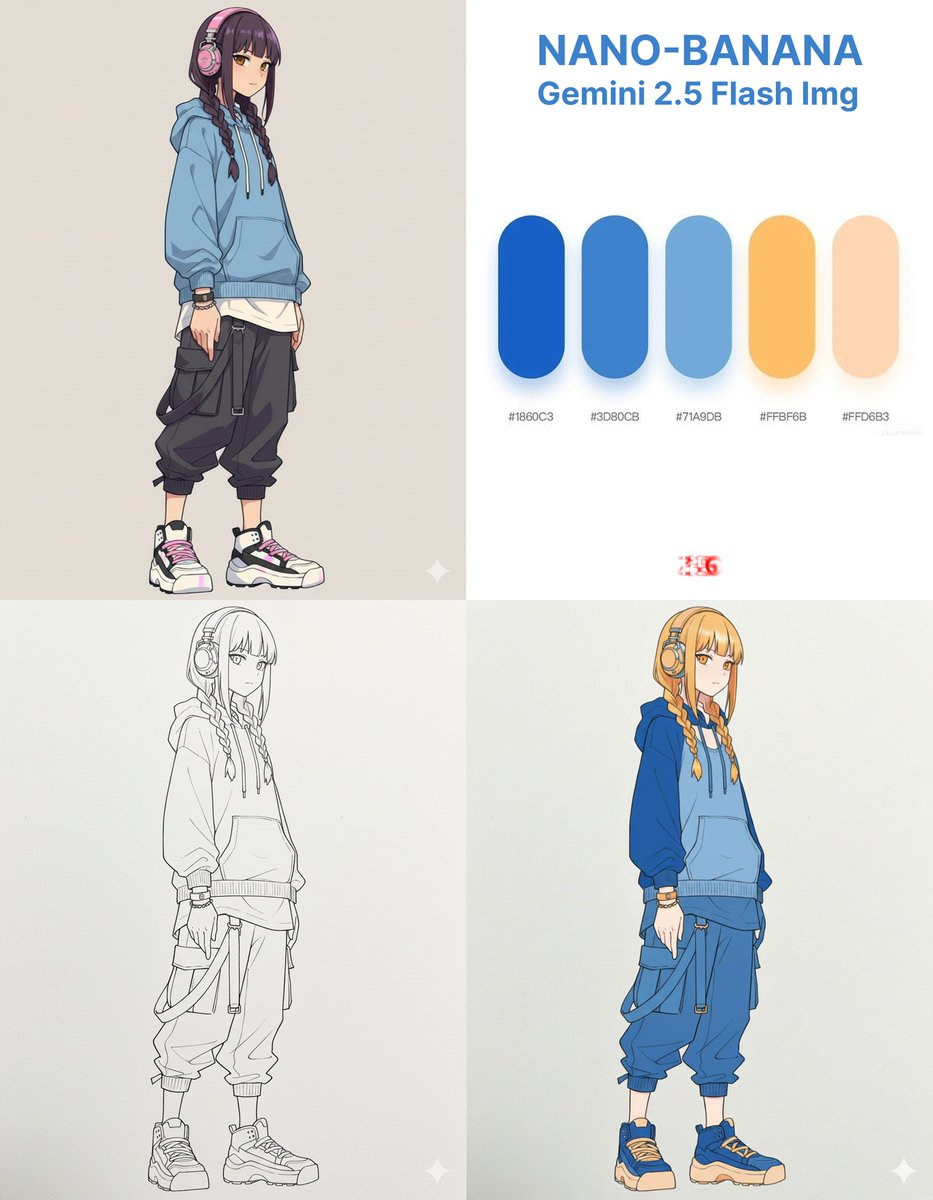
Prompt:
第一步:

变成线稿手绘图
准确使用色卡为图二人物上色
1️⃣1️⃣ 一句话生成一套角色设定/故事书
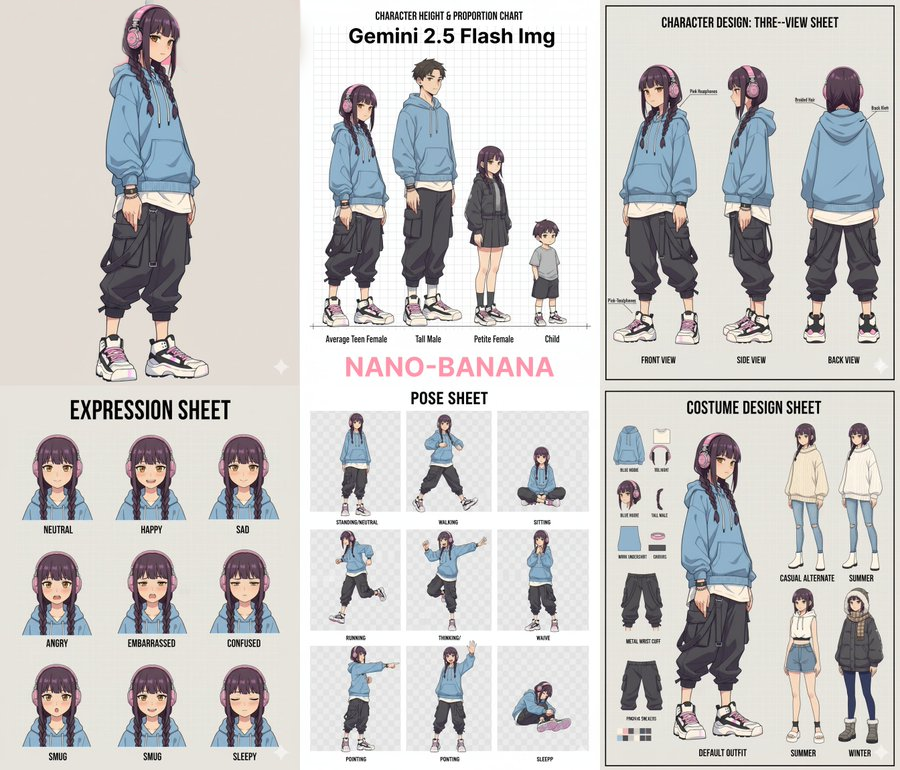
Prompt:
为我生成人物的角色设定(Character Design)

比例设定(不同身高对比、头身比等)

三视图(正面、侧面、背面)

表情设定(Expression Sheet)

动作设定(Pose Sheet) → 各种常见姿势

服装设定(Costume Design)
1️⃣2️⃣ 脸型参考/控制,秒变卡通形象
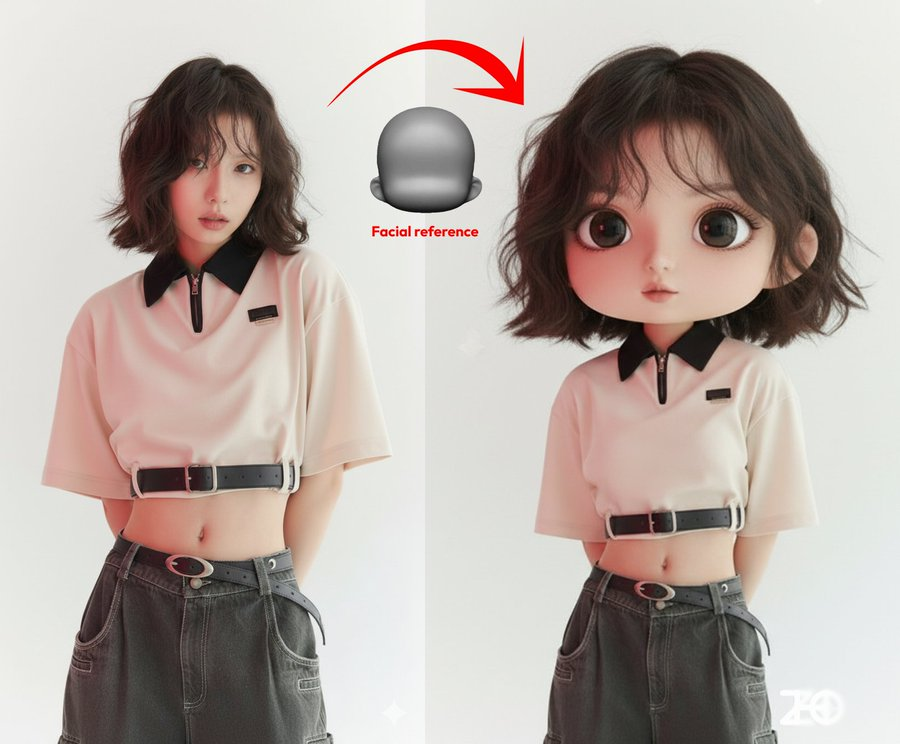
Prompt:
图一人物按照图二的脸型设计为q版形象
1️⃣3️⃣ 一句咒语任何风格变写实
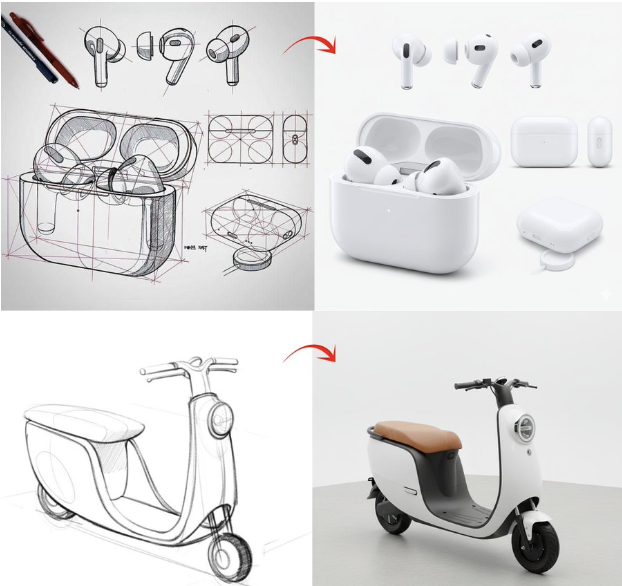
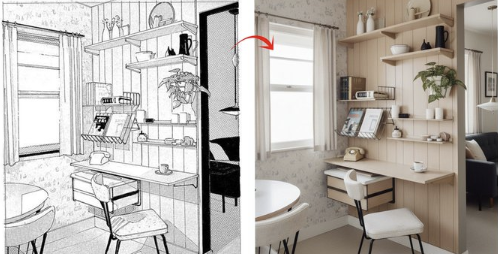
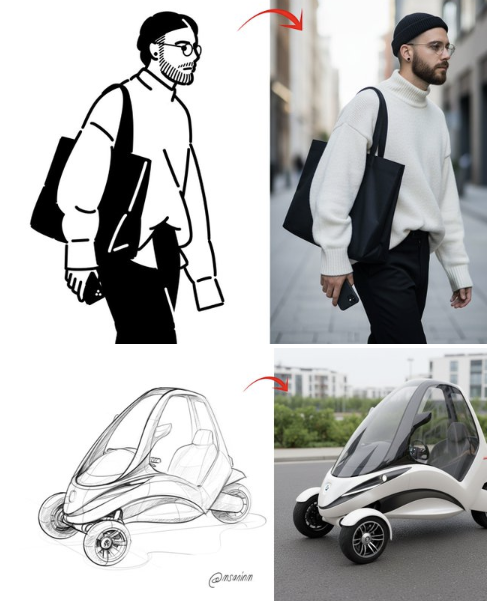
Prompt:
turn this illustration into realistic version
1️⃣4️⃣ 指定人物 + 设计 实景体验/效果图
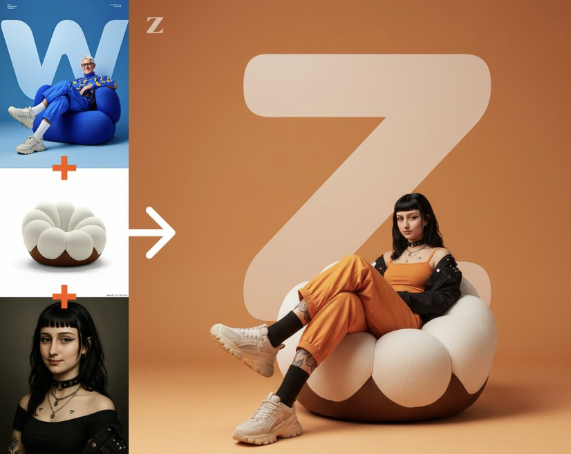
Prompt:
把人物换成图二人物,沙发换成图三沙发,配色换成橙色,文字换成“Z”
五、提示词超市介绍——各种玩法一键生成,无需提示词,支持局部涂选、连续编辑
1、Nano Bananary | 香蕉超市 功能全貌
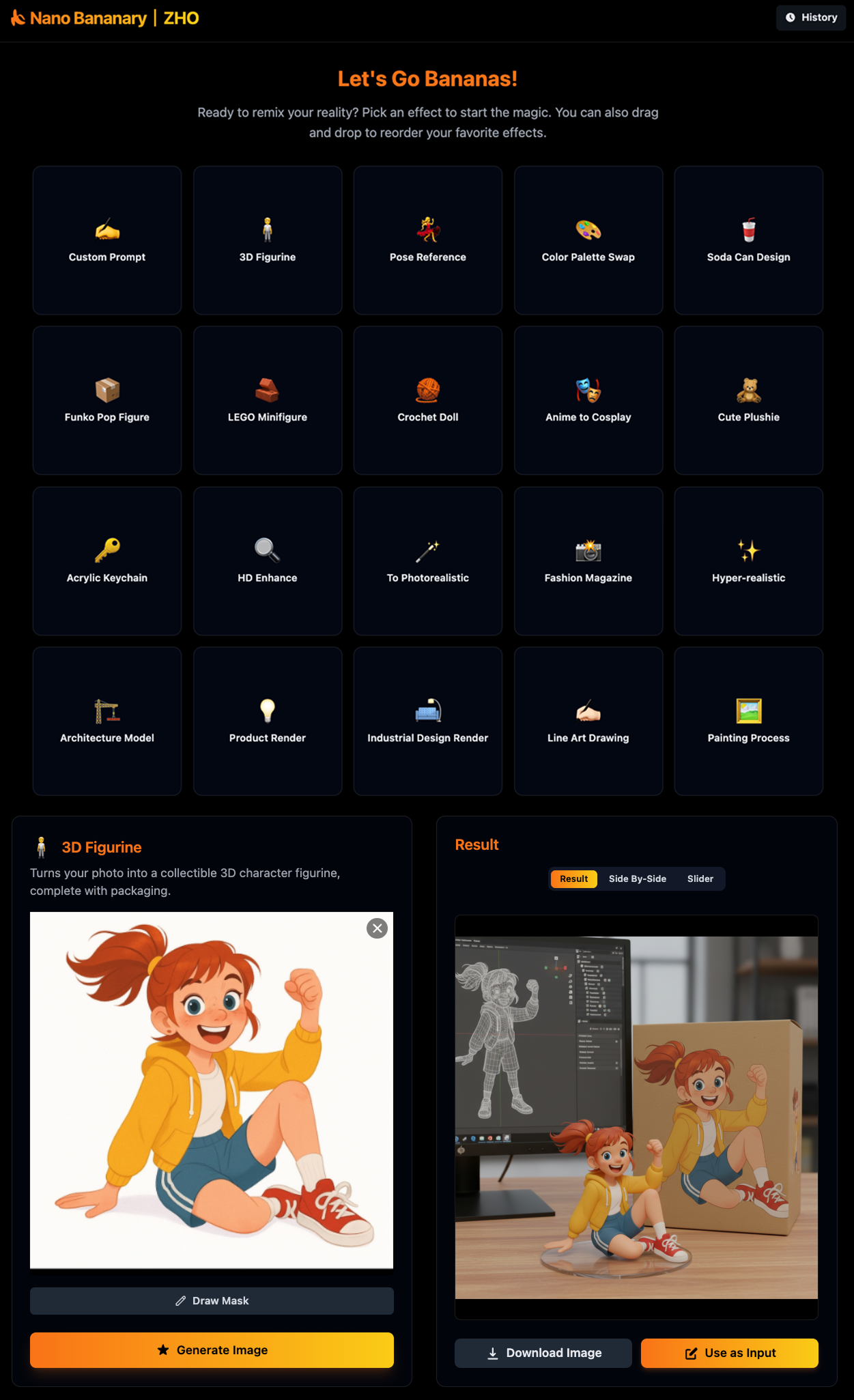
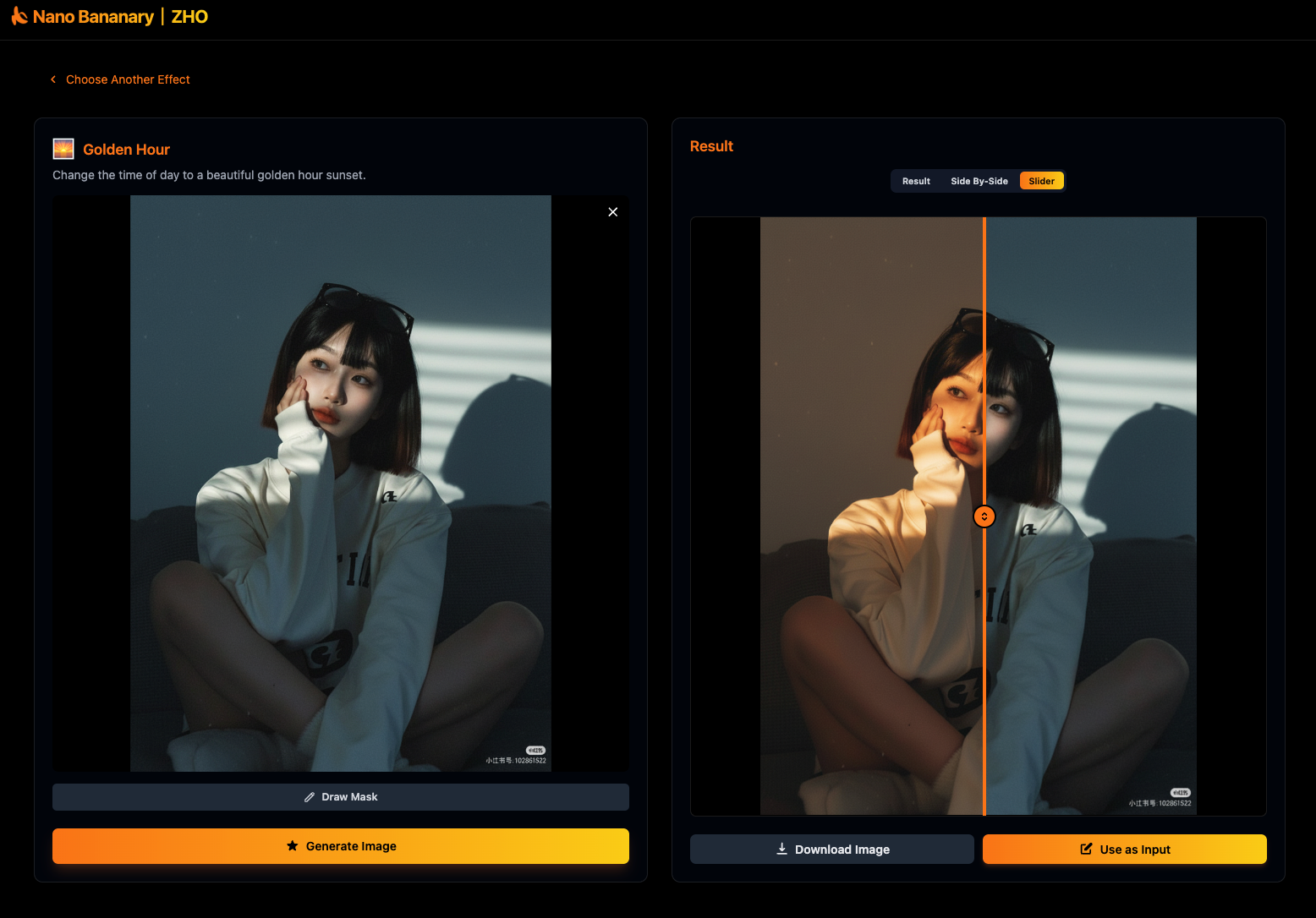
2、🆕 新增 视频生成 + 中文界面 + 浅色主题!
2.1. 中文界面 + 浅色主题 一键切换!
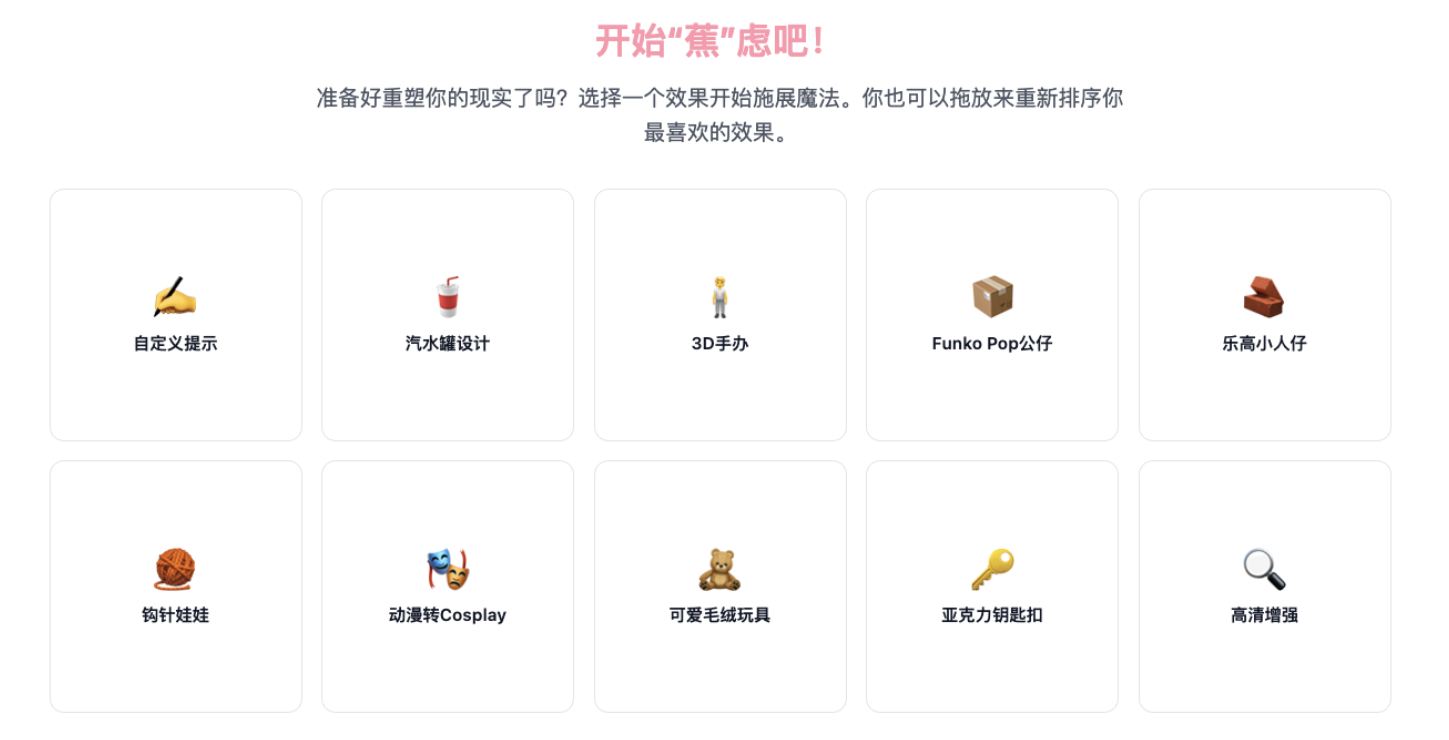
2.2. 上线视频生成功能!所有玩法一键转化为视频,纵享丝滑!
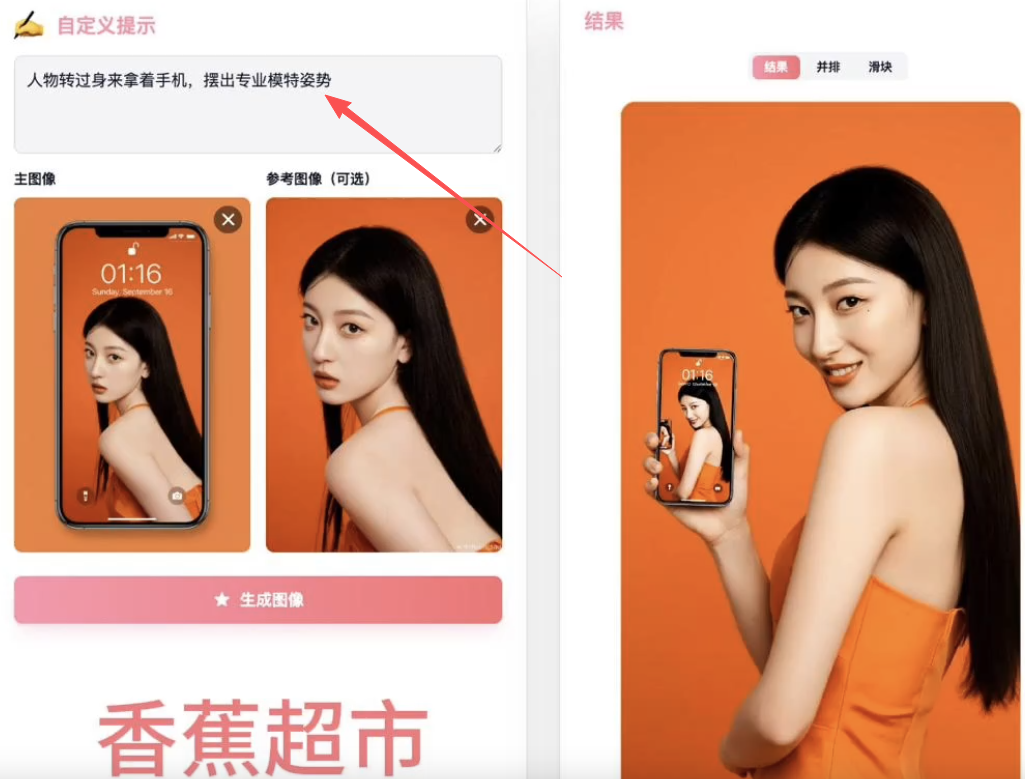
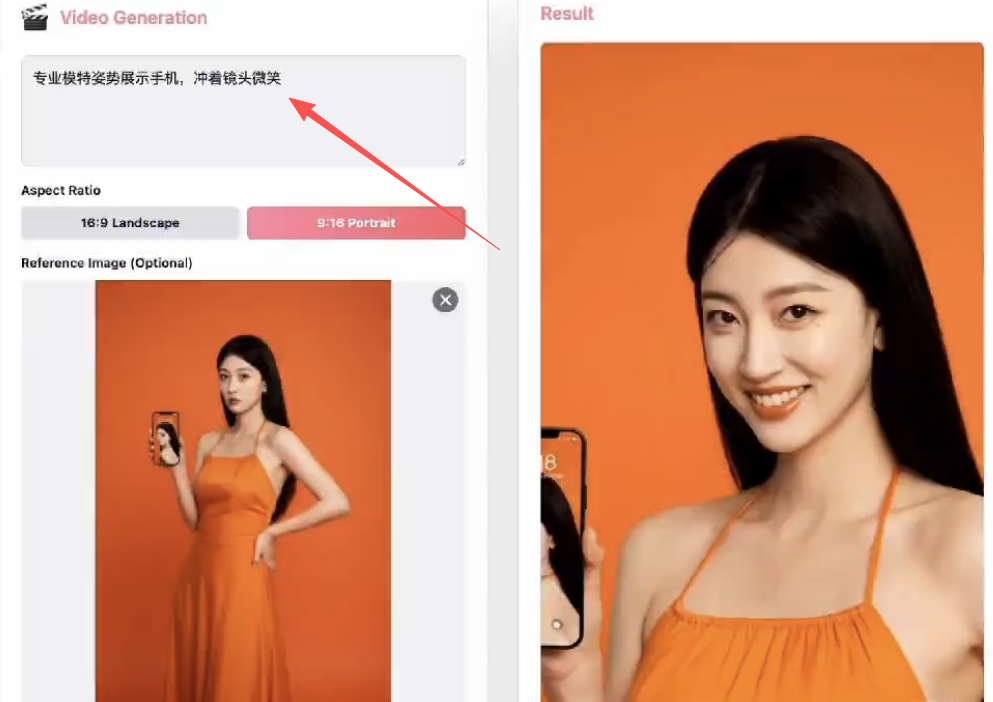
2.3. 无需提示词,丝滑衔接
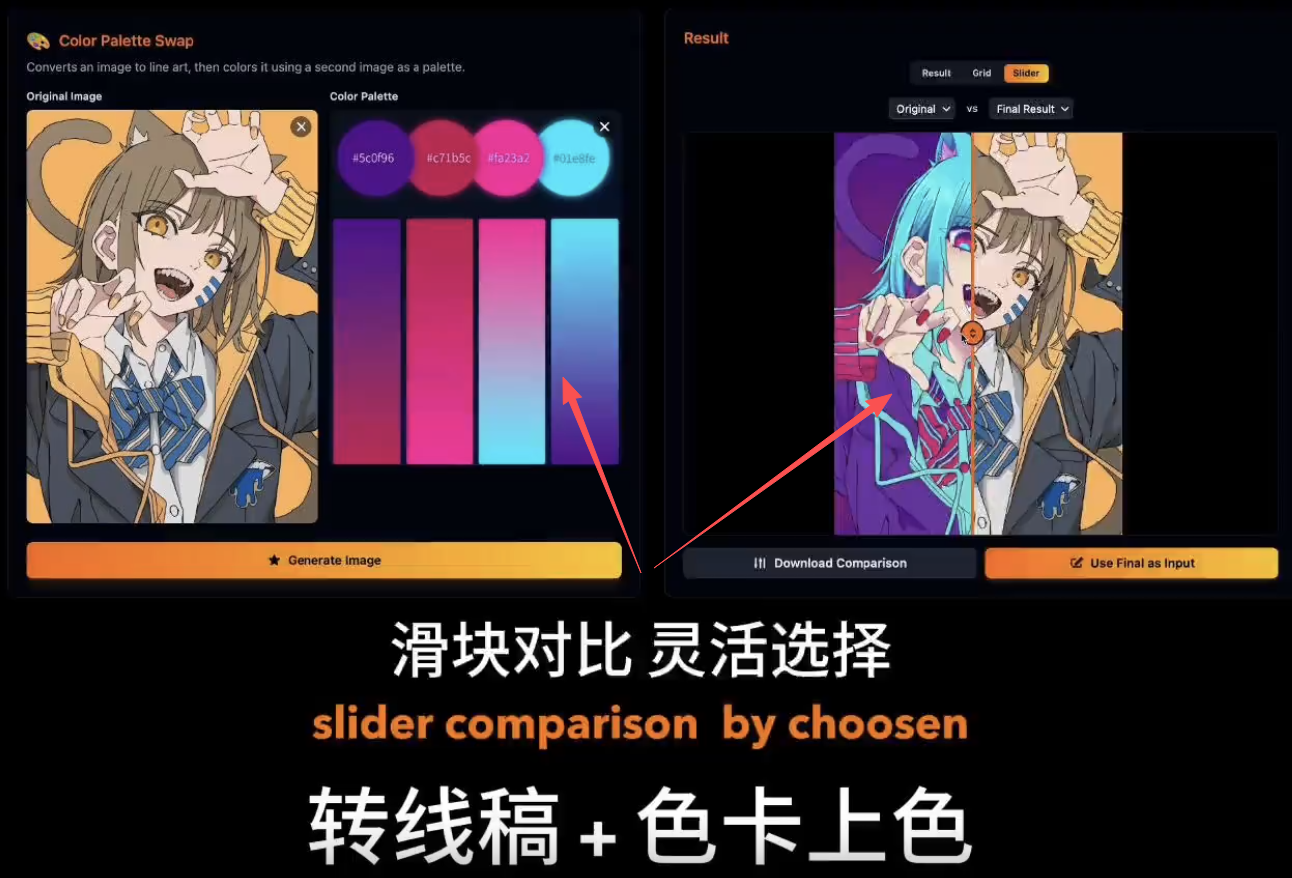
2.4. 各种玩法一键生成,无需提示词,支持局部涂选、连续编辑:
-
1⃣选择用法
-
2⃣上传图片
-
3⃣点击生成/局部涂选
-
4⃣直接发送到新玩法中继续
2.5. 核心功能:每次输出都能直接作为输入进行下一次编辑/生成
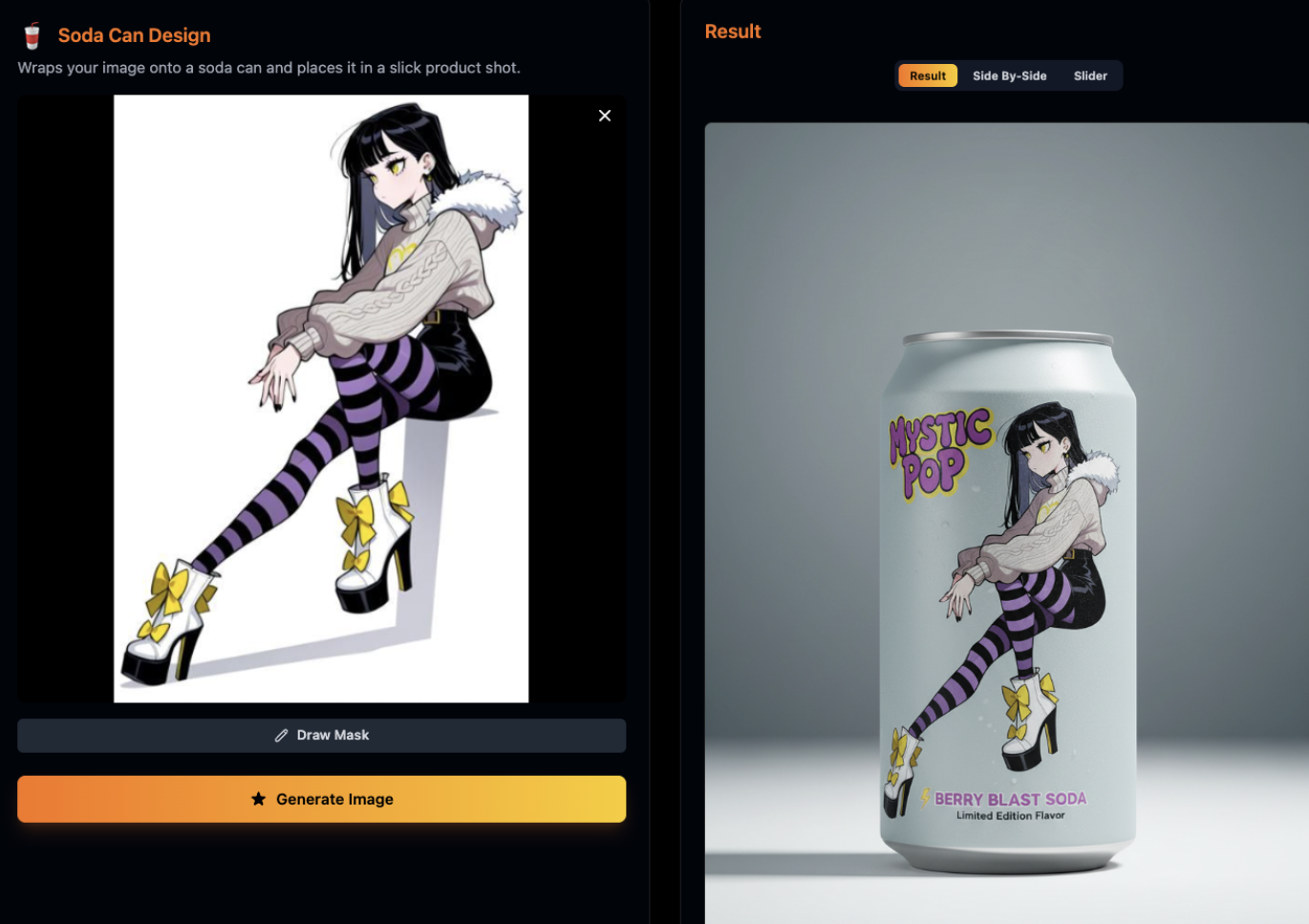
六、本地运行
-
前提条件:Node.js
-
安装依赖项:npm install
-
将 .env.local 文件中的 GEMINI_API_KEY 设置为您的 Gemini API 密钥
-
运行应用:npm run dev
✨ 提示词获取使用 ✨ 已归纳好所有提示词,方便复制直接使用✨✨





 扫一扫
扫一扫


 被折叠的 条评论
为什么被折叠?
被折叠的 条评论
为什么被折叠?
 到【灌水乐园】发言





