


 在SpringBoot项目启动时遇到错误:'url' attribute is not specified and no embedded datasource could be configured. 通常问题源自未配置数据源或驱动类。解决方案包括检查是否添加了数据库驱动到类路径、确认配置文件中数据源设置正确,以及确保所有依赖项有正确的版本。在本文案例中,问题出在依赖项缺少版本号,添加版本后问题得到解决。
(前面两种是大部分情况下可以解决的,如果尝试了网上的方法没有解决的可以直接跳至第3步)
首先来看看我的报错信息
***************************
APPLICATION FAILED TO START
***************************Description:
Failed to configure a DataSource: 'url' attribute is not specified and no embedded datasource could be configured.
Reason: Failed to determine a suitable driver class
Action:Consider the following:
If you want an embedded database (H2, HSQL or Derby), please put it on the classpath.
If you have database settings to be loaded from a particular profile you may need to activate it (no profiles are currently active).
很明显,这就是我们的工程没有配置好数据源,起初我也是这样想的。然后我打开了度娘, 输入了自己的错误!很好,有很多解决方法,但是事不如人愿,我试了所有方法,还是报错!
1、我在application中加入了这个注释,然后报了一大堆 的东西!这里就不详细讲了
@SpringBootApplication(exclude = {DataSourceAutoConfiguration.class})
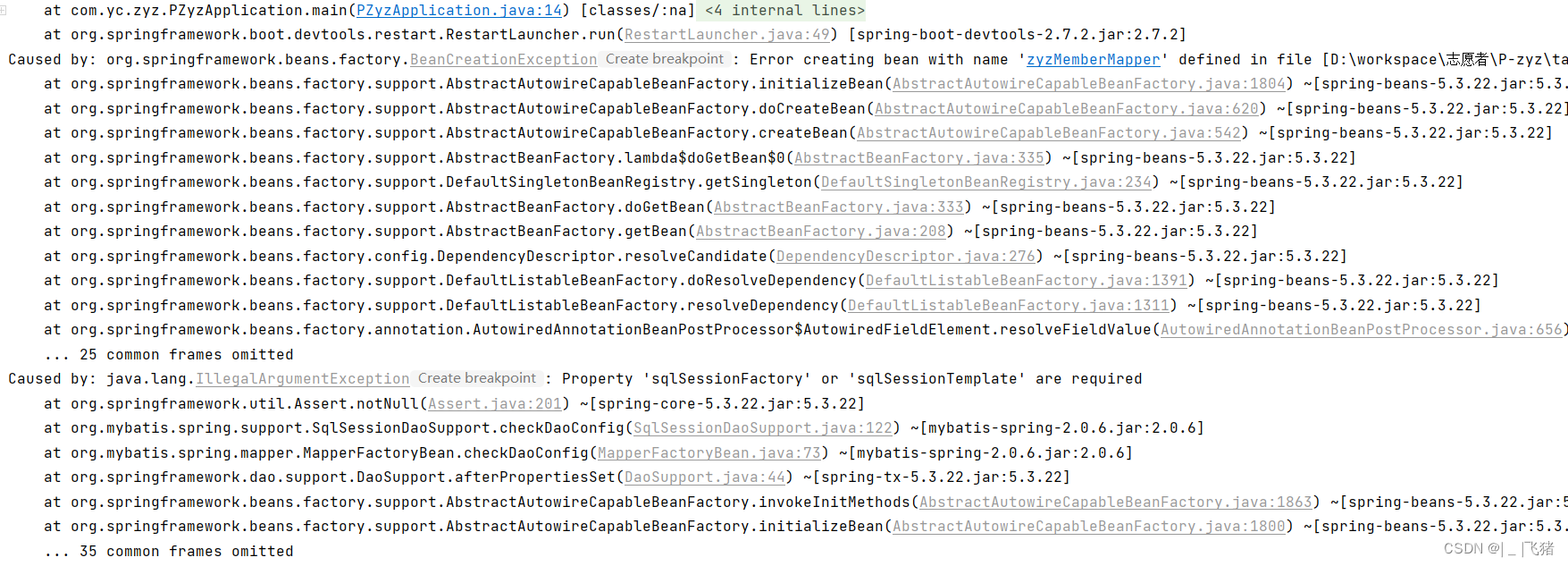
2、然后网上说可能是我的yml或者properties文件没有配置,但是我确确实实是写了的……
spring:
  datasource:
    url: jdbc:mysql://127.0.0.1/p-zyz
    driver-class-name: com.mysql.jdbc.Driver
    username: root
    password: 123456
3、最终结果是我的这个依赖没有加版本,因为这是用idea自动生成的springboot工程,这个依赖也是他自动导入的,所以当时也没有注意看!
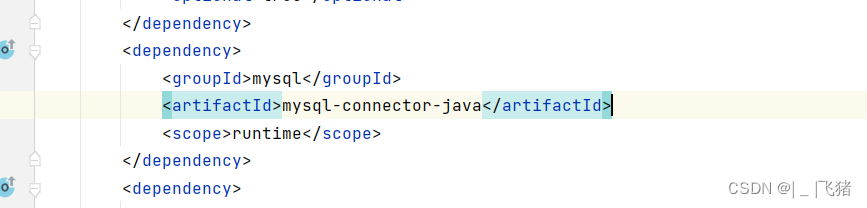
<dependency>
    <groupId>mysql</groupId>
    <artifactId>mysql-connector-java</artifactId>
    <version>5.1.49</version>
    <scope>runtime</scope>
</dependency>
依赖加好了,程序就运行成功了!





 扫一扫
扫一扫


 24万+
24万+

 被折叠的 条评论
为什么被折叠?
被折叠的 条评论
为什么被折叠?
 到【灌水乐园】发言





