






 本文通过创建一个类、两个方法和三句代码,展示了如何在ASP.NETCore中快速配置微信公众号,实现消息回复与高级接口调用。
概述
Senparc.Weixin SDK 是一直以来大部分 .NET 微信开发者的首选微信 SDK(以下统称 SDK),SDK 目前已经支持了微信公众号、小程序、企业微信、微信支付等绝大部分微信接口,为庞大的微信生态应用提供支撑。
随着微信官方接口的不断丰富和更新,Sample 变得日益庞大,可以说“0基础”去看目前 SDK Sample 是需要一些耐心的(当然这非常非常值得)。以至于也看到有开发者一见 Sample,就会误以为 SDK 是一个很“重”的框架。
其实不然,下面我将以最简洁的代码:在全新 ASP.NET Core 项目里,只新建 1 个类、创建 2 个方法、添加 3 句代码,就能完成公众号的消息回复以及高级接口调用的演示,如果你已经使用过 SDK,整个过程只需要 5 分钟。如果你还没有接触过微信开发,那么请你留出 15 分钟,瞬间“入门”微信开发,这将是一次性价比极高的探索!
开始开发
开发目标:在新的 ASP.NET Core 项目中,实现微信公众号消息的回复,并调用高级接口
第一步:新建 ASP.NET Core 项目
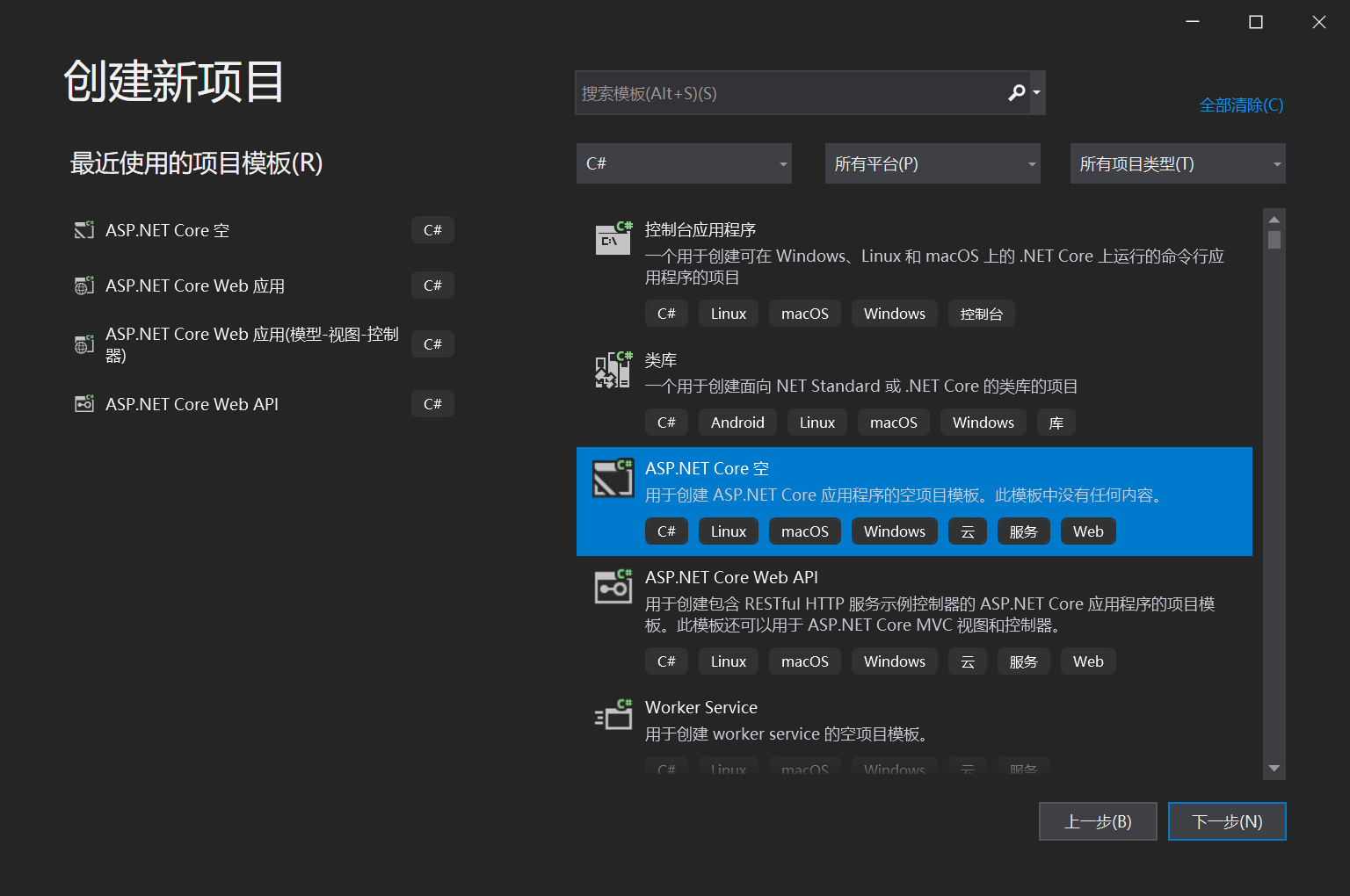
选择代码最简单的【ASP.NET Core 空】项目模板
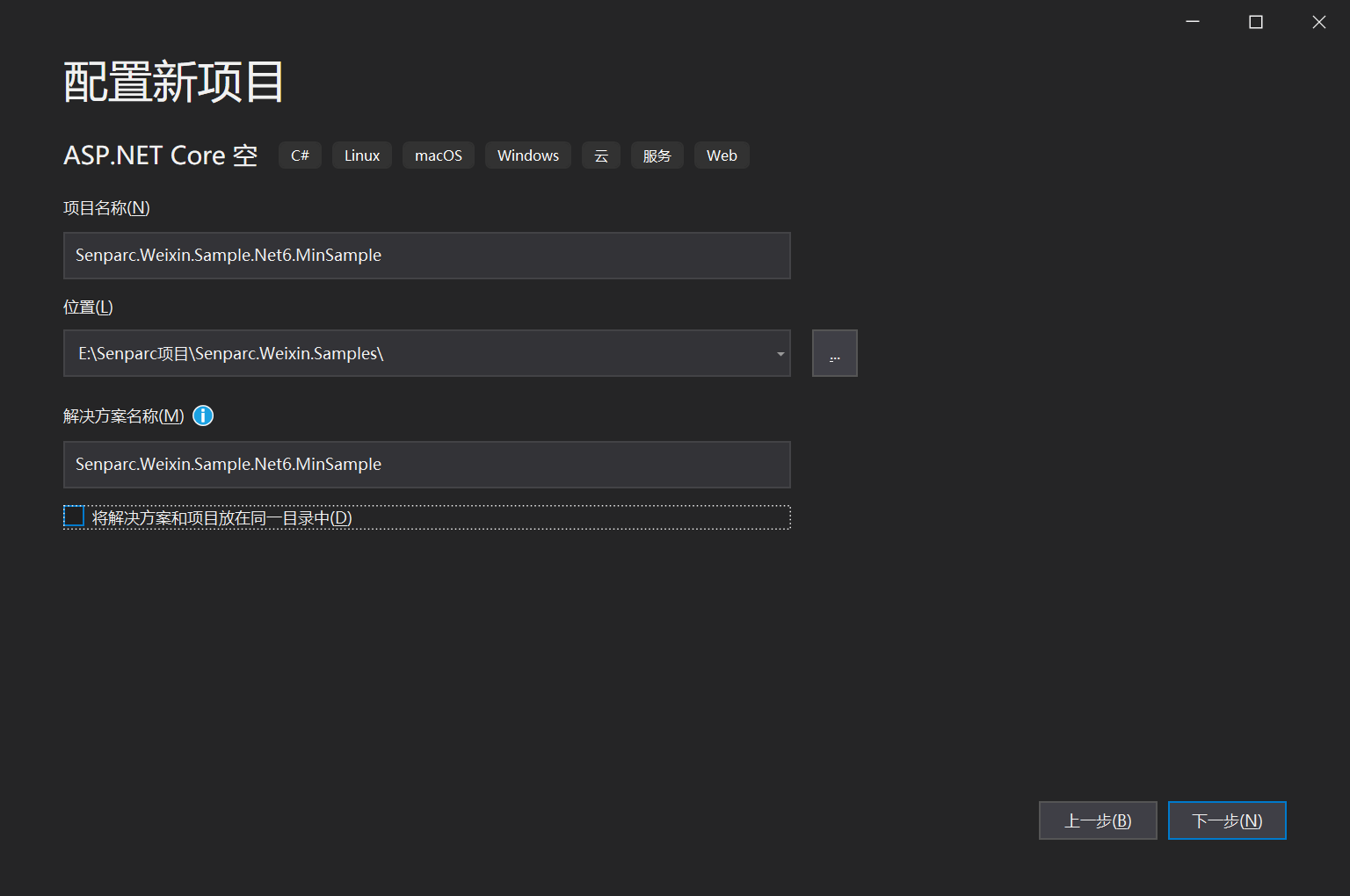
设置项目名称和路径
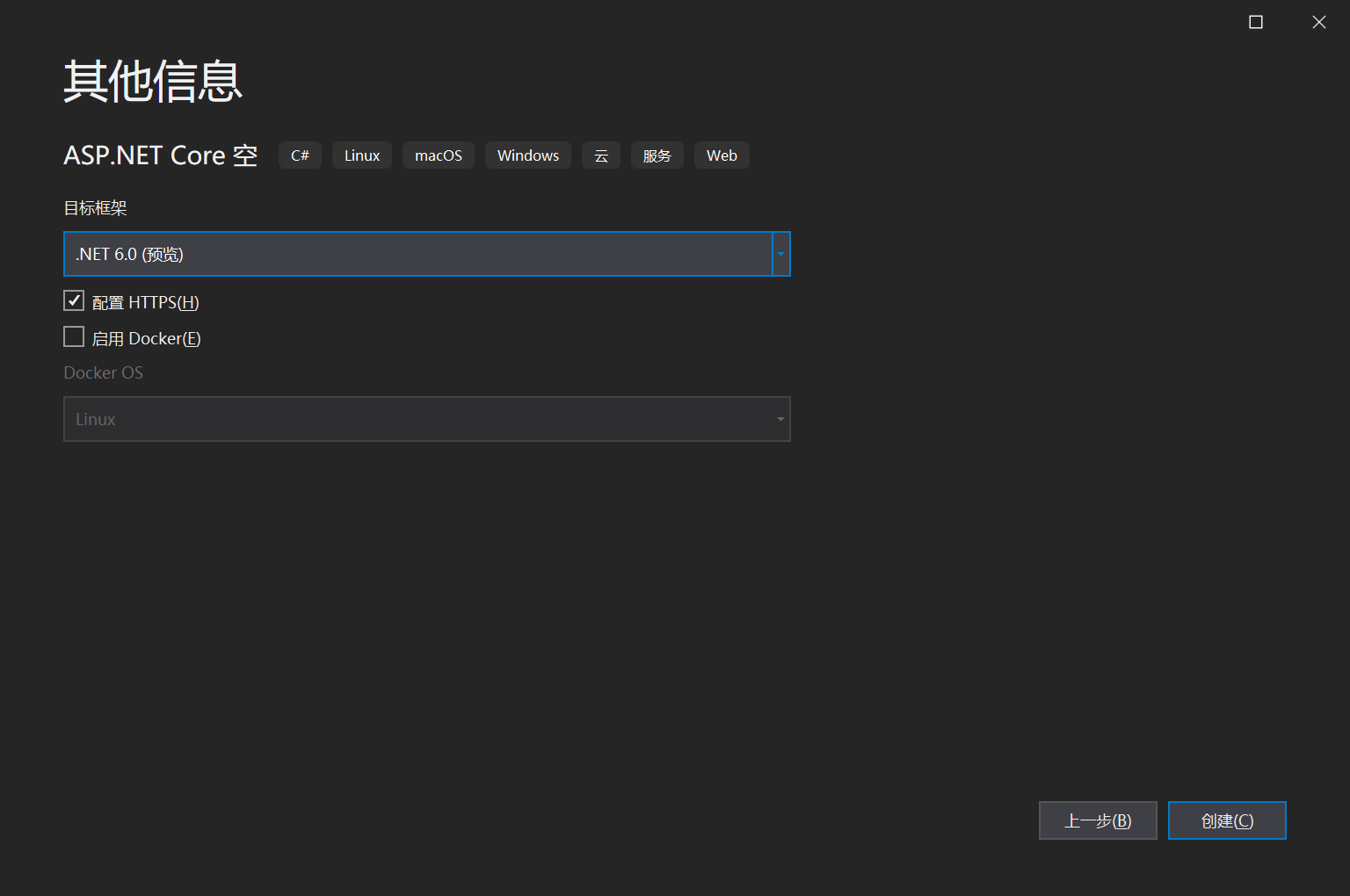
选择.NET 6,也可以选择其他版本
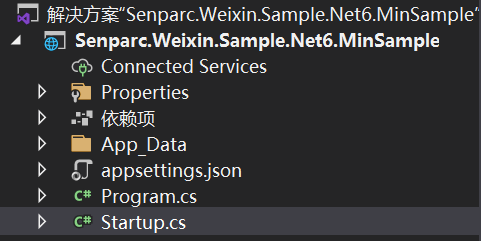
创建完成
安装 Nuget 包:Senparc.Weixin.MP(对应公众号)、Senparc.Weixin.MP.Middleware(对应公众号消息中间件)。
PS:由于后者依赖前者,也可以只装 Senparc.Weixin.MP.Middleware。
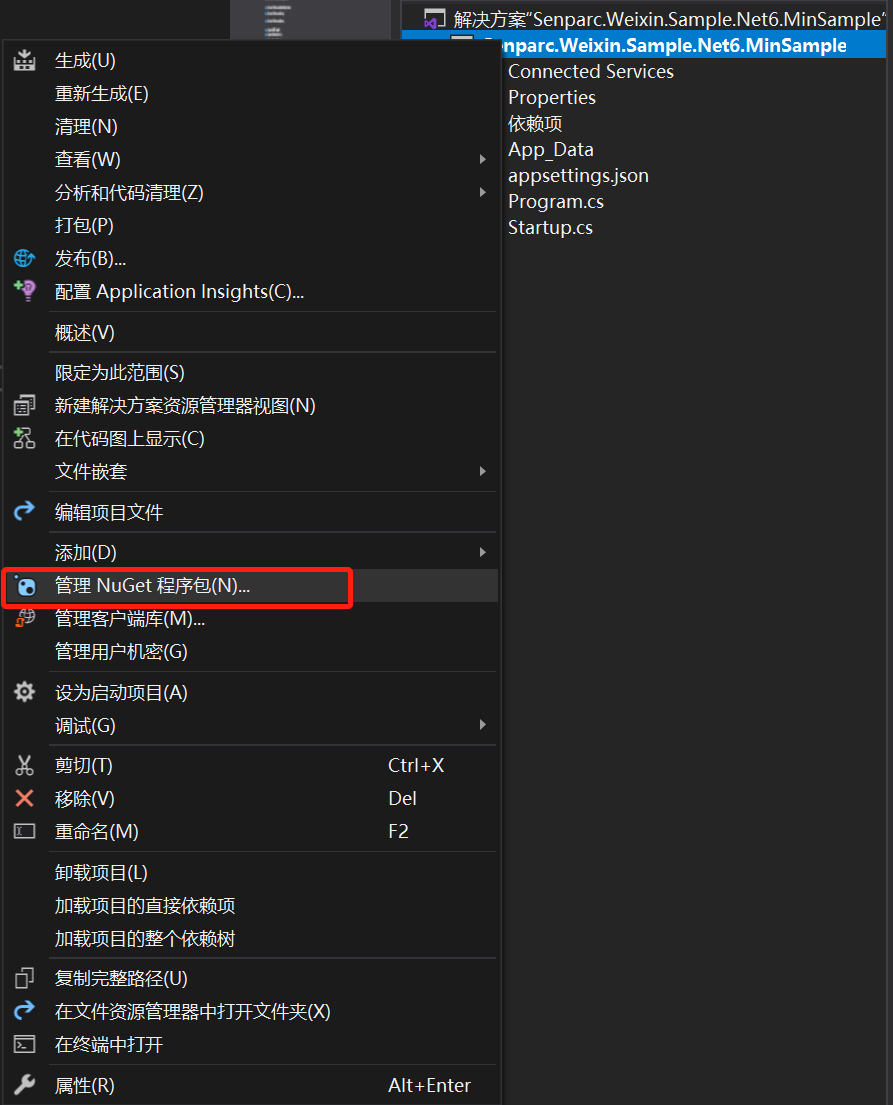
打开【管理 Nuget 工具包】窗口
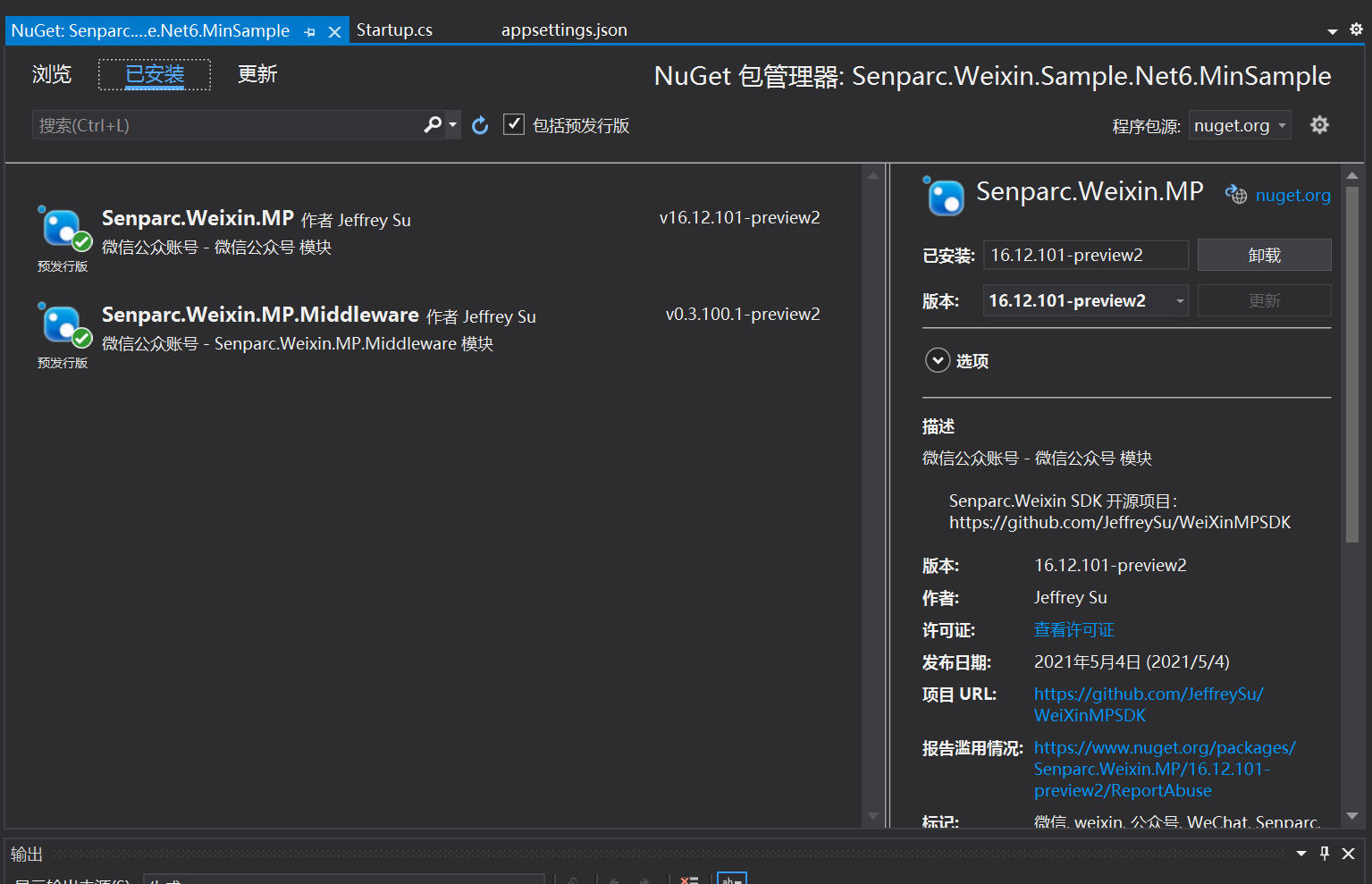
安装 Senparc.Weixin.MP(本案例中可选)、Senparc.Weixin.MP.Middleware(本案例中必须)
默认的 startup.cs 文件,稍作修改,加入更多的依赖注入参数:

 1     public class Startup
 2     {
 3         public Startup(IConfiguration configuration)
 4         {
 5             Configuration = configuration;
 6         }
 7
 8         public IConfiguration Configuration { get; }
 9
10         public void ConfigureServices(IServiceCollection services)
11         {
12         }
13
14         public void Configure(IApplicationBuilder app, IWebHostEnvironment env,
15                 IOptions<SenparcSetting> senparcSetting, IOptions<SenparcWeixinSetting> senparcWeixinSetting)
16         {
17             if (env.IsDevelopment())
18             {
19                 app.UseDeveloperExceptionPage();
20             }
21
22             app.UseRouting();
23
24             app.UseEndpoints(endpoints =>
25             {
26                 endpoints.MapGet("/", async context =>
27                 {
28                     await context.Response.WriteAsync("Hello Senparc!");
29                 });
30             });
31         }
32     }
上述标红的代码为新增的代码。
至此项目创建完成,下面将开始我们的极简 Sample 创建之旅。
第二步:创建 CustomMessageHandler 类(1个类)
CustomMessageHandler 是处理用户发送到微信公众号的消息的统一事务中心,为了方便查看,CustomMessageHandler 直接添加在 startup.cs 中:
    /// <summary>
    /// 自定义消息处理器
    /// </summary>
    public class CustomMessageHandler : MessageHandler<DefaultMpMessageContext>
    {
        public CustomMessageHandler(Stream inputStream, PostModel postModel, int maxRecordCount = 0, IServiceProvider serviceProvider = null)
            : base(inputStream, postModel, maxRecordCount, false, null, serviceProvider)
        {
        }
    }
第三步:配置回复消息并调用高级接口(2个方法)
在 CustomMessageHandler 内添加2个方法,分别处理用户发送过来的文字消息,以及还没有进行自定义的其他消息类型:
 1         /// <summary>
 2         /// 回复以文字形式发送的信息(可选)
 3         /// </summary>
 4         public override async Task<IResponseMessageBase> OnTextOrEventRequestAsync(RequestMessageText requestMessage)
 5         {
 6             var responseMessage = base.CreateResponseMessage<ResponseMessageText>();
 7             await MP.AdvancedAPIs.CustomApi.SendTextAsync(Config.SenparcWeixinSetting.MpSetting.WeixinAppId, OpenId, $"这是一条异步的客服消息");//注意:只有测试号或部署到正式环境的正式服务号可用此接口
 8             responseMessage.Content = $"你发送了文字:{requestMessage.Content}\r\n\r\n你的OpenId:{OpenId}";//以文字类型消息回复
 9             return responseMessage;
10         }
11
12         /// <summary>
13         /// 默认消息
14         /// </summary>
15         public override IResponseMessageBase DefaultResponseMessage(IRequestMessageBase requestMessage)
16         {
17             var responseMessage = base.CreateResponseMessage<ResponseMessageText>();
18             responseMessage.Content = $"欢迎来到我的公众号!当前时间:{SystemTime.Now}";//没有自定义的消息统一回复固定消息
19             return responseMessage;
20         }
第四步:添加注册和配置代码(3句代码)
说明:3 句代码都只需要在 Startup.cs 中加入,因此整个过程不需要动用或者新建任何其他文件。
第 1 句:注册缓存和 Senparc 微信服务:
        public void ConfigureServices(IServiceCollection services)
        {
            services.AddMemoryCache()//使用本地缓存必须添加
                    .AddSenparcWeixinServices(Configuration);//Senparc.Weixin 注册(必须)
        }
第 2 句:注册 Senparc.Weixin 及基础库;
第 3 句:使用消息中间件注册 CustomMessageHandler:
 1         public void Configure(IApplicationBuilder app, IWebHostEnvironment env,
 2                 IOptions<SenparcSetting> senparcSetting, IOptions<SenparcWeixinSetting> senparcWeixinSetting)
 3         {
 4             if (env.IsDevelopment())
 5             {
 6                 app.UseDeveloperExceptionPage();
 7             }
 8
 9             //注册 Senparc.Weixin 及基础库
10             var registerService = app.UseSenparcGlobal(env, senparcSetting.Value, _ => { }, true)
11                                      .UseSenparcWeixin(senparcWeixinSetting.Value, weixinRegister => weixinRegister.RegisterMpAccount(senparcWeixinSetting.Value));
12
13             app.UseRouting();
14
15             //使用中间件注册 MessageHandler,指定 CustomMessageHandler 为自定义处理方法
16             app.UseMessageHandlerForMp("/WeixinAsync",
17                 (stream, postModel, maxRecordCount, serviceProvider) => new CustomMessageHandler(stream, postModel, maxRecordCount, serviceProvider),
18                 options =>
19                 {
20                     options.AccountSettingFunc = context => senparcWeixinSetting.Value;
21                 });
22
23             app.UseEndpoints(endpoints =>
24             {
25                 endpoints.MapGet("/", async context =>
26                 {
27                     await context.Response.WriteAsync("Open /WeixinAsync to connect WeChat MessageHandler");//首页默认显示
28                 });
29             });
30         }
其中,/WeixinAsync 是可以自定义的消息 URL 路径。
第五步:配对微信账号信息
微信公众号的配置都可以统一在 appsettings.json 中配置,只需要添加 2 个节点信息,修改如下:
{
  "Logging": {
    "LogLevel": {
      "Default": "Information",
      "Microsoft": "Warning",
      "Microsoft.Hosting.Lifetime": "Information"
    }
  },
  "AllowedHosts": "*",

  //CO2NET 设置
  "SenparcSetting": {
    "IsDebug": true,
    "DefaultCacheNamespace": "DefaultCache"
  },
  //Senparc.Weixin SDK 设置
  "SenparcWeixinSetting": {
    "IsDebug": true,

    "Token": "YourToken",
    "EncodingAESKey": "EncodingAESKey",
    "WeixinAppId": "YourAppId",
    "WeixinAppSecret": "YourAppSecret"
  }
}
完成。
运行
直接运行当前项目,即可打开首页:
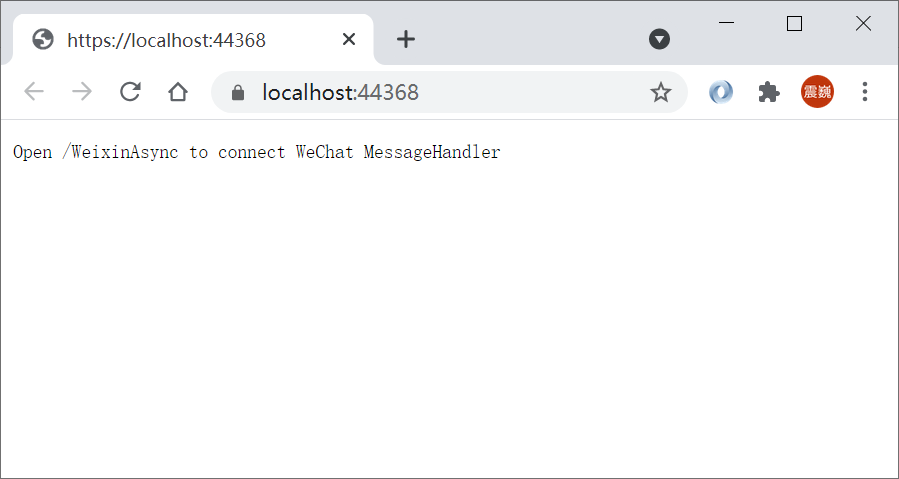
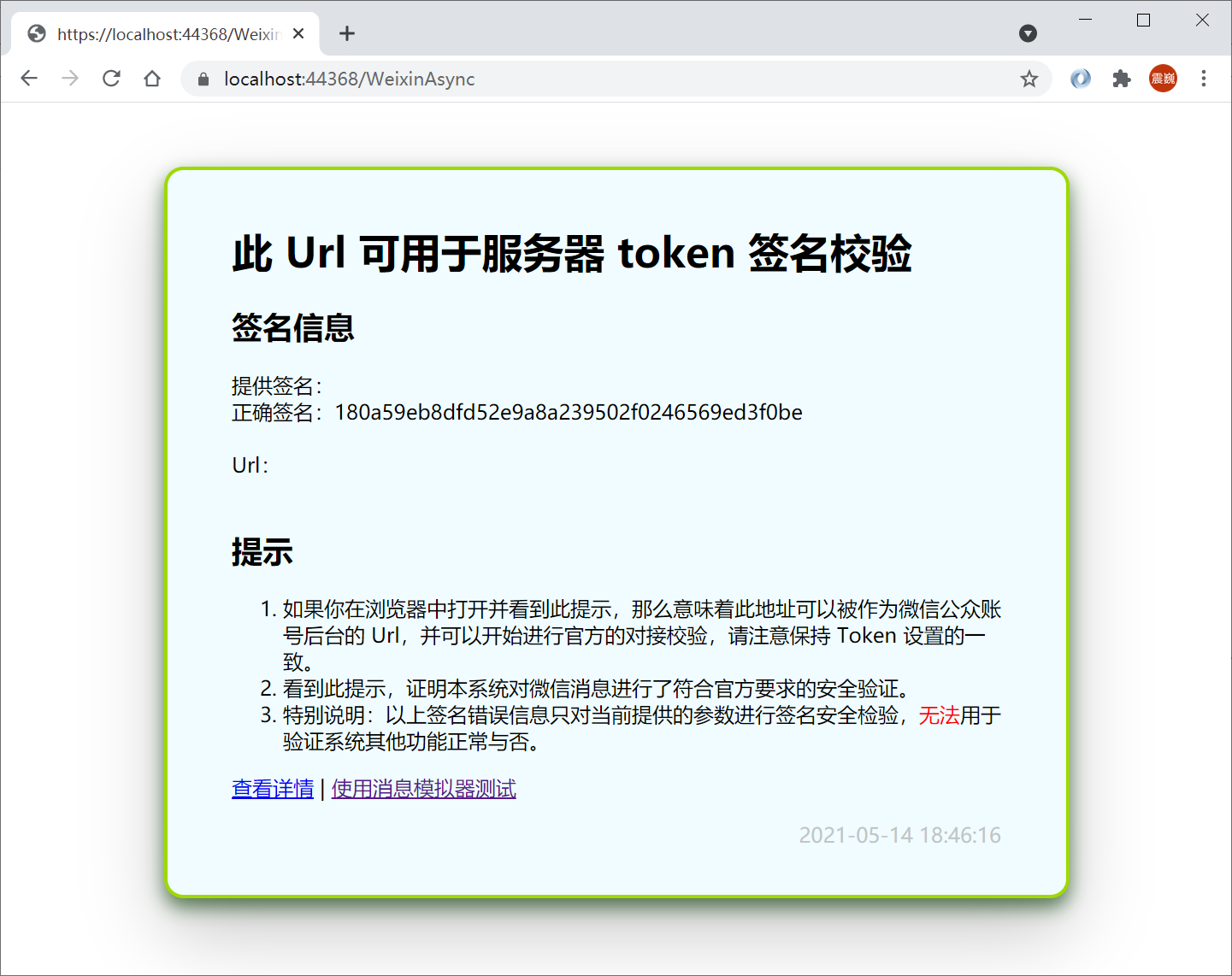
按照提示,打开 路径 /WeixinAsync,即可看到测试成功信息:
测试
将程序部署至公网(或在本地进行简单的配置*)后,在公众号后台配置 URL、Token等信息,即可轻松获得所有验证、消息对接的能力。当我们发送消息时,如下所示:





 扫一扫
扫一扫


 被折叠的 条评论
为什么被折叠?
被折叠的 条评论
为什么被折叠?
 到【灌水乐园】发言





