


 本文指导如何在Maven下载失败时,通过外部下载jar包并配置本地仓库,修复pentaho-aggdesigner-algorithm-5.1.5-jhyde.jar问题。包括查找本地路径、复制文件、修改_maven.repositories文件及pom.xml配置。
Maven Could not find 。。。。 其实就是Maven没有下载对应的jar包。
以我碰到的问题为例:
Could not find artifact org.pentaho:pentaho-aggdesigner-algorithm:pom:5.1.5-jhyde
其实就是pentaho-aggdesigner-algorithm-5.1.5-jhyde.jar jar包在配置的镜像库里没有,所以下载不了这个jar包。
处理办法。
1、可以通过其他渠道去下载pentaho-aggdesigner-algorithm-5.1.5-jhyde.jar 包
然后将文件拷贝到maven下载jar保存放得路径
可以如下图查找配置路径: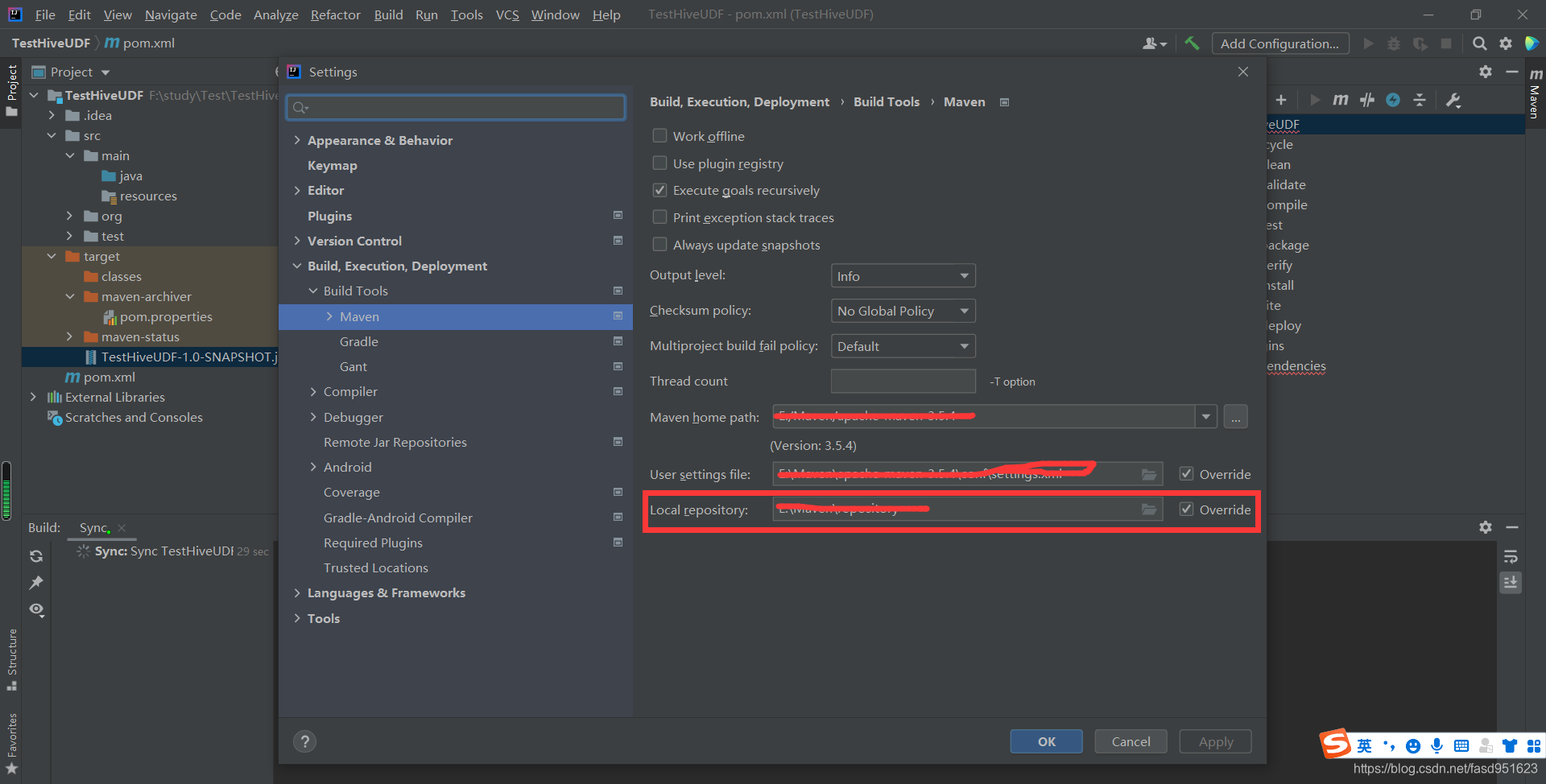
然后根据报错提示的包每一个点分隔一个文件夹
如org.pentaho:pentaho-aggdesigner-algorithm 就是/org/pentaho/pentaho-aggdesigner-algorithm/
2、将jar包放到该路径下之后 在从别的已经下载好的jar包里拷贝
_remote.repositories
pentaho-aggdesigner-algorithm-5.1.5-jhyde.jar.sha1
pentaho-aggdesigner-algorithm-5.1.5-jhyde.pom
pentaho-aggdesigner-algorithm-5.1.5-jhyde.pom.lastUpdated
pentaho-aggdesigner-algorithm-5.1.5-jhyde.pom.sha1
四个文件,文件按照自己的jar包命名。我都已经重新命名过的。
3、再将_remote.repositories
#NOTE: This is a Maven Resolver internal implementation file, its format can be changed without prior notice.
#Tue Jun 08 15:17:45 CST 2021
pentaho-aggdesigner-algorithm-5.1.5-jhyde.pom>central=
pentaho-aggdesigner-algorithm-5.1.5-jhyde.jar>central=
中拷贝过来的jar包改成自己的
4、配置pom文件
如果不知道怎么配置该依赖可以在
https://mvnrepository.com/artifact/org.pentaho/pentaho-aggdesigner-algorithm/5.1.5-jhyde
里搜索jar包名称根据版本找到配置信息
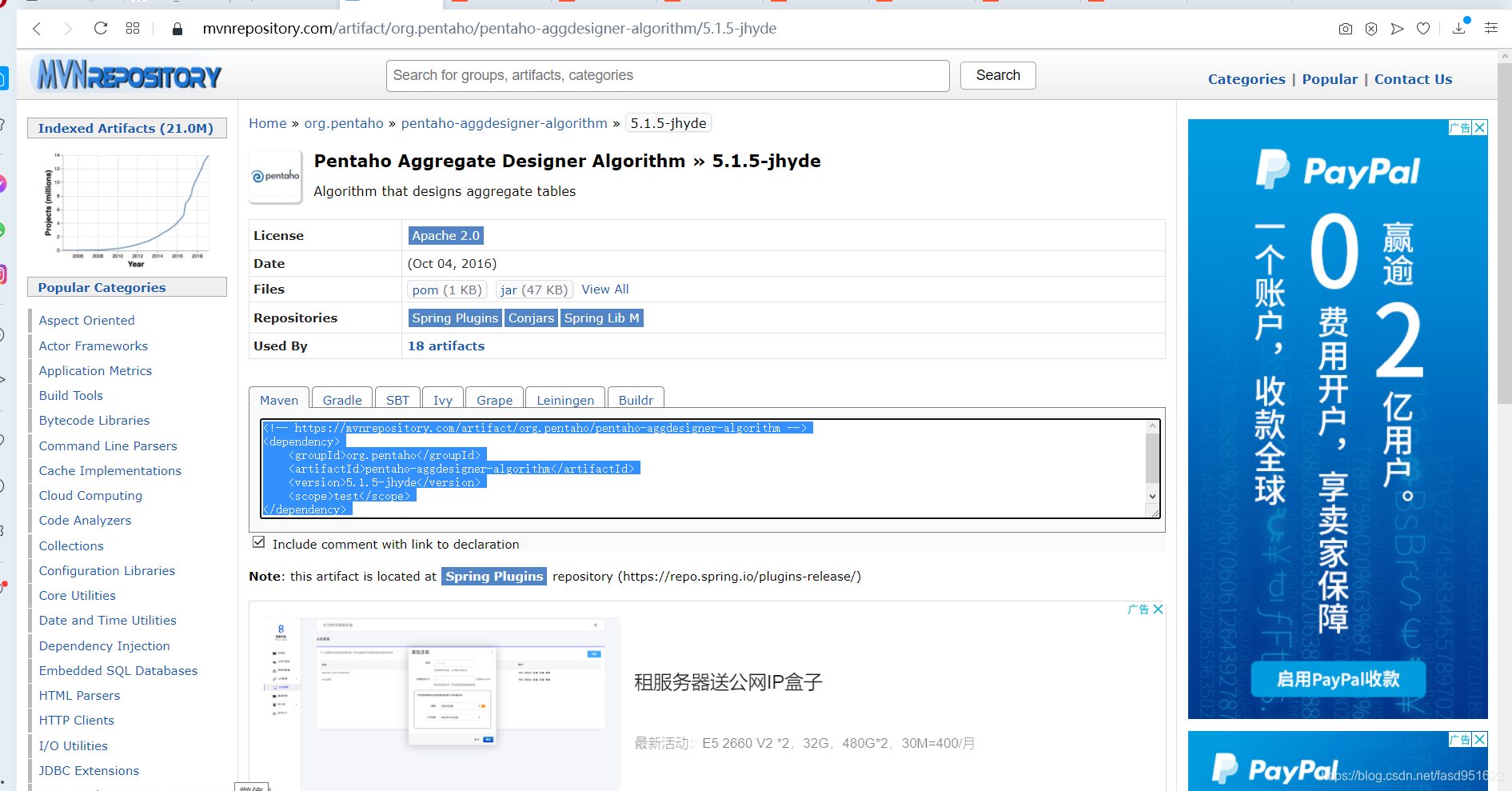
重新刷新maven就可以了。





 扫一扫
扫一扫


 7661
7661

 被折叠的 条评论
为什么被折叠?
被折叠的 条评论
为什么被折叠?
 到【灌水乐园】发言





