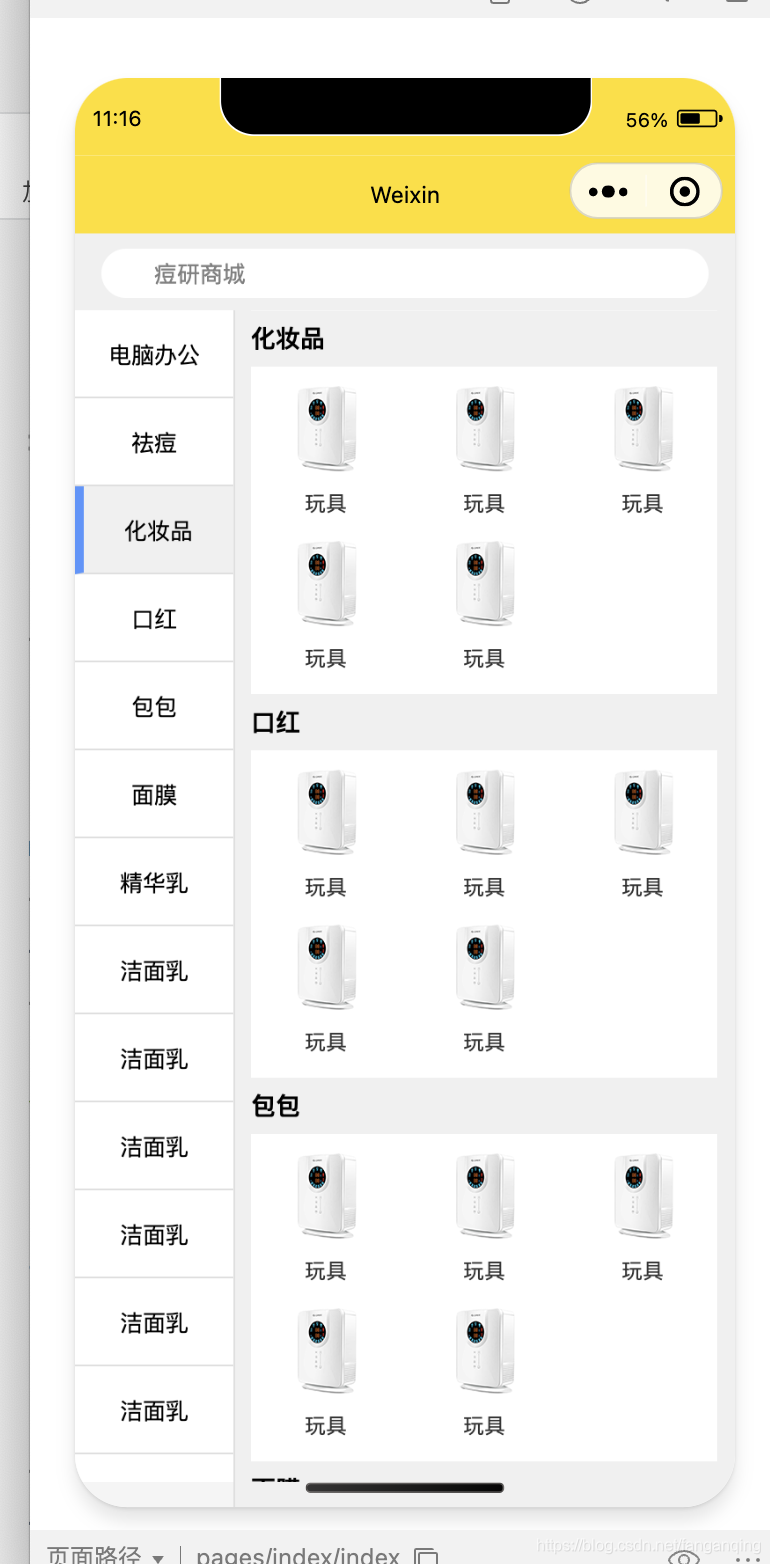
wxml代码
<view class="search">
<input class="search-box" placeholder='痘研商城' bindtap='goodsName'></input>
<image src="{
{staticImg}}index/iconSearch.png" class='question-mark'></image>
</view>
<view class='tui-fixed-left'>
<scroll-view class='tui-city-scroll' scroll-x="true" scroll-y="true" style='height:92%;' scroll-with-animation="true"
scroll-top="{
{leftMenuTop}}">
<text class="menu-item {
{index === currentActiveIndex ? 'menu-active' : ''}}" wx:for="{
{navList}}" wx:key="unique"
data-index="{
{index}}" id='{
{index}}' catchtap='changeMenu'>{
{item.c_name}}</text>
</scroll-view>
</view>
<view class='content'>
<scroll-view class='tui-city-scroll-y' scroll-y="true" style='height:92%;' scroll-with-animation="true"
scroll-top="{
{rightProTop}}" bindscroll="scroll">
<view class='pro-item' wx:for="{
{navList}}" wx:key="unique">
<view class='tui-list-head' id='NAV{
{index}}'>{
{item.c_name}}</view>
<view class='tui-list-li'>
<view class='goods-box' wx:for-item='items' wx:for="{
{item.list}}" wx:key="unique">
<image class='goodsImg' src='{
{items.url}}'></image>
<view class='goodsName'>{
{items.goodsName}}</view>
</view>
</view>
</view>
</scroll-view>
</view>
js代码
var app = getApp();
let proListToTop = [],
menuToTop = [],
MENU = 0,
windowHeight, timeoutId;
Page({
data: {
staticImg: app.globalData.staticImg,
currentActiveIndex: 0,
navList: [{
c_id: "01",
c_name: '电脑办公',
list: [{
id: 1,
url: 'https://resource.yirenheju.cn/wechat/index/err.png',
goodsName: '玩具',
},
{
id: 2,
url: 'https://resource.yirenheju.cn/wechat/index/err.png',
goodsName: '玩具',
},
{
id: 3,
url: 'https://resource.yirenheju.cn/wechat/index/err.png',
goodsName: '玩具',
},
{
id: 4,
url: 'https://resource.yirenheju.cn/wechat/index/err.png',
goodsName: '玩具',
},
{
id: 5,
url: 'https://resource.yirenheju.cn/wechat/index/err.png',
goodsName: '玩具',
},
]
},
{
c_id: "02",
c_name: '祛痘',
list: [{
id: 1,
url: 'https://resource.yirenheju.cn/wechat/index/err.png',
goodsName: '玩具',
},
{
id: 2,
url: 'https://resource.yirenheju.cn/wechat/index/err.png',
goodsName: '玩具',
},
{
id: 3,
url: 'https://resource.yirenheju.cn/wechat/index/err.png',
goodsName: '玩具',
},
{
id: 4,
url: 'https://resource.yirenheju.cn/wechat/index/err.png',
goodsName: '玩具',
},
{
id: 5,
url: 'https://resource.yirenheju.cn/wechat/index/err.png',
goodsName: '玩具',
},
]
},
{
c_id: "02",
c_name: '化妆品',
list: <



 这是一个关于微信小程序的代码实现,展示了如何创建一个包含搜索框、左侧导航和右侧滚动商品展示的布局。左侧导航是横向滚动的类别列表,右侧则是根据选择的类别显示对应商品的垂直滚动列表。当点击左侧导航时,会更新右侧商品列表并设置相应的激活状态。同时,代码中包含了数据初始化、滚动监听和动画效果的处理。
 最低0.47元/天 解锁文章






 扫一扫
扫一扫


 723
723

 被折叠的 条评论
为什么被折叠?
被折叠的 条评论
为什么被折叠?
 到【灌水乐园】发言





