



 本文详细介绍Redis在CentOS7下的安装与初始化过程,包括如何连接Redis,设置远程连接及密码,以及通过Spring Boot实现应用集成的方法。文章还提供了Maven依赖配置与基本的数据操作示例。
redis-cli命令
- 连接默认的6379 redis-cli
- 连接其他的 redis-cli -h [ip] -p [port] -a [password]
centos7下安装与初始化
- yum install redis
- service redis start 启动redis
- systemctl enable redis 设置为开机自启动
- 设置redis 远程连接和密码
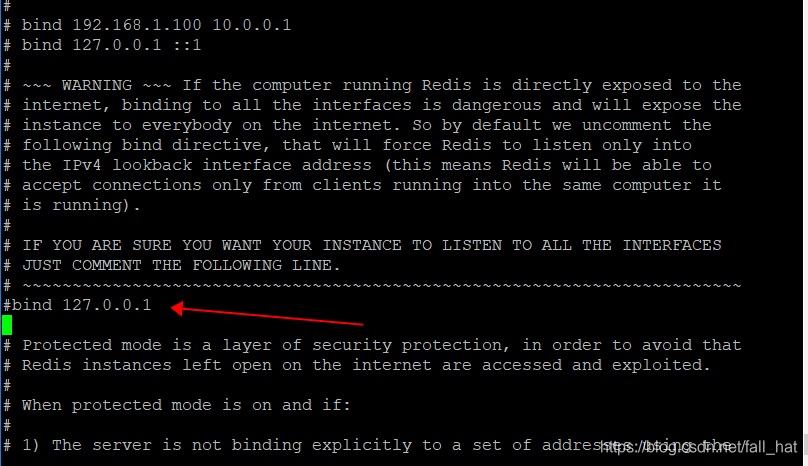
- 将下面的绑定注释掉
#bind 127.0.0.1
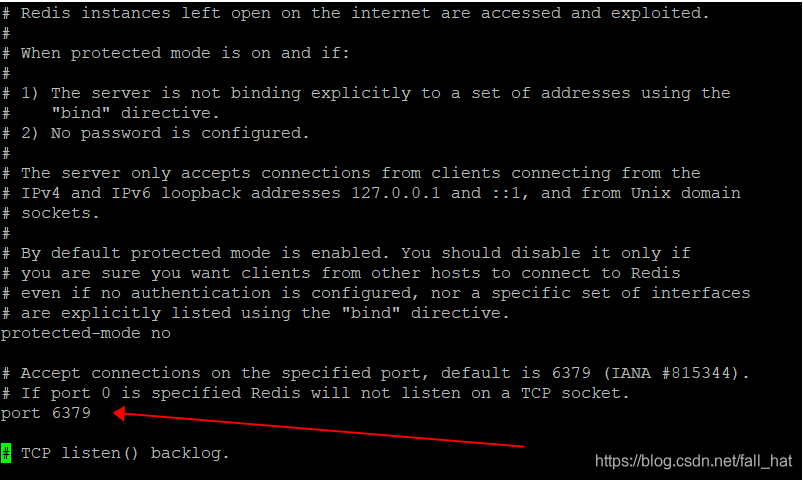
- 保护模式修改为no
protected-mode no
- 重启redis service redis restart
springboot使用
maven依赖
		<dependency>
            <groupId>org.springframework.boot</groupId>
            <artifactId>spring-boot-starter-data-redis</artifactId>
        </dependency>
配置
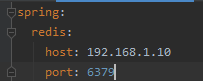
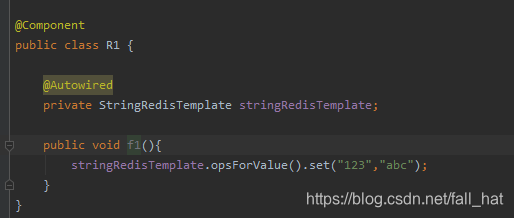
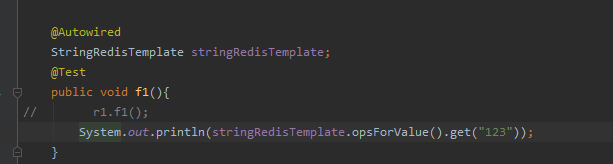
使用
- 插入
- 读取





 扫一扫
扫一扫


 4749
4749

 被折叠的 条评论
为什么被折叠?
被折叠的 条评论
为什么被折叠?
 到【灌水乐园】发言





