


 本文详细介绍了如何在IIS环境下,通过编辑web.config文件中的rewrite规则来实现URL重定向,具体步骤包括添加匹配、条件设置及动作指定,适用于需要优化网站URL结构的开发者。
首先确认是的运行环境是否 iis,然后查看空间根目录下是否有 web.config文件,在文件里新增代码即可,如图: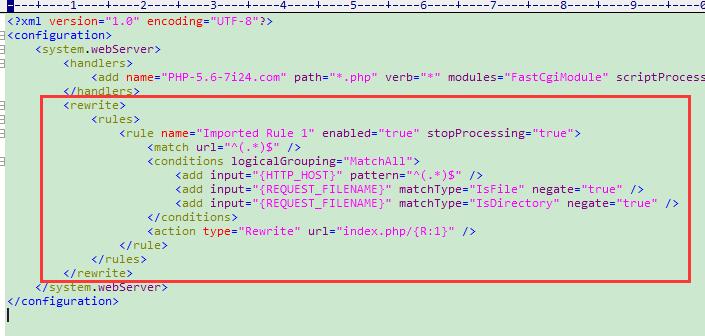
<rewrite>
<rules>
<rule name="Imported Rule 1" enabled="true" stopProcessing="true">
<match url="^(.*)$" />
<conditions logicalGrouping="MatchAll">
<add input="{HTTP_HOST}" pattern="^(.*)$" />
<add input="{REQUEST_FILENAME}" matchType="IsFile" negate="true" />
<add input="{REQUEST_FILENAME}" matchType="IsDirectory" negate="true" />
</conditions>
<action type="Rewrite" url="index.php/{R:1}" />
</rule>
</rules>
</rewrite>





 扫一扫
扫一扫


 700
700

 被折叠的 条评论
为什么被折叠?
被折叠的 条评论
为什么被折叠?
 到【灌水乐园】发言





