


 博客介绍了修改配置文件的操作,若文件不存在则需创建。还给出官方推荐,可选择一种路径存放配置文件,程序会按顺序查找,详情可查看官网说明。
效果图:
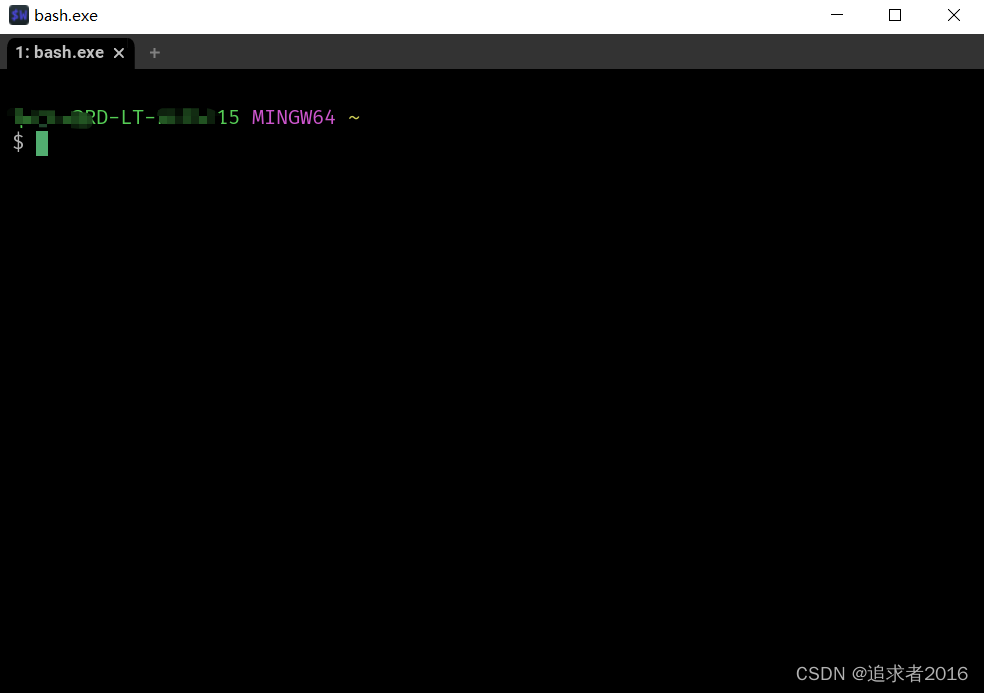
修改配置文件(如果没有则,创建配置文件)$HOME/.config/wezterm/wezterm.lua
官方推荐提示:
The recommendation is to place your configuration file at$HOME/.wezterm.lua(%HOME%/.wezterm.luaon Windows) to get started.
选择其中一种路径存放配置文件即可,程序会按顺去去找配置文件的,详情看官网说明。
-- Pull in the wezterm API
local wezterm = require 'wezterm'

-- This table will hold the configuration.
local config = {}

-- In newer versions of wezterm, use the config_builder which will
-- help provide clearer error messages
if wezterm.config_builder then
  config = wezterm.config_builder()
end

-- This is where you actually apply your config choices
config.font = wezterm.font('FiraCode Nerd Font')
-- You can specify some parameters to influence the font selection;
-- for example, this selects a Bold, Italic font variant.
-- config.font = wezterm.font('JetBrains Mono', { weight = 'Bold', italic = true })

-- Change the default shell when open
config.set_environment_variables = {
  -- default launching program
  -- COMSPEC = 'C:\\Windows\\System32\\WindowsPowerShell\\v1.0\\powershell.exe',
  -- COMSPEC = 'C:\\Program Files\\nu\\bin\\nu.exe',
  COMSPEC = 'D:\\Apps\\Git\\bin\\bash.exe'
}


-- For example, changing the color scheme:
-- config.color_scheme = 'Github Dark'

-- and finally, return the configuration to wezterm
return config





 扫一扫
扫一扫


 3104
3104

 被折叠的 条评论
为什么被折叠?
被折叠的 条评论
为什么被折叠?
 到【灌水乐园】发言





