


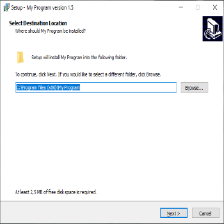
将下面的内容复制保存为ChineseTraditional.isl文件名放入Inno Setup安装目录
; *** Inno Setup version 6.0.0+ Chinese Traditional messages ***
;
; Name: John Wu, mr.johnwu@gmail.com
; Base on 5.5.3+ translations by Samuel Lee, Email: 751555749@qq.com
; Translation based on network resource
;

[LangOptions]
; The following three entries are very important. Be sure to read and
; understand the '[LangOptions] section' topic in the help file.
; If Language Name display incorrect, uncomment next line
LanguageName=<7e41><9ad4><4e2d><6587>
LanguageID=$0404
LanguageCodepage=950
; If the language you are translating to requires special font faces or
; sizes, uncomment any of the following entries and change them accordingly.
DialogFontName=新細明體
DialogFontSize=9
TitleFontName=Arial
TitleFontSize=28
WelcomeFontName=新細明體
WelcomeFontSize=12
CopyrightFontName=新細明體
CopyrightFontSize=9

[Messages]

; *** Application titles
SetupAppTitle=安裝程式
SetupWindowTitle=%1 安裝程式
UninstallAppTitle=解除安裝
UninstallAppFullTitle=解除安裝 %1

; *** Misc. common
InformationTitle=訊息
ConfirmTitle=確認
ErrorTitle=錯誤

; *** SetupLdr messages
SetupLdrStartupMessage=這將會安裝 %1。您想要繼續嗎?
LdrCannotCreateTemp=無法建立暫存檔案。安裝程式將會結束。
LdrCannotExecTemp=無法執行暫存檔案。安裝程式將會結束。
HelpTextNote=

; *** Startup error messages
LastErrorMessage=%1%n%n錯誤 %2: %3
SetupFileMissing=安裝資料夾中遺失檔案 %1。請修正此問題或重新取得此軟體。
SetupFileCorrupt=安裝檔案已經損毀。請重新取得此軟體。
SetupFileCorruptOrWrongVer=安裝檔案已經損毀,或與安裝程式的版本不符。請重新取得此軟體。
InvalidParameter=某個無效的變量已被傳遞到了命令列:%n%n%1
SetupAlreadyRunning=安裝程式已經在執行。
WindowsVersionNotSupported=本安裝程式並不支援目前在電腦所運行的 Windows 版本。
WindowsServicePackRequired=本安裝程式需要 %1 Service Pack %2 或更新。
NotOnThisPlatform=這個程式無法在 %1 執行。
OnlyOnThisPlatform=這個程式必須在 %1 執行。
OnlyOnTheseArchitectures=這個程式只能在專門為以下處理器架構而設計的 Windows 上安裝:%n%n%1
WinVersionTooLowError=這個程式必須在 %1 版本 %2 或以上的系統執行。
WinVersionTooHighError=這個程式無法安裝在 %1 版本 %2 或以上的系統。
AdminPrivilegesRequired=您必須登入成系統管理員以安裝這個程式。
PowerUserPrivilegesRequired=您必須登入成具有系統管理員或 Power User 權限的使用者以安裝這個程式。
SetupAppRunningError=安裝程式偵測到 %1 正在執行。%n%n請關閉該程式後按 [確定] 繼續,或按 [取消] 離開。
UninstallAppRunningError=解除安裝程式偵測到 %1 正在執行。%n%n請關閉該程式後按 [確定] 繼續,或按 [取消] 離開。

; *** Startup questions
PrivilegesRequiredOverrideTitle=選擇安裝程式安裝模式
PrivilegesRequiredOverrideInstruction=選擇安裝模式
PrivilegesRequiredOverrideText1=可以為所有使用者安裝 %1 (需要系統管理權限),或是僅為您安裝。
PrivilegesRequiredOverrideText2=可以僅為您安裝 %1,或是為所有使用者安裝 (需要系統管理權限)。
PrivilegesRequiredOverrideAllUsers=為所有使用者安裝 (&A)
PrivilegesRequiredOverrideAllUsersRecommended=為所有使用者安裝 (建議選項) (&A)
PrivilegesRequiredOverrideCurrentUser=僅為我安裝 (&M)
PrivilegesRequiredOverrideCurrentUserRecommended=僅為我安裝 (建議選項) (&M)

; *** Misc. errors
ErrorCreatingDir=安裝程式無法建立資料夾“%1”。
ErrorTooManyFilesInDir=無法在資料夾“%1”內建立檔案,因為資料夾內有太多的檔案。

; *** Setup common messages
ExitSetupTitle=結束安裝程式
ExitSetupMessage=安裝尚未完成。如果您現在結束安裝程式,這個程式將不會被安裝。%n%n您可以稍後再執行安裝程式以完成安裝程序。您現在要結束安裝程式嗎?
AboutSetupMenuItem=關於安裝程式(&A)...
AboutSetupTitle=關於安裝程式
AboutSetupMessage=%1 版本 %2%n%3%n%n%1 網址:%n%4
AboutSetupNote=
TranslatorNote=

; *** Buttons
ButtonBack=< 上一步(&B)
ButtonInstall=安裝(&I)
ButtonNext=下一步(&N)  >
ButtonOK=確定
ButtonCancel=取消
ButtonYes=是(&Y)
ButtonYesToAll=全部皆是(&A)
ButtonNo=否(&N)
ButtonNoToAll=全部皆否(&O)
ButtonFinish=完成(&F)
ButtonBrowse=瀏覽(&B)...
ButtonWizardBrowse=瀏覽(&R)...
ButtonNewFolder=建立新資料夾(&M)

; *** "Select Language" dialog messages
SelectLanguageTitle=選擇安裝語言
SelectLanguageLabel=選擇在安裝過程中使用的語言:

; *** Common wizard text
ClickNext=按 [下一步] 繼續安裝,或按 [取消] 結束安裝程式。
BeveledLabel=
BrowseDialogTitle=瀏覽資料夾
BrowseDialogLabel=在下面的資料夾列表中選擇一個資料夾,然後按 [確定]。
NewFolderName=新資料夾

; *** "Welcome" wizard page
WelcomeLabel1=歡迎使用 [name] 安裝程式
WelcomeLabel2=這個安裝程式將會安裝 [name/ver] 到您的電腦。%n%n我們強烈建議您在安裝過程中關閉其它的應用程式,以避免與安裝程式發生沖突。

; *** "Password" wizard page
WizardPassword=密碼
PasswordLabel1=這個安裝程式具有密碼保護。
PasswordLabel3=請輸入密碼,然後按 [下一步] 繼續。密碼是區分大小寫的。
PasswordEditLabel=密碼(&P):
IncorrectPassword=您輸入的密碼不正確,請重新輸入。

; *** "License Agreement" wizard page
WizardLicense=授權合約
LicenseLabel=請閱讀以下授權合約。
LicenseLabel3=請閱讀以下授權合約,您必須接受合約的各項條款才能繼續安裝。
LicenseAccepted=我同意(&A)
LicenseNotAccepted=我不同意(&D)

; *** "Information" wizard pages
WizardInfoBefore=訊息
InfoBeforeLabel=在繼續安裝之前請閱讀以下重要資訊。
InfoBeforeClickLabel=當您準備好繼續安裝,請按 [下一步]。
WizardInfoAfter=訊息
InfoAfterLabel=在繼續安裝之前請閱讀以下重要資訊。
InfoAfterClickLabel=當您準備好繼續安裝,請按 [下一步]。

; *** "User Information" wizard page
WizardUserInfo=使用者資訊
UserInfoDesc=請輸入您的資料。
UserInfoName=使用者名稱(&U):
UserInfoOrg=組織(&O):
UserInfoSerial=序號(&S):
UserInfoNameRequired=您必須輸入您的名稱。

; *** "Select Destination Location" wizard page
WizardSelectDir=選擇目的資料夾
SelectDirDesc=選擇安裝程式安裝 [name] 的位置。
SelectDirLabel3=安裝程式將會把 [name] 安裝到下面的資料夾。
SelectDirBrowseLabel=按 [下一步] 繼續,如果您想選擇另一個資料夾,請按 [瀏覽]。
DiskSpaceMBLabel=最少需要 [mb] MB 磁碟空間。
CannotInstallToNetworkDrive=安裝程式無法安裝於網絡磁碟機。
CannotInstallToUNCPath=安裝程式無法安裝於 UNC 路徑。
InvalidPath=您必須輸入完整的路徑名稱及磁碟機代碼。%n%n例如 C:\App 或 UNC 路徑格式 \\伺服器\共用資料夾。
InvalidDrive=您選取的磁碟機或 UNC 名稱不存在或無法存取,請選擇其他的目的地。
DiskSpaceWarningTitle=磁碟空間不足
DiskSpaceWarning=安裝程式需要至少 %1 KB 的磁碟空間,您所選取的磁碟只有 %2 KB 可用空間。%n%n您要繼續安裝嗎?
DirNameTooLong=資料夾名稱或路徑太長。
InvalidDirName=資料夾名稱不正確。
BadDirName32=資料夾名稱不得包含以下特殊字元:%n%n%1
DirExistsTitle=資料夾已經存在
DirExists=資料夾:%n%n%1%n%n 已經存在。仍要安裝到該資料夾嗎?
DirDoesntExistTitle=資料夾不存在
DirDoesntExist=資料夾:%n%n%1%n%n 不存在。要建立該資料夾嗎?

; *** "Select Components" wizard page
WizardSelectComponents=選擇元件
SelectComponentsDesc=選擇將會被安裝的元件。
SelectComponentsLabel2=選擇您想要安裝的元件;清除您不想安裝的元件。然後按 [下一步] 繼續安裝。
FullInstallation=完整安裝
; if possible don't translate 'Compact' as 'Minimal' (I mean 'Minimal' in your language)
CompactInstallation=最小安裝
CustomInstallation=自訂安裝
NoUninstallWarningTitle=元件已存在
NoUninstallWarning=安裝程式偵測到以下元件已經安裝在您的電腦上:%n%n%1%n%n取消選擇這些元件將不會移除它們。%n%n您仍然要繼續嗎?
ComponentSize1=%1 KB
ComponentSize2=%1 MB
ComponentsDiskSpaceMBLabel=目前的選擇需要至少 [mb] MB 磁碟空間。

; *** "Select Additional Tasks" wizard page
WizardSelectTasks=選擇附加的工作
SelectTasksDesc=選擇要執行的附加工作。
SelectTasksLabel2=選擇安裝程式在安裝 [name] 時要執行的附加工作,然後按 [下一步]。

; *** "Select Start Menu Folder" wizard page
WizardSelectProgramGroup=選擇「開始」功能表的資料夾
SelectStartMenuFolderDesc=選擇安裝程式建立程式的捷徑的位置。
SelectStartMenuFolderLabel3=安裝程式將會把程式的捷徑建立在下面的「開始」功能表資料夾。
SelectStartMenuFolderBrowseLabel=按 [下一步] 繼續,如果您想選擇另一個資料夾,請按 [瀏覽]。
MustEnterGroupName=您必須輸入一個資料夾的名稱。
GroupNameTooLong=資料夾名稱或路徑太長。
InvalidGroupName=資料夾名稱不正確。
BadGroupName=資料夾名稱不得包含下列字元:%n%n%1
NoProgramGroupCheck2=不要在「開始」功能表中建立資料夾(&D)

; *** "Ready to Install" wizard page
WizardReady=準備安裝
ReadyLabel1=安裝程式將開始安裝 [name] 到您的電腦中。
ReadyLabel2a=按下 [安裝] 繼續安裝,或按 [上一步] 重新檢視或設定各選項的內容。
ReadyLabel2b=按下 [安裝] 繼續安裝。
ReadyMemoUserInfo=使用者資訊
ReadyMemoDir=目的資料夾:
ReadyMemoType=安裝型態:
ReadyMemoComponents=選擇的元件:
ReadyMemoGroup=「開始」功能表資料夾:
ReadyMemoTasks=附加工作:

; *** "Preparing to Install" wizard page
WizardPreparing=準備安裝程式
PreparingDesc=安裝程式準備將 [name] 安裝到您的電腦上。
PreviousInstallNotCompleted=先前的安裝/ 解除安裝尚未完成,您必須重新啟動電腦以完成該安裝。%n%n在重新啟動電腦之後,請再執行這個程式來安裝 [name]。
CannotContinue=安裝程式無法繼續。請按 [取消] 離開。
ApplicationsFound=下面的應用程式正在使用安裝程式所需要更新的文檔。建議您允許安裝程式自動關閉這些應用程式。
ApplicationsFound2=下面的應用程式正在使用安裝程式所需要更新的文檔。建議您允許安裝程式自動關閉這些應用程式。當安裝過程結束後,本安裝程式將會嘗試重新開啟該應用程式。
CloseApplications=關閉應用程式(&A)
DontCloseApplications=不要關閉應用程式 (&D)
ErrorCloseApplications=安裝程式無法自動關閉所有應用程式。建議您在繼續前先關閉所有應用程式使用的檔案。

; *** "Installing" wizard page
WizardInstalling=正在安裝
InstallingLabel=請稍候,安裝程式正在將 [name] 安裝到您的電腦上

; *** "Setup Completed" wizard page
FinishedHeadingLabel=安裝完成
FinishedLabelNoIcons=安裝程式已經將 [name] 安裝在您的電腦上。
FinishedLabel=安裝程式已經將 [name] 安裝在您的電腦中,您可以選擇程式的圖示來執行該應用程式。
ClickFinish=按 [完成] 以結束安裝程式。
FinishedRestartLabel=要完成 [name] 的安裝,安裝程式必須重新啟動您的電腦。您想要現在重新啟動電腦嗎?
FinishedRestartMessage=要完成 [name] 的安裝,安裝程式必須重新啟動您的電腦。%n%n您想要現在重新啟動電腦嗎?
ShowReadmeCheck=是,我要閱讀讀我檔案。
YesRadio=是,立即重新啟動電腦(&Y)
NoRadio=否,我稍後重新啟動電腦(&N)
; used for example as 'Run MyProg.exe'
RunEntryExec=執行 %1
; used for example as 'View Readme.txt'
RunEntryShellExec=檢視 %1

; *** "Setup Needs the Next Disk"
ChangeDiskTitle=安裝程式需要下一張磁片
SelectDiskLabel2=請插入磁片 %1,然後按 [確定]。%n%n如果檔案不在以下所顯示的資料夾之中,請輸入正確的資料夾名稱或按 [瀏覽] 選取。
PathLabel=路徑(&P):
FileNotInDir2=檔案“%1”無法在“%2”找到。請插入正確的磁片或選擇其它的資料夾。
SelectDirectoryLabel=請指定下一張磁片的位置。

; *** Installation phase messages
SetupAborted=安裝沒有完成。%n%n請更正問題後重新安裝一次。
AbortRetryIgnoreSelectAction=選取動作
AbortRetryIgnoreRetry=請再試一次 (&T)
AbortRetryIgnoreIgnore=略過錯誤並繼續 (&I)
AbortRetryIgnoreCancel=取消安裝

; *** Installation status messages
StatusClosingApplications=正在關閉應用程式...
StatusCreateDirs=正在建立資料夾...
StatusExtractFiles=正在解壓縮檔案...
StatusCreateIcons=正在建立程式集圖示...
StatusCreateIniEntries=寫入 INI 檔案的項目...
StatusCreateRegistryEntries=正在更新系統登錄...
StatusRegisterFiles=正在登錄檔案...
StatusSavingUninstall=儲存解除安裝資訊...
StatusRunProgram=正在完成安裝...
StatusRestartingApplications=正在重新開啟應用程式...
StatusRollback=正在復原變更...

; *** Misc. errors
ErrorInternal2=內部錯誤: %1
ErrorFunctionFailedNoCode=%1 失敗
ErrorFunctionFailed=%1 失敗;代碼 %2
ErrorFunctionFailedWithMessage=%1 失敗;代碼 %2.%n%3
ErrorExecutingProgram=無法執行檔案:%n%1

; *** Registry errors
ErrorRegOpenKey=無法開啟登錄鍵:%n%1\%2
ErrorRegCreateKey=無法建立登錄項目:%n%1\%2
ErrorRegWriteKey=無法變更登錄項目:%n%1\%2

; *** INI errors
ErrorIniEntry=在檔案“%1”建立 INI 項目錯誤。

; *** File copying errors
FileAbortRetryIgnoreSkipNotRecommended=略過這個檔案 (不建議) (&S)
FileAbortRetryIgnoreIgnoreNotRecommended=略過錯誤並繼續 (不建議) (&I)
SourceDoesntExist=來源檔案“%1”不存在。
SourceIsCorrupted=來源檔案已經損毀。
ExistingFileReadOnly2=無法取代現有檔案,因為檔案已標示為唯讀。
ExistingFileReadOnlyRetry=移除唯讀屬性並重試 (&R)
ExistingFileReadOnlyKeepExisting=保留現有檔案 (&K)
ErrorReadingExistingDest=讀取一個已存在的檔案時發生錯誤:
FileExists=檔案已經存在。%n%n 要讓安裝程式加以覆寫嗎?
ExistingFileNewer=存在的檔案版本比較新,建議您保留目前已存在的檔案。%n%n您要保留目前已存在的檔案嗎?
ErrorChangingAttr=在變更檔案屬性時發生錯誤:
ErrorCreatingTemp=在目的資料夾中建立檔案時發生錯誤:
ErrorReadingSource=讀取原始檔案時發生錯誤:
ErrorCopying=復制檔案時發生錯誤:
ErrorReplacingExistingFile=取代檔案時發生錯誤:
ErrorRestartReplace=重新啟動電腦後取代檔案失敗:
ErrorRenamingTemp=在目的資料夾變更檔案名稱時發生錯誤:
ErrorRegisterServer=無法注冊 DLL/OCX 檔案: %1。
ErrorRegSvr32Failed=RegSvr32 失敗;退出代碼 %1
ErrorRegisterTypeLib=無法注冊類型庫: %1。

; *** Uninstall display name markings
; used for example as 'My Program (32-bit)'
UninstallDisplayNameMark=%1 (%2)
; used for example as 'My Program (32-bit, All users)'
UninstallDisplayNameMarks=%1 (%2, %3)
UninstallDisplayNameMark32Bit=32-bit
UninstallDisplayNameMark64Bit=64-bit
UninstallDisplayNameMarkAllUsers=所有使用者
UninstallDisplayNameMarkCurrentUser=目前使用者

; *** Post-installation errors
ErrorOpeningReadme=開啟讀我檔案時發生錯誤。
ErrorRestartingComputer=安裝程式無法重新啟動電腦,請以手動方式自行重新啟動電腦。

; *** Uninstaller messages
UninstallNotFound=檔案“%1”不存在,無法移除程式。
UninstallOpenError=無法開啟檔案“%1”,無法移除程式。
UninstallUnsupportedVer=這個版本的解除安裝程式無法辨識記錄檔 “%1” 之格式,無法解除安裝。
UninstallUnknownEntry=解除安裝記錄檔中發現未知的記錄 (%1)。
ConfirmUninstall=您確定要完全移除 %1 及其相關的檔案嗎?
UninstallOnlyOnWin64=這個程式只能在 64 位元的 Windows 上解除安裝。
OnlyAdminCanUninstall=這個程式要具備系統管理員權限的使用者方可解除安裝。
UninstallStatusLabel=正在從您的電腦移除 %1 中,請稍候...
UninstalledAll=%1 已經成功從您的電腦中移除。
UninstalledMost=%1 解除安裝完成。%n%n某些檔案及元件無法移除,您可以自行刪除這些檔案。
UninstalledAndNeedsRestart=要完成 %1 的解除安裝程序,您必須重新啟動電腦。%n%n您想要現在重新啟動電腦嗎?
UninstallDataCorrupted=檔案“%1”已經損毀,無法解除安裝。

; *** Uninstallation phase messages
ConfirmDeleteSharedFileTitle=移除共用檔案
ConfirmDeleteSharedFile2=系統顯示下列共用檔案已不再被任何程式所使用,您要移除這些檔案嗎?%n%n%1%n%n倘若您移除了以上檔案但仍有程式需要使用它們,將造成這些程式無法正常執行,因此您若無法確定請選擇 [否]。保留這些檔案在您的系統中不會造成任何損害。
SharedFileNameLabel=檔案名稱:
SharedFileLocationLabel=位置:
WizardUninstalling=解除安裝狀態
StatusUninstalling=正在解除安裝 %1...

; *** Shutdown block reasons
ShutdownBlockReasonInstallingApp=正在安裝 %1.
ShutdownBlockReasonUninstallingApp=正在解除安裝 %1.

; The custom messages below aren't used by Setup itself, but if you make
; use of them in your scripts, you'll want to translate them.

[CustomMessages]

NameAndVersion=%1 版本 %2
AdditionalIcons=附加圖示:
CreateDesktopIcon=建立桌面圖示(&D)
CreateQuickLaunchIcon=建立快速啟動圖示(&Q)
ProgramOnTheWeb=%1 的網站
UninstallProgram=解除安裝 %1
LaunchProgram=啟動 %1
AssocFileExtension=將 %1 與檔案副檔名 %2 產生關聯(&A)
AssocingFileExtension=正在將 %1 與檔案副檔名 %2 產生關聯...
AutoStartProgramGroupDescription=開啟:
AutoStartProgram=自動開啟 %1
AddonHostProgramNotFound=%1 無法在您所選的資料夾中找到。%n%n您是否還要繼續?
 652


 扫一扫


 被折叠的 条评论
为什么被折叠?
 到【灌水乐园】发言


