






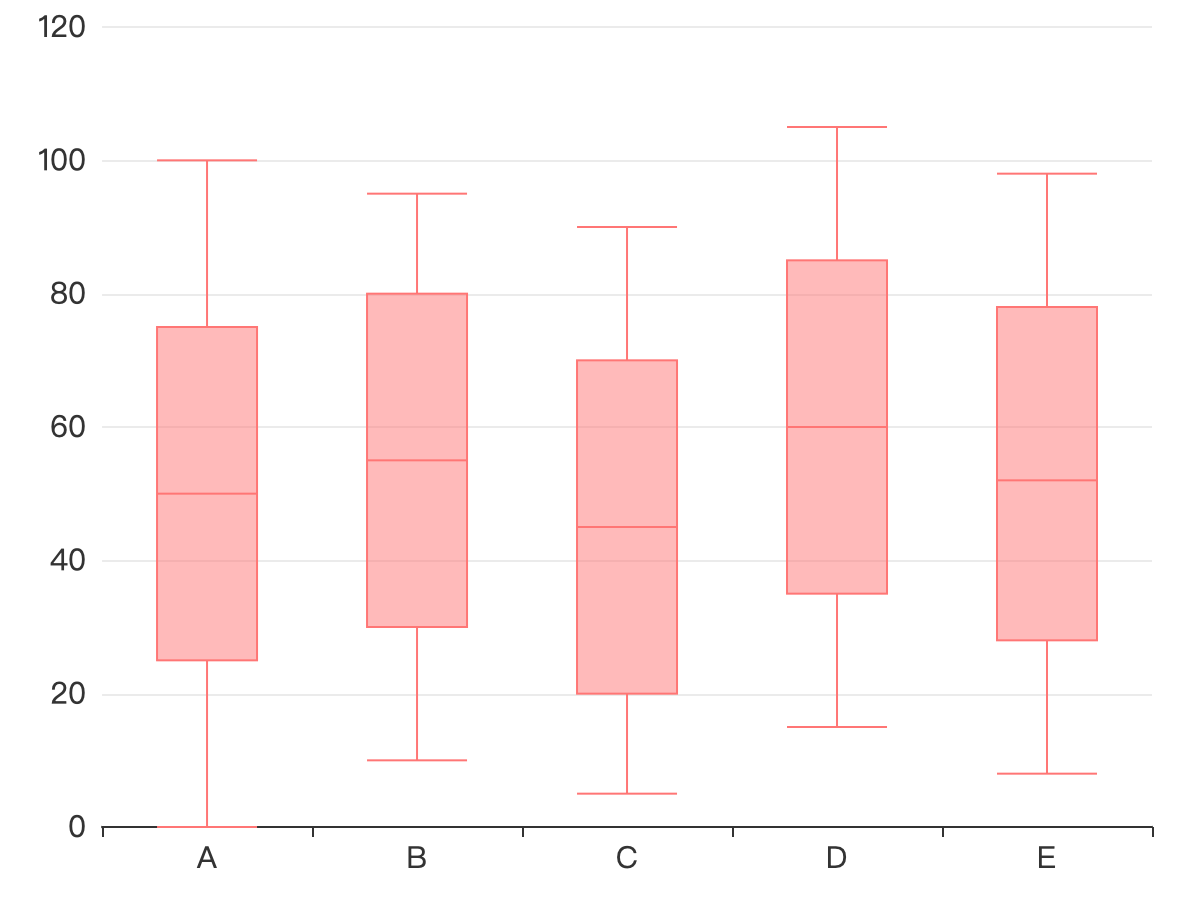
ChartStudio — a powerful data analysis and visualization tool — has added a new feature: the Box Plot. This feature helps users efficiently visualize data distribution, outliers, and central tendencies.
What is a Box Plot?
A Box Plot (also known as a Box-and-Whisker plot) is a statistical chart used to represent the distribution of data. It summarizes the data’s minimum value, maximum value, median, and quartiles. Box plots are particularly useful for identifying outliers in a dataset.
Key Features of a Box Plot
- Minimum and Maximum Values: The ends of the “whiskers” represent the range of the data, providing insights into the spread of the dataset.
- Median: The central line within the box represents the median of the data, highlighting the center point.
- Quartiles: The upper and lower bounds of the box represent the first and third quartiles, showing how the data is distributed.
- Outliers: Outliers are shown as individual points beyond the whiskers, which helps identify unusual data points that may need further investigation.
Why Use a Box Plot?
- Data Distribution Analysis: Box plots quickly reveal the distribution of the data, such as whether it’s symmetric or skewed, and can show if there are any outliers.
- Outlier Detection: Box plots make it easy to spot outliers (data points that differ significantly from the rest), which is useful for data cleaning and anomaly analysis.
- Comparing Multiple Datasets: By displaying multiple box plots side by side, users can easily compare the distribution of different datasets.
How to Use Box Plot in ChartStudio?
The new Box Plot feature in ChartStudio is incredibly easy to use. Simply import your dataset into the app, select Box Plot as your visualization option, and instantly generate the chart. Whether you’re visualizing a single dataset or comparing multiple datasets, ChartStudio makes it easy to produce Box Plots for effective data analysis.
Download ChartStudio and Try Out the New Feature
Want to experience powerful data visualization features? Download ChartStudio now and take advantage of the new Box Plot functionality and more!
Download ChartStudio: https://apps.apple.com/app/chartstudio-data-analysis/id6474099675
Conclusion
The addition of the Box Plot feature to ChartStudio gives users another powerful tool to analyze data distributions, detect outliers, and compare datasets. Whether you’re working in data science, business analysis, or academic research, Box Plots are an essential tool for visualizing and understanding your data.
Try ChartStudio’s new Box Plot feature now and make your data analysis even more effective!





 扫一扫
扫一扫


 被折叠的 条评论
为什么被折叠?
被折叠的 条评论
为什么被折叠?
 到【灌水乐园】发言





