



主要记录于5.18事件,砥砺前行,不忘初心。
App.vue
<template>
  <div id="app_content">
    <Debounce />
    <Throttle />
  </div>
</template>

<script>
import Debounce from './components/Debounce'
import Throttle from './components/Throttle'
export default {
  name: 'App',
  components: {Debounce, Throttle},
  data() {
    return {
    }
  },
  mounted() {
  }
}
</script>

<style>

</style>
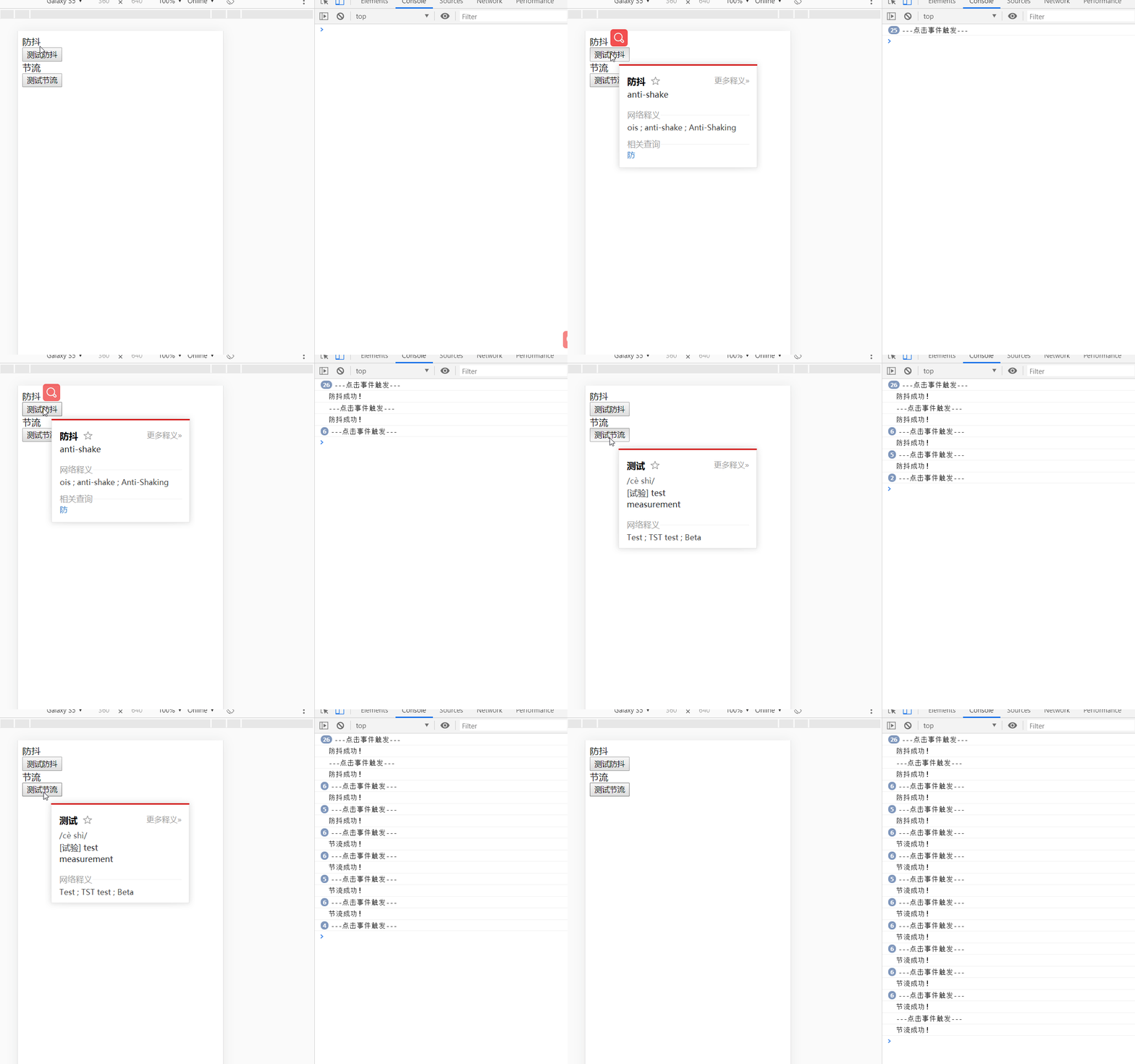
防抖(比如说我们一直点击按钮 只有不点击按钮之后1秒才会触发)
<template>
    <div>
       <div> 防抖 </div>
        <div>
            <button @click="testClick">测试防抖</button>
        </div>
    </div>
</template>

<script>
    export default {
        name: "Debounce",
        data() {
            return {
                timeOut: null
            }
        },
        mounted() {
        },
        methods: {
            // 比如说我们一直点击按钮  只有不点击按钮之后1秒才会触发

            // 防抖:任务频繁触发的情况下,只有任务触发的间隔超过指定间隔的时候,任务才会执行
            // 通俗来讲:所谓防抖,就是指触发事件后在 n 秒内函数只能执行一次,如果在 n 秒内又触发了事件,则会重新计算函数执行时间。

            testClick() {
                console.log("---点击事件触发---");
                this.debounce(this.sayDebounce)
            },
            debounce(fn) {
                if (this.timeOut) clearTimeout(this.timeOut);
                this.timeOut = setTimeout(() => {
                    fn()
                }, 1000);
            },
            // 防抖之后触发的函数
            sayDebounce() {
                console.log("防抖成功!");
            }
        }
    }
</script>

<style scoped>

</style>
节流 (比如说我们一直点击按钮 1秒之后会触发一次 然后1秒之后又会触发一次......)
<template>
    <div>
        <div> 节流 </div>
        <div>
            <button @click="testClick">测试节流</button>
        </div>
    </div>
</template>

<script>
    export default {
        name: "Throttle",
        data() {
            return {
                canRun: true
            }
        },
        methods: {
            // 比如说我们一直点击按钮  1秒之后会触发一次  然后1秒之后又会触发一次......

            // 节流:指定时间间隔内只会执行一次任务
            // 通俗来讲:所谓节流,就是指连续触发事件但是在 n 秒中只执行一次函数。 节流会稀释函数的执行频率。

            testClick() {
                console.log("---点击事件触发---");
                this.throttle(this.sayThrottle)
            },
            throttle(fn) {
                if(!this.canRun) return;
                this.canRun = false;
                setTimeout( () => {
                    fn();
                    this.canRun = true;
                }, 1000);
            },
            sayThrottle() {
                console.log("节流成功!")
            }
        }
    }
</script>

<style scoped>

</style>





 扫一扫
扫一扫


 被折叠的 条评论
为什么被折叠?
被折叠的 条评论
为什么被折叠?
 到【灌水乐园】发言





