





1、malloc和free
malloc的作用是动态分配内存用的。
具体看这个链接,讲的非常详细
需要核心注意的地方是:malloc函数有返回值,返回的值是一个指针,是指向你开辟的那块内存空间的最低地址,所以我们在使用malloc的时候必须定义某一个指针被它赋值。
int* p =(int*)malloc(5*sizeof(int));
当你想要释放掉这些内存的时候,你可以使用以下代码:
free(p);
这个函数没有返回值;
2、new和delete
new和malloc用法类似;
指针 = new 类型[] 或者 new 类型()
int* lpInt = new int(10)是分配一个int,也就是lpInt = 10。
int lpInt = new int[10]是分配10个int数组,lpInt是数组的首地址。
delete也有不同的用法;我引用一下这个链接里面的一段话:
![当你通过下列方式分配一个类对象数组:class A{private:char *m_cBuffer;int m_nLen;public:A(){ m_cBuffer = new char[m_nLen]; }~A() { delete [] m_cBuffer; }};A *a = new A[10];delete a; //仅释放了a指针指向的全部内存空间 但是只调用了a[0]对象的析构函数 剩下的从a[1]到a[9]这9个用户自行分配的m_cBuffer对应内存空间将不能释放 从而造成内存泄漏delete [] a; //调用使用类对象的析构函数释放用户自己分配内存空间并且 释放了a指针指向的全部内存空间收空间;(2) 为自定义类型分配和回收空间。](https://i-blog.csdnimg.cn/blog_migrate/19acf66e6f39860eabd3d84469577e34.png)
2、构造函数和析构函数
生成对象时调用构造,消亡对象时调用析构。
在编写时,在.h中声明,在.cpp中实现,在main中调用。
拷贝构造函数:直接在构造函数后面加一个(),括号里面是你想要考过去的对象
对象的深拷贝和浅拷贝
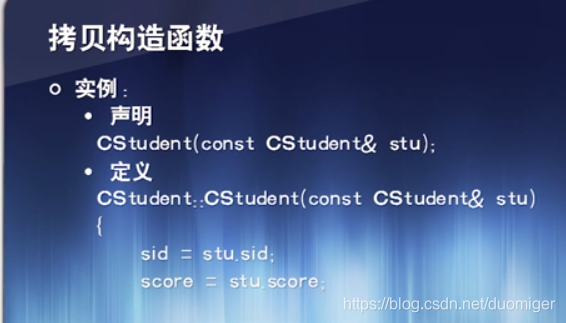
静态成员:和对象无关的成员,分为静态数据成员,和静态函数成员;
静态数据成员:即使没有定义对象,静态数据成员也存在。访问方式:class::x
4、visual studio初试
今天第一次使用了visual studio,感觉还行,需要注意的地方有:
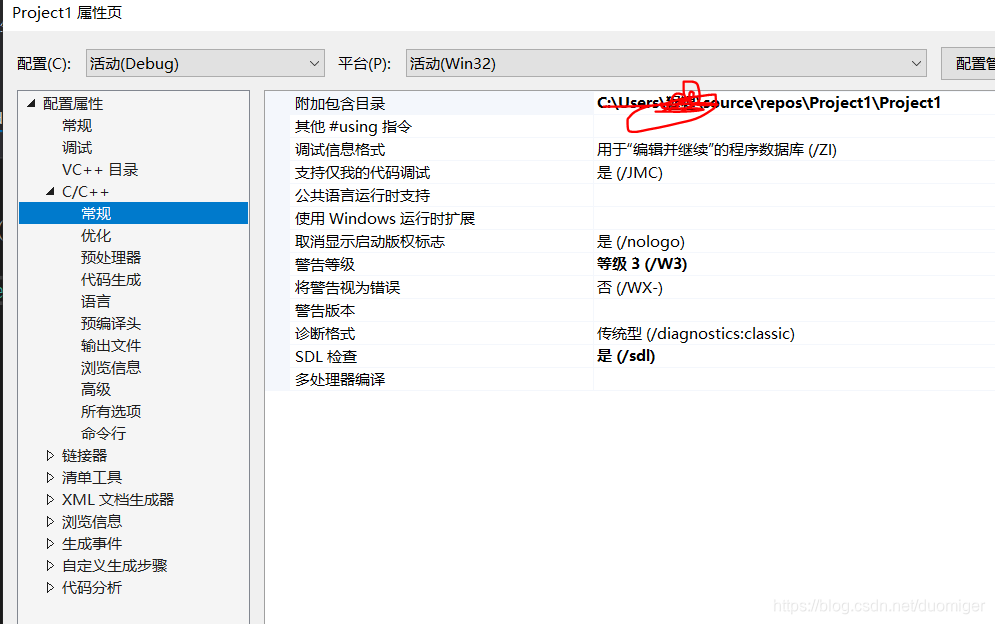
当你新建一个project的时候,需要配置.h文件的检索地址,否则其他的cpp无法include到它。
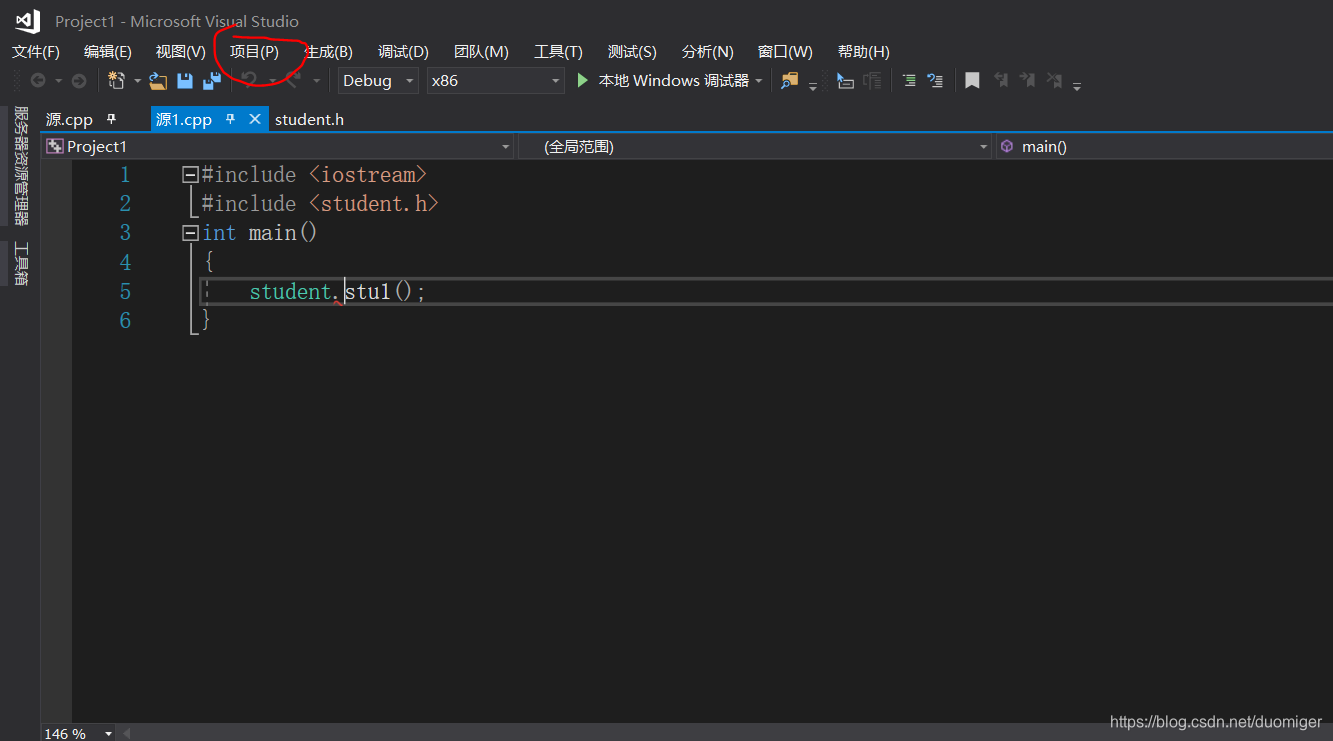
点击项目-属性-C/C++ - 附加包含目录,在附加包含目录里面写下.h文件的地址。这也是include的检索地址。
 如果出现vs2017无法查找或打开 PDB 文件
可以按照这个链接做;
最后成功实现了一个类的编写
#include <iostream>
#include <student.h>
int main()
{
	student stu1;
	stu1.change_score(78.5,31246324);
	stu1.get_score();

}
这是主函数
#include <iostream>
#include <student.h>
using namespace std;
student::student()
{
	name = NULL;
}

student::student(int id, char* name)
{
	this->id = id;
	this->name = name;
}

student::~student()
{
	if (this->name != NULL)
	delete[]this->name;
}

void student:: get_score()
{
	cout << "this is the id" << this->id << "this is score" << this->score;
}

void student::change_score(int id, double score)
{
	this->id = id;
	this->score = score;
}
这是实现函数
class student
{
public:
	student(int id, char* name);
	student();
	~student();
	void get_score();
	void change_score(int id, double score);
private:
	int id; char* name; double score;
};
这是头文件





 扫一扫
扫一扫


 315
315

 被折叠的 条评论
为什么被折叠?
被折叠的 条评论
为什么被折叠?
 到【灌水乐园】发言





