


环境
- Windows 11 家庭中文版
- PotPlayer 241216
步骤
注意:本文中有多个视频截图,虽然是同一时间点,但每次修改了PotPlayer播放器配置后,实际上可能需要重启播放器。使用同一时间点只是为了方便比较。
准备
下载、安装PotPlayer的最新版本。测试播放功能,确认其工作正常:

注意:本例中,视频本身已经包含了中英文字幕(非单独的字幕文件)。不过没关系,我们忽略它,一会儿将会把生成的字幕置于视频的顶部,以示区别。
注意:PotPlayer 241211版本添加使用Whisper从语音生成字幕的功能,请检查一下PotPlayer版本,如果不够新,需要升级一下:

创建有声字幕
在PotPlayer上单击右键,选择“字幕” -> “创建有声字幕” -> “创建有声字幕…”:

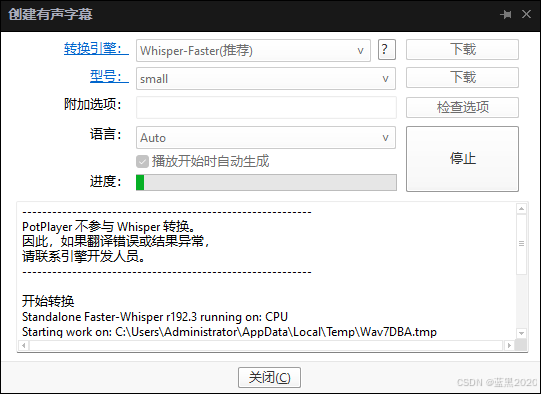
在弹出的对话框里:
- 转换引擎:选择“Whisper-Faster”,点击“下载”按钮,下载引擎。
- 型号:选择“small”,其它选项还有tiny、medium、large等,模型越大越精确,但是计算成本也越高。注意右边的“下载”按钮是灰色的。
- 勾选“播放开始时自动生成”。

最后,点击“开始”按钮:

由于本地还没有模型( C:\Users\Administrator\AppData\Roaming\PotPlayerMini64\Model\faster-whisper-small ),所以它会尝试从网络下载,但是由于众所周知的原因,连接不上Hugging Face Hub,最后会报错如下:
声音提取
开始转换
Model not found at: C:\Users\Administrator\AppData\Roaming\PotPlayerMini64\Model\faster-whisper-small
Attempting to download:
An error occured while synchronizing the model Systran/faster-whisper-small from the Hugging Face Hub:
(MaxRetryError("HTTPSConnectionPool(host='huggingface.co', port=443): Max retries exceeded with url: /api/models/Systran/faster-whisper-small/revision/main (Caused by NewConnectionError('<urllib3.connection.HTTPSConnection object at 0x000002821E8B4940>: Failed to establish a new connection: [WinError 10060] �������ӷ���һ��ʱ���û����ȷ�����ӵ�����û�з�Ӧ�����ӳ���ʧ�ܡ�'))"), '(Request ID: 6112a113-c800-410e-adf4-ce88f97914d0)')
Trying to load the model directly from the local cache, if it exists.
Traceback (most recent call last):
File "urllib3\connection.py", line 203, in _new_conn
File "urllib3\util\connection.py", line 85, in create_connection
File "urllib3\util\connection.py", line 73, in create_connection
TimeoutError: [WinError 10060] �������ӷ���һ��ʱ���û����ȷ�����ӵ�����û�з�Ӧ�����ӳ���ʧ�ܡ�
The above exception was the direct cause of the following exception:
Traceback (most recent call last):
File "urllib3\connectionpool.py", line 790, in urlopen
File "urllib3\connectionpool.py", line 491, in _make_request
File "urllib3\connectionpool.py", line 467, in _make_request
File "urllib3\connectionpool.py", line 1092, in _validate_conn
File "urllib3\connection.py", line 611, in connect
File "urllib3\connection.py", line 218, in _new_conn
urllib3.exceptions.NewConnectionError: <urllib3.connection.HTTPSConnection object at 0x000002821E8B4940>: Failed to establish a new connection: [WinError 10060] �������ӷ���һ��ʱ���û����ȷ�����ӵ�����û�з�Ӧ�����ӳ���ʧ�ܡ�
The above exception was the direct cause of the following exception:
Traceback (most recent call last):
File "requests\adapters.py", line 486, in send
File "urllib3\connectionpool.py", line 844, in urlopen
File "urllib3\util\retry.py", line 515, in increment
urllib3.exceptions.MaxRetryError: HTTPSConnectionPool(host='huggingface.co', port=443): Max retries exceeded with url: /api/models/Systran/faster-whisper-small/revision/main (Caused by NewConnectionError('<urllib3.connection.HTTPSConnection object at 0x000002821E8B4940>: Failed to establish a new connection: [WinError 10060] �������ӷ���һ��ʱ���û����ȷ�����ӵ�����û�з�Ӧ�����ӳ���ʧ�ܡ�'))
During handling of the above exception, another exception occurred:
Traceback (most recent call last):
File "faster_whisper\utils.py", line 227, in download_model
File "huggingface_hub\utils\_validators.py", line 118, in _inner_fn
File "huggingface_hub\_snapshot_download.py", line 187, in snapshot_download
File "huggingface_hub\utils\_validators.py", line 118, in _inner_fn
File "huggingface_hub\hf_api.py", line 2112, in repo_info
File "huggingface_hub\utils\_validators.py", line 118, in _inner_fn
File "huggingface_hub\hf_api.py", line 1921, in model_info
File "requests\sessions.py", line 600, in get
File "requests\sessions.py", line 587, in request
File "requests\sessions.py", line 701, in send
File "huggingface_hub\utils\_http.py", line 63, in send
File "requests\adapters.py", line 519, in send
requests.exceptions.ConnectionError: (MaxRetryError("HTTPSConnectionPool(host='huggingface.co', port=443): Max retries exceeded with url: /api/models/Systran/faster-whisper-small/revision/main (Caused by NewConnectionError('<urllib3.connection.HTTPSConnection object at 0x000002821E8B4940>: Failed to establish a new connection: [WinError 10060] �������ӷ���һ��ʱ���û����ȷ�����ӵ�����û�з�Ӧ�����ӳ���ʧ�ܡ�'))"), '(Request ID: 6112a113-c800-410e-adf4-ce88f97914d0)')
During handling of the above exception, another exception occurred:
Traceback (most recent call last):
File "D:\whisper-fast\__main__.py", line 1600, in <module>
File "D:\whisper-fast\__main__.py", line 1254, in cli
File "faster_whisper\utils.py", line 243, in download_model
File "huggingface_hub\utils\_validators.py", line 118, in _inner_fn
File "huggingface_hub\_snapshot_download.py", line 170, in snapshot_download
FileNotFoundError: [Errno 2] No such file or directory: 'C:\\windows\\system32\\.cache\\hub\\models--Systran--faster-whisper-small\\refs\\main'
[35432] Failed to execute script '__main__' due to unhandled exception!
转换完成
解决办法是自己手工下载: https://huggingface.co/guillaumekln/faster-whisper-small
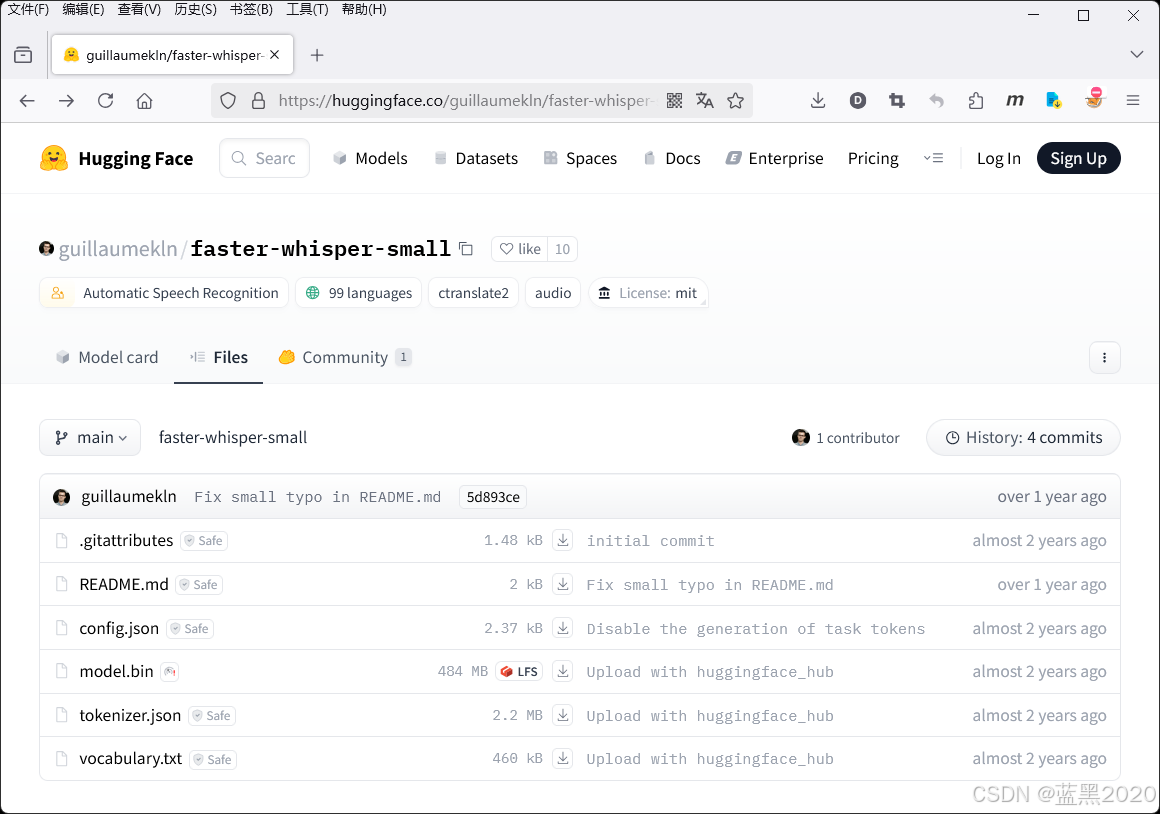
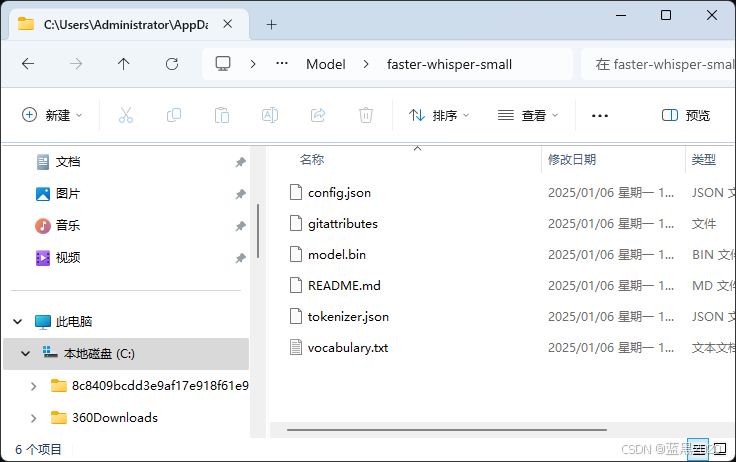
把下载的 faster-whisper-small 文件夹复制到前面报错信息里所提到的目录: C:\Users\Administrator\AppData\Roaming\PotPlayerMini64\Model\faster-whisper-small (需要自己创建 Model 目录)
再次尝试生成:
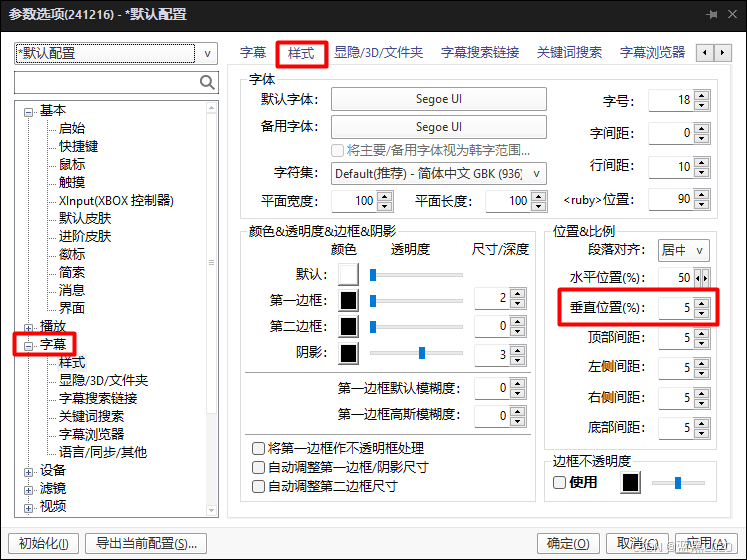
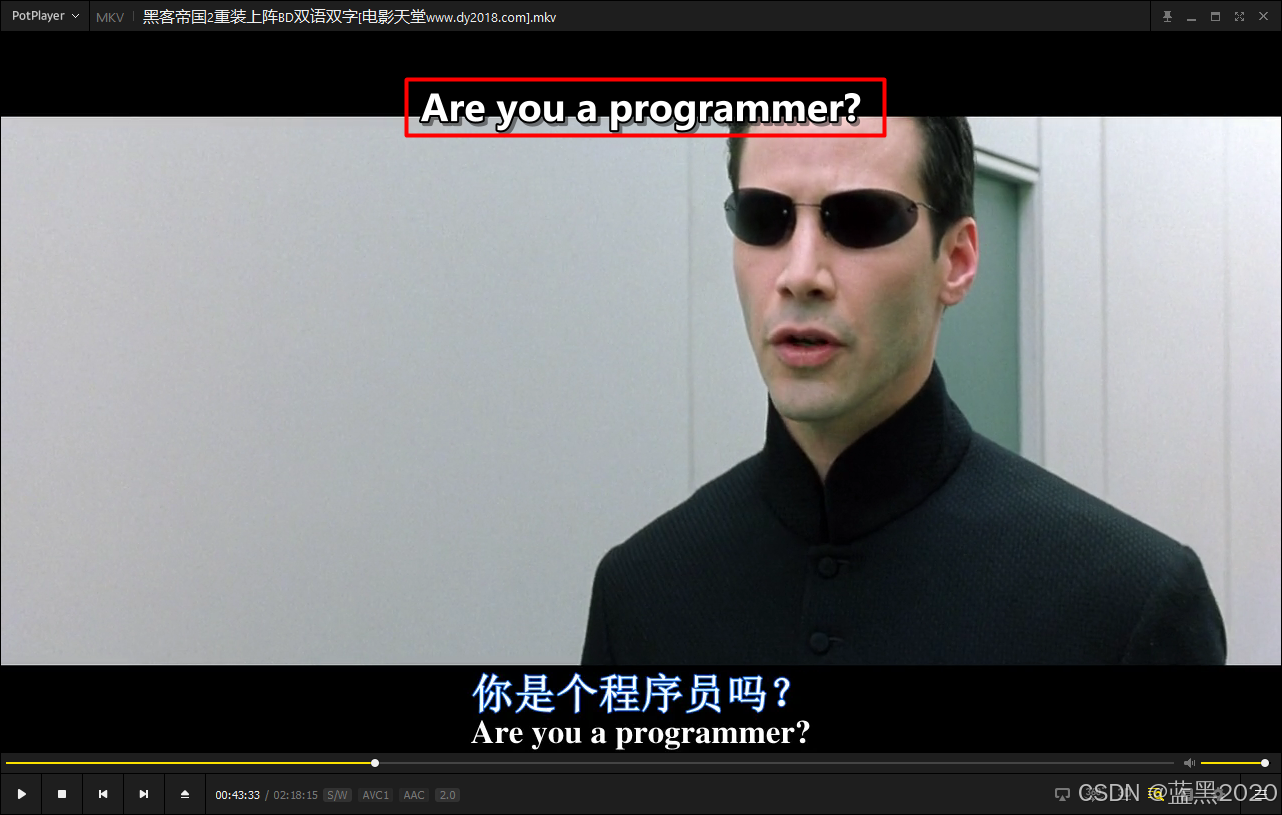
这次终于成功了。不过生成的字幕默认是在视频底部,而底部本来就有字幕,所以可把生成字幕的位置改为顶部:
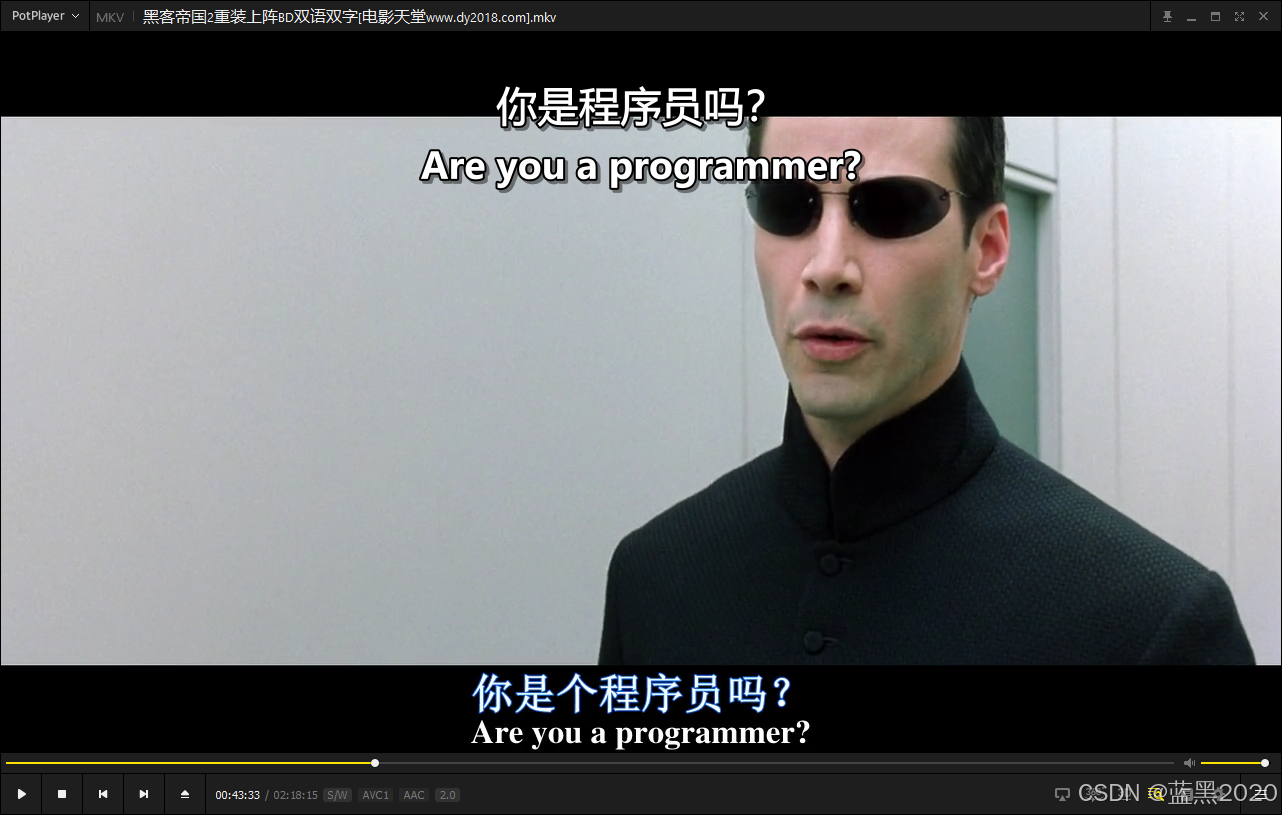
OK,现在就可以看到生成的字幕了:
实时字幕翻译
本例中,视频里说的是英语,所以生成的字幕也是英文的。要想显示中文字幕,就需要把生成的英文字幕翻译成中文。
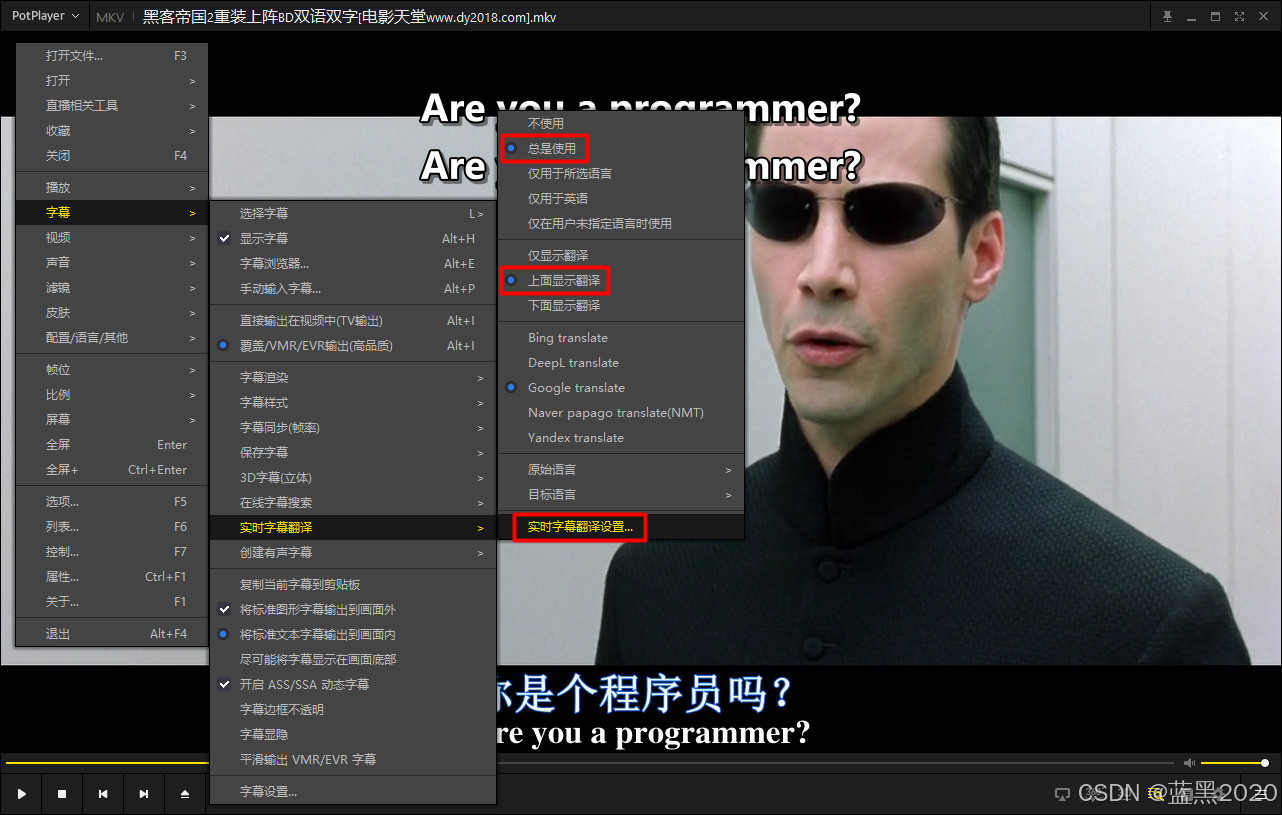
在PotPlayer上单击右键,选择“字幕” -> “实时字幕翻译”,勾选“总是使用”和“上面显示翻译”,可见,在原来的字幕上方显示出了翻译后的字幕,不过实际并没有翻译,两排字幕都是英文的:
点击“实时字幕翻译设置”,弹出对话框:
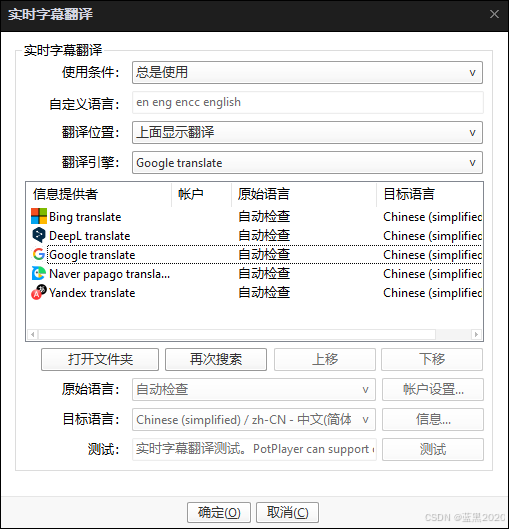
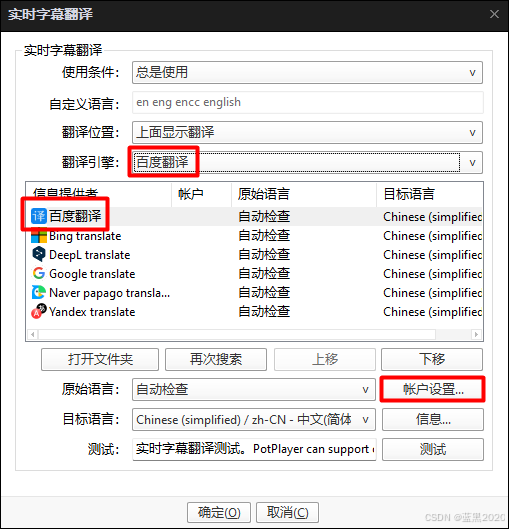
如图可见,可以用Bing、Google等引擎来翻译字幕。不过不管用哪种方式,貌似都需要设置API key。本例使用百度翻译引擎。
(注意:对话框里有一个“打开文件夹”按钮,该文件夹就是存放翻译引擎的位置。一会儿需要把下载的百度引擎文件复制到这里。)
首先要下载百度翻译引擎。打开github: https://github.com/fjqingyou/PotPlayer_Subtitle_Translate_Baidu :
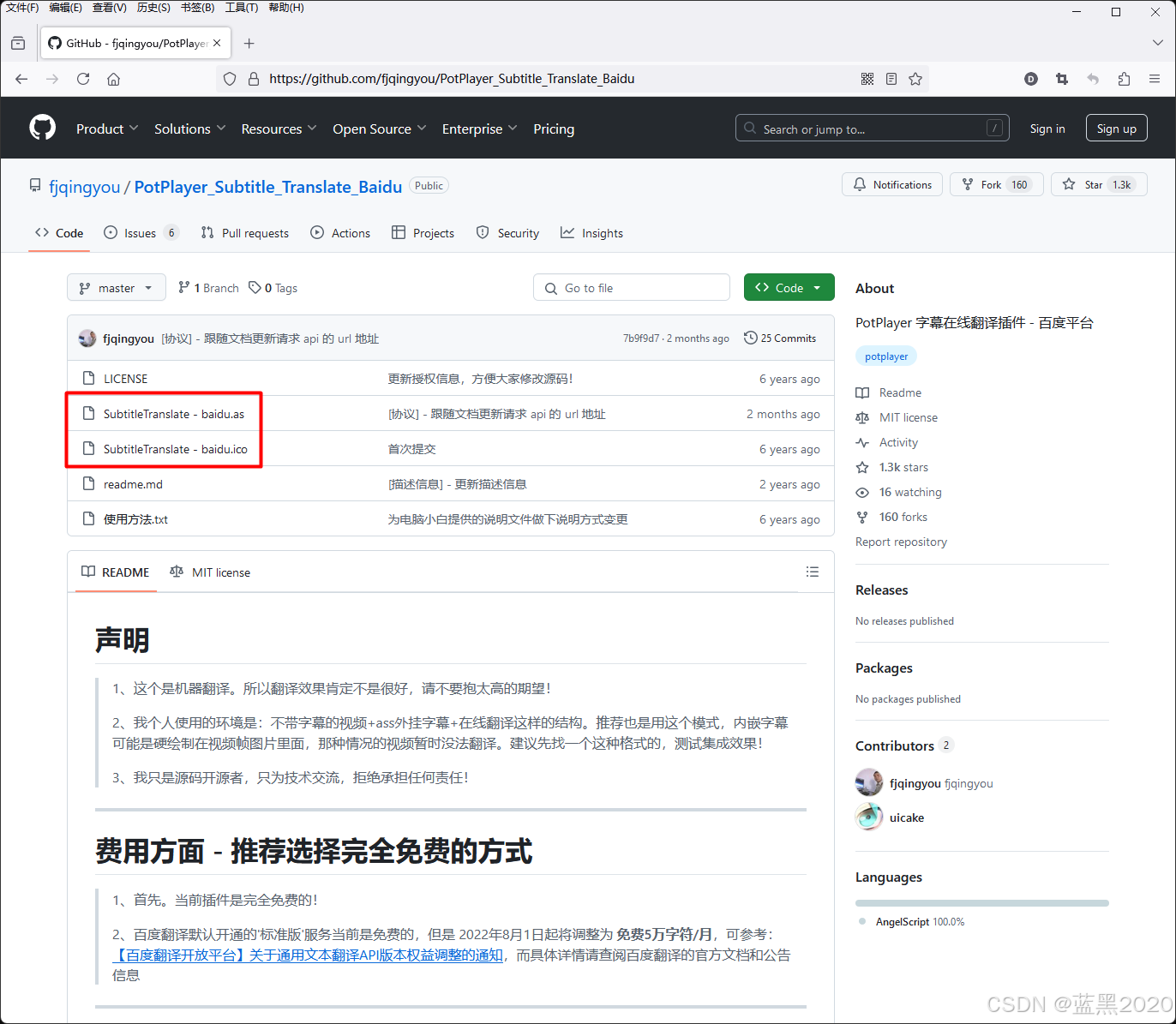
注:这个readme文件一定要看一下。
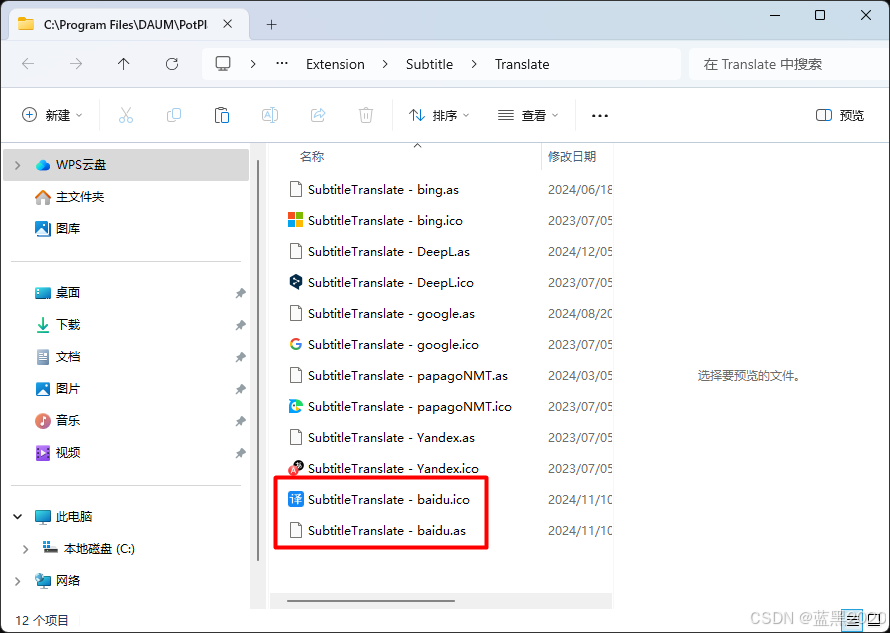
下载 SubtitleTranslate - baidu.as 和 SubtitleTranslate - baidu.ico 两个文件,并复制到前面对话框中“打开文件夹”的位置(本例中为: C:\Program Files\DAUM\PotPlayer\Extension\Subtitle\Translate ):
重启PotPlayer,再次打开“实时字幕翻译”对话框,可见列表里出现了百度翻译。把翻译引擎选择为“百度翻译”:
最后,还需要在帐户设置里填写API key。
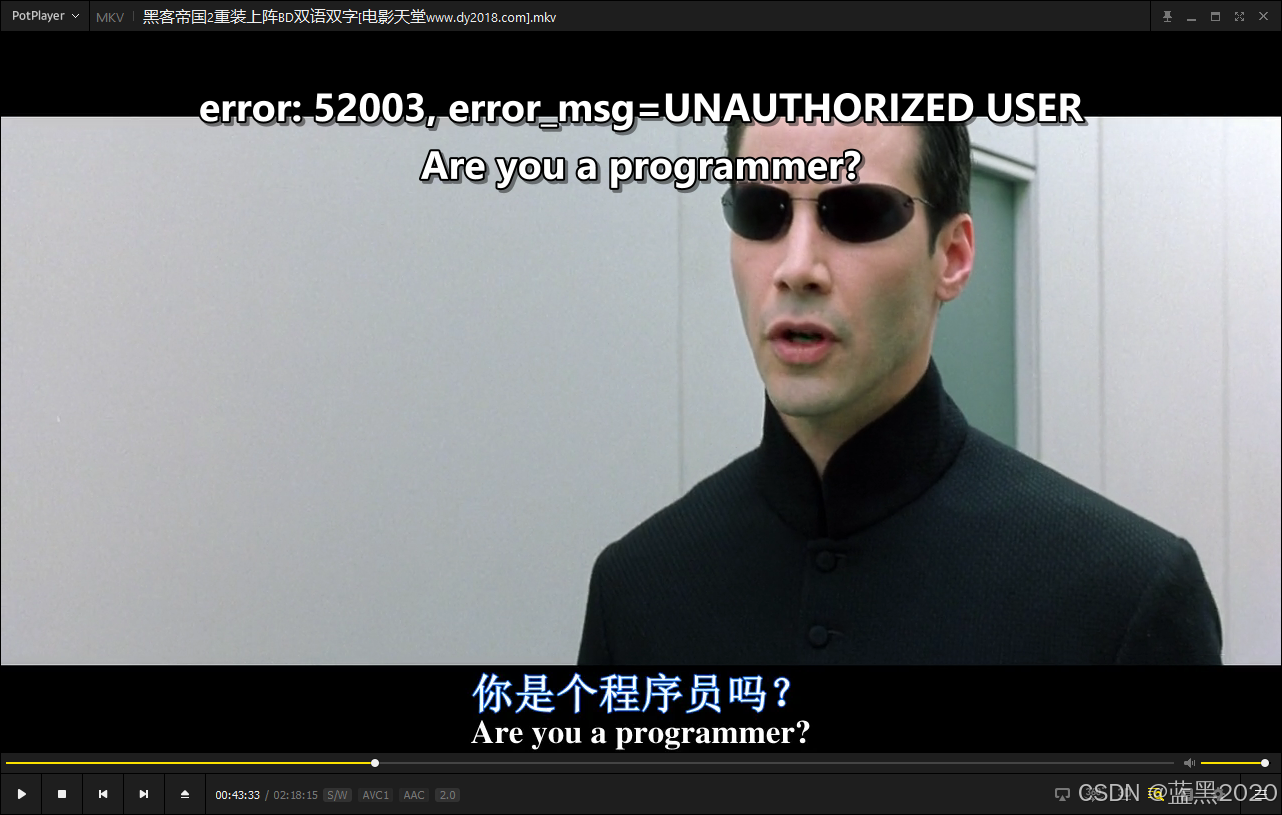
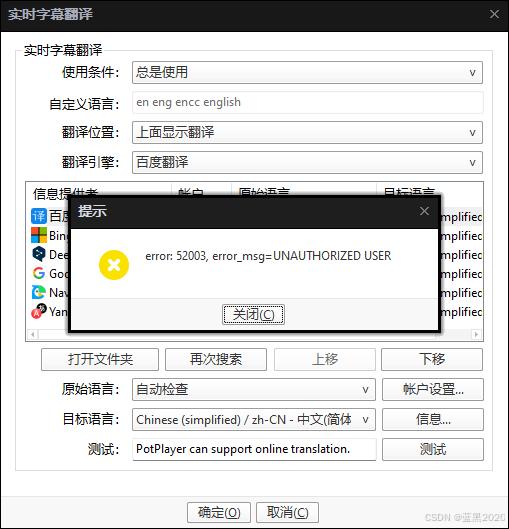
注:如果API key设置有问题,字幕会报错( error: 52003, error_msg=UNAUTHORIZED USER ):
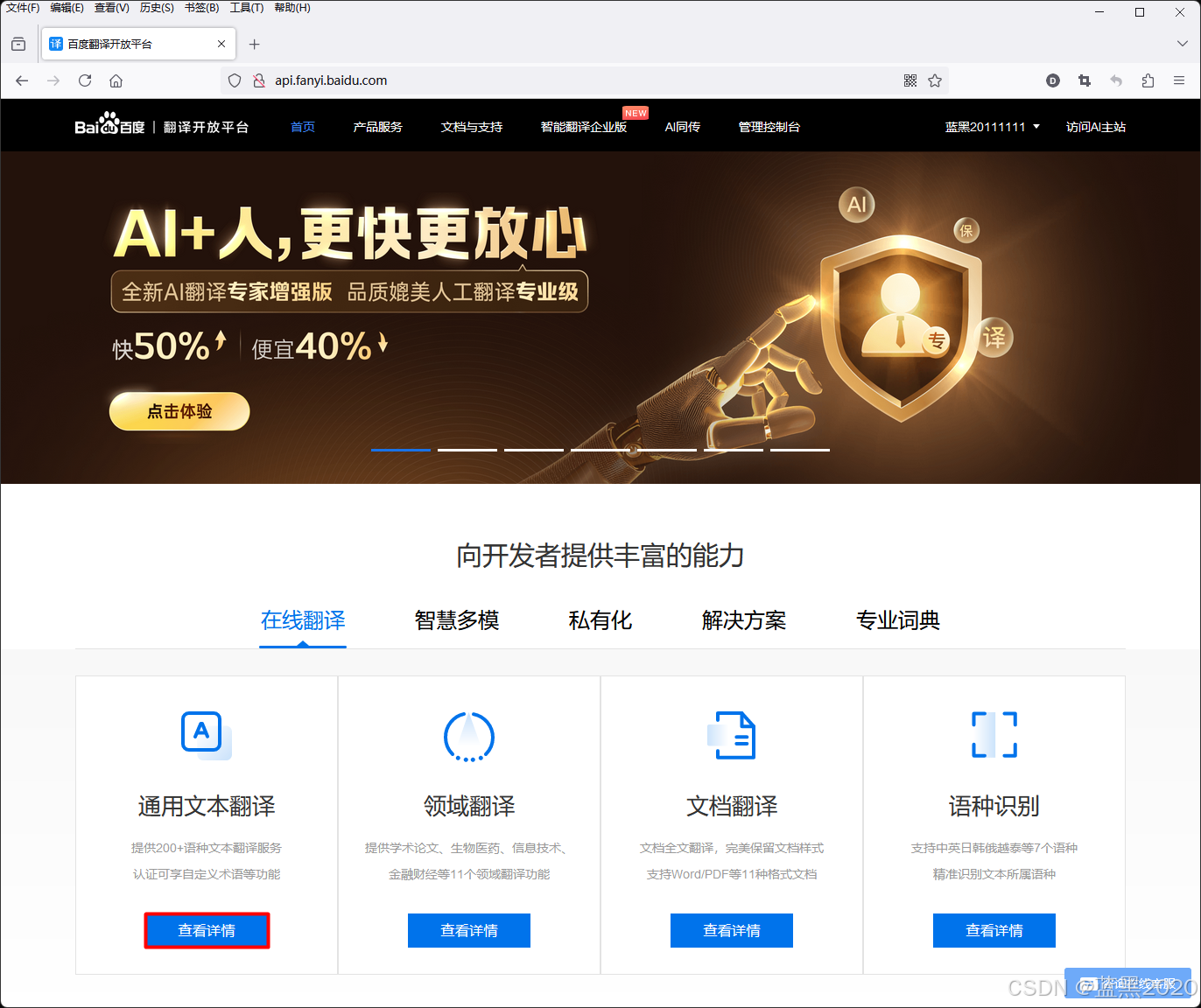
获取API key的方法:打开百度翻译开放平台: http://api.fanyi.baidu.com/
点击“在线翻译” -> “通用文本翻译” -> “查看详情”按钮:
按照提示,注册成为百度翻译开发者。注意有“标准版”(每月5万字符)和“高级版”(每月100万字符)两个选项。既然都是免费的,当然选择“高级版”了。注册过程略,具体步骤可以参考文末的“参考”部分链接。
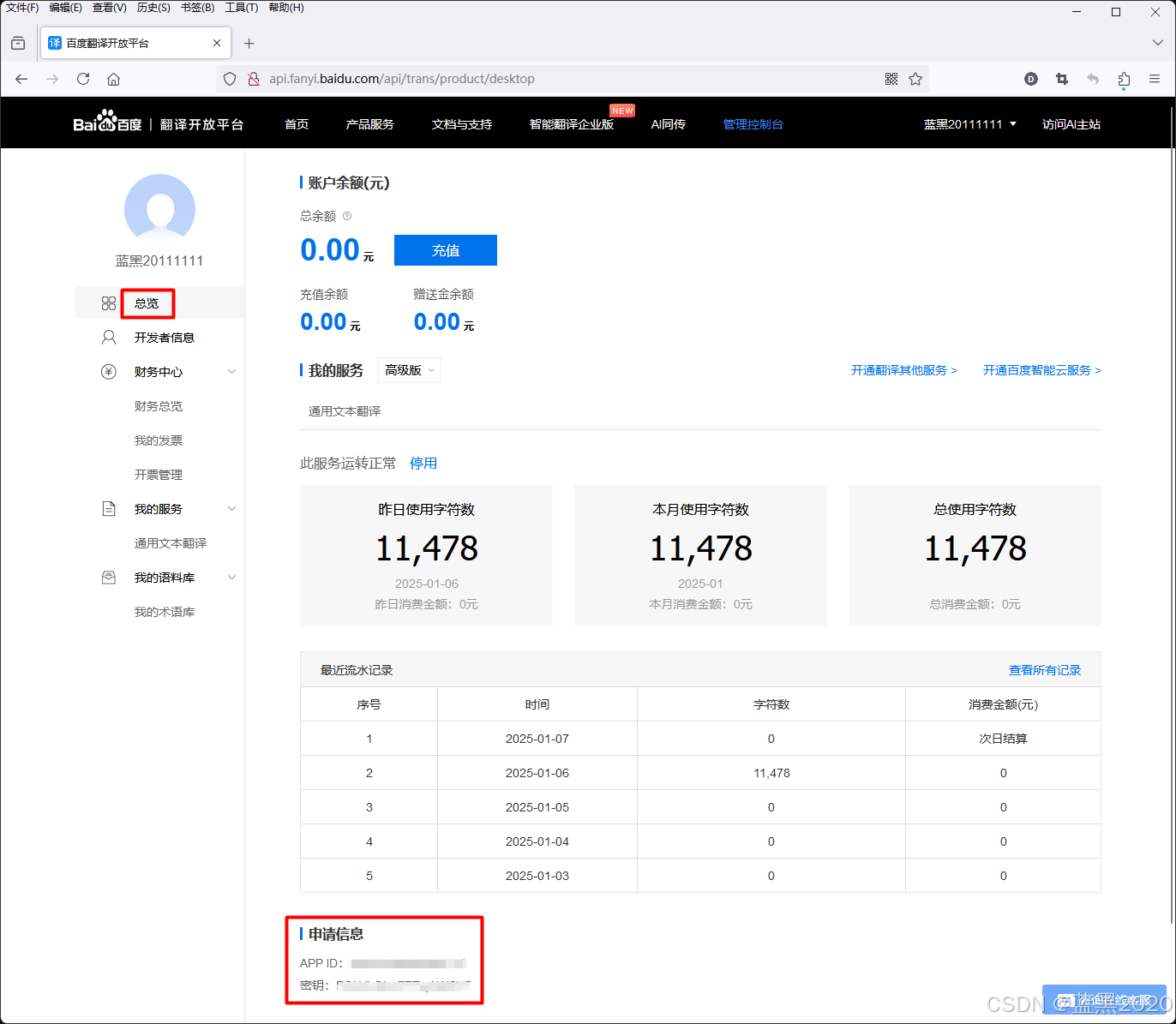
最后,在“总览”页面,就可以获取APP ID和密钥了:
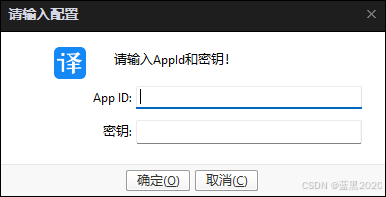
点击“帐户设置”按钮,输入App ID和密钥:
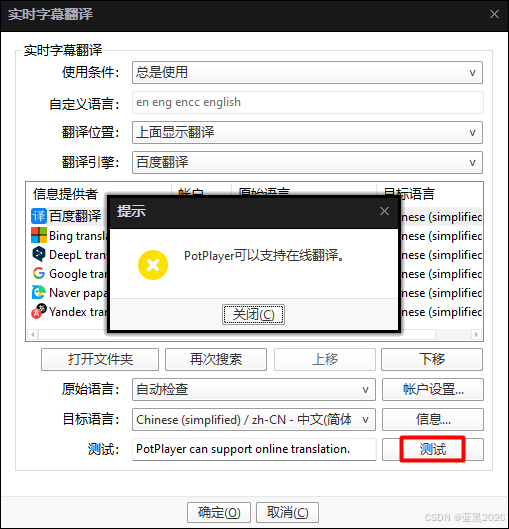
最后,测试一下翻译引擎。删除测试框里的中文,只保留英文,然后点击“测试”按钮。
如果API key工作正常,弹出的对话框里会显示翻译后的中文:
如果API key有问题,则会报错如下:
确保API key工作正常。现在,中文翻译字幕就会显示出来了。
参考
https://www.bilibili.com/video/BV1V46VYPEGm/https://www.bilibili.com/video/BV1MZ421W7G3/https://huggingface.co/guillaumekln/faster-whisper-smallhttps://github.com/fjqingyou/PotPlayer_Subtitle_Translate_Baiduhttp://api.fanyi.baidu.com/https://github.com/SYSTRAN/faster-whisperhttps://github.com/ycyy/faster-whisper-webui





 扫一扫
扫一扫


 4285
4285

 被折叠的 条评论
为什么被折叠?
被折叠的 条评论
为什么被折叠?
 到【灌水乐园】发言





