





 本文指导您如何在Mac系统中使用Homebrew安装Nginx,包括权限调整、启动停止操作,并提供检查启动状态的方法。遇到问题时,给出了具体解决步骤,确保顺利运行Nginx服务。
Mac系统安装nginx常见问题
nginx的安装
brew update
brew search nginx
brew info nginx
brew install nginx
安装过程中如果出现权限问题,请按照提示进行操作即可:
// The following directories are not writable by your user:
 /usr/local/share/man/man8

// You should change the ownership of these directories to your user:
 sudo chown -R $(whoami) /usr/local/share/man/man8

// And make sure that your user has write permission:
  chmod u+w /usr/local/share/man/man8
nginx的启动
sudo nginx -s stop // 停止nginx
nginx // 启动nginx
sudo nginx -s reload // 重启nginx
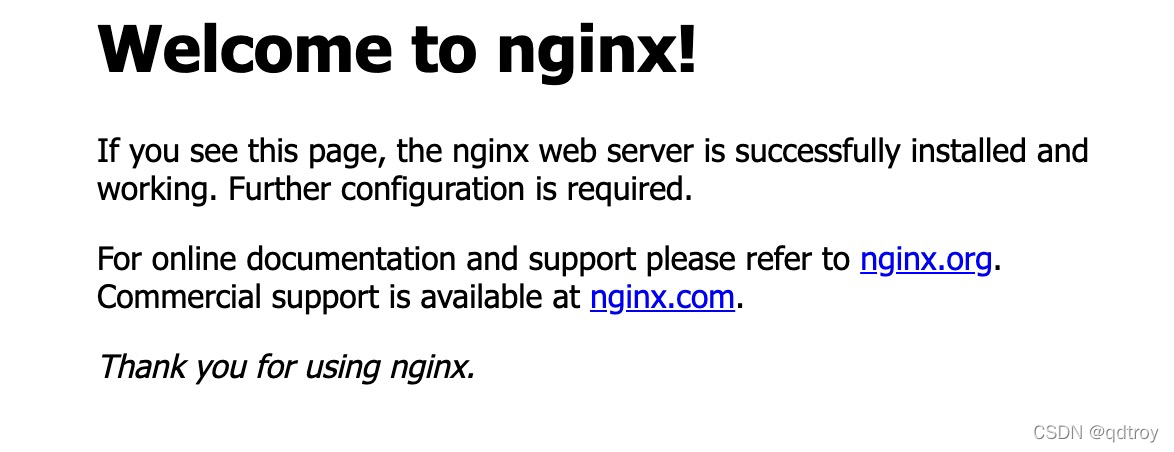
nginx是否启动成功
浏览器打开:http://localhost:8080/,能正常显示欢迎信息即启动成功。





 扫一扫
扫一扫


 3290
3290

 被折叠的 条评论
为什么被折叠?
被折叠的 条评论
为什么被折叠?
 到【灌水乐园】发言





