





 本文介绍了Swagger的基本概念,并详细讲解如何在SpringBoot项目中集成Swagger2,包括添加依赖、配置SwaggerConfig类以及基本使用,如修改欢迎页信息。通过这些步骤,你可以快速在项目中实现接口文档的自动化生成,方便前后端协作。
1. Swagger简介
简单的说,Swagger是一个Web后端接口的API,更多用在前后端分离项目中,主要用来跟前段对接,它遵循了Restful API风格!
关于swagger的简介可以直接看官方文档
2. 在springboot web项目中引入
首先新建springboot web项目,再在pom文件中添加swagger2的依赖!
2.1 添加Swagger依赖
可以到Maven仓库中找一下Swagger依赖,这里需要添加swagger2和swagger ui两个依赖,具体如下:
<!-- https://mvnrepository.com/artifact/io.springfox/springfox-swagger2 -->
<dependency>
    <groupId>io.springfox</groupId>
    <artifactId>springfox-swagger2</artifactId>
    <version>2.9.2</version>
</dependency>
<!-- https://mvnrepository.com/artifact/io.springfox/springfox-swagger-ui -->
<dependency>
    <groupId>io.springfox</groupId>
    <artifactId>springfox-swagger-ui</artifactId>
    <version>2.9.2</version>
</dependency>
2.2 配置SwaggerConfig类
在springboot项目的启动类的目录下新建config包,在该包中新建SwaggerConfig类,内容如下:
import org.springframework.context.annotation.Configuration;
import springfox.documentation.swagger2.annotations.EnableSwagger2;

@Configuration
@EnableSwagger2  // 开启 Swagger2 localhost:9000/swagger-ui.html
public class SwaggerConfig {
}
启动springboot项目就能使用swagger了,访问localhost:8080/swagger-ui.html
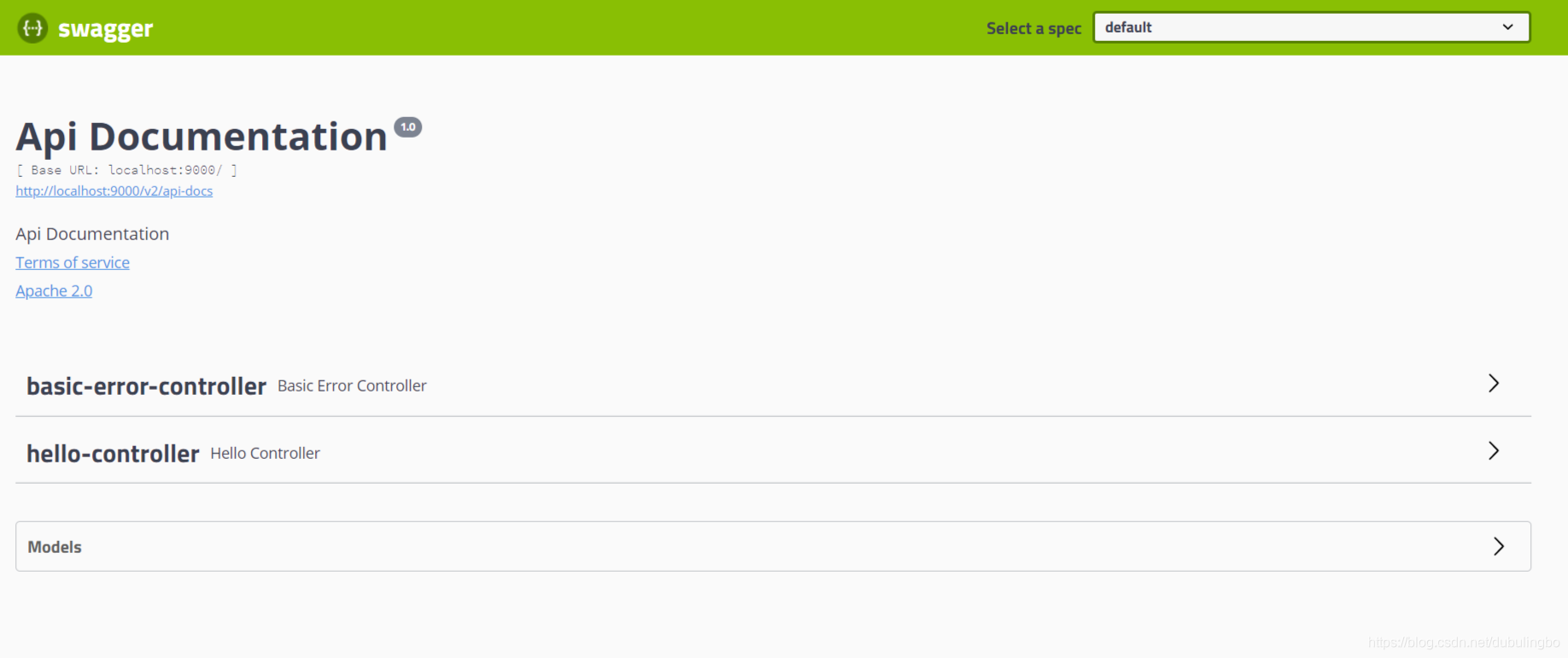
3. Swagger的简单使用
3.1修改欢迎页信息
@Configuration
@EnableSwagger2  // 开启 Swagger2 localhost:9000/swagger-ui.html
public class SwaggerConfig {

    // 配置 Swagger2 的 bean 实例
    @Bean
    public Docket docket(){
        return new Docket(DocumentationType.SWAGGER_2)
                .apiInfo(apiInfo())
                .groupName("X0235")
                .select()
                // RequestHandlerSelector:配置扫描接口的方式
                // basePackage:指定要扫描的包
                // any():扫描全部
                // none():不扫描
                .apis(RequestHandlerSelectors.basePackage("com.dublbo.swagger.controller"))
                .build();
    }

    // 配置 Swagger 信息
    private ApiInfo apiInfo(){
        Contact contact = new Contact("独步凌波", "https://www.baidu.com", "mail.163.com/dubulingbo");
        return new ApiInfo("这是Swagger测试文档",
                "留恋处,兰舟催发,执手相看泪眼,竟无语凝噎!",
                "v1.0",
                "https://www.github.com",
                contact,
                "Apache 2.0",
                "http://www.apache.org/licenses/LICENSE-2.0",
                new ArrayList<>());
    }
}





 扫一扫
扫一扫


 3610
3610

 被折叠的 条评论
为什么被折叠?
被折叠的 条评论
为什么被折叠?
 到【灌水乐园】发言





