



DDL:操作数据库,表;
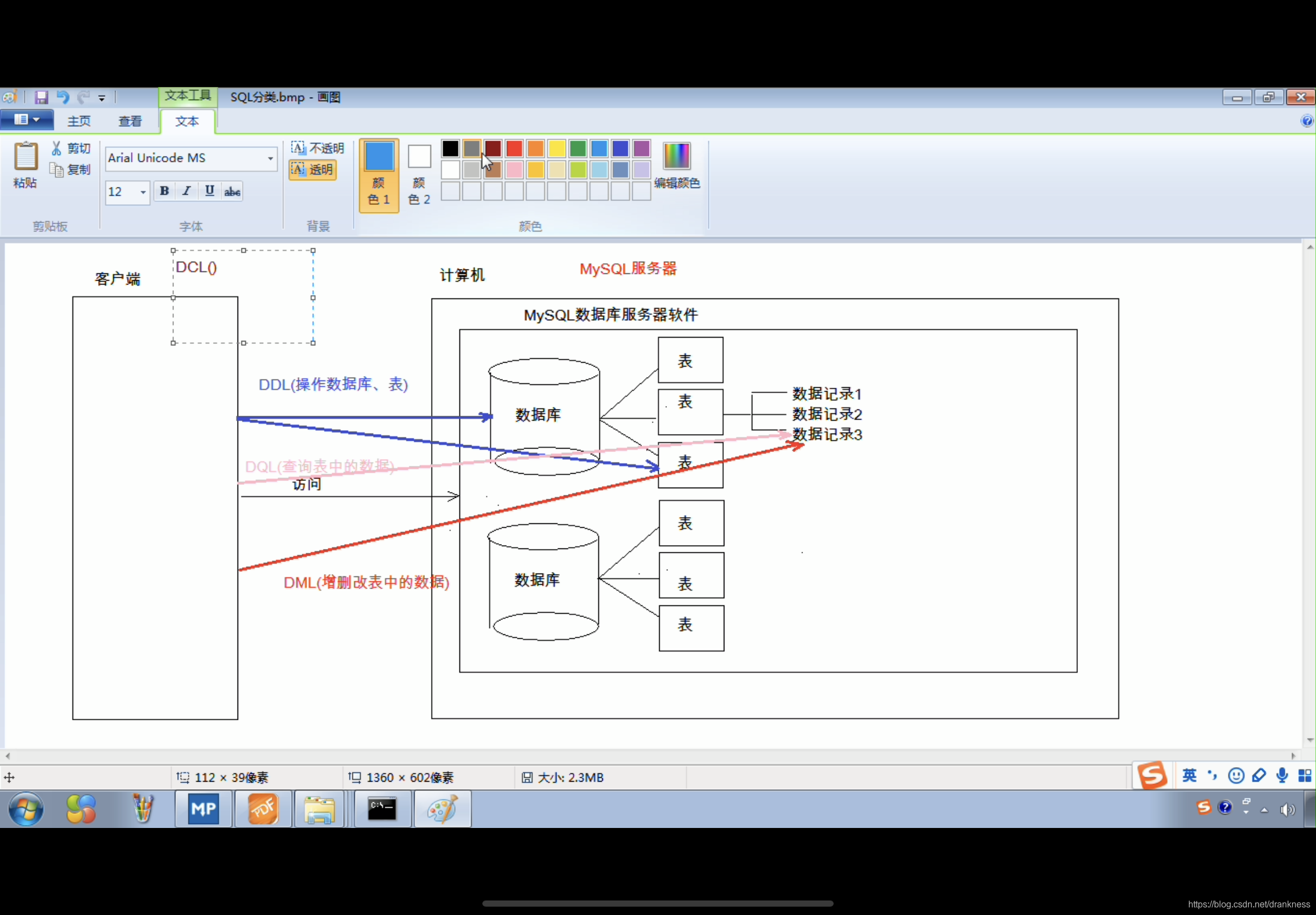
show create database student; – 查看某个数据库的创建语句

create database if not exists student ;-- 如果数据库student不存在则创建他,否则就不创建

create database if not exists student1 character set gbk;-- 创建指定字符集的数据库

alter database student1 character set utf8: – 修改数据库的字符集
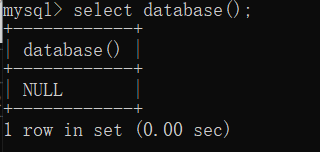
 select database();-- 查看使用当前的数据库
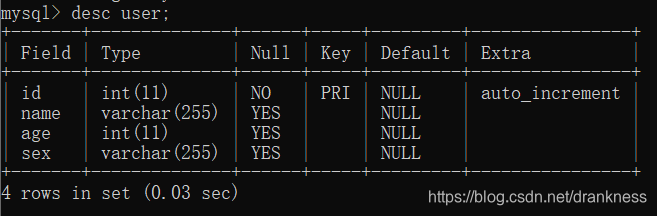
desc user;-- 查询表的结构
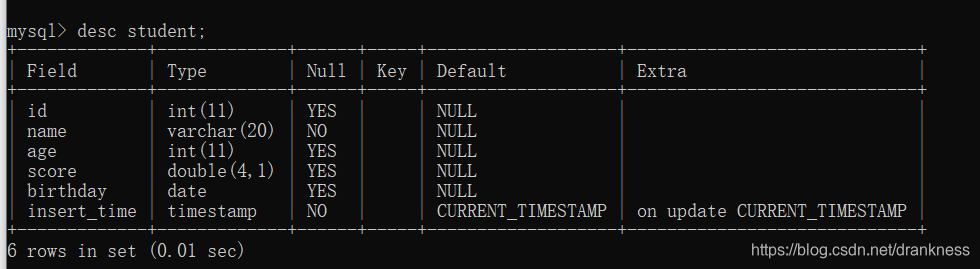
*** create table if exists student(
-> id int,
-> name varchar(20) not null,
-> age int,
-> score double(4,1)
-> ,
-> birthday date,
-> insert_time timestamp
-> );***
alter table student add gender varchar(20);-- 增添一列性别字段
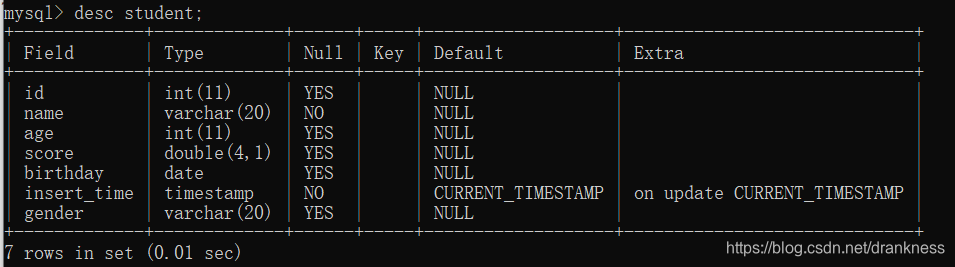
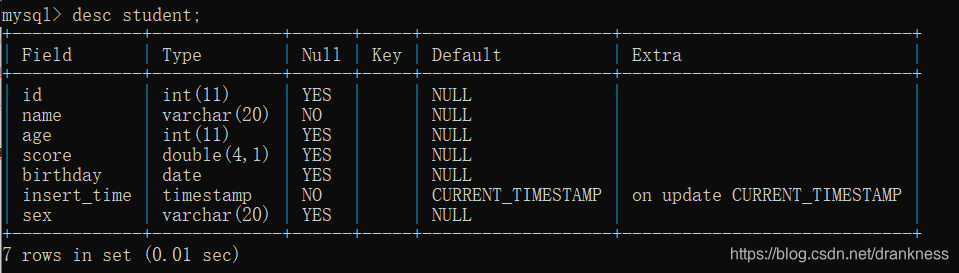
alter table student change gender sex varchar(20);-- 修改某个字段的名称
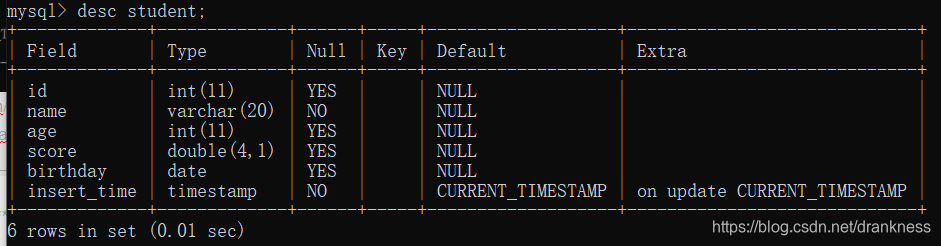
*** alter table student drop sex;-- 删除某列字段***
DML :增删改表中的数据
如果要删除一个表的所有的内容;
1.delete from 表名; – 不推荐使用,有多少条记录就会执行多少次删除操作
2.truncate table 表名; – 推荐使用,先删除表,然后在创建一张一样的表.
修改数据:
1.语法:
update 表名 set 列名 1 = 值1, 列名 2 = 值2,…[where 条件]
2.注意:如果不加条件,就会把表里面所有的数据都更改,这种操作也是很危险的.
DQL:查询表中的记录
注意:查询的时候使用的 * 并不好,以后工作中推荐,查询什么就写什么字段名,哪怕是把所有的字段都查询出来,也要一个个打出来,这么做的好处是,提高语句的可读性,并且我们可以在字段名的后面给字段增加备注;在我们使用算术运算某些字段的时候,推荐增加IFNULL(字段名,为null时的取值),这么做是防止运算的时候出现null运算;还有写SQL语句的时候 ,关键字使用大写
- select : 字段列表
- from : 表名列表
- where : 条件列表:
- group by :分组字段
- having : 分组之后的条件
- order by : 排序
- limit : 分页限定
select DISTINCT address from student; – 去除重复的结果集
有null参加的运算结果依然是null
select name,math + IFNULL(english,0) from student; – 如果是null 就用括号里第二个值
select * from student where english IS Null; – 查询某个字段是null,不能用= 和!=(IS NOT)
LIKE : 模糊查询
占位符: _ :单个任意字符 % : 多个任意字符
select * from student where name Like ‘马%’;-- 查询名字姓马的信息





 扫一扫
扫一扫


 430
430

 被折叠的 条评论
为什么被折叠?
被折叠的 条评论
为什么被折叠?
 到【灌水乐园】发言





