





 这篇博客介绍了如何使用Vue CLI创建和初始化一个前端项目,包括设置项目名称、描述、作者以及选择是否安装vue-router和ESLint。接着,演示了如何安装和使用Vue CLI 3创建项目,并添加Vuetify UI框架。还提到了一些常用的Vue开发工具,如axios和Vetur,并展示了如何在main.js中配置和引入Vuetify。最后,博客提到了Vue项目中遇到的问题及解决办法,例如Vetur找不到tsconfig.json或jsconfig.json时的解决步骤。
VUE 学习(一) - 入门
- 基础环境:
需要系统安装了: nodejs - npm方法全局安装vue
npm install vue-cli -g
#查看vue 版本
vue -V
- 创建并启动一个前端项目
#进入要建立项目的文件夹
cd D:
D:
cd D:\AllWorkSpaces\frontplantform
vue init webpack 期望建立的项目名称
? Project name (test-project) #项目名称, 要修改就修改
? Project description (A Vue.js project)
? Author (kyleyaodn <xxxxx@xx.com>)
Vue build standalone
? Install vue-router? Yes
? Use ESLint to lint your code? No #正则代码规范的插件
? Set up unit tests No
? Setup e2e tests with Nightwatch? No
? Should we run `npm install` for you after the project has been created? (recommended) npm
......
# Project initialization finished!
# ========================

To get started:

  cd test-project
  npm run dev

Documentation can be found at https://vuejs-templates.github.io/webpack

#进入项目文件夹
npm install
#启动Dev 环境
npm run dev
- vue cli 3 安装
- windows 机器是在cmd命令行下执行.
# 当前目录创建项目
vue create .
# 添加vuetify
vue add vuetify
# 启动serve
npm run serve
- 访问启好的站点:
 DONE  Compiled successfully in 2125ms                                                                      下午11:33:33

 I  Your application is running here: http://localhost:8080
http://localhost:8080
注意事项:
- 每一个页面只有一对 template, 一对 div
插件部分
axios
#安装
npm install axios
VS code 插件
Vetur
JavaScript (ES6) code snippets
Auto Close Tag
Auto Rename Tag
Highlight Matching Tag
安装Vuetify
官网 https://vuetifyjs.com/zh-Hans/
安装命令:
npm install vuetify
npm install sass@~1.32 sass-loader deepmerge -D
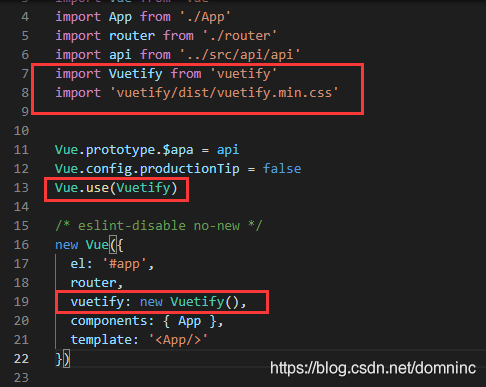
main.js 文件中引入 vuetify, 并申明:
import Vuetify from 'vuetify'
import 'vuetify/dist/vuetify.min.css'
Vue.use(Vuetify)
/* eslint-disable no-new */
new Vue({
  el: '#app',
  router,
  vuetify: new Vuetify(),
  components: { App },
  template: '<App/>'
})
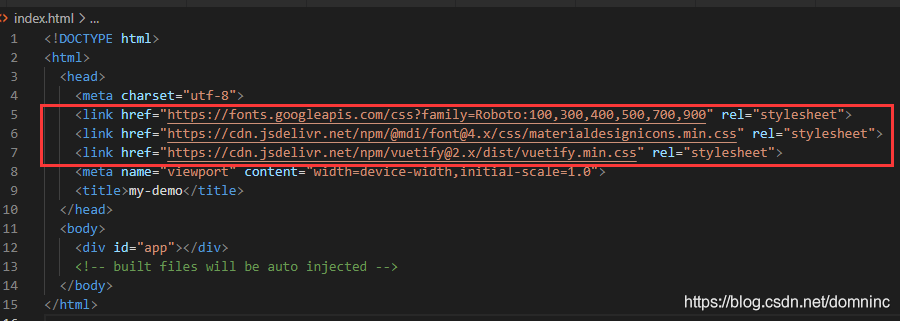
index.html 文件中加入引用:
    <link href="https://fonts.googleapis.com/css?family=Roboto:100,300,400,500,700,900" rel="stylesheet">
    <link href="https://cdn.jsdelivr.net/npm/@mdi/font@4.x/css/materialdesignicons.min.css" rel="stylesheet">
    <link href="https://cdn.jsdelivr.net/npm/vuetify@2.x/dist/vuetify.min.css" rel="stylesheet">
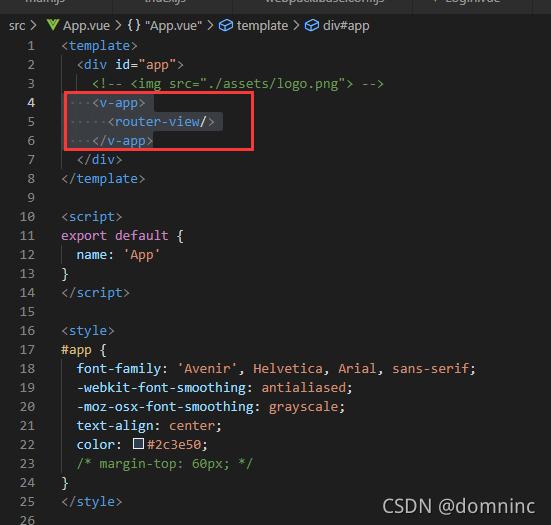
APP.vue 文件中引入 v-app 标签:
    <v-app>
      <router-view/>
    </v-app>
问题
1.Vetur can’t find tsconfig.json or jsconfig.json in XXX
解决办法: https://vuejs.github.io/vetur/guide/setup.html#extensions
在项目根目录创建 jsconfig.json文件,





 扫一扫
扫一扫


 3707
3707

 被折叠的 条评论
为什么被折叠?
被折叠的 条评论
为什么被折叠?
 到【灌水乐园】发言





