


 本文介绍如何在SpringBoot项目中集成Shiro实现权限管理,包括依赖引入、配置类编写、控制器示例、异常处理及前端展示。通过具体代码示例展示了登录、角色权限控制及异常页面的实现。
本文参考官方示例及相关实践,完整实现了springboot web应用集成shiro的简单权限管理
依赖引入
一方面需要引入shiro官方web依赖(特别说明,官方有两个starter,一个springboot,另一个springboot-web,此处我们要引入的是web starter)。同时,因为要基于thymeleaf进行html展示,还额外引入两个依赖:
<dependency>
    <groupId>org.apache.shiro</groupId>
    <artifactId>shiro-spring-boot-web-starter</artifactId>
    <version>1.5.3</version>
</dependency>
<dependency>
    <groupId>com.github.theborakompanioni</groupId>
    <artifactId>thymeleaf-extras-shiro</artifactId>
    <version>2.0.0</version>
</dependency>
<dependency>
    <groupId>org.springframework.boot</groupId>
    <artifactId>spring-boot-starter-thymeleaf</artifactId>
</dependency>
后端程序编写
首先是基于shiro规范,实现相关配置类,完成Realm及ShiroFilterChainDefinition等的构建:
@Configuration
public class ShiroConfig {

    @Bean
    public Realm realm() {
        TextConfigurationRealm realm = new TextConfigurationRealm();
        realm.setUserDefinitions("zhangsan=hello,user\nlisi=good,admin");
        realm.setRoleDefinitions("user=read\nadmin=read,write");
        realm.setCachingEnabled(true);
        return realm;
    }

    @Bean
    public ShiroFilterChainDefinition shiroFilterChainDefinition() {
        DefaultShiroFilterChainDefinition chainDefinition = new DefaultShiroFilterChainDefinition();
        chainDefinition.addPathDefinition("/login", "anon");
        chainDefinition.addPathDefinition("/doLogin", "anon");
        chainDefinition.addPathDefinition("/logout", "logout");
        chainDefinition.addPathDefinition("/**", "authc");
        return chainDefinition;
    }

    @Bean
    public ShiroDialect shiroDialect() {
        return new ShiroDialect();
    }
}
接下来是编写示例控制器,实现对访问逻辑的处理:
@Controller
public class UserInfoController {

    @PostMapping("/doLogin")
    public String doLogin(String userName, String password, Model model) {
        UsernamePasswordToken token = new UsernamePasswordToken(userName, password);
        Subject subject = SecurityUtils.getSubject();
        try {
            subject.login(token);
        } catch (AuthenticationException ex) {
            model.addAttribute("error", "用户名/密码错误,请重新输入");
            return "shiro/login";
        }
        return "redirect:/index";
    }

    @RequiresRoles("admin")
    @GetMapping("/admin")
    public String admin() {
        return "shiro/admin";
    }

    @RequiresRoles(value = {"admin", "user"}, logical = Logical.OR)
    @GetMapping("/user")
    public String user() {
        return "shiro/user";
    }
}
对于无需进行特别权限控制的,通过webconfig来实现对请求和视图的注册:
@Configuration
public class WebConfig implements WebMvcConfigurer {
    @Override
    public void addViewControllers(ViewControllerRegistry registry) {
        registry.addViewController("/login").setViewName("shiro/login");
        registry.addViewController("/index").setViewName("shiro/index");
        registry.addViewController("/except").setViewName("shiro/except");
    }
}
最后,对认证异常进行统一处理,并将信息返回到前端视图:
@ControllerAdvice
public class SimpleExceptionHandler {

    @ExceptionHandler(AuthorizationException.class)
    public ModelAndView error(AuthorizationException ex) {
        ModelAndView mv = new ModelAndView("shiro/except");
        mv.addObject("error", ex.getMessage());
        return mv;
    }
}
前端HTML编写
在resources的templates下,新建shiro文件夹,放置相关html文件。
首先,先实现login页面:
<!DOCTYPE HTML>
<html xmlns:th="http://www.thymeleaf.org">
<head>
    <meta charset="UTF-8"/>
    <title>登录页</title>
</head>
<body>
<p>样例账号:zhangsan=hello,user;lisi=good,admin</p>
<div>
    <form action="/doLogin" method="POST">
        <div th:text="${error}"></div>
        <input placeholder="用户名" name="userName" type="text"/>
        <input placeholder="密码" name="password" type="password"/>
        <input type="submit" value="登录"/>
    </form>
</div>
</body>
</html>
登陆成功后,接下来是进入index页面,展示用户基本信息:
<!DOCTYPE HTML>
<html xmlns:shiro="http://www.pollix.at/thymeleaf/shiro">
<head>
    <meta charset="UTF-8">
    <title>首页</title>
</head>
<body>
<div>
    <h1>hello,
        <shiro:principal/>
    </h1>
    <h3><a href="/logout">退出登录</a></h3>
    <h3><a shiro:hasRole="admin" href="/admin">管理员页面</a></h3>
    <h3><a shiro:hasAnyRoles="admin,user" href="/user">用户详情页</a></h3>
</div>
</body>
</html>
接下来,为了验证admin和user两类权限,分别编写admin和user页面,admin.html具体如下:
<!DOCTYPE html>
<html xmlns:shiro="http://www.pollix.at/thymeleaf/shiro">
<head>
    <meta charset="UTF-8">
    <title>管理员</title>
</head>
<body>
<h1>你好,管理员:
    <shiro:principal/>
</h1>
<h3><a href="/logout">退出登录</a></h3>
</body>
</html>
user.html页面类似,只是提示信息稍微不一样:
<!DOCTYPE html>
<html xmlns:shiro="http://www.pollix.at/thymeleaf/shiro">
<head>
    <meta charset="UTF-8">
    <title>用户详情</title>
</head>
<body>
<h1>你好,用户:
    <shiro:principal/>
</h1>
<h3><a href="/logout">退出登录</a></h3>
</body>
</html>
最后,简单实现未授权异常except页面:
<html xmlns:th="http://www.thymeleaf.org">
<head>
    <meta charset="UTF-8">
    <title>异常页</title>
</head>
<body>
<div>
    <h1>未授权异常</h1>
    <h2 th:text="${error}"></h2>
</div>
<a href="/login">登录页</a>
</body>
</html>
配置文件编写
完成前后端程序编写后,最后shiro相关配置项的配置:
shiro:
  loginUrl: /login
  successUrl: /index
  unauthorizedUrl: /except
spring:
  thymeleaf:
    cache: false
鉴权效果验证
接下来是启动主程序后,进行具体效果验证
先访问 http://localhost:8080/,此时会shiro会自动重定向到login页面,url会类似http://localhost:8080/login;jsessionid=6C5C69352FFFCFC2ADFA816A091C434B
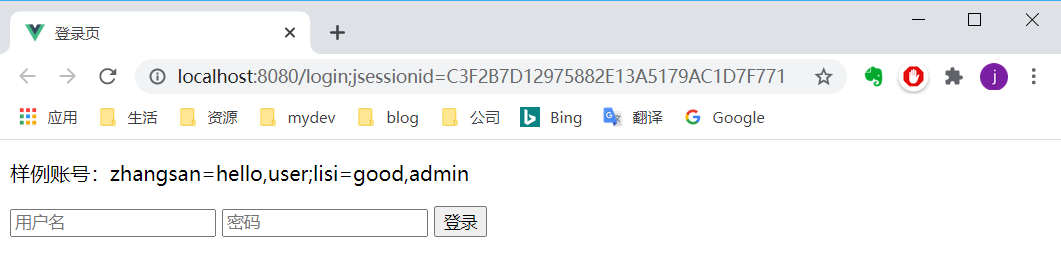
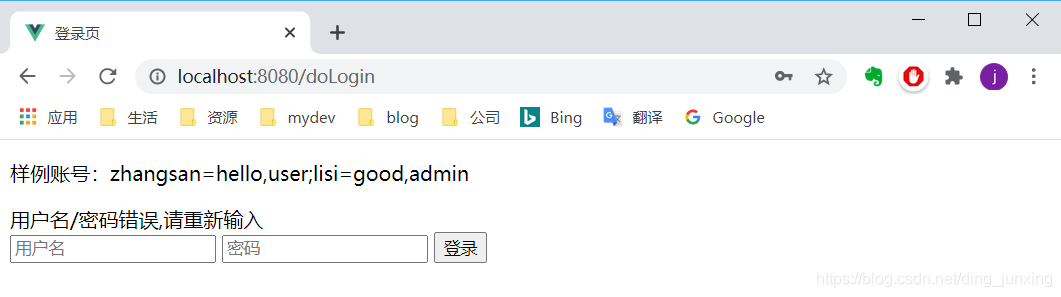
登录页面中,先以错误的账号或密码登录,会在当前页面中提示相关错误信息:
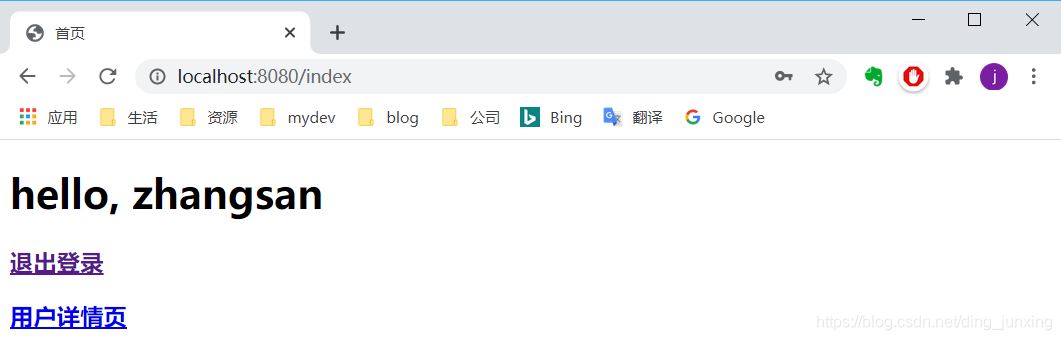
以正确的user账号zhangsan/hello登录后,会进入index页面,展示基本信息:
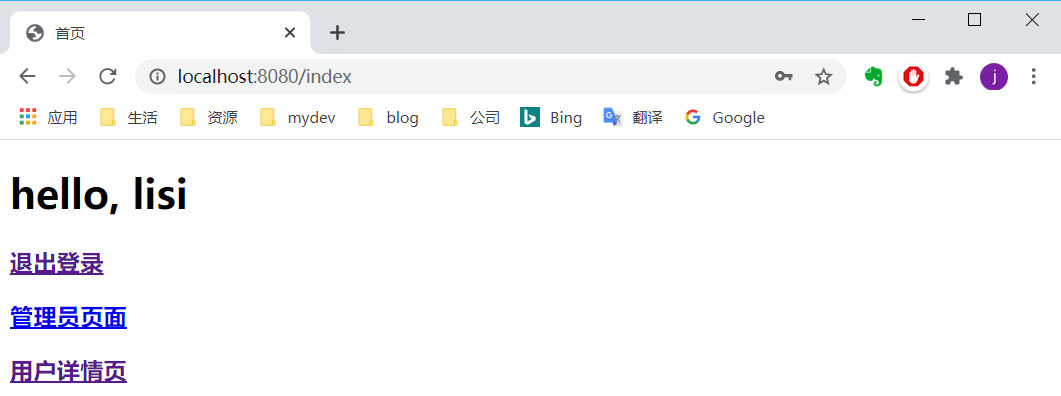
点击退出登录后,会重新回到login页面,再以admin账号lisi/good登录后,index页面会额外多展示“管理员页面“链:
再次退出登录后,再以user账号登陆后,直接在地址栏访问http://localhost:8080/admin,会进入到授权异常页面:
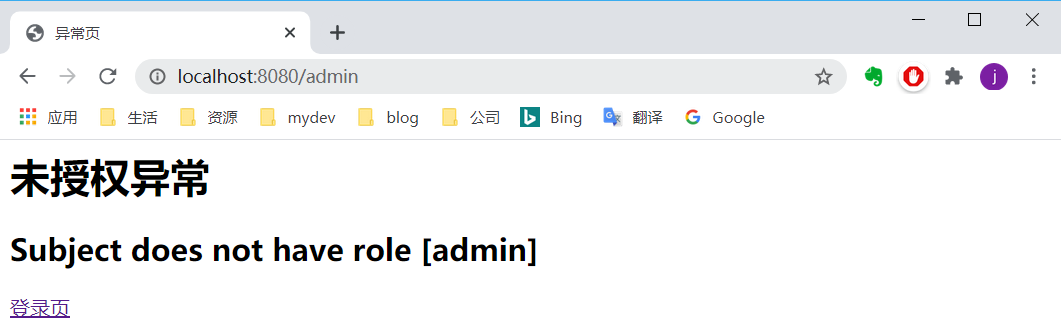
至此,基于shiro的简单授权管理已经完成,相关源代码详见https://gitee.com/coolpine/backends/tree/master/hiboot/src/main/java/pers/techlmm/shiro/base,供参考
参考资料
- https://shiro.apache.org/spring-boot.html
- https://github.com/apache/shiro/tree/master/samples/spring-boot-web
- https://blog.youkuaiyun.com/cold___play/article/details/104256124





 扫一扫
扫一扫


 547
547

 被折叠的 条评论
为什么被折叠?
被折叠的 条评论
为什么被折叠?
 到【灌水乐园】发言





