以profile.vue對應views.py中的UserProfileView為例,寫experience.vue完整代碼,,fetch /api/experience, 對應views.py中的UserExperienceView:
profile.vue:
<template>
<div class="profile-container">
<h2>用戶資料</h2>
<div v-if="loading" class="loading">載入中...</div>
<div v-else-if="error" class="error">{{ error }}</div>
<div v-else class="profile-details">
<!-- 用户资料展示(只读) -->
<div class="profile-field">
<span class="field-label">用戶名稱:</span>
<span class="field-value">{{ profile.username }}</span>
</div>
<div class="profile-field">
<span class="field-label">電子郵件:</span>
<span class="field-value">{{ profile.email }}</span>
</div>
<div class="profile-field">
<span class="field-label">註冊日期:</span>
<span class="field-value">{{ formatDate(profile.date_joined) }}</span>
</div>
<div class="profile-field">
<span class="field-label">使用者類型:</span>
<span class="field-value">
{{ profile.is_staff ? '管理員' : '一般用戶' }}
<span v-if="profile.is_superuser">(超級使用者)</span>
</span>
</div>
<!-- 其他字段展示 -->
</div>
</div>
</template>
<script>
export default {
name: 'Profile',
data() {
return {
profile: {
username: '',
email: '',
date_joined: null,
last_login: null,
is_staff: false,
is_superuser: false
},
loading: false,
error: null
};
},
mounted() {
this.fetchProfile();
},
methods: {
// 获取用户资料
async fetchProfile() {
this.loading = true;
try {
const authToken = localStorage.getItem('authToken');
if (!authToken) {
throw new Error('未找到認證令牌');
}
const response = await fetch('api/profile/', {
headers: {
'Authorization': `Token ${authToken}`,
'Content-Type': 'application/json'
}
});
if (!response.ok) {
const errorData = await response.json();
throw new Error(errorData.message || '資料獲取失敗');
}
const data = await response.json();
this.profile = {
username: data.username || '未設定',
email: data.email || '未設定',
date_joined: data.date_joined || null,
last_login: data.last_login || null,
is_staff: data.is_staff || false,
is_superuser: data.is_superuser || false // 新增赋值
};
} catch (err) {
console.error('獲取用戶資料失敗:', err);
this.error = err.message || '無法載入用戶資料';
} finally {
this.loading = false;
}
},
// 格式化日期
formatDate(datetime) {
if (!datetime) return '未記錄';
const date = new Date(datetime);
return date.toLocaleDateString('zh-TW', {
year: 'numeric',
month: '2-digit',
day: '2-digit',
hour: '2-digit',
minute: '2-digit'
});
},
// 重置资料方法(登出时调用)
resetProfileData() {
this.profile = {
username: '',
email: '',
date_joined: null,
last_login: null,
is_staff: false
};
}
}
};
</script>
<style scoped>
.profile-container {
padding: 20px;
max-width: 600px;
margin: 20px auto;
background: white;
border-radius: 8px;
box-shadow: 0 2px 10px rgba(0, 0, 0, 0.1);
}
h2 {
text-align: center;
color: #2c3e50;
margin-bottom: 25px;
padding-bottom: 15px;
border-bottom: 1px solid #eee;
}
.profile-details {
padding: 0 20px;
}
.profile-field {
display: flex;
margin-bottom: 18px;
padding: 12px 0;
border-bottom: 1px dashed #f0f0f0;
}
.field-label {
font-weight: bold;
color: #555;
min-width: 120px;
}
.field-value {
color: #333;
flex-grow: 1;
}
.loading, .error {
text-align: center;
padding: 30px;
font-size: 18px;
}
.loading {
color: #3498db;
}
.error {
color: #e74c3c;
}
</style>
views.py:
from rest_framework.views import APIView
from rest_framework import generics, status, permissions
from rest_framework.response import Response
from rest_framework.authtoken.models import Token
from rest_framework.authentication import TokenAuthentication, SessionAuthentication
from django.contrib.auth import authenticate, login, logout
# 修改点1:导入自定义用户模型
from MI_User_experience.models import CustomUser
from .serializers import LoginSerializer, RegisterSerializer
User = CustomUser # 使用自定义用户模型别名
class RegisterView(generics.CreateAPIView):
serializer_class = RegisterSerializer
authentication_classes = []
permission_classes = [permissions.AllowAny]
def options(self, request, *args, **kwargs):
response = Response()
response['Allow'] = 'POST, OPTIONS'
response['Access-Control-Allow-Methods'] = 'POST, OPTIONS'
response['Access-Control-Allow-Headers'] = 'Content-Type, Authorization'
response['Content-Type'] = 'application/json'
return response
def create(self, request, *args, **kwargs):
serializer = self.get_serializer(data=request.data)
serializer.is_valid(raise_exception=True)
user = serializer.save()
if user.is_staff:
token = Token.objects.create(user=user)
login(request, user)
return Response({
'user_id': user.id,
'username': user.username,
'email': user.email,
'token': token.key,
'is_staff': True,
'detail': '註冊成功,已自動登入'
}, status=status.HTTP_201_CREATED)
else:
return Response({
'user_id': user.id,
'username': user.username,
'email': user.email,
'detail': '註冊已成功,請向系統管理者申請此帳號的使用權限。',
'code': 'pending_approval'
}, status=status.HTTP_201_CREATED)
class LoginView(generics.CreateAPIView):
serializer_class = LoginSerializer
authentication_classes = []
permission_classes = [permissions.AllowAny]
def options(self, request, *args, **kwargs):
response = Response()
response['Allow'] = 'POST, OPTIONS'
response['Access-Control-Allow-Methods'] = 'POST, OPTIONS'
response['Access-Control-Allow-Headers'] = 'Content-Type, Authorization'
response['Content-Type'] = 'application/json'
return response
def create(self, request, *args, **kwargs):
required_fields = ['username', 'password']
if not all(field in request.data for field in required_fields):
return Response({
'detail': '必須提供用戶名和密碼'
}, status=status.HTTP_400_BAD_REQUEST)
simplified_data = {
'username': request.data['username'],
'password': request.data['password']
}
serializer = self.get_serializer(data=simplified_data)
serializer.is_valid(raise_exception=True)
user = serializer.validated_data['user']
if not user.is_staff:
return Response({
'detail': '無管理者權限,僅可查詢醫案。',
'code': 'permission_denied'
}, status=status.HTTP_403_FORBIDDEN)
token, created = Token.objects.get_or_create(user=user)
login(request, user)
return Response({
'token': token.key,
'user_id': user.id,
'username': user.username,
'is_staff': user.is_staff,
'is_superuser': user.is_superuser,
}, status=status.HTTP_200_OK)
class LogoutView(APIView):
authentication_classes = [TokenAuthentication, SessionAuthentication]
permission_classes = [permissions.IsAuthenticated]
def options(self, request, *args, **kwargs):
response = Response()
response['Allow'] = 'POST, OPTIONS'
response['Access-Control-Allow-Methods'] = 'POST, OPTIONS'
response['Access-Control-Allow-Headers'] = 'Content-Type, Authorization'
response['Content-Type'] = 'application/json'
return response
def post(self, request):
user_id = request.user.id
Token.objects.filter(user=request.user).delete()
logout(request)
return Response({
'detail': '成功登出',
'user_id': user_id
}, status=status.HTTP_200_OK)
class UserProfileView(APIView):
authentication_classes = [TokenAuthentication, SessionAuthentication]
permission_classes = [permissions.IsAuthenticated]
def options(self, request, *args, **kwargs):
response = Response()
response['Allow'] = 'GET, OPTIONS'
response['Access-Control-Allow-Methods'] = 'GET, OPTIONS'
response['Access-Control-Allow-Headers'] = 'Content-Type, Authorization'
response['Content-Type'] = 'application/json'
return response
def get(self, request):
return Response({
'user_id': request.user.id,
'username': request.user.username,
'email': request.user.email,
'date_joined': request.user.date_joined,
'is_staff': request.user.is_staff,
'is_superuser': request.user.is_superuser,
}, status=status.HTTP_200_OK)
class UserExperienceView(APIView):
authentication_classes = [TokenAuthentication, SessionAuthentication]
permission_classes = [permissions.IsAuthenticated]
def options(self, request, *args, **kwargs):
response = Response()
response['Allow'] = 'GET, OPTIONS'
response['Access-Control-Allow-Methods'] = 'GET, OPTIONS'
response['Access-Control-Allow-Headers'] = 'Content-Type, Authorization'
response['Content-Type'] = 'application/json'
return response
def get(self, request):
return Response({
'login_count': request.user.login_count,
'create_mr_id': request.user.create_mr_id,
'relate_mr_count': request.user.relate_mr_count,
'create_dn_count': request.user.create_dn_count,
'create_dian_count': request.user.create_dian_count,
'create_tn_count': request.user.create_tn_count,
'create_mn_count': request.user.create_mn_count,
'create_sn_count': request.user.create_sn_count,
'create_pn_count': request.user.create_pn_count,
'create_fn_count': request.user.create_fn_count,
'create_en_count': request.user.create_en_count,
'create_prn_count': request.user.create_prn_count,
'mr_queryed_count': request.user.mr_queryed_count,
'appellation_id': request.user.appellation_id,
}, status=status.HTTP_200_OK)
最新发布


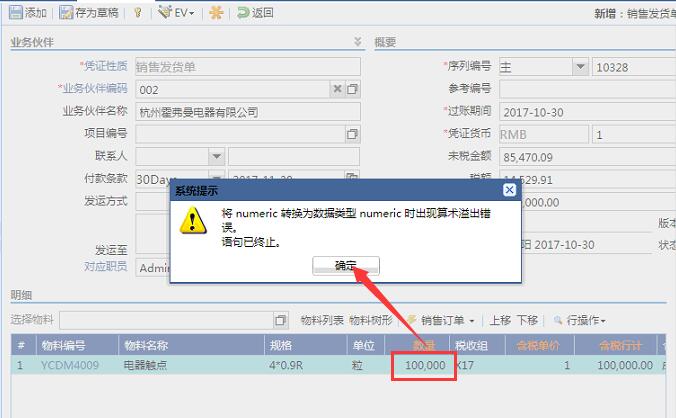
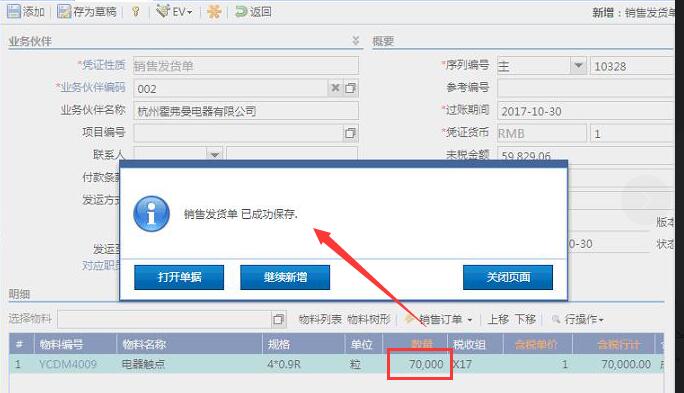
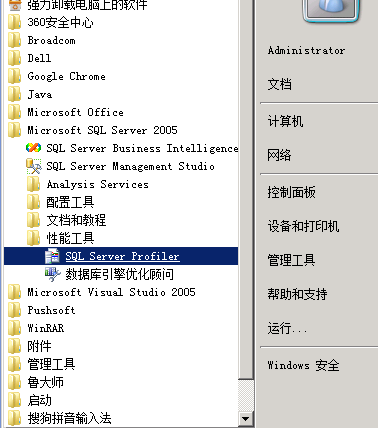
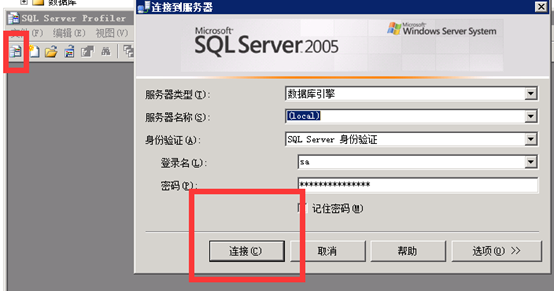
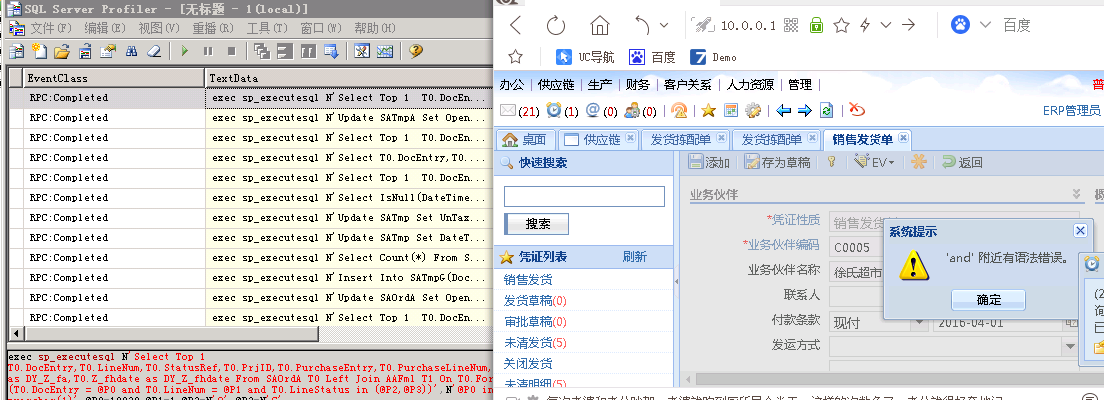
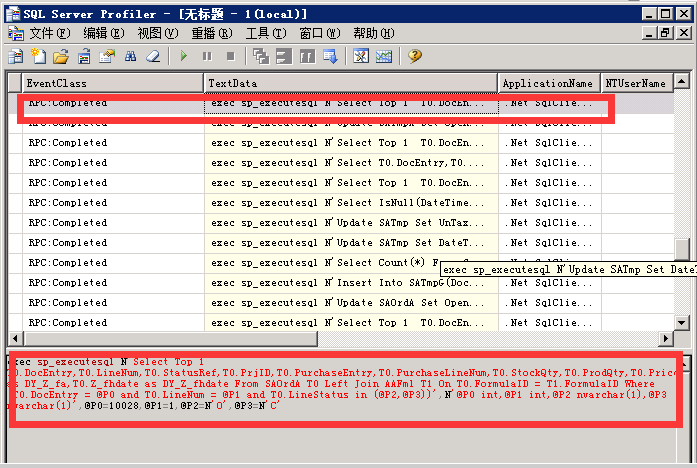
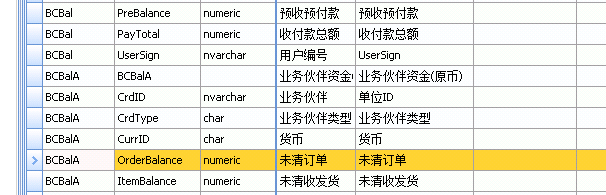
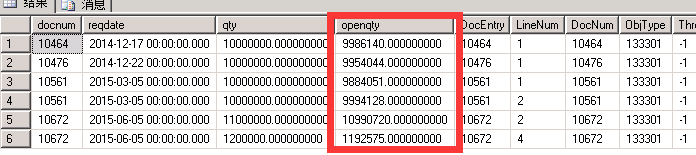
 本文详细记录了解决销售发货单因数量过大导致的算数溢出错误的过程。通过SQL数据库追踪,发现问题是由于未清订单累积导致的OrderBalance值过大。解决方法包括及时关闭未清订单和注意单位使用。





 扫一扫
扫一扫


 2475
2475

 被折叠的 条评论
为什么被折叠?
被折叠的 条评论
为什么被折叠?
 到【灌水乐园】发言





